Acumens Starter-Pack & Simple EDI for Microsoft Dynamics NAV/BC

Bank Rec Fixes and Enhancements

  • 1. Void Check

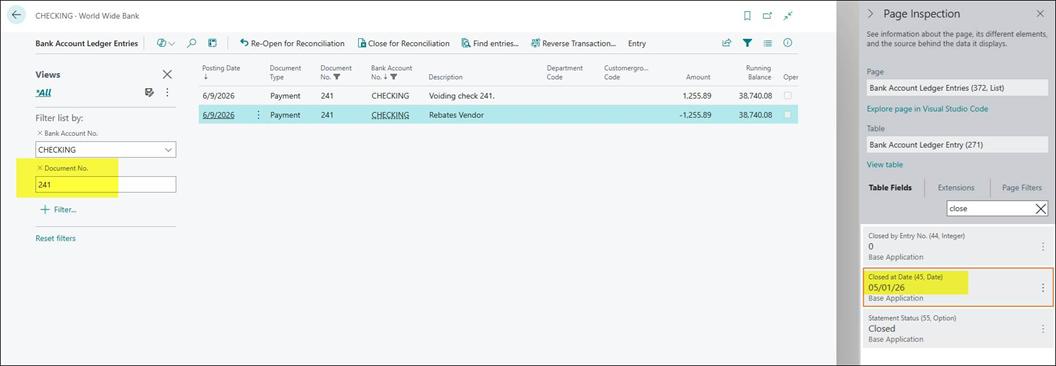
    When the Void Check function is executed in the system, the Close at Date field shall be automatically assigned a value based on the Last Statement Date.

    Functional Logic

    • The system shall retrieve the Last Statement Date from the related bank account or statement record.
    • The system shall automatically calculate the Close at Date as:

      Close at Date = Last Statement Date + 1 day

    • This value shall be populated during the execution of the Void Check process.
      • Bank Statement for Bank account CHECKING Bank Rec Fixes and Enhancements
      • Bank Reconciliation for Check 241 Bank Rec Fixes and Enhancements
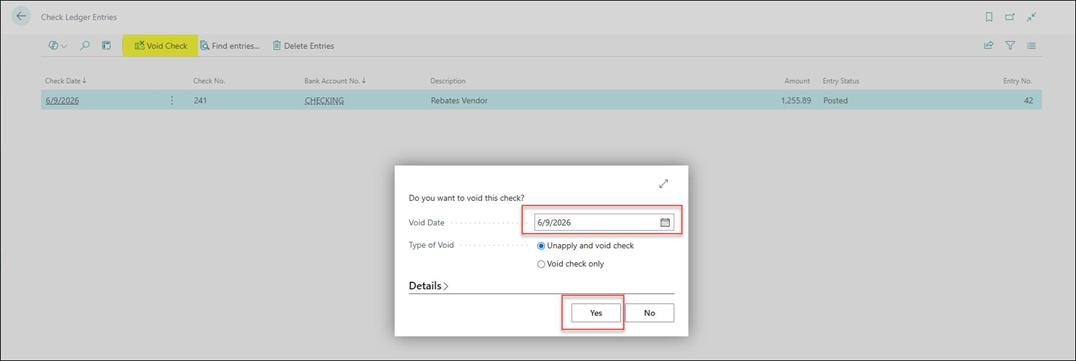
      • Check Ledger Entry – Void Cheque function Bank Rec Fixes and Enhancements
      • Check Ledger Entries – “Entry Status” = Financially Voided Bank Rec Fixes and Enhancements
      • Bank Account Ledger Entry after Void Check function.

        You note that the “Closed at Date” occurs before the “Posting Date” of the Bank Account Ledger Entries.

        Bank Rec Fixes and Enhancements
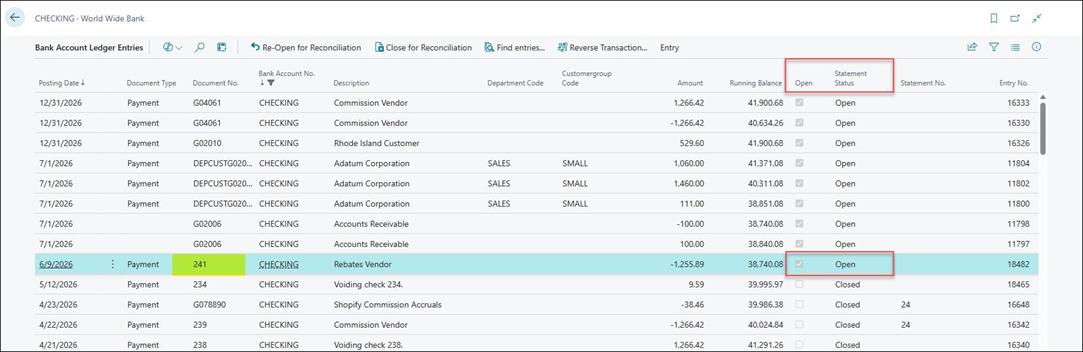
  • 2. Close and Reopen Bank Reconciliation

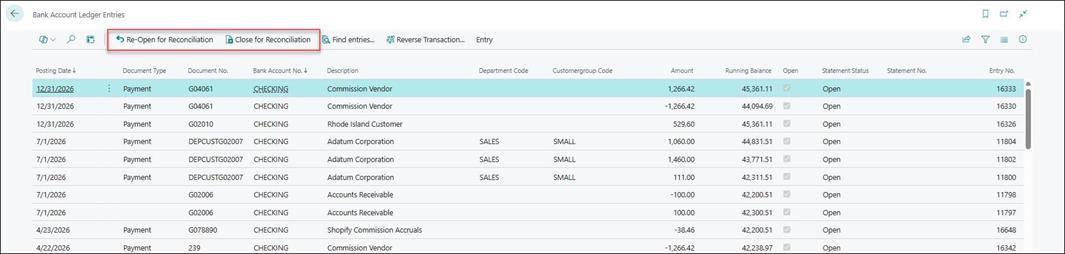
    This functionality enables users to close and reopen Bank Reconciliation entries directly from Bank Account Ledger Entries, based on user permissions and system setup configuration.

    The system provides the ability to:

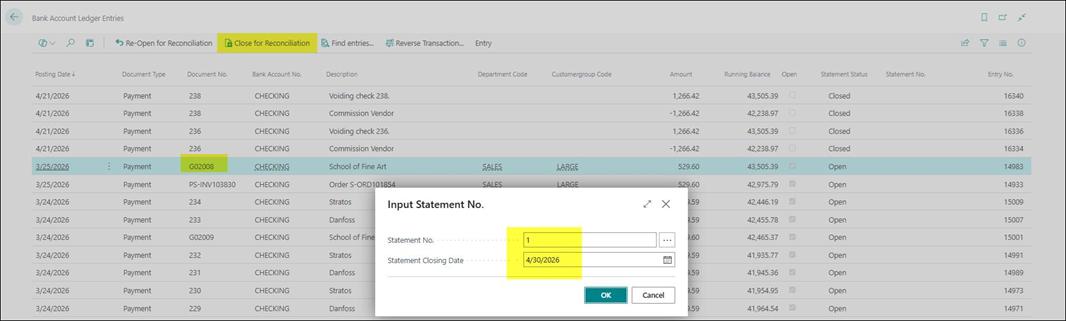
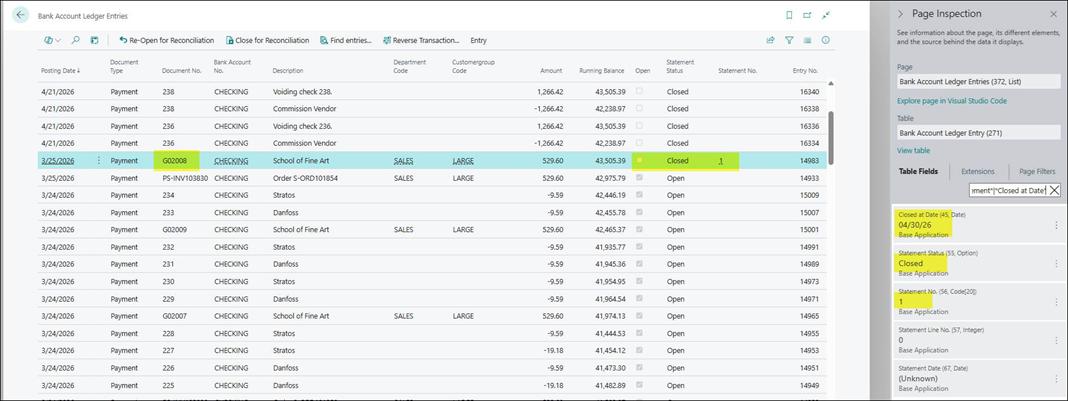
    • Close Reconciliation for selected bank ledger entries.
    • Reopen Reconciliation for previously closed reconciliation entries.
    • Restrict or allow this functionality through user setup permissions and system configuration setups.
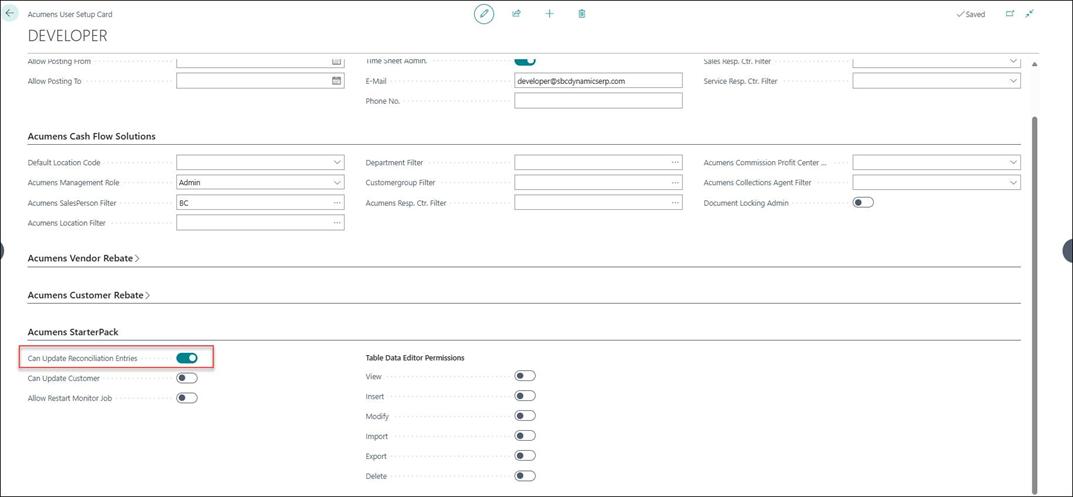
      • User setup - user permission

        In the Acumens User Setup Card, the user must have Can Update Reconciliation Entries enabled.

        This permission controls whether the user can manually modify reconciliation status on bank ledger entries.

        Bank Rec Fixes and Enhancements
      • Bank ledger entries page actions visibility control setup

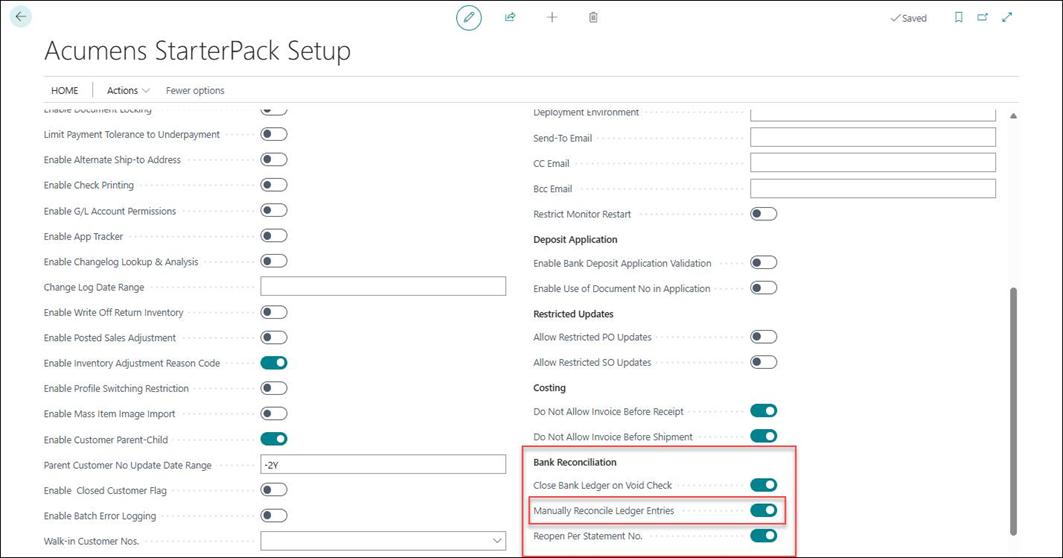
        In Acumens StarterPack Setup, the following Bank Reconciliation configurations control the feature:

        Bank Rec Fixes and Enhancements

        Available options:

        • Close Bank Ledger on Void Check
          • When enabled, bank ledger entries are automatically closed for reconciliation when a Void Check process is executed.
          • During this process, Close at Date is automatically set to: Close at Date = Last Statement Date + 1 day
        • Manually Reconcile Ledger Entries
          • Allows users to manually close or reopen reconciliation entries from the Bank Account Ledger Entries page.
        • Reopen Per Statement No
          • o Controls reopening behavior by statement number during reconciliation.
      • Re-open and Close for Reconciliation actions Bank Rec Fixes and Enhancements
      • Close for Reconciliation Bank Rec Fixes and Enhancements Bank Rec Fixes and Enhancements
  • 3. Close All Bank Ledger Entries

    The "Close All Bank Ledger Entries" report enables authorized users to bulk close bank ledger entries for reconciliation instead of manually selecting entries one by one from the Bank Account Ledger Entries page.

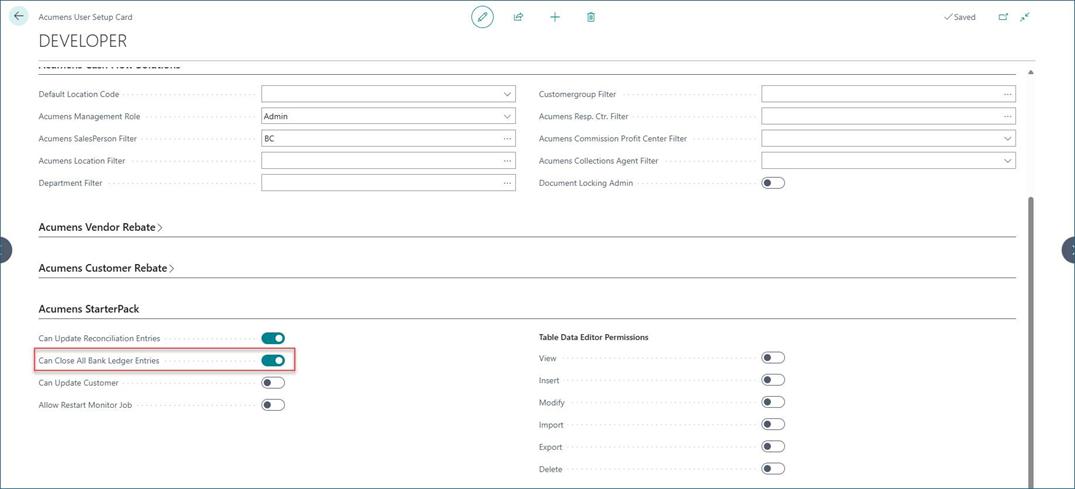
    This functionality is controlled through the Acumens User Setup Card permission to ensure only authorized users can execute multiple reconciliation updates.

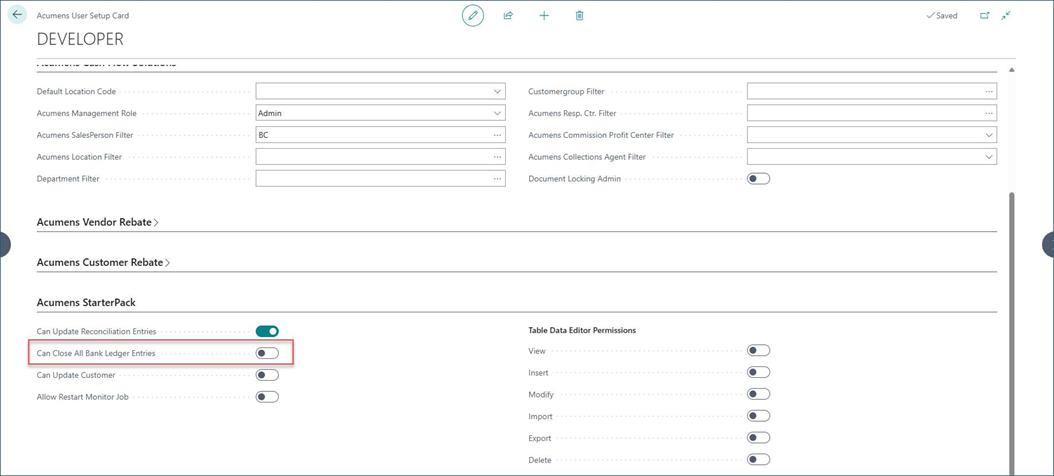
    • Below user permission setup

      The user must have the Can Close All Bank Ledger Entries permission enabled in the Acumens User Setup Card as highlighted below.
      Bank Rec Fixes and Enhancements

      When above setup is FALSE then user will get below warning.
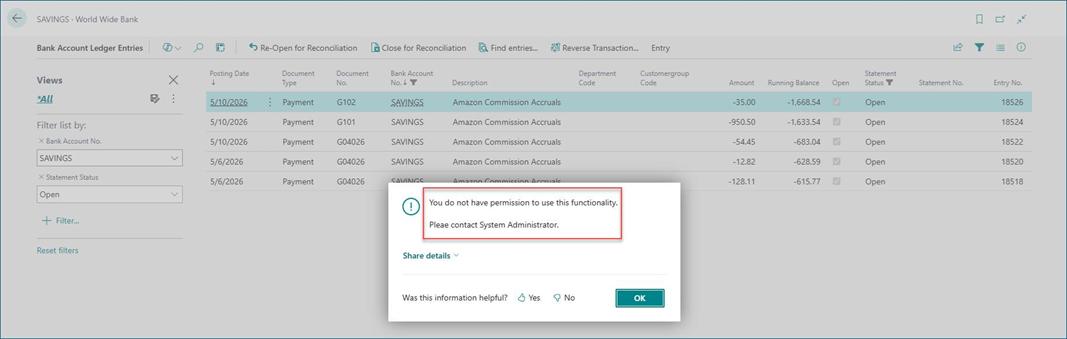
      Bank Rec Fixes and Enhancements
    • User permission is set TRUE Bank Rec Fixes and Enhancements
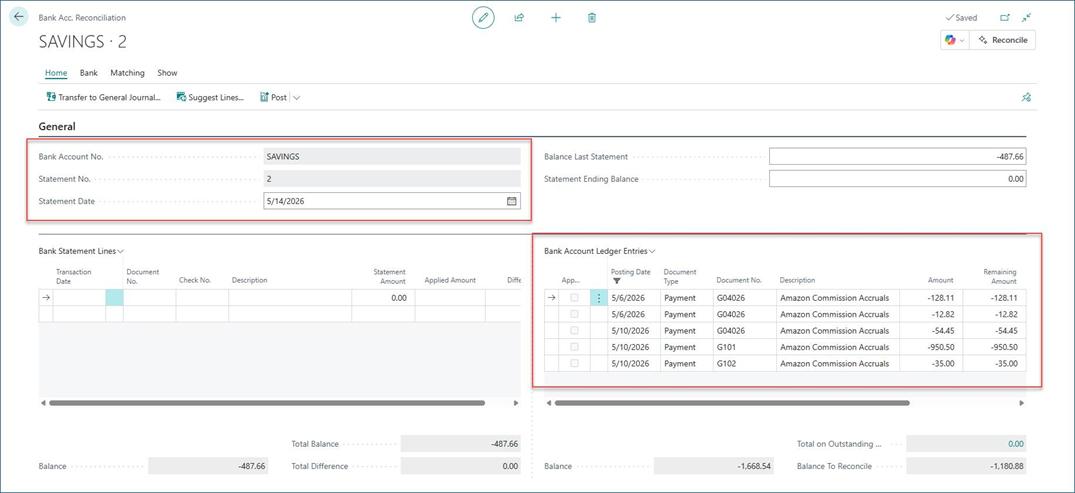
    • Bank account reconciliation entries for SAVINGS are populated as shown below. Bank Rec Fixes and Enhancements
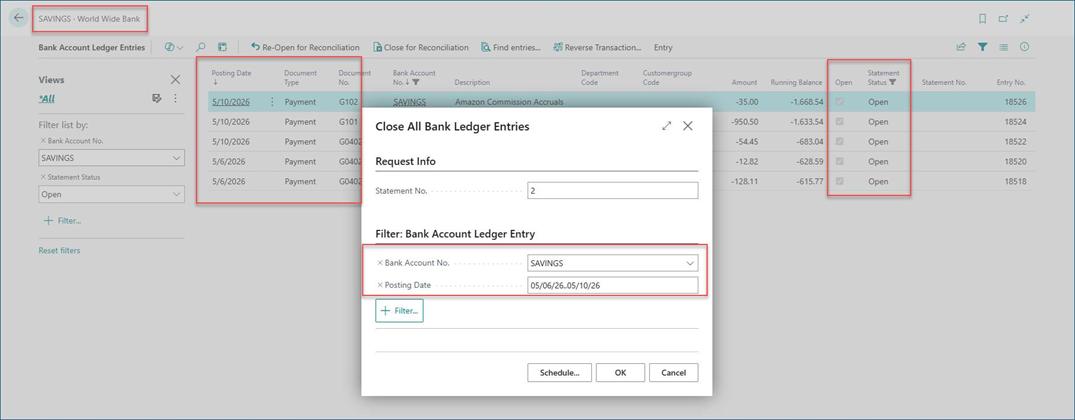
    • Run "Close All Bank Ledger Entries" Report and give below filters. Bank Rec Fixes and Enhancements
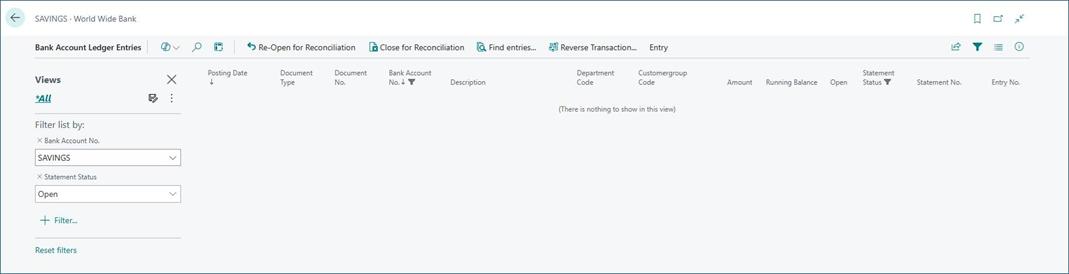
    • It has closed Bank Account Ledger Entries. Bank Rec Fixes and Enhancements
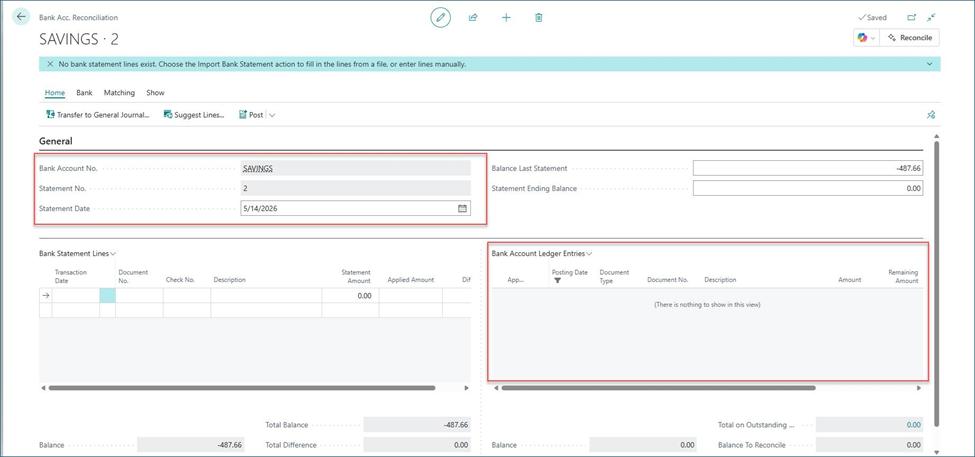
    • Bank Acc. Reconciliation After running batch process. Cleared as shown below. Bank Rec Fixes and Enhancements
  • 4. Legacy Bank Reconciliations for BC

    This retains the deprecated version of Bank Reconciliation module designed for the North America version which was deprecated by Microsoft

    • Setup

      On General Ledger setup page, setup “Bank Rec. Adj. Doc. Nos.” field. This specifies the bank reconciliation adjustment document number.
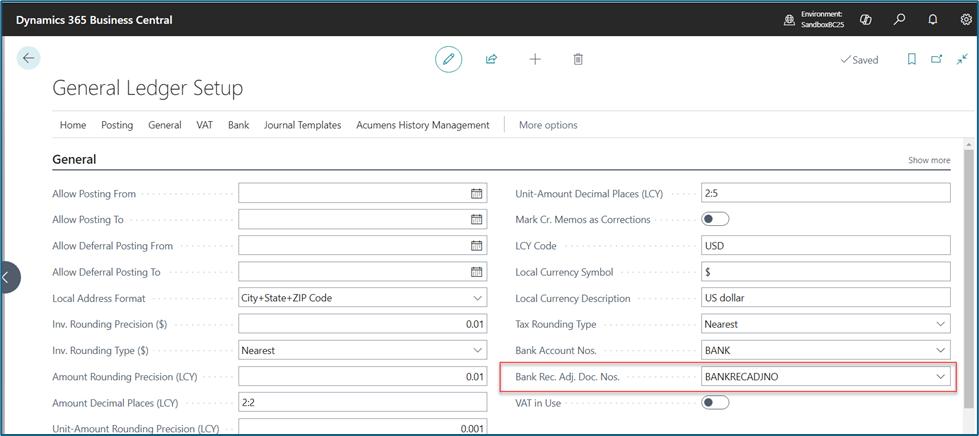
      Bank Rec Fixes and Enhancements

      On the Bank Account card, setup the "Last Statement No." field. This specifies the number of the last bank account statement that was reconciled with this bank account. When a new Bank Reconciliations card is created, the Statement No. will be incremented from this setup.
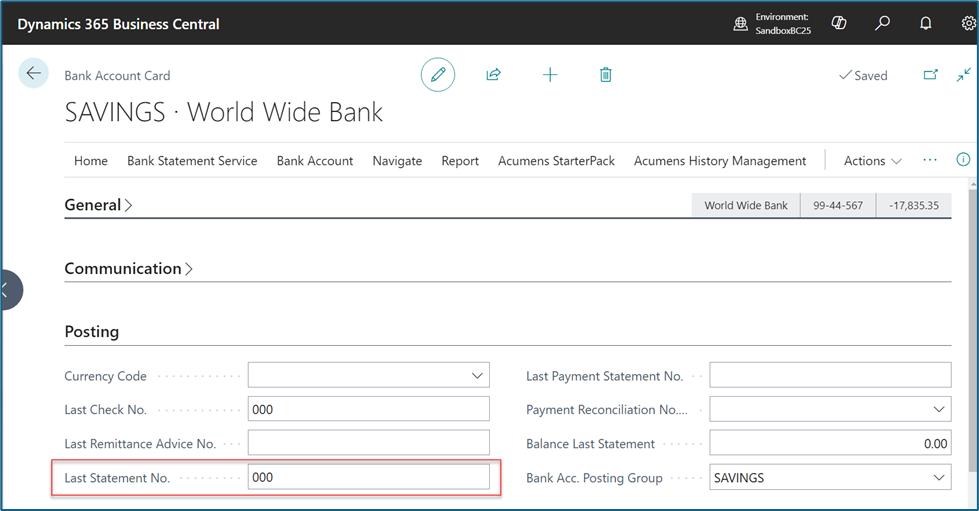
      Bank Rec Fixes and Enhancements
    • ASP Bank Reconciliations.

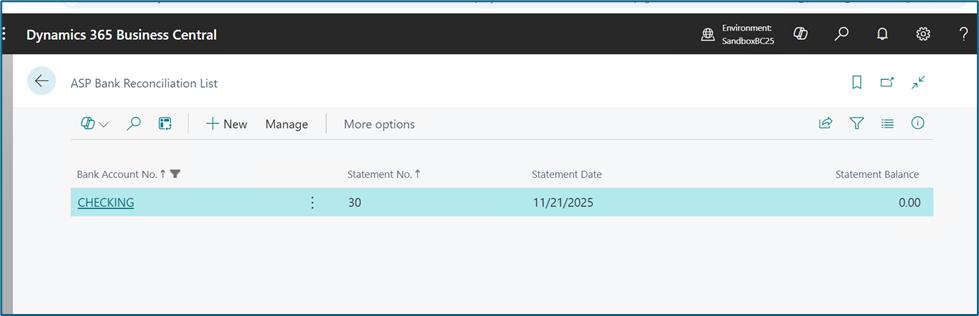
      Search or Find the ASP Bank Reconciliations list.
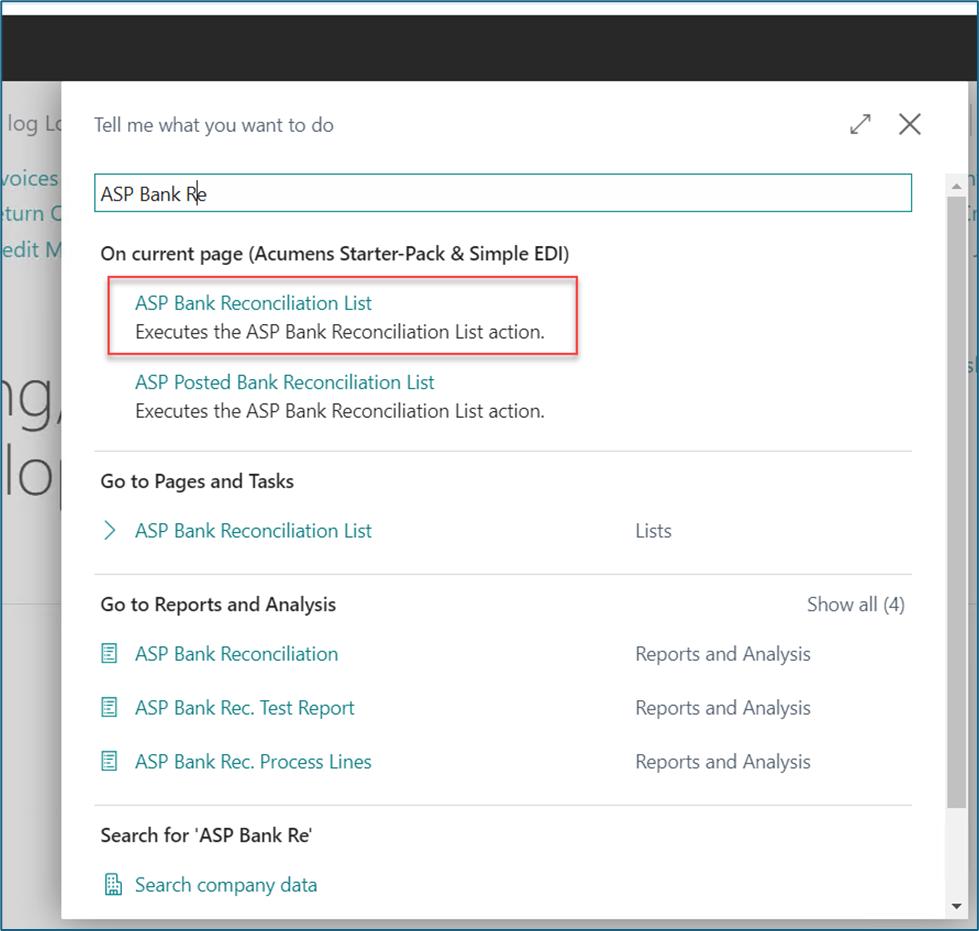
      Bank Rec Fixes and Enhancements

      Opens ASP Bank Reconciliations List.

      Bank Rec Fixes and Enhancements

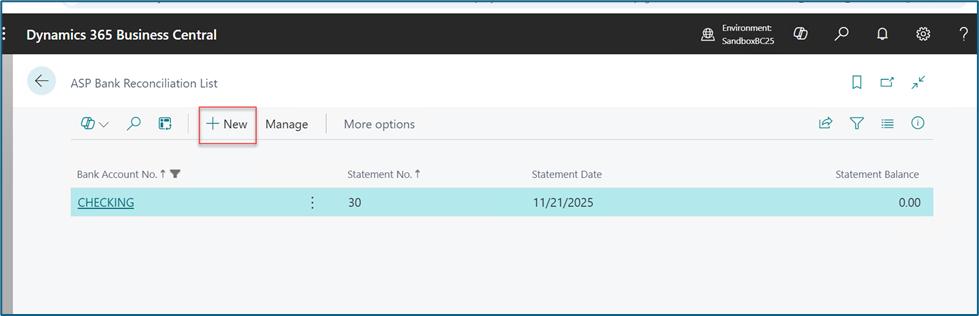
      Select Existing or click on "New" action to create a new Bank Reconciliation.
      Bank Rec Fixes and Enhancements

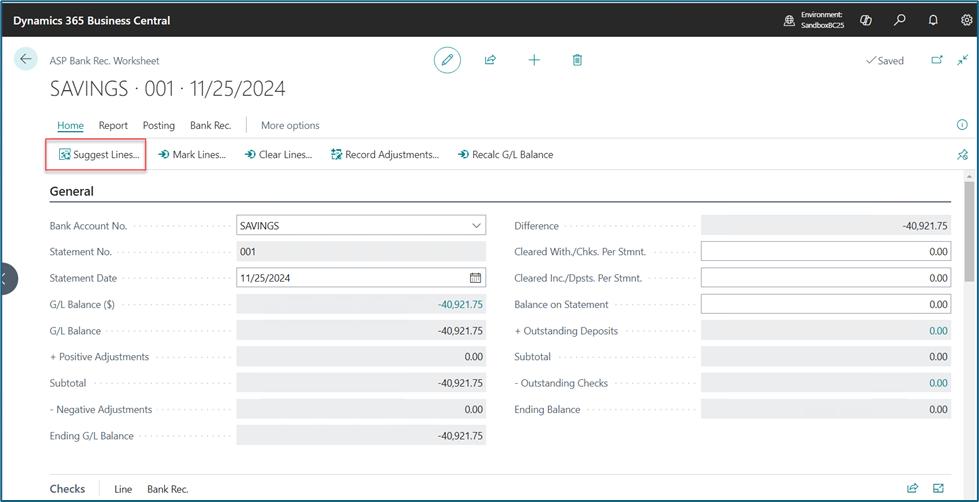
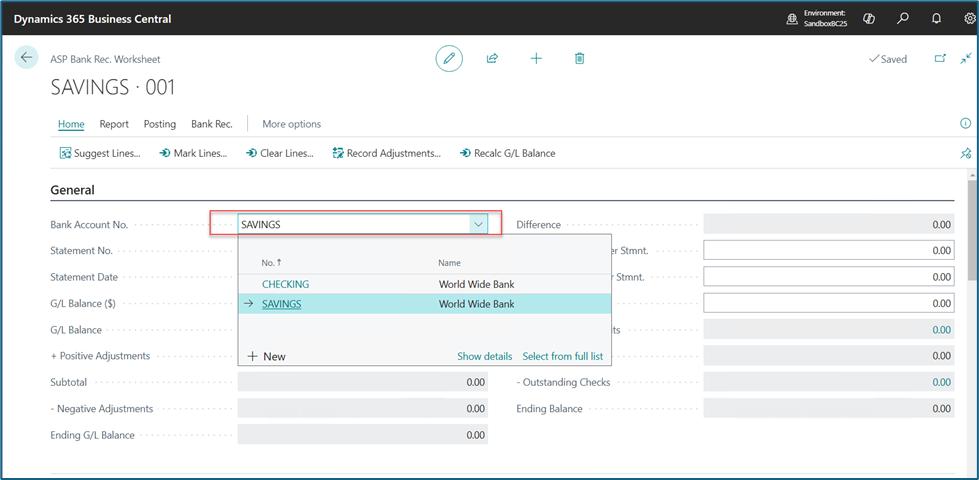
      Opens a bank reconciliations card. Select the Bank account to reconcile.
      Bank Rec Fixes and Enhancements

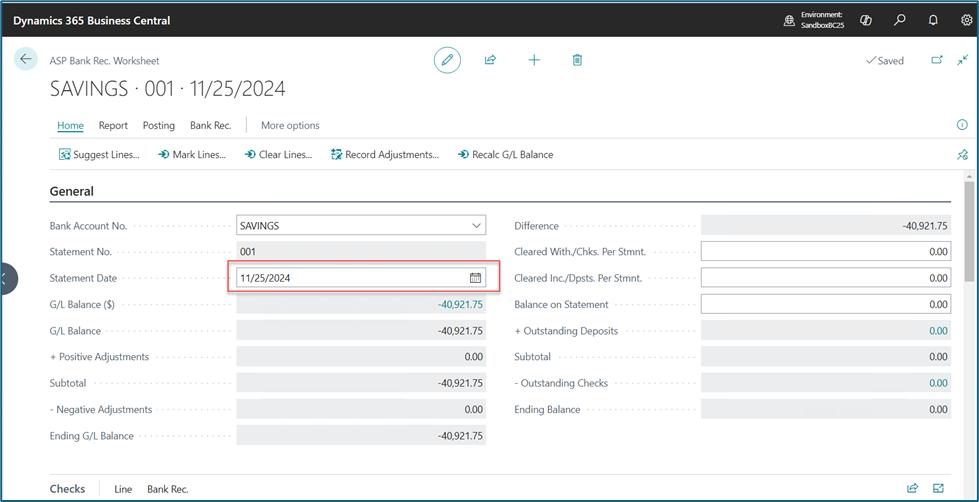
      Select the Statement Date. The amounts on the card will automatically populate when the date is updated.
      Bank Rec Fixes and Enhancements

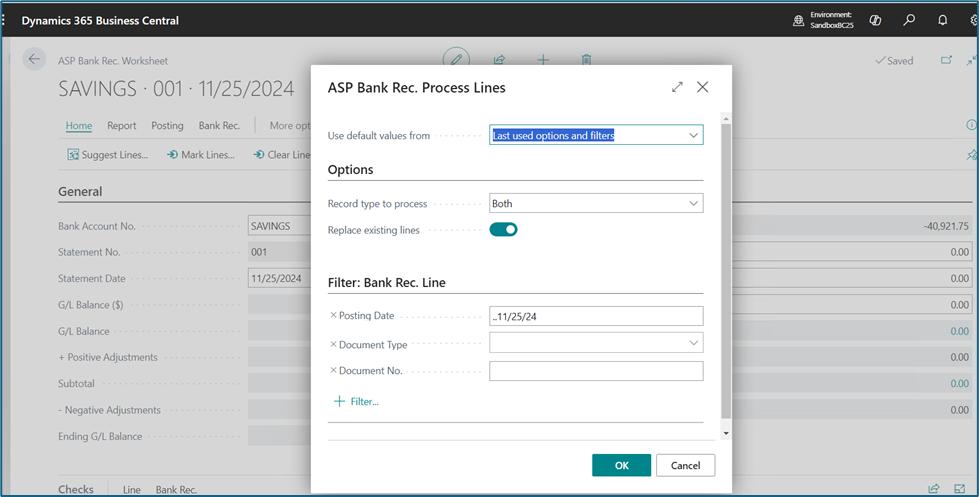
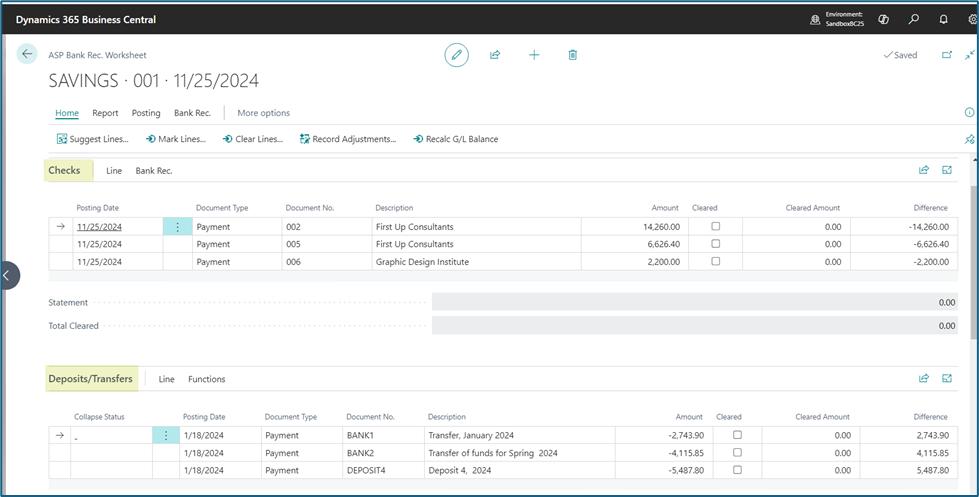
      Suggest Lines.

      Bank Rec Fixes and Enhancements Bank Rec Fixes and Enhancements

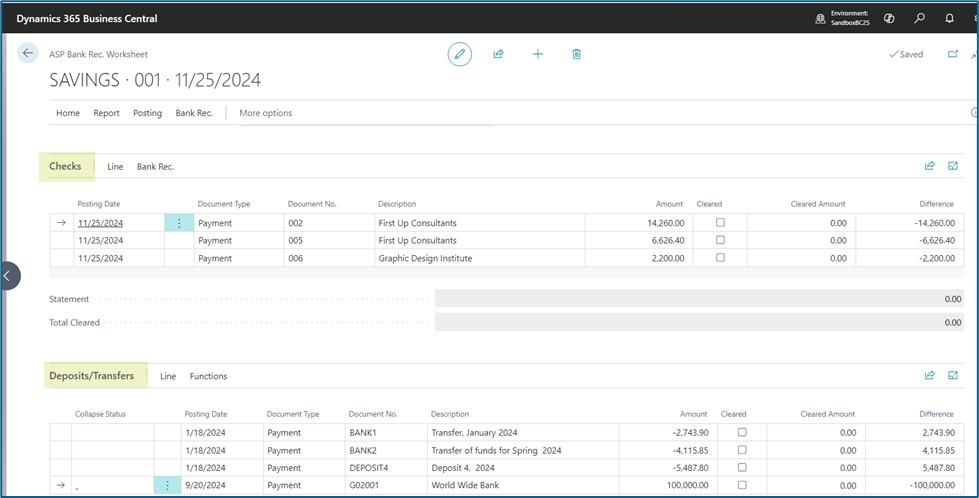
      Bank Reconciliation Lines are updated.
      Bank Rec Fixes and Enhancements Bank Rec Fixes and Enhancements

      Header amounts are also recalculated.
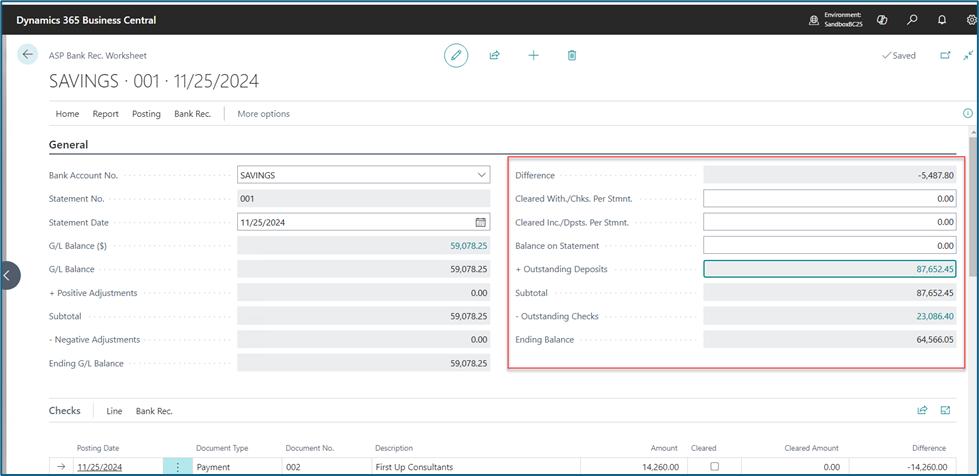
      Bank Rec Fixes and Enhancements

      Update the "Balance on Statement" field. This specifies the blance on the bank statement.
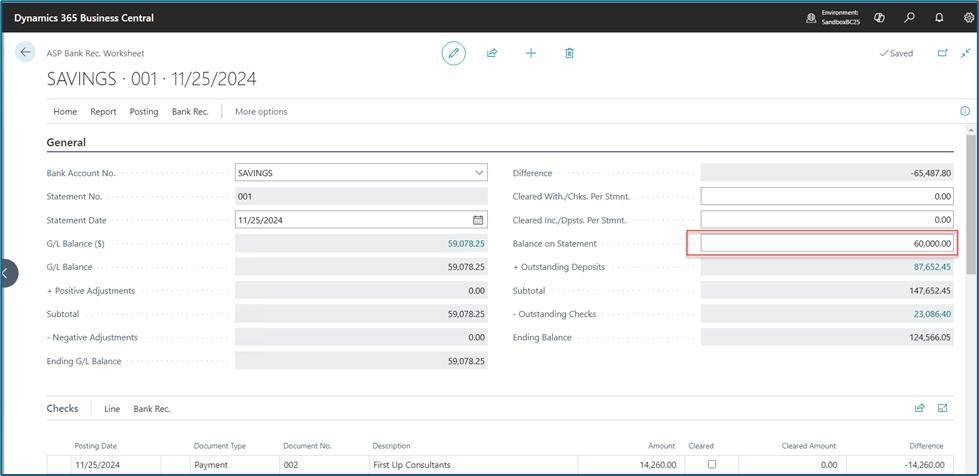
      Bank Rec Fixes and Enhancements

      On the statement lines, Compare the suggested lines against the Bank Statement Lines. Checkmark the verified lines. This specifies that the check/deposit/transfer on the line has been cleared, as indicated on the bank statement.
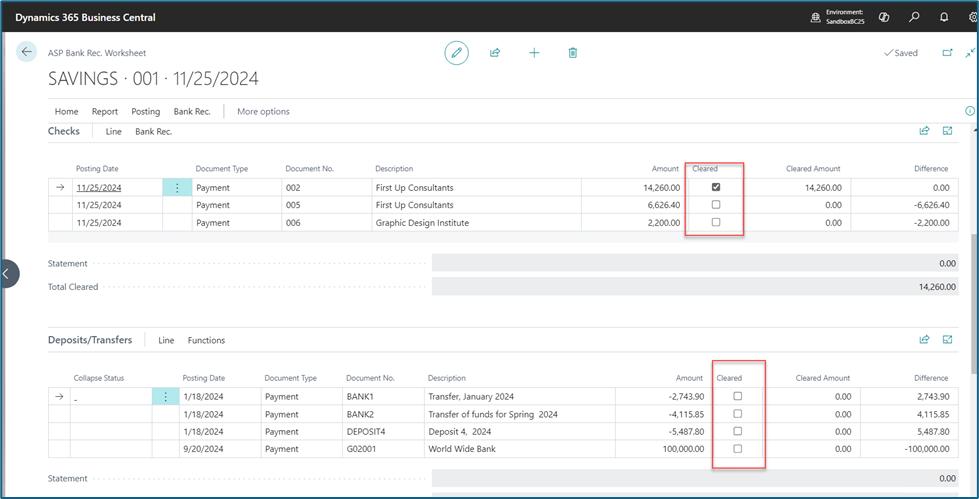
      Bank Rec Fixes and Enhancements

      Cleared amounts is automatically populated and can be modified. Difference amount is also calculated.
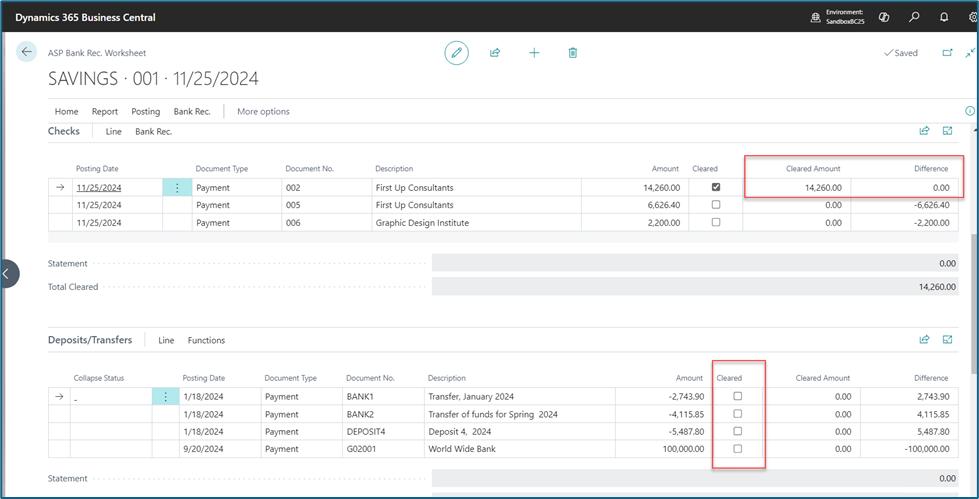
      Bank Rec Fixes and Enhancements

      Verify and repeat the same for all lines.
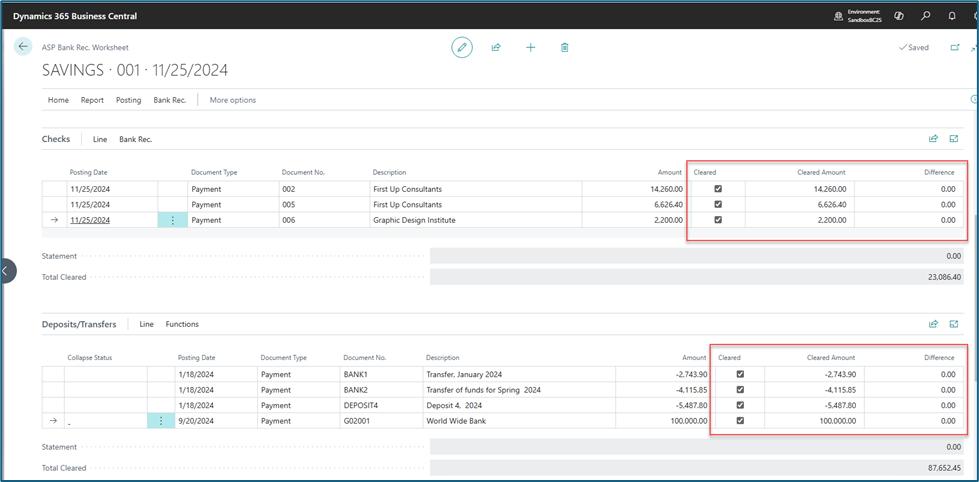
      Bank Rec Fixes and Enhancements

      You can use the "Find and Reconcile" feature to locate specific check/deposit entries then specify the amount to clear. Click to open the search page.
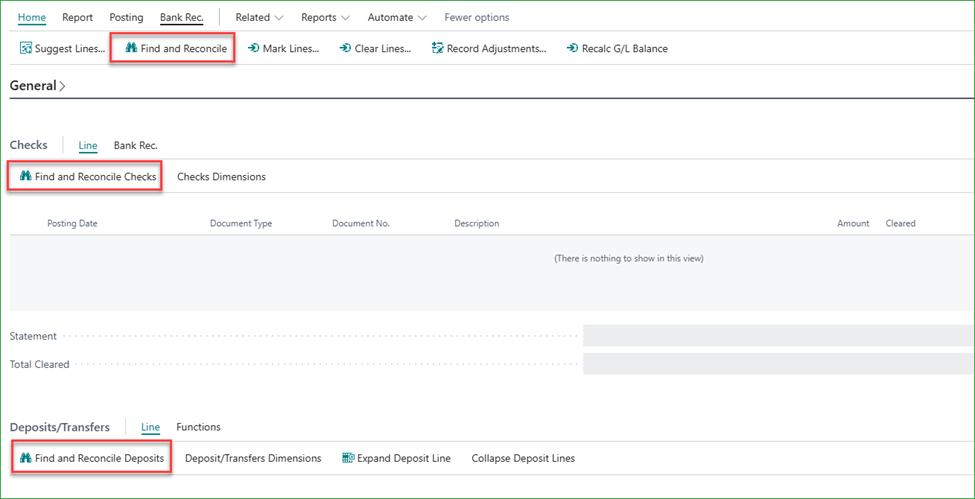
      Bank Rec Fixes and Enhancements

      Type the document number or amount then hit Enter to search.
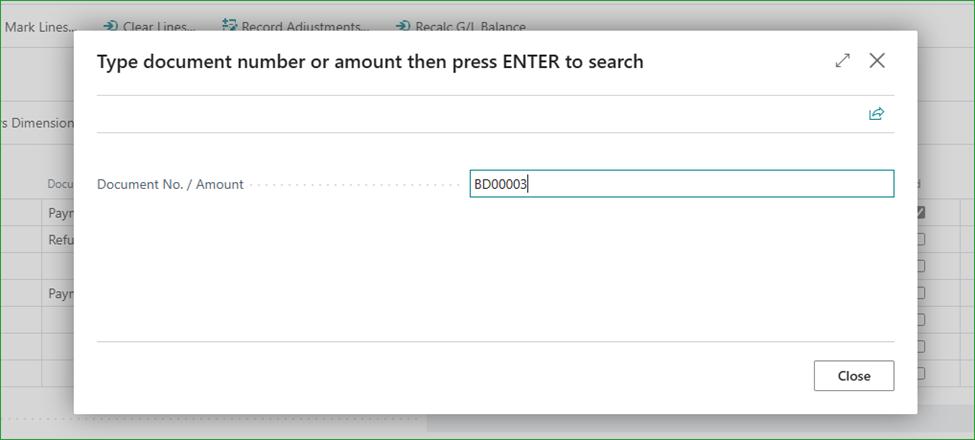
      Bank Rec Fixes and Enhancements

      If an entry is found and the desire is to clear the entire amount, click Yes.
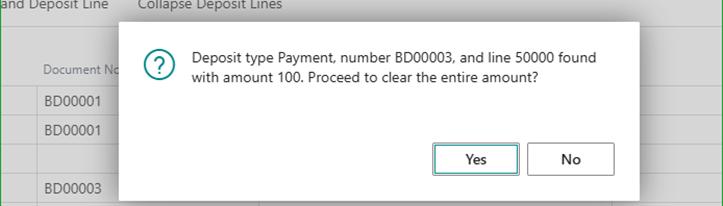
      Bank Rec Fixes and Enhancements

      If intending to clear less amount, click No then specify the amount in the subsequent page, then hit Enter as well.
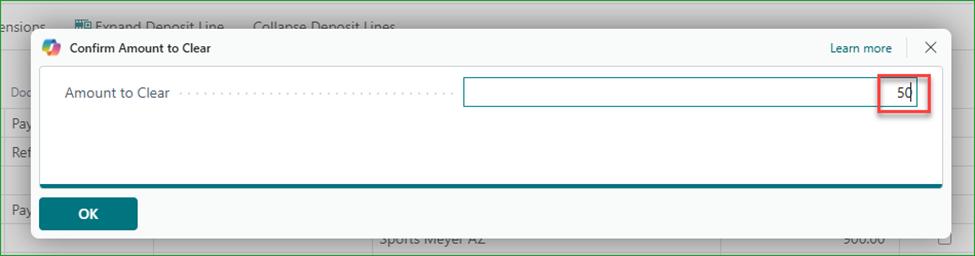
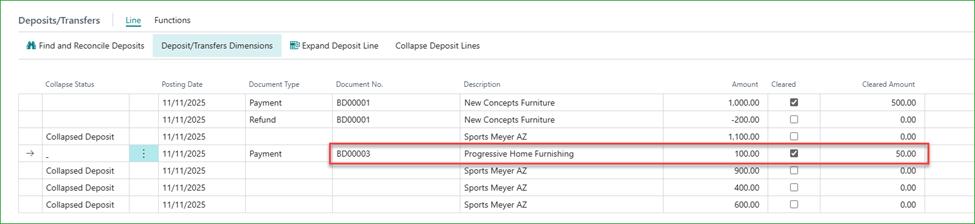
      Bank Rec Fixes and Enhancements Bank Rec Fixes and Enhancements

      The header totals are recalculated as you clear the lines.(You may need to refresh page).
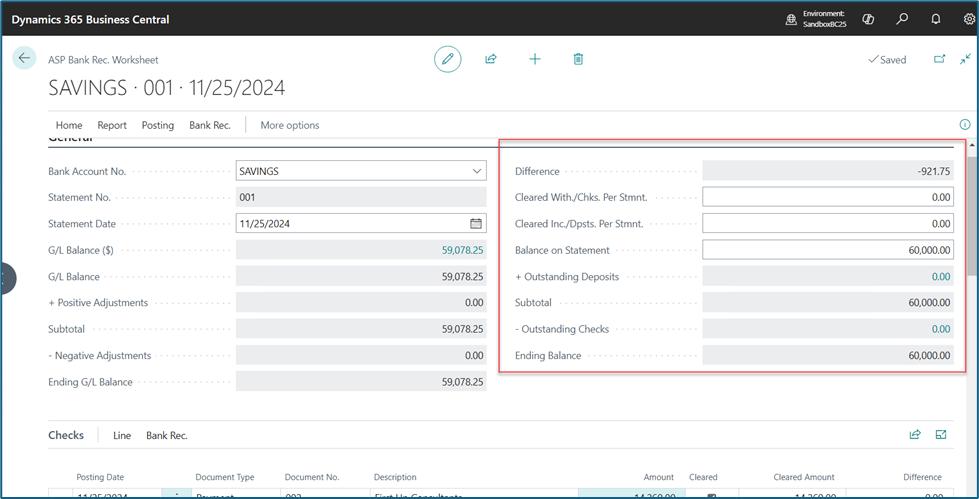
      Bank Rec Fixes and Enhancements

      The "Difference" field show the difference between the bank statement and the ledger entries on Business Central. This might be due to bank transactional charges, interests or other charges and deposits not posted in Business Central.
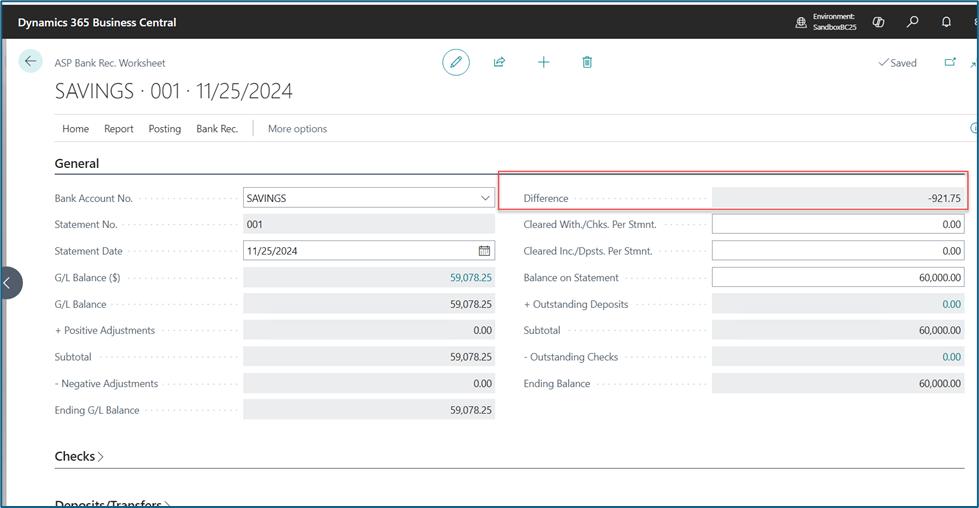
      Bank Rec Fixes and Enhancements

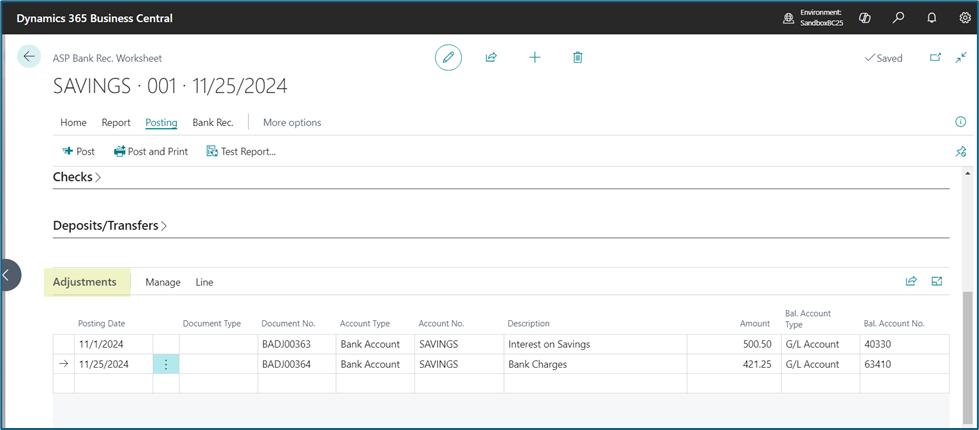
      On Adjustment fastTab, enter any entries to be adjusted. This will will inculde any entries on the bank statement that have not yet been posted on business central.
      Bank Rec Fixes and Enhancements

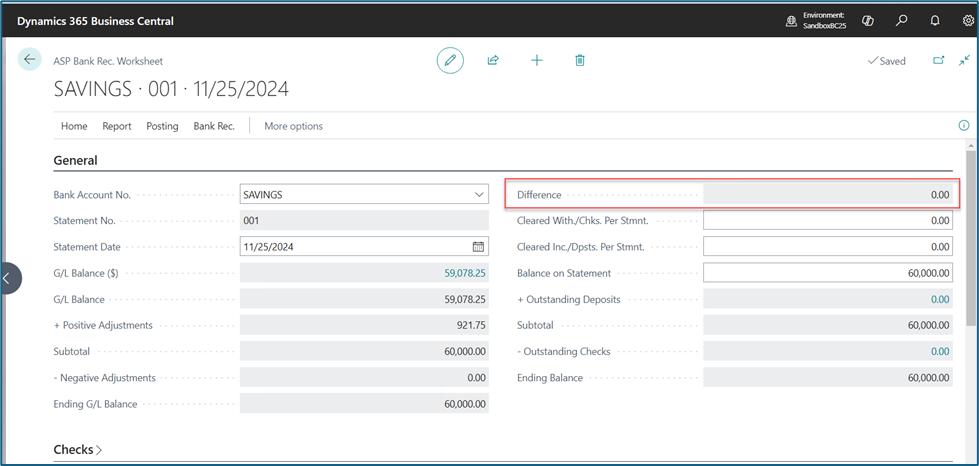
      Refresh and review Header Totals. If the difference is Zero(0) then the Bank Reconciliation can be Posted. Adjustments are posted togheter with the Bank Reconciliation entries.
      Bank Rec Fixes and Enhancements

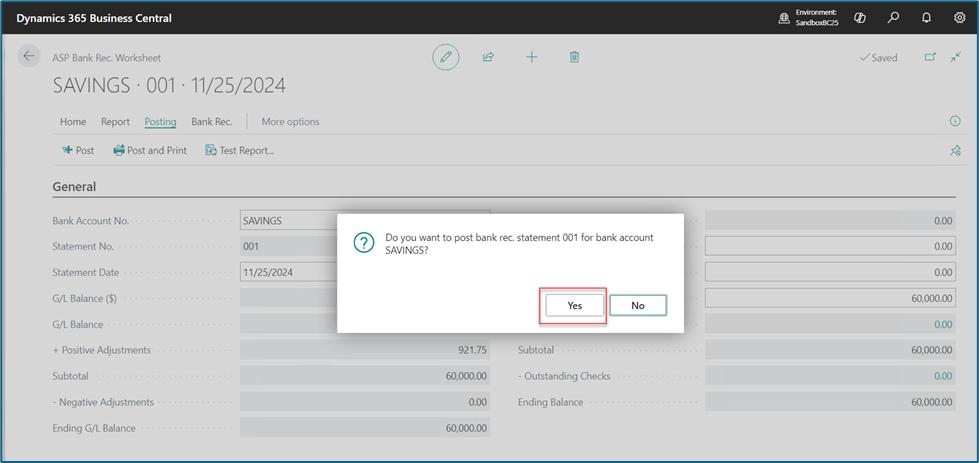
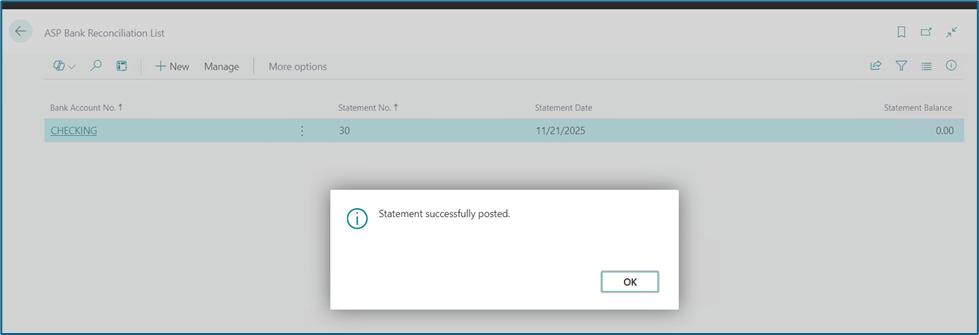
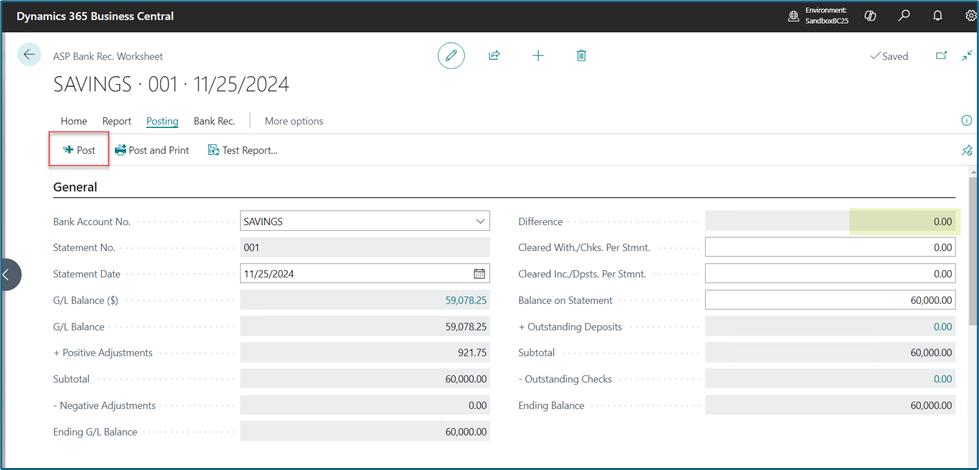
      Click on “Post” or “Post and Print” action to post the bank reconciliation card.
      Bank Rec Fixes and Enhancements Bank Rec Fixes and Enhancements Bank Rec Fixes and Enhancements
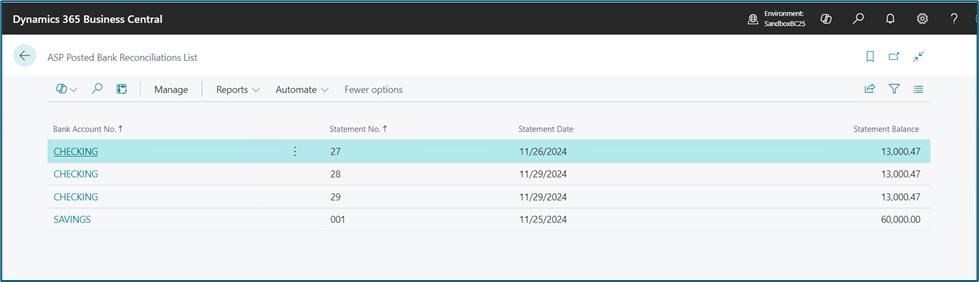
    • ASP Posted Bank Reconciliations

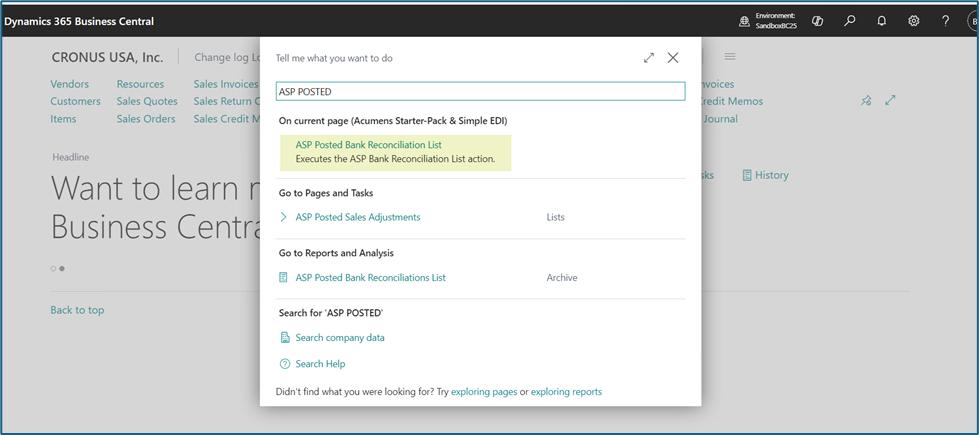
      Search or Find the ASP Posted Bank Reconciliations list.
      Bank Rec Fixes and Enhancements

      Opens ASP Posted Bank Reconciliations list.
      Bank Rec Fixes and Enhancements

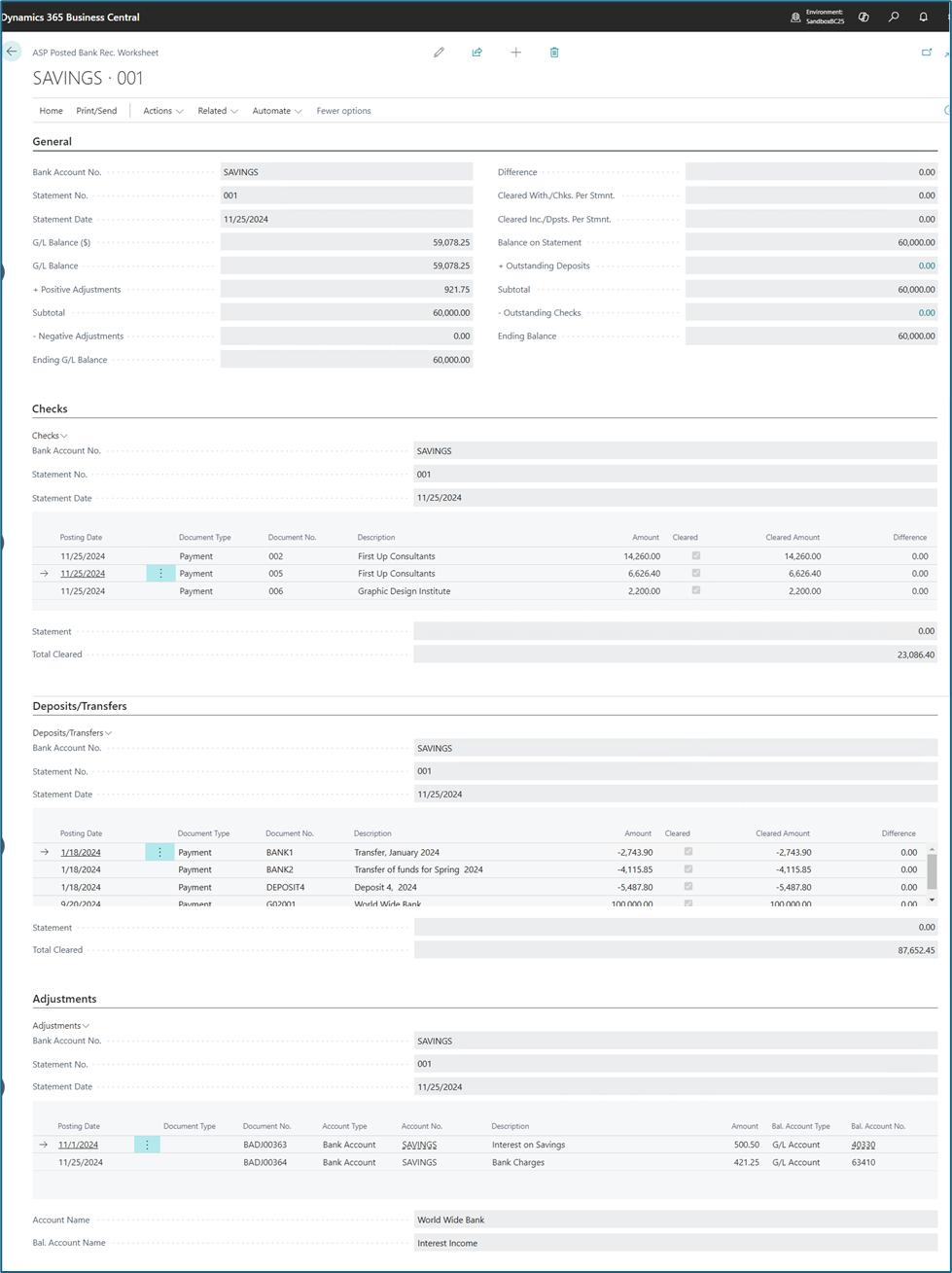
      Open card to view Posted Bank Reconciliations.
      Bank Rec Fixes and Enhancements

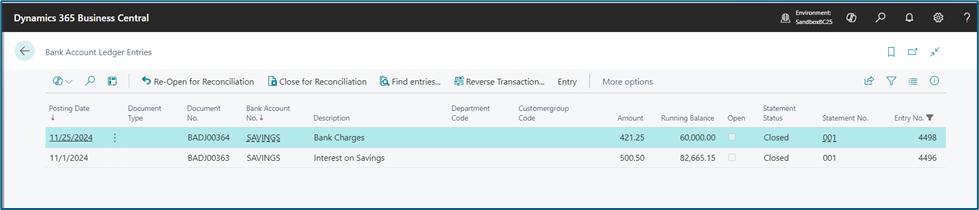
      Adjustment entries are posted to the ledgers.
      Bank Rec Fixes and Enhancements

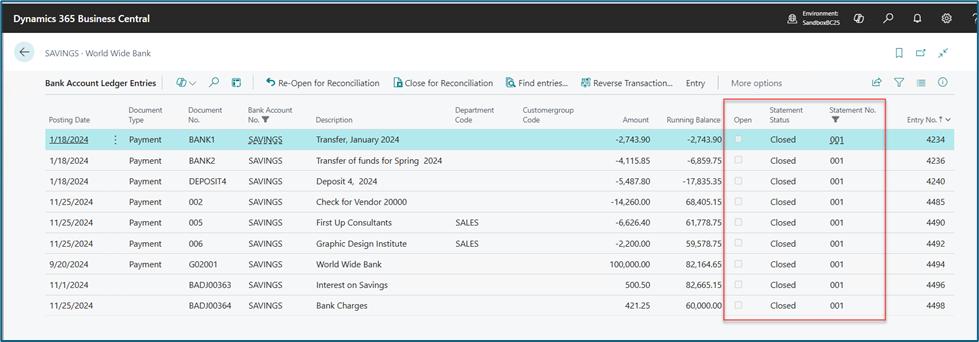
      Reconciled Bank account entries are closed.
      Bank Rec Fixes and Enhancements
Stay in touch image

Contact SupportContact

Contact Support for demo of the app or for assistance with setup and training

Sign UpSign Up

Sign up to receive updates on Acumens Consulting, new releases, and extension updates by filling in the form.