This feature allows a customer to trade under multiple sales agreements, each with its own Customer Price Group. Sales users can select a specific agreement on an order or leave it blank to obtain the best eligible agreement price for each item. The customer card remains unchanged.
The functionality uses Sales Prices and Customer Price Groups. This document defines the user workflow and pricing rules.
| Order Condition | Expected Pricing |
| Agreement selected | Use only that agreement’s Customer Price Group. |
| Agreement blank and eligible agreements exist | Choose the best eligible agreement price for each item independently. |
| Agreement blank and no eligible agreements exist | Use normal Business Central pricing. |
The Extended Pricing feature is enabled from the Acumens Sales & Special-Order Management Setup page.
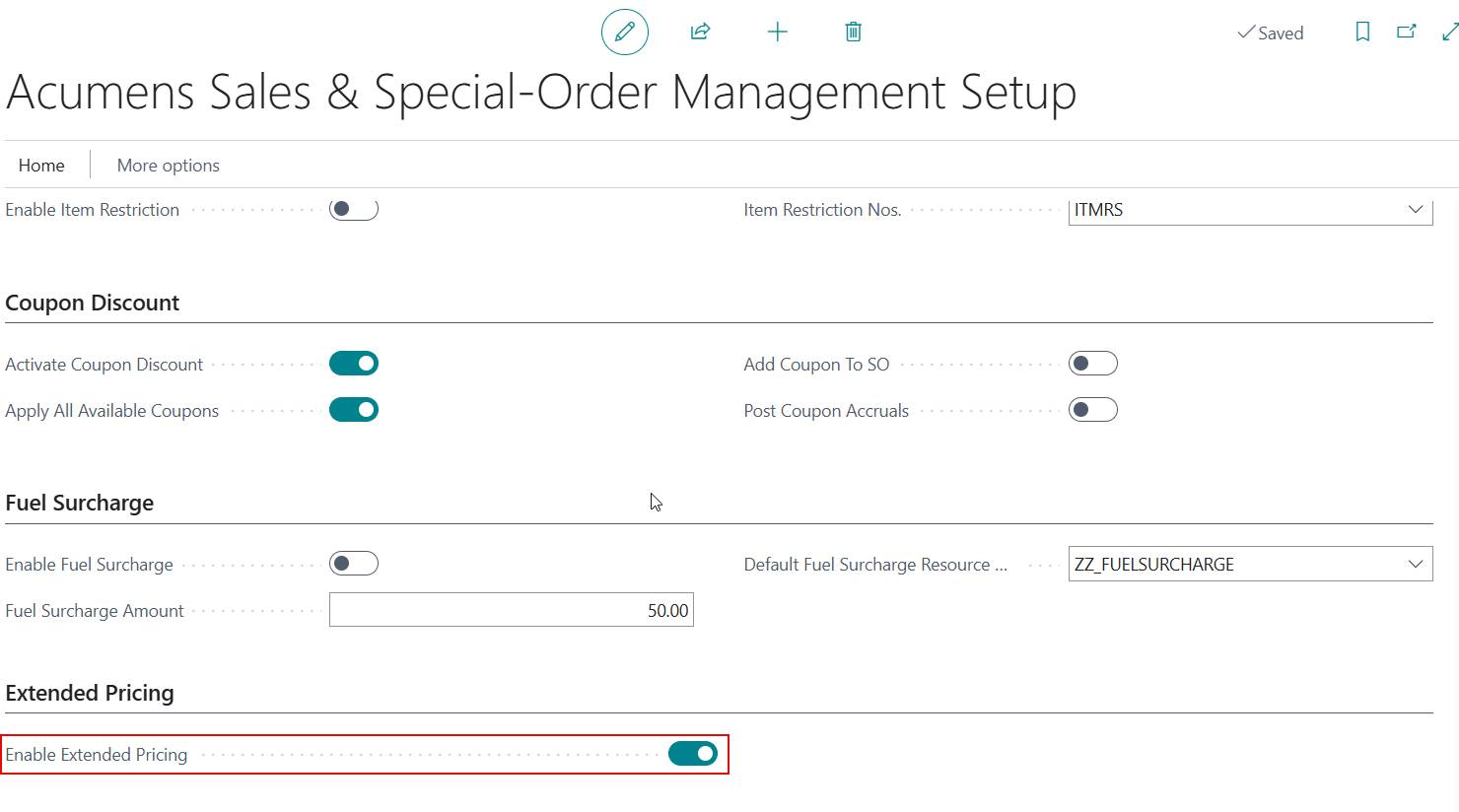
Figure 1: Acumens Sales & Special-Order Management Setup.
A pricing administrator creates the Customer Price Groups and maintains their Sales Price records with Sales Type set to Customer Price Group. The Sales Code identifies the group. A Sales Agreement then links the customer to that group.
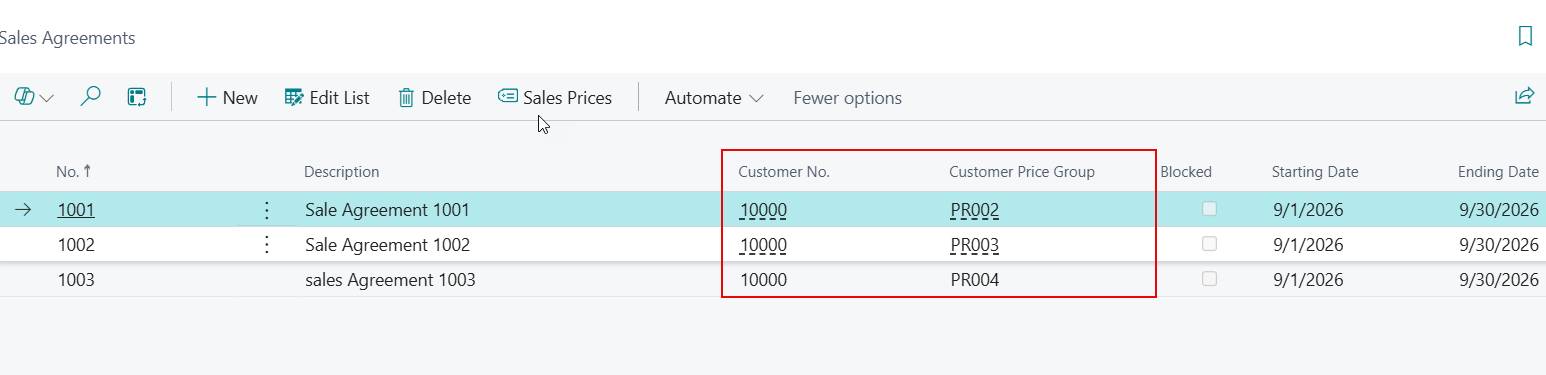
Figure 2: Sales agreements.
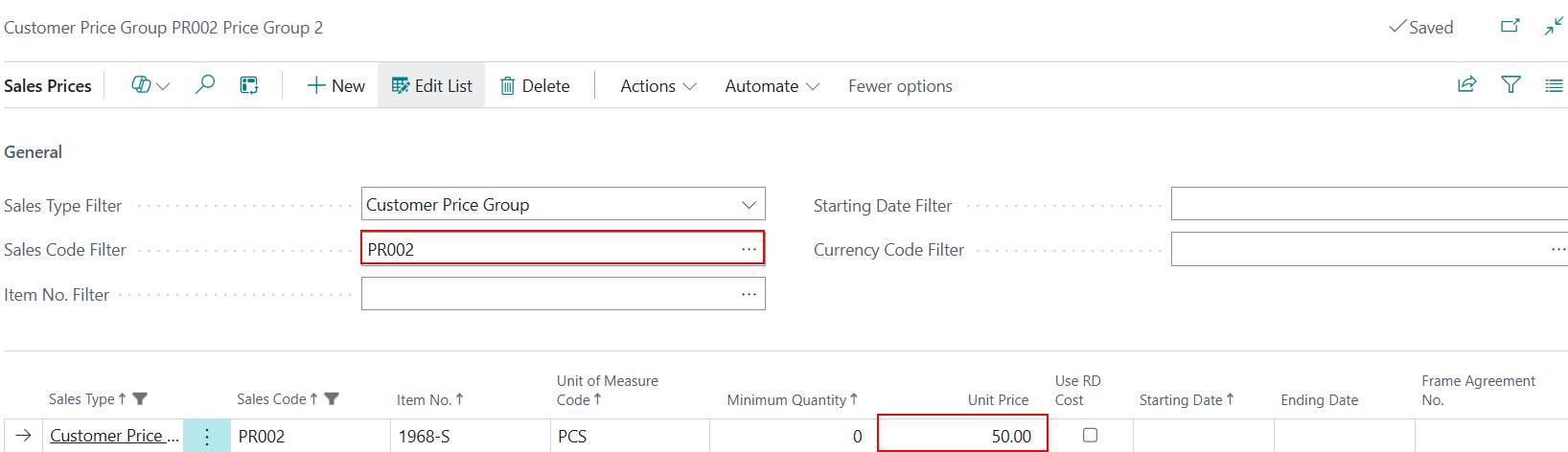
Figure 3: Sales Price records for the Customer Price Group.
An agreement is eligible for automatic selection if it belongs to the order’s sell-to customer, is not blocked, has an assigned Customer Price Group, and is valid on the order date. Blank validity dates mean there is no limit for that date range.
With an agreement selected, only its price group is considered. With no agreement selected, the system compares qualifying prices across the customer’s eligible agreement groups. The pricing calculator applies its standard date, quantity, currency, variant, unit-of-measure and price-selection rules. Different sales lines can therefore use different agreements.
When creating a sales order, the sales user selects the sell-to customer on an open sales order and may either:
Specify an Agreement No. to apply a particular agreement.
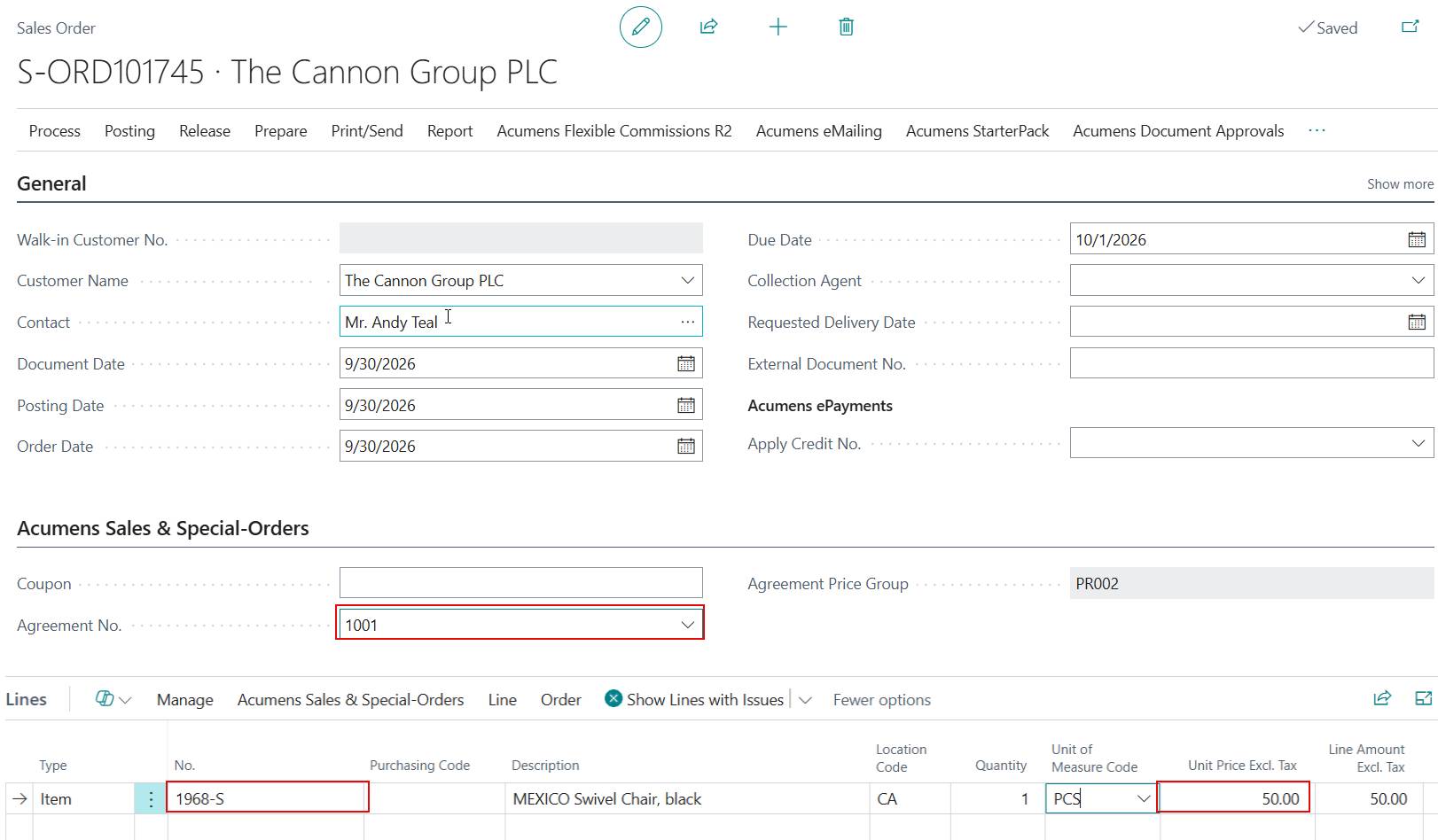
Figure 4: Select specific Agreement No. on the sales order to force pricing from that agreement.

Figure 5: Sale Agreement selected.
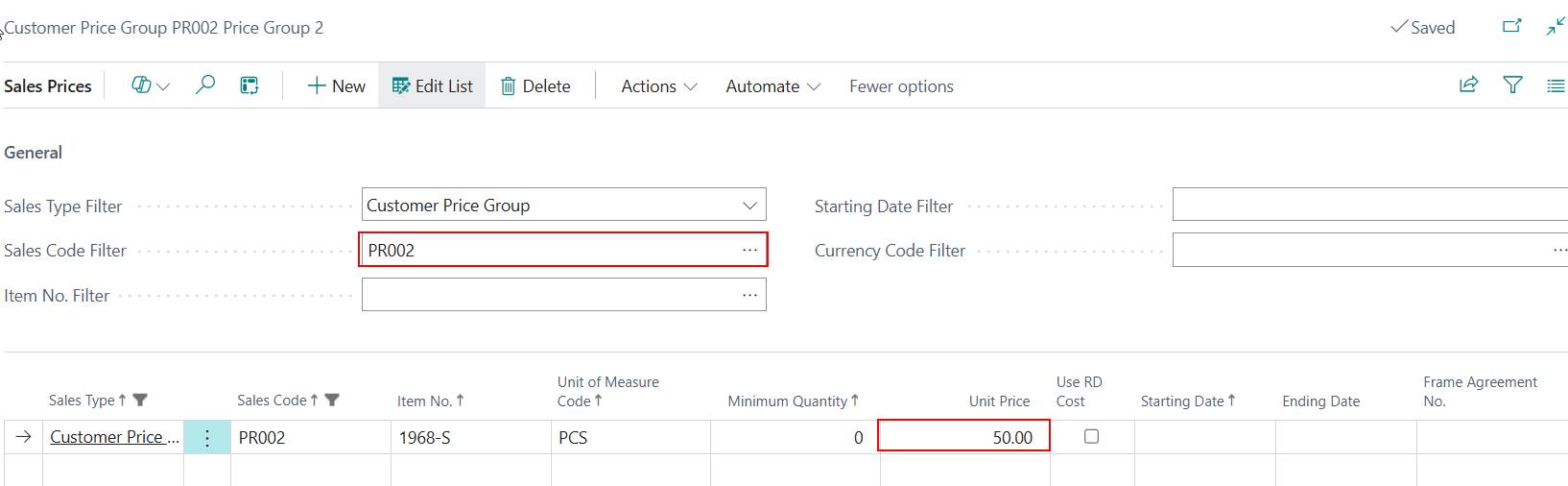
Figure 7: Sales Prices of the Sale Agreement selected.
Leave the field blank to allow the system to perform automatic best-price selection across eligible customer agreements.
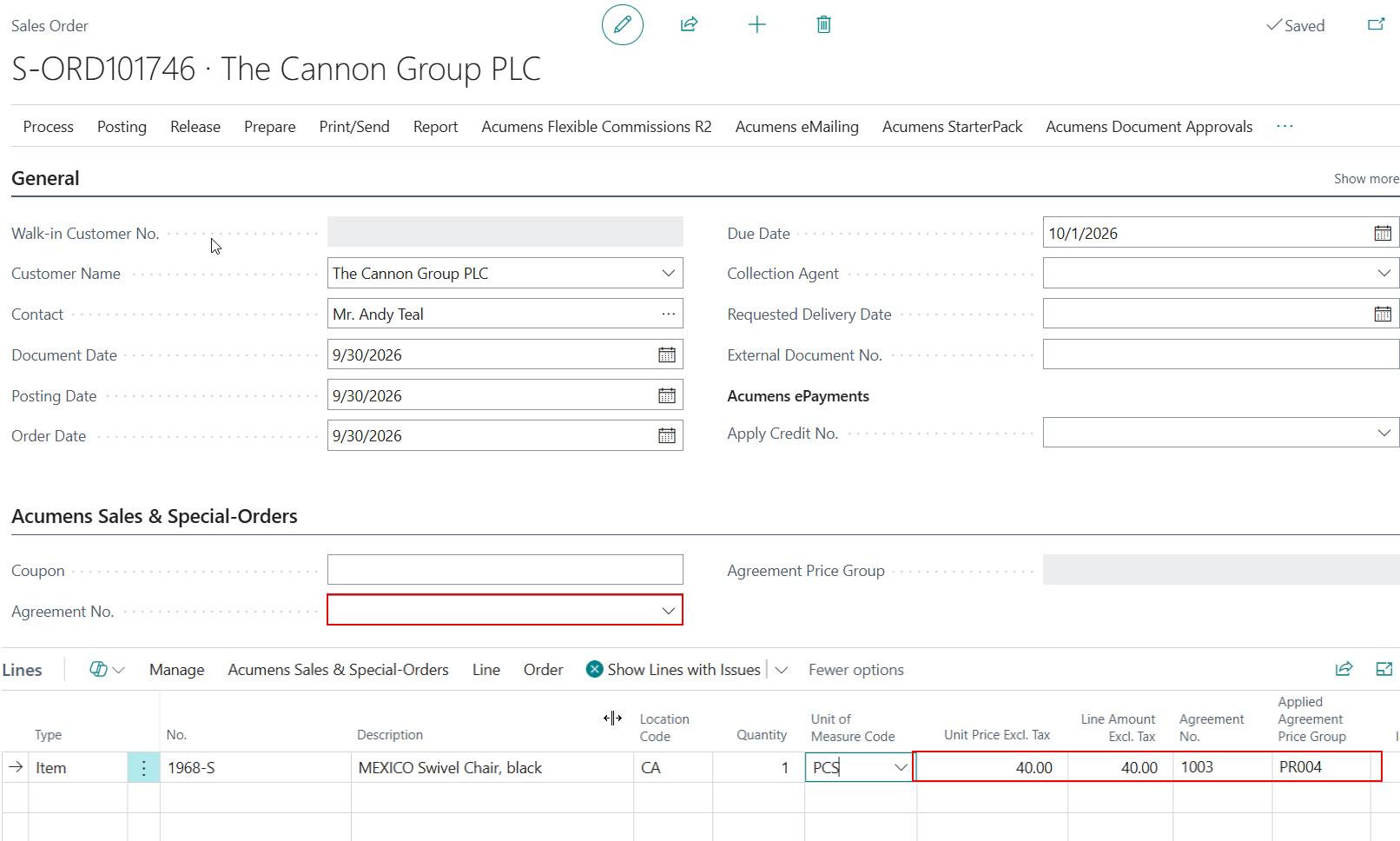
Figure 8: Sales order with Agreement No field blank.

Figure 9: Sales Agreement automatically applied.
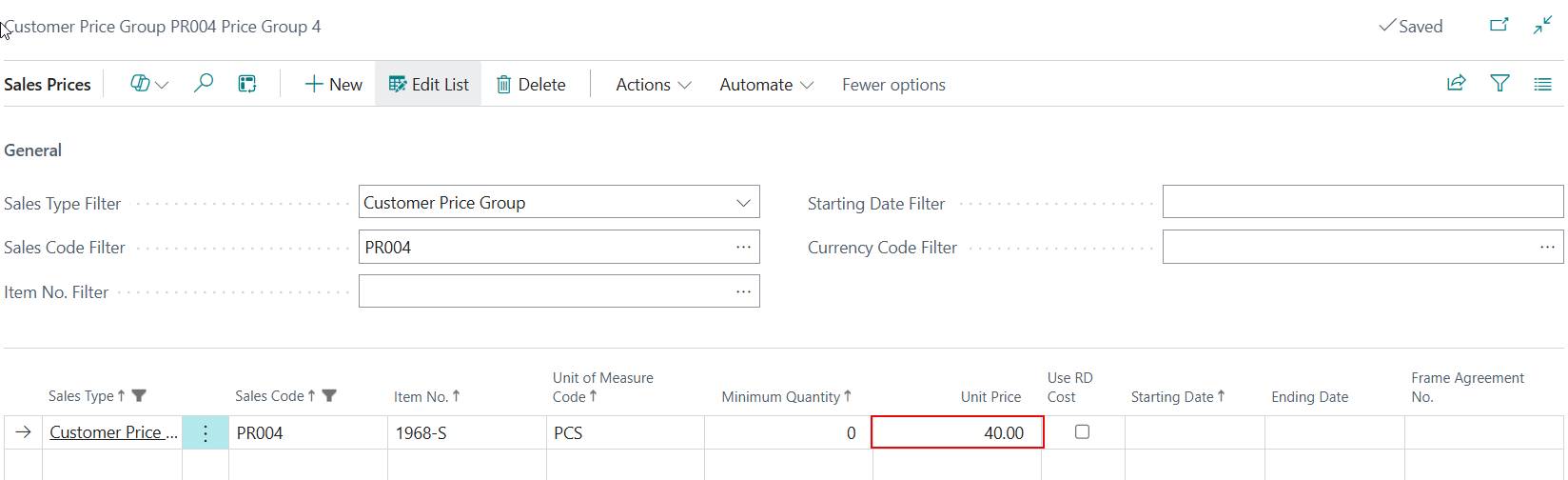
Figure 10: Sales Price for Sales Agreement automatically applied.
After the user enters the item and quantity, the system calculates the applicable unit price and records the agreement and price group applied to each sales line. In automatic selection, different sales lines may reference different agreements depending on the best eligible price determined for each item.