Acumens Freight, Duties & Tariffs (NW)

Available from Microsoft AppSource and OnPrem

It enhances and simplifies freight, duty, and tariff computation within Microsoft Dynamics 365 Business Central.

Additional Resources
Version History Online Help FAQ
Acumens Freight, Duties & Tariffs (NW) Acumens

Acumens Freight, Duties & Tariffs (NW)

For Microsoft Business Central and Dynamics Nav

Acumens Freight, Duties & Tariffs App enhances and simplifies freight, duty, and tariff computation within Microsoft Dynamics 365 Business Central. It enables businesses to automatically calculate import duties and related charges based on configurable rules, ensuring accuracy, consistency, and compliance with national and regional tariff structures.

Acumens Freight, Duties & Tariffs (NW)
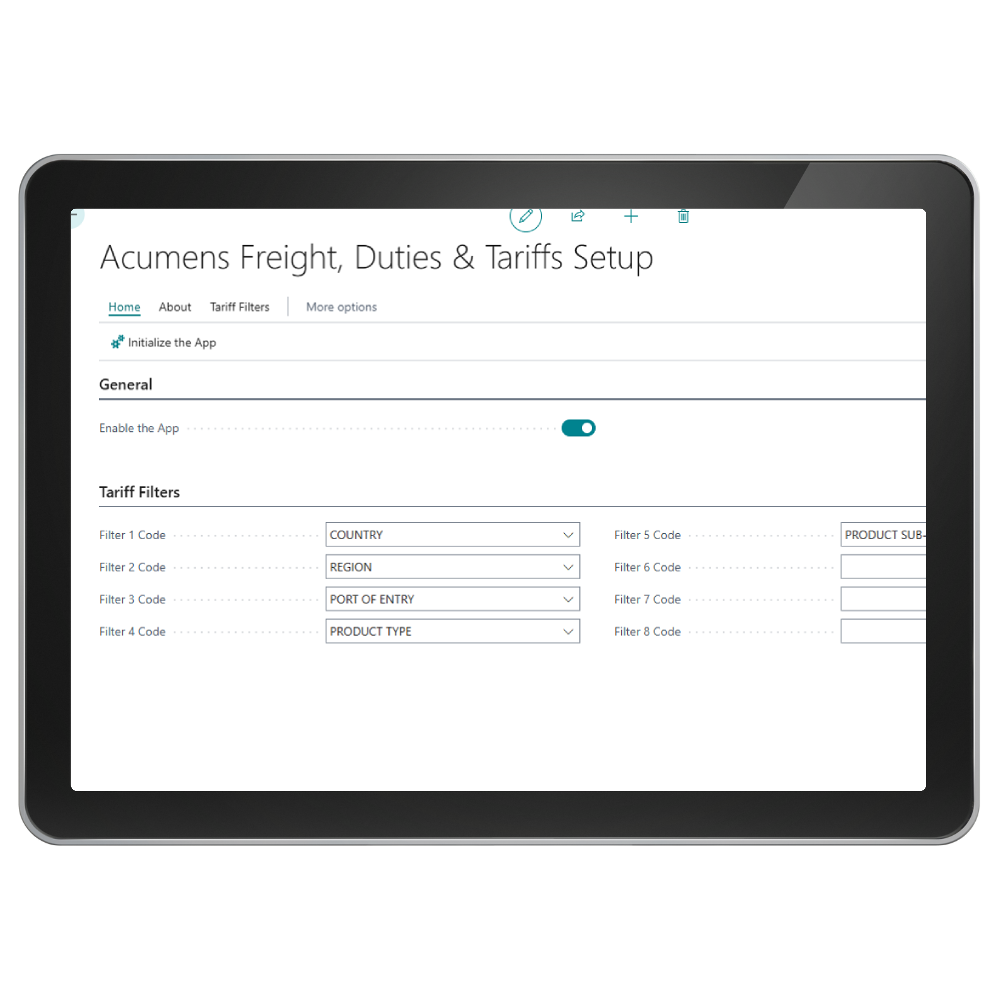
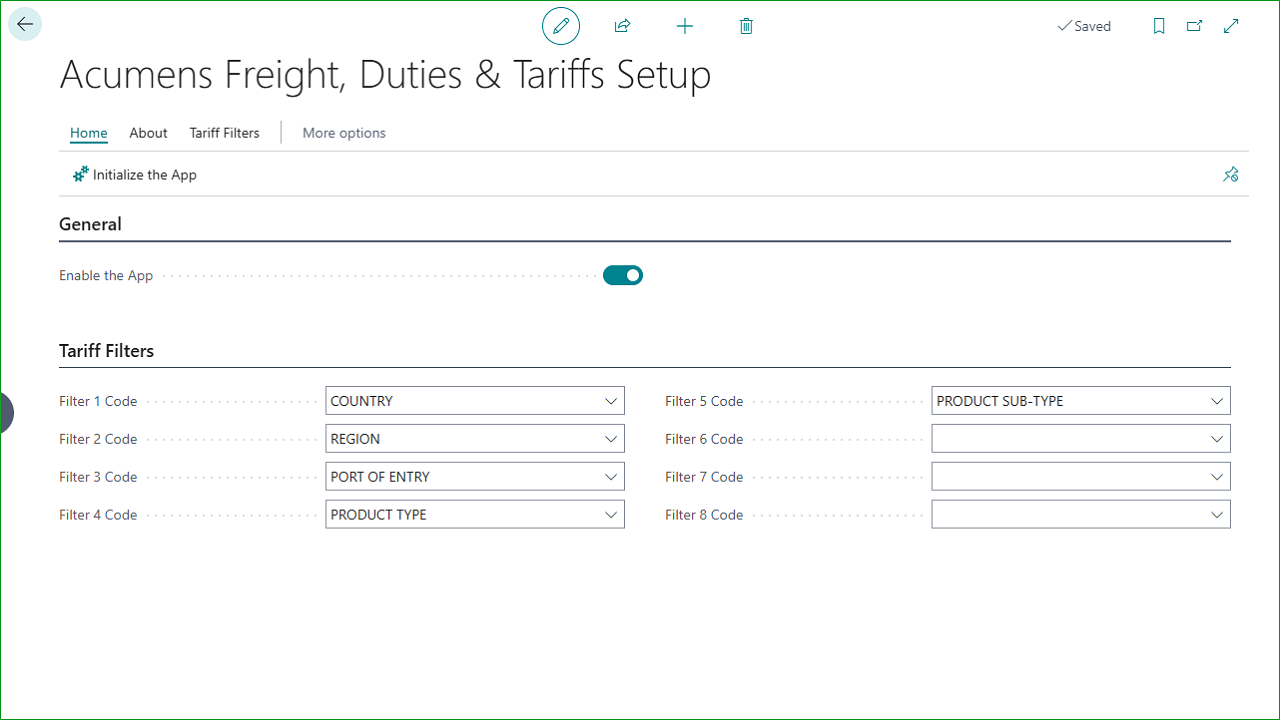
Tariff Filters

Able to define up to 8 different levels of filters then specify the specific filter numbers that they occupy.
Acumens Freight, Duties & Tariffs (NW)
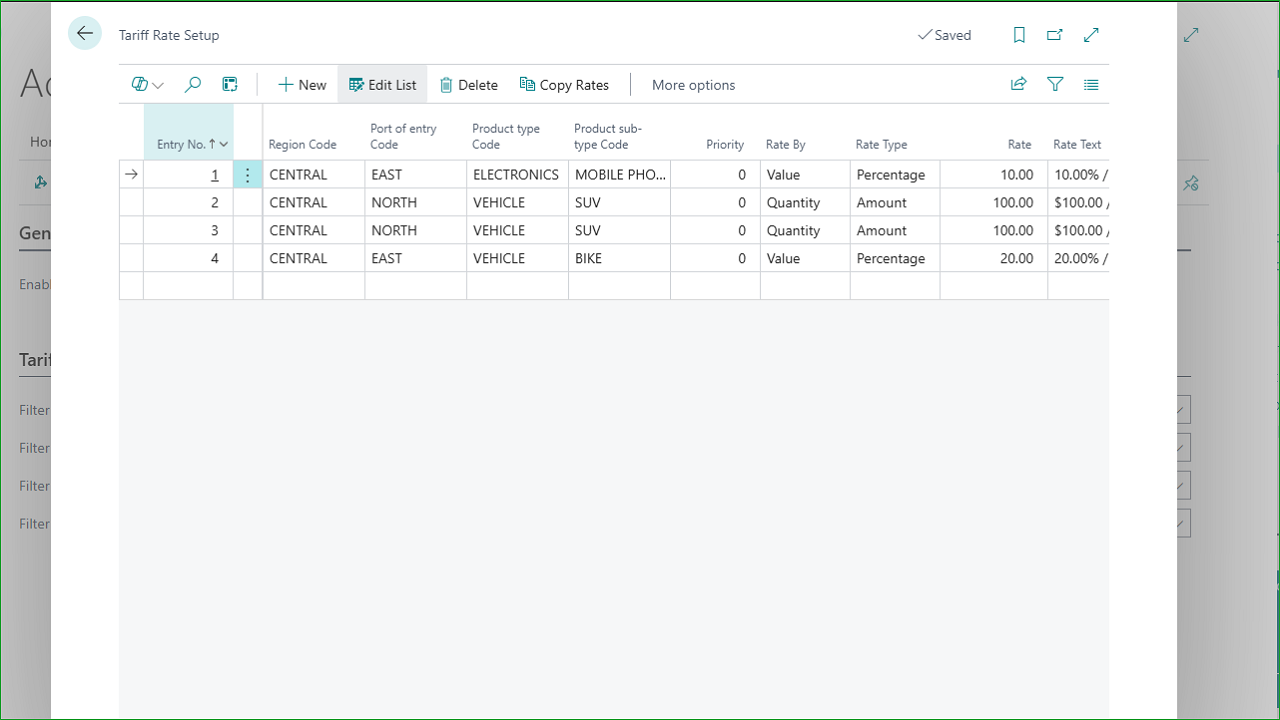
Tariff Rate Setup

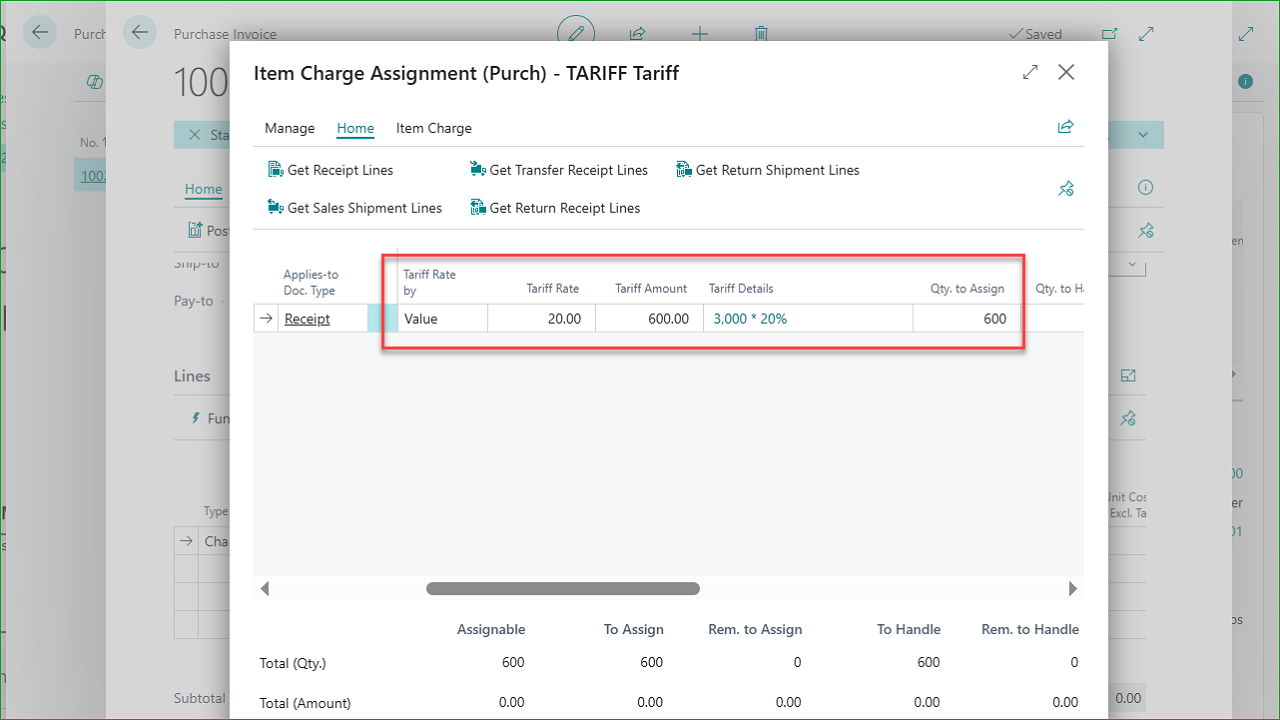
Define different tariff rates for the defined tariff filters. Set the rate either as a percentage or a fixed amount per quantity or value of items in a document.

Acumens Freight, Duties & Tariffs (NW)
Unit Cost

This feature improves inventory cost accuracy by allowing purchase charges to be assigned to Transfer Shipment Lines.
Accept payments globally

Acumens Freight, Duties & Tariffs (NW)

Screenshots

Get started with Acumens Freight, Duties & Tariffs (NW)

Acumens Freight, Duties & Tariffs (NW)

Features

  •  Tariff Management:  This feature provides a flexible, rule-based framework for defining, calculating, and applying tariffs using dynamic filters and rates based on quantity or value, ensuring accurate and automated tariff application across transactions.

    • Dynamic Tariff Setup Filters: Define a set of dynamic tariff filters—such as country, region, product type, supplier category, item classification, or any other relevant criteria—that determine how tariffs should be applied. The system supports up to eight configurable filters, allowing the business to create highly granular and flexible tariff structures.
    • Tariff Rate Setup per Filter: Configure tariff rates for each unique combination of the defined filters. Using the eight available filters, you can create targeted filter options and assign a specific tariff rate to each. This ensures that the system automatically applies the correct rate based on the transaction and item attributes, supporting accurate and flexible tariff calculations.
    • Tariff Rate Setup Based on Value or Quantity: You can configure tariff rates to be calculated either as a percentage of the item quantity or as a percentage of the total inventory value for the selected document. This allows you to apply tariffs flexibly depending on the nature of the items being processed—whether the charge should be driven by how many units are involved or by the overall value of the inventory.
  •  Unit Cost by Location Enhancement:  This feature improves inventory cost accuracy by allowing purchase charges to be assigned to Transfer Shipment Lines. This ensures that additional costs incurred during transfers are correctly included in the unit cost at the destination location, providing more accurate valuation, better cost tracking across locations, and improved financial reporting.
Get started with Acumens Freight, Duties & Tariffs (NW)

Stay in touch image

Contact SupportContact

Contact Support for demo of the app or for assistance with setup and training

Sign UpSign Up

Sign up to receive updates on Acumens Consulting, new releases, and extension updates by filling in the form.