Acumens Vendor Deposits & Prepayments Management
Streamline vendor deposits in Business Central with consolidated requests, flexible advances, automated drawdowns, payment tracking, and improved AP visibility.
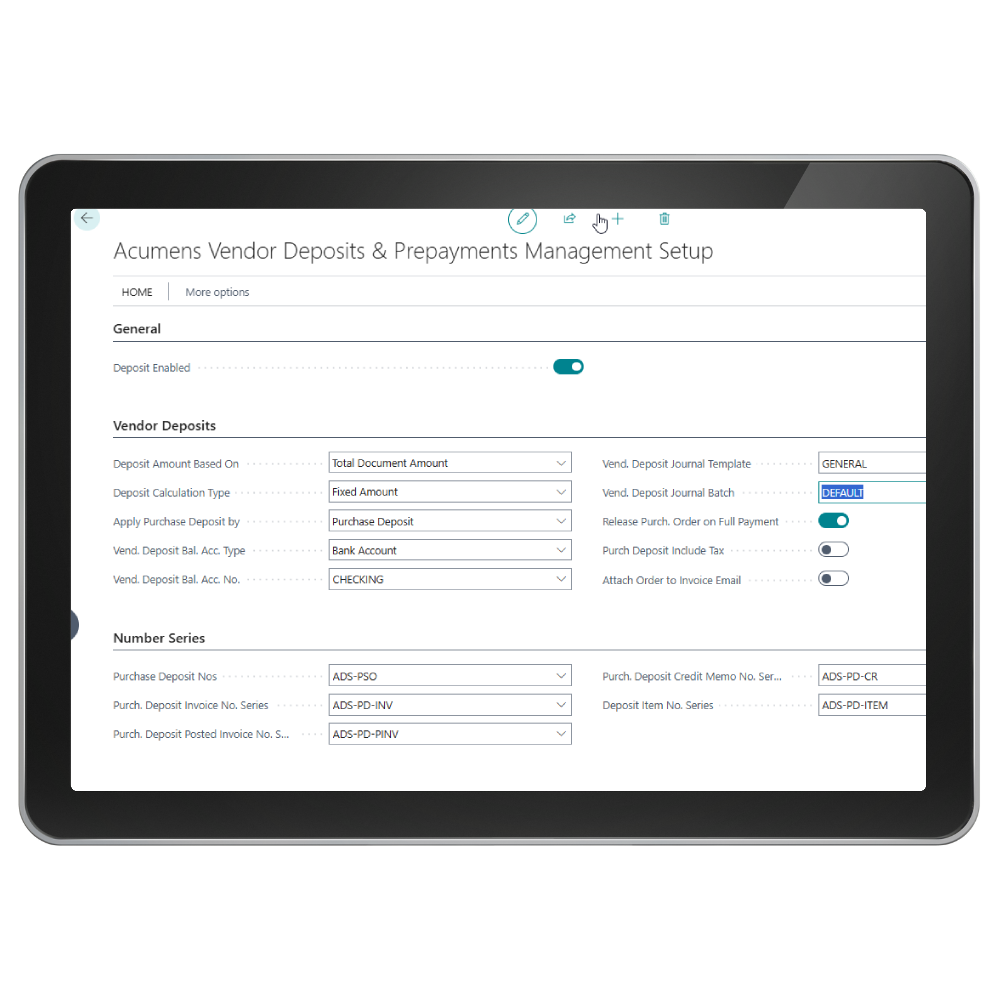

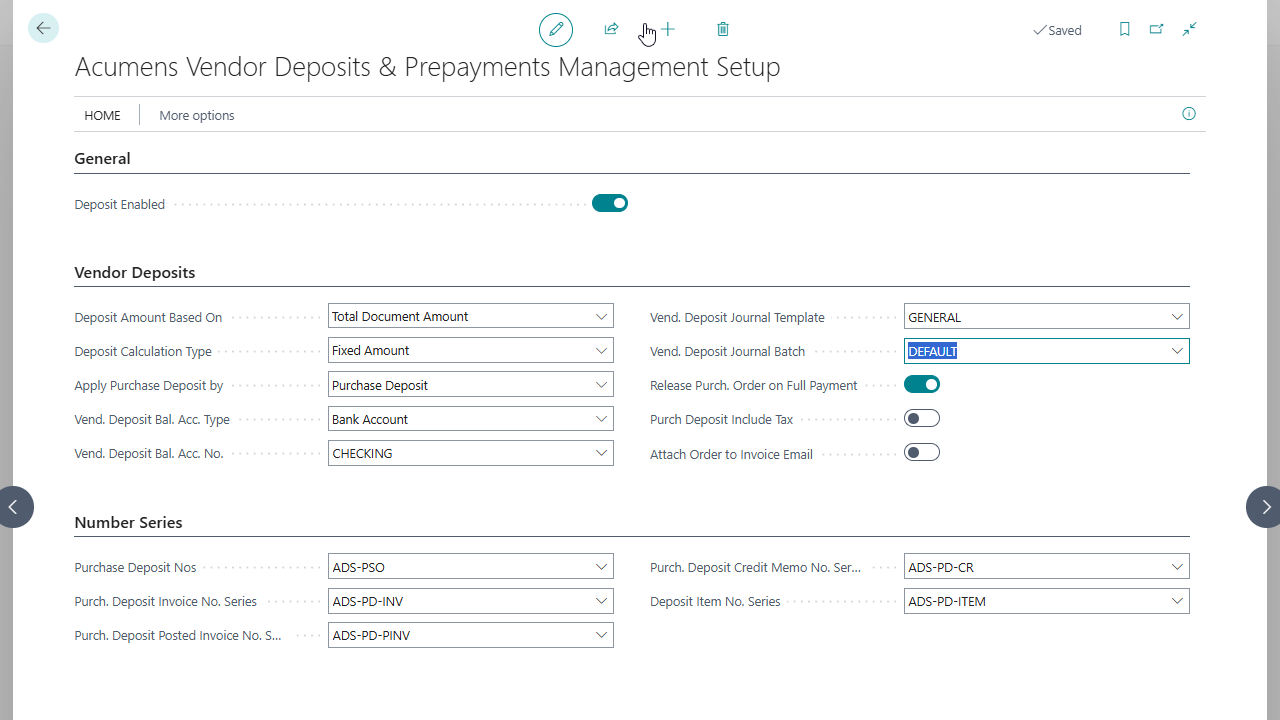
Acumens Vendor Deposits & Prepayments Management is an extension designed to streamline vendor deposit and prepayment workflows, improving Accounts Payable tracking and control within Dynamics 365 Business Central. This app provides purchasing and finance teams with greater flexibility over deposit lifecycles—from initial request through Payment Journal processing to multi-PO invoice drawdown—ensuring accurate financial reporting and tighter cash flow management.

Purchase Order Deposits
Enables deposit setup directly at the purchase order header level rather than relying solely on native line-by-line prepayment percentages.

Deposit Credit Memos
Solves standard Business Central limitations by allowing finance teams to target and credit a specific historical deposit invoice without being forced to cancel or reverse all prepayment invoices on an order.

Payment Journal Integration
Directly links posted deposit invoices to the Payment Journal for outbound ACH, check, or EFT processing, converting posted liabilities into fully tracked prepayment assets.
Acumens Vendor Deposits & Prepayments Management
Features
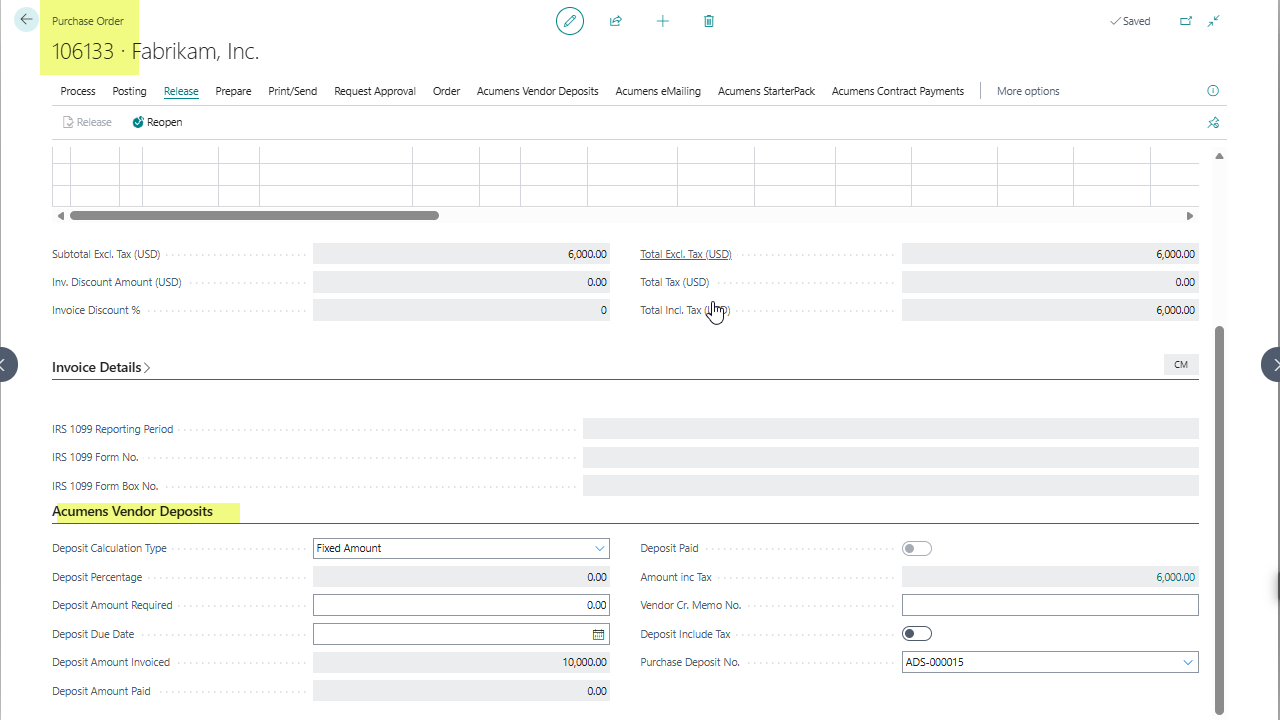
Purchase Order Deposits: Enables deposit setup directly at the purchase order header level rather than relying solely on native line-by-line prepayment percentages. It supports flexible options, including percentage-based deposit calculations and fixed deposit amounts.
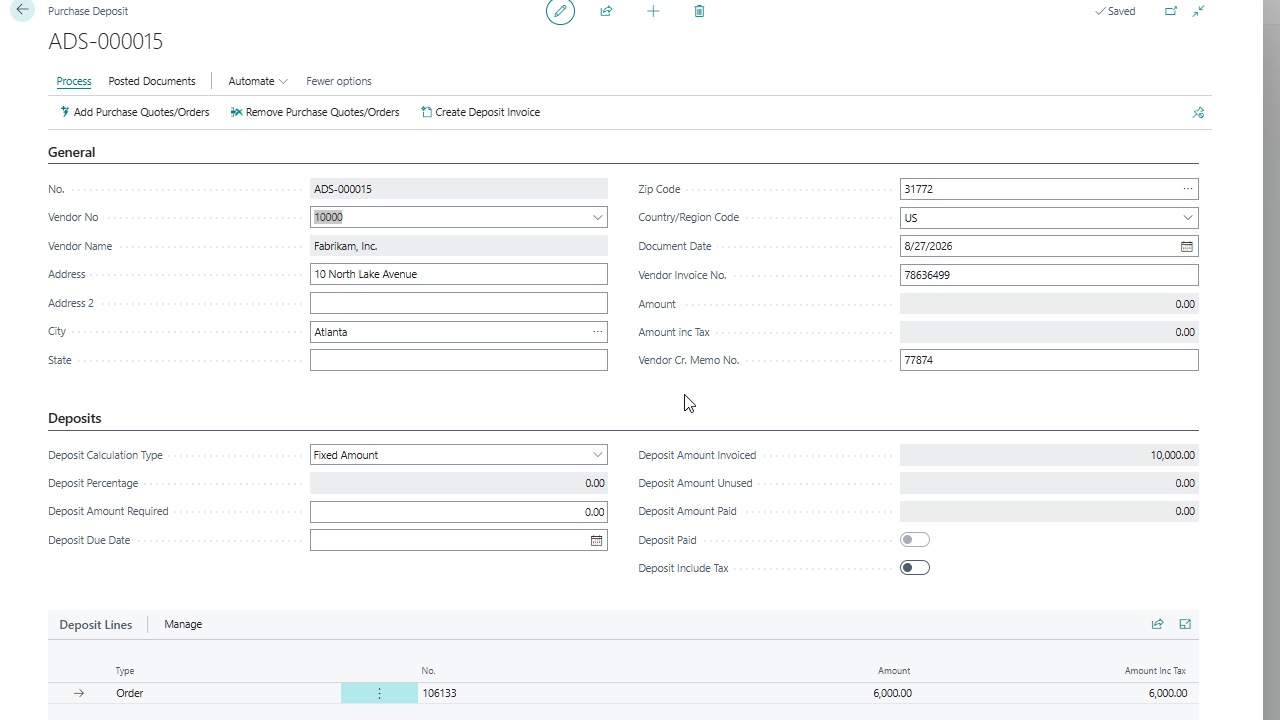
Purchase Deposit Requests (Consolidation): Allows AP teams to use a master document to consolidate multiple purchase orders for the same vendor and process deposit invoices collectively. This simplifies vendor advance workflows and reduces administrative overhead.
Targeted Deposit Credit Memos: Solves standard Business Central limitations by allowing finance teams to target and credit a specific historical deposit invoice without being forced to cancel or reverse all prepayment invoices on an order.
Seamless Payment Journal Integration: Directly links posted deposit invoices to the Payment Journal for outbound ACH, check, or EFT processing, converting posted liabilities into fully tracked prepayment assets.
Multi-PO & Partial Drawdown Engine: Automatically tracks unapplied deposit balances and applies them dynamically across single or multiple purchase order receipts and invoices until the deposit balance is fully consumed.
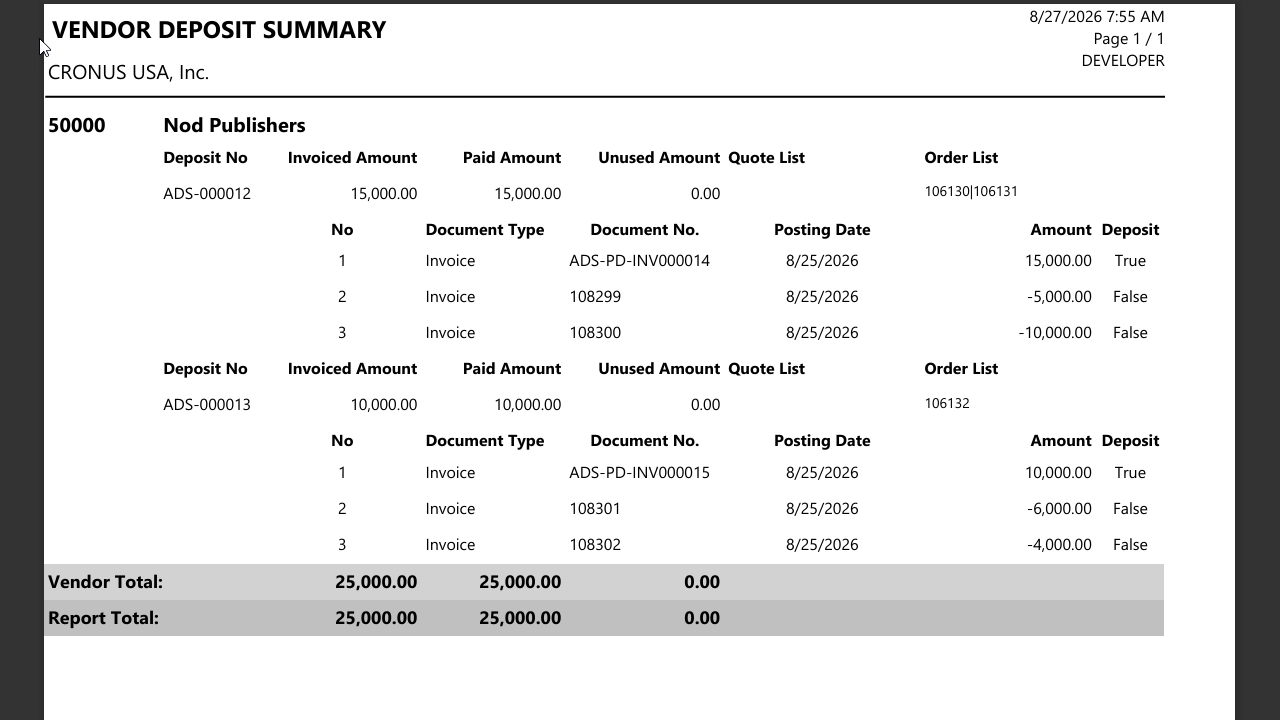
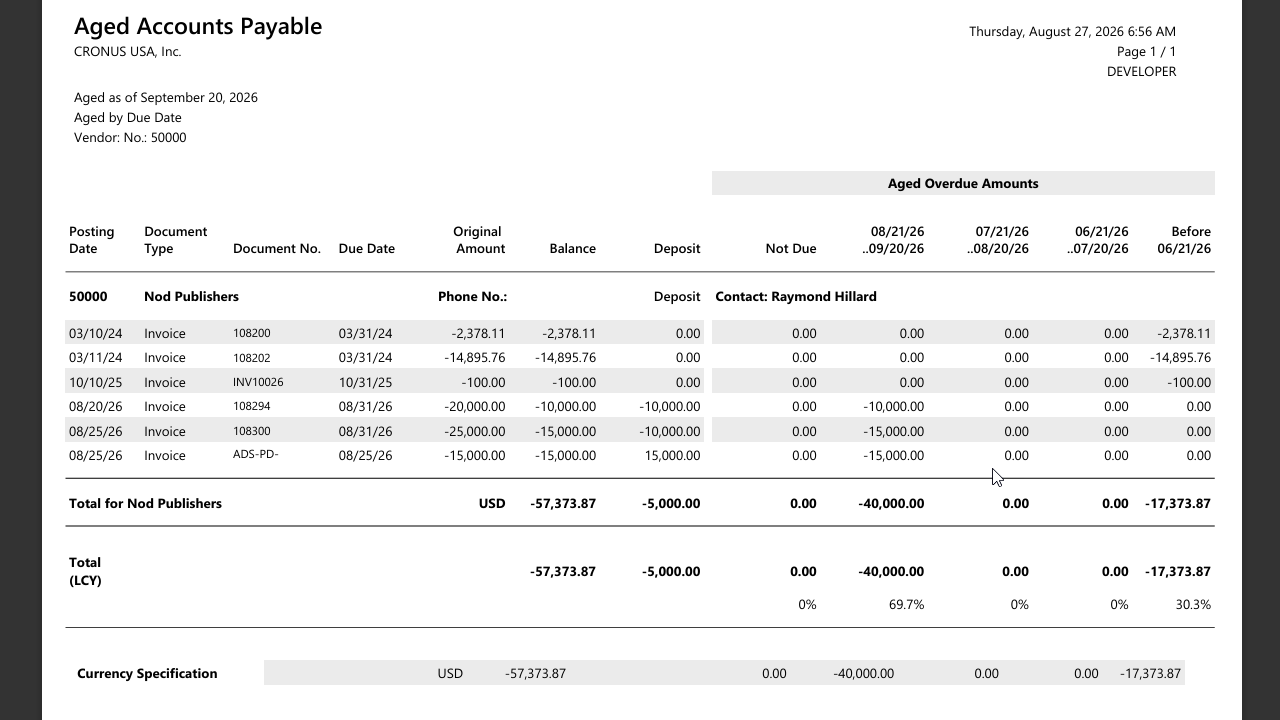
Advanced Accounts Payable & Deposit Reporting: Features customized reporting tools—including the Aged Accounts Payable (Deposits) and Vendor Deposit Summary—providing clear visibility into unconsumed deposit assets, applied offsets, and true net AP liabilities.
Advanced Accounts Receivable: Provides enhanced reporting tools that offer deeper insights into financial health, empowering businesses to make informed decisions and manage cash flow more effectively.
Get started with Acumens Vendor Deposits & Prepayments Management