Acumens Loading

Acumens History Management Enhancements

Available from Microsoft AppSource and OnPrem

Gain deeper visibility into change history with subsidiary table logs, field level queries, and table locking analysis to pinpoint issues and boost performance

Additional Resources
Version History Online Help FAQ
Acumens History Management Enhancements Acumens.com

Acumens History Management Enhancements

For Microsoft Dynamics 365 Business Central

Acumens History Management Enhancements for Dynamics Business Central and Dynamics NAV extends Acumens History Management app by introducing subsidiary tables change log data access from parent tables and additional data analysis tools to history data.

Acumens History Management Enhancements

Ease analysis

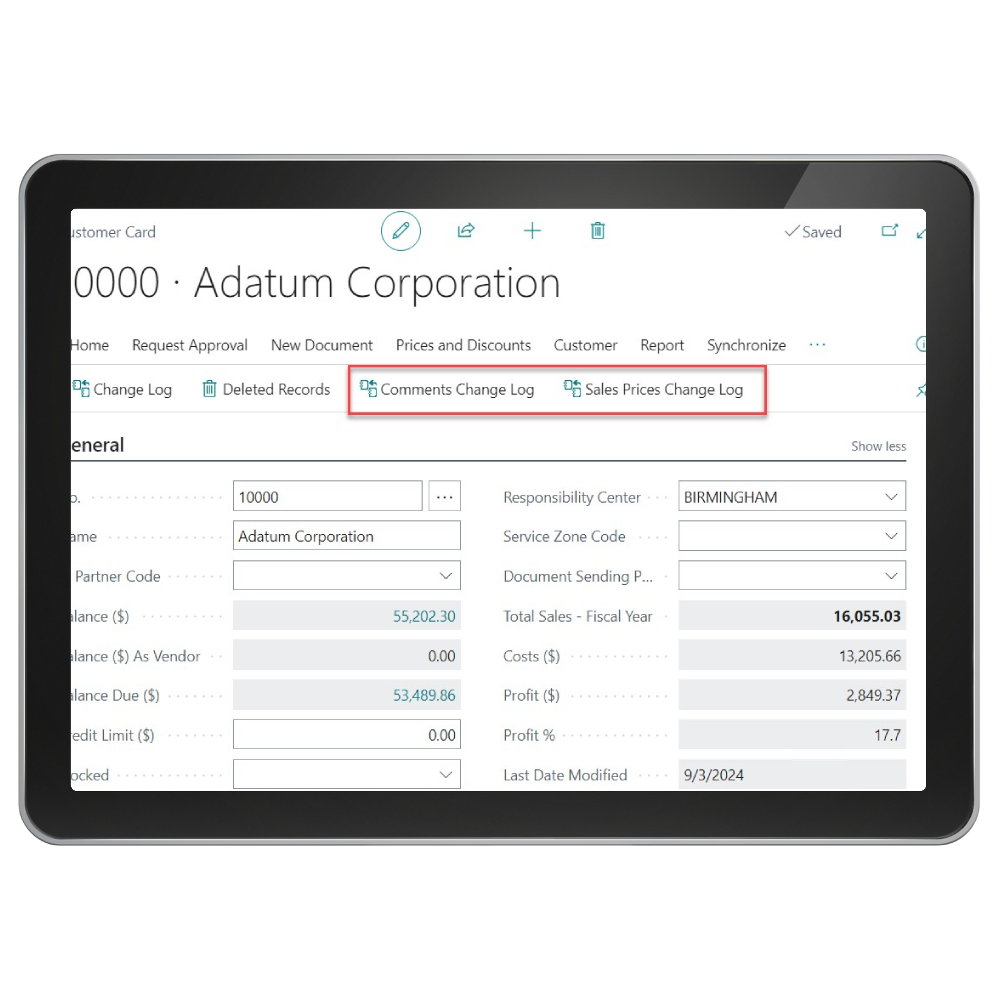
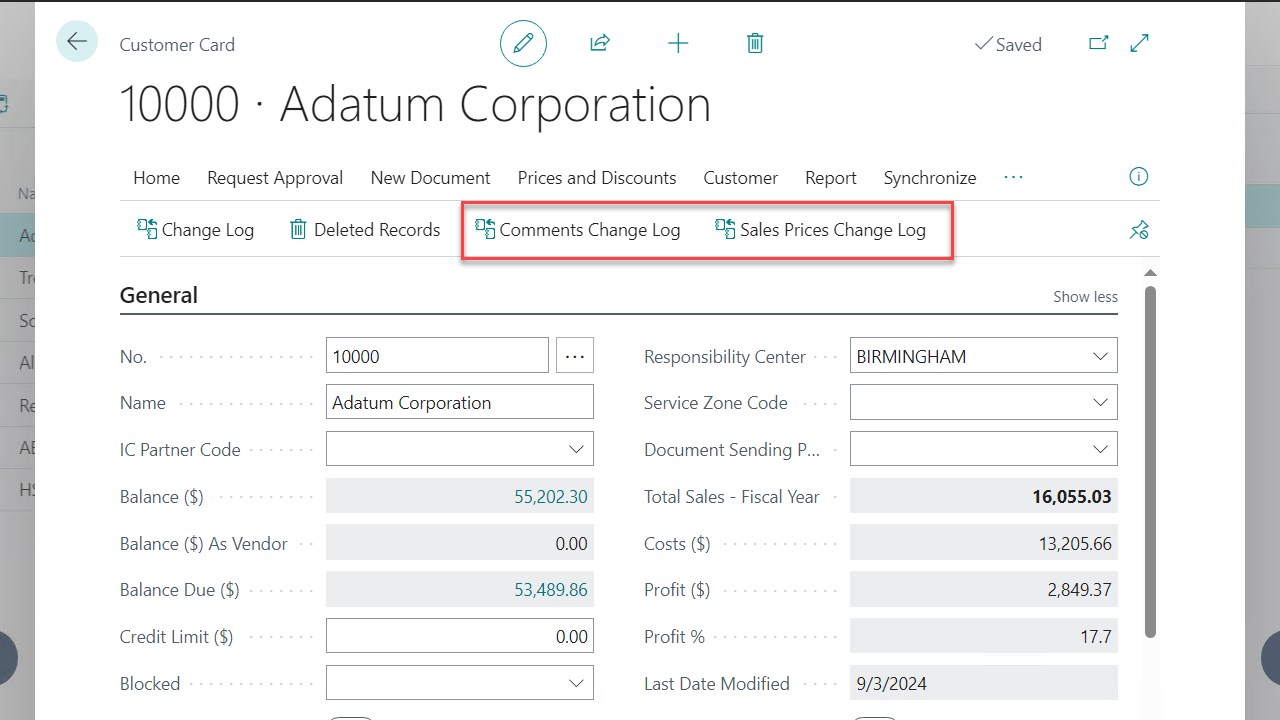
Access to Sales Prices change log from the customer card

Acumens History Management Enhancements

Review Table

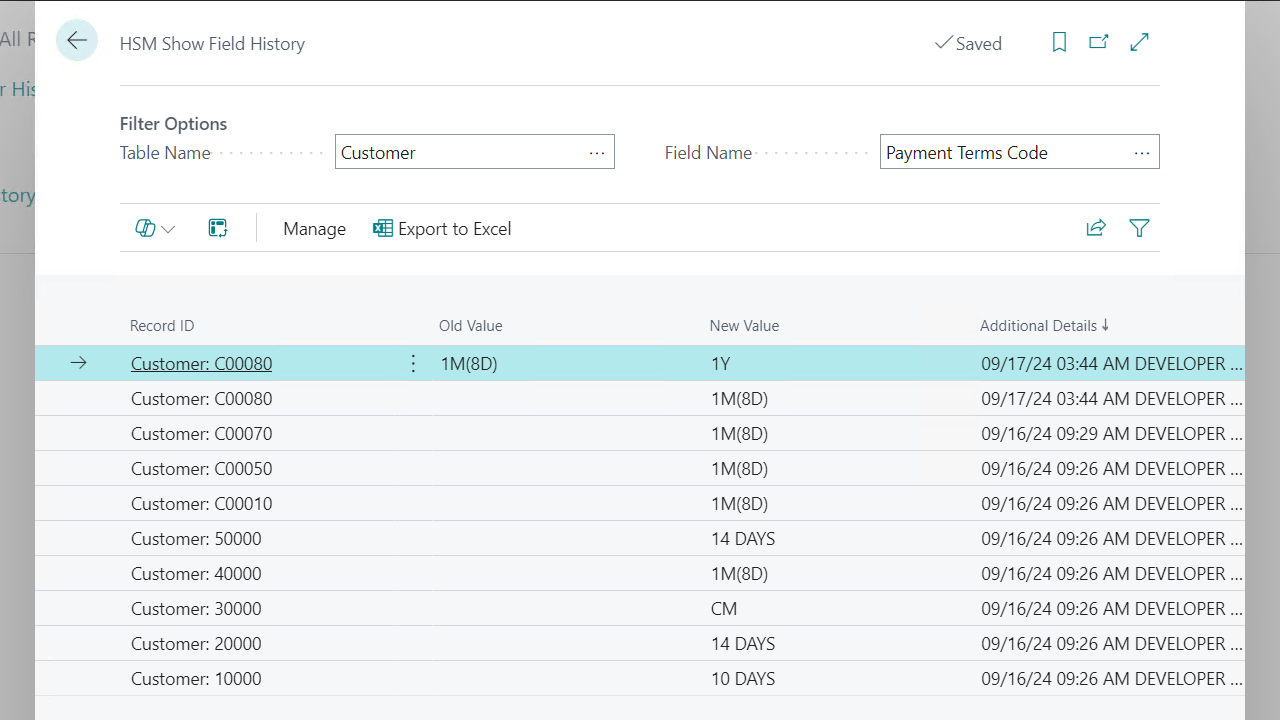
Ability to review individual field changes on one interface

Acumens History Management Enhancements

Table Locking

Table locking tends to happen which stalls all system operations related to the locked table
Smarter History. Faster Diagnostics.

Acumens History Management Enhancements

Screenshots

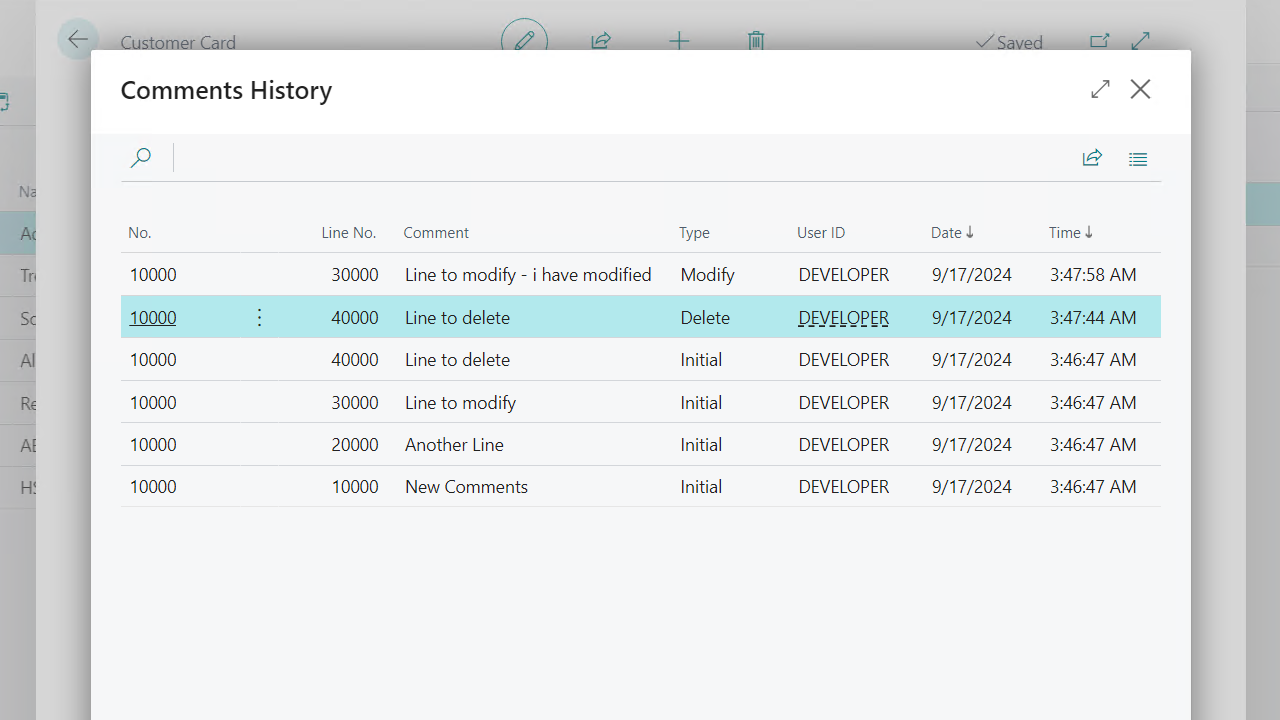
Comments Change Log and Sales Prices Change Log
Comments History
HSM Show Field History
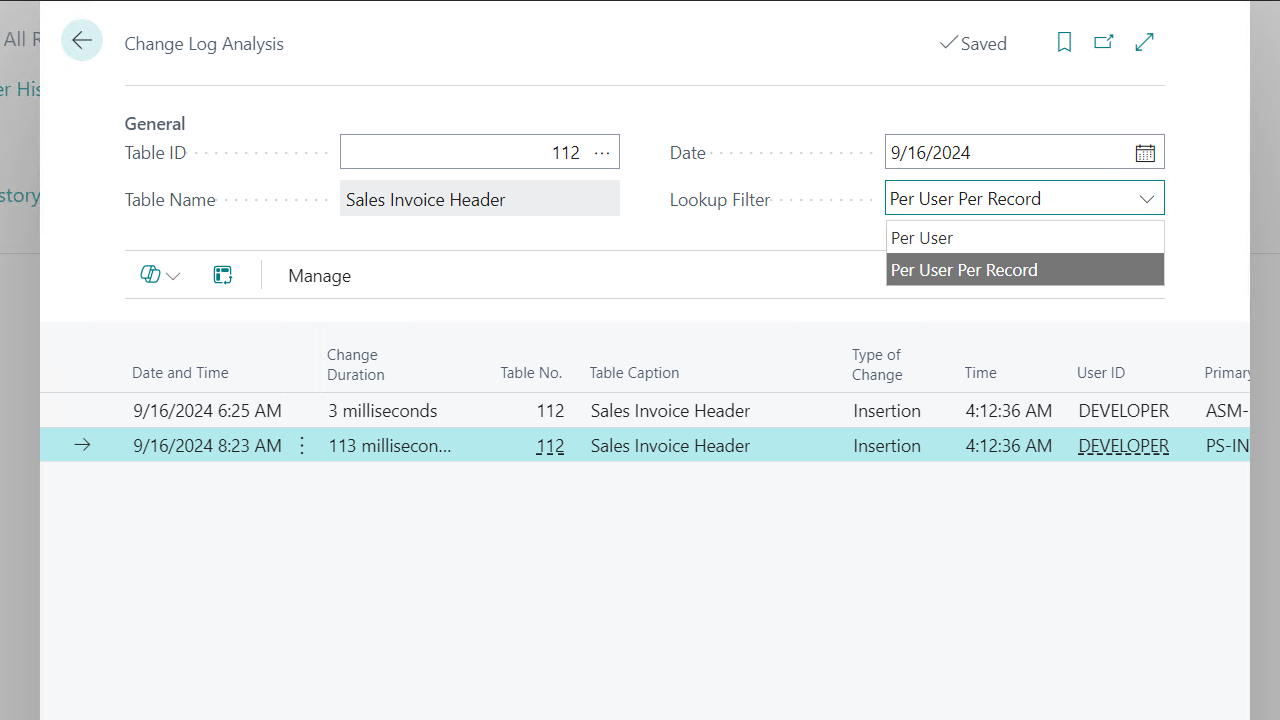
Change Log Analysis

Get started with Acumens History Management Enhancements

Acumens History Management Enhancements

Features

  •  Subsidiary Tables Change Log:  The app allows access to subsidiary tables change log from the parent tables for ease of analysis e.g. access to Sales Prices change log from the customer card.

  •  Field Query:  This feature gives the user the ability to review individual field changes on one interface. The retrieval is per table per field.

  •  Table Locking Analysis:  This feature allows analysis of time spent by users on a record during a change. If a user is running a resource intense process, table locking tends to happen which stalls all system operations related to the locked table. Through this feature we can be able to tell time spent by a user on a record hence be able to isolate issues that result in database locks.

    Analysis is done for a specific table selected by user for a select date and can be analyzed Per User or Per record.

Get started with Acumens History Management Enhancements

Frequently Asked Questions

Business Central only shows change logs per table and does not allow accessing subsidiary table logs directly from parent records. Acumens History Management Enhancements adds cross table visibility, letting users review related change history from the parent page for faster and more complete analysis.
Business Central’s change log does not provide a per field, single screen view; users must manually sift through full table logs. Acumens History Management Enhancements introduces a dedicated Field Query interface that isolates changes for one field, making audits and troubleshooting significantly faster.
Business Central does not provide tools to measure how long a user locks a record or diagnose locking caused by resource intensive processes. Acumens History Management Enhancements adds Table Locking Analysis, allowing per user or per record diagnostics to pinpoint locking issues and improve system performance.

Get started with Acumens History Management Enhancements

Customer support team ready to assist you

Contact SupportContact

Contact Support for demo of the app or for assistance with setup and training

Sign UpSign Up

Sign up to receive updates on Acumens.com, new releases, and extension updates by filling in the form.