Acumens Intercompany & MDM Enhancements (NW)
Automate intercompany transactions, synchronize master data and contacts, automate IC mapping and posting, and transfer IC lots across BC companies
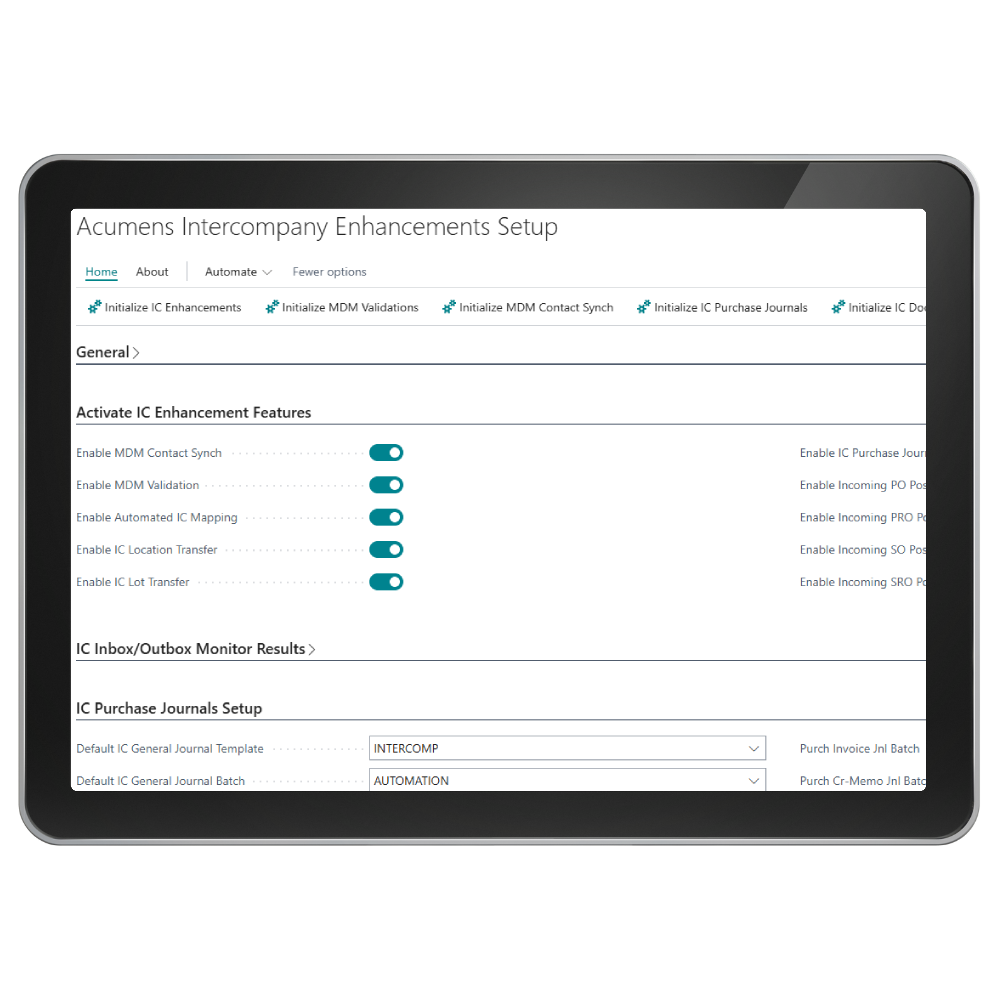

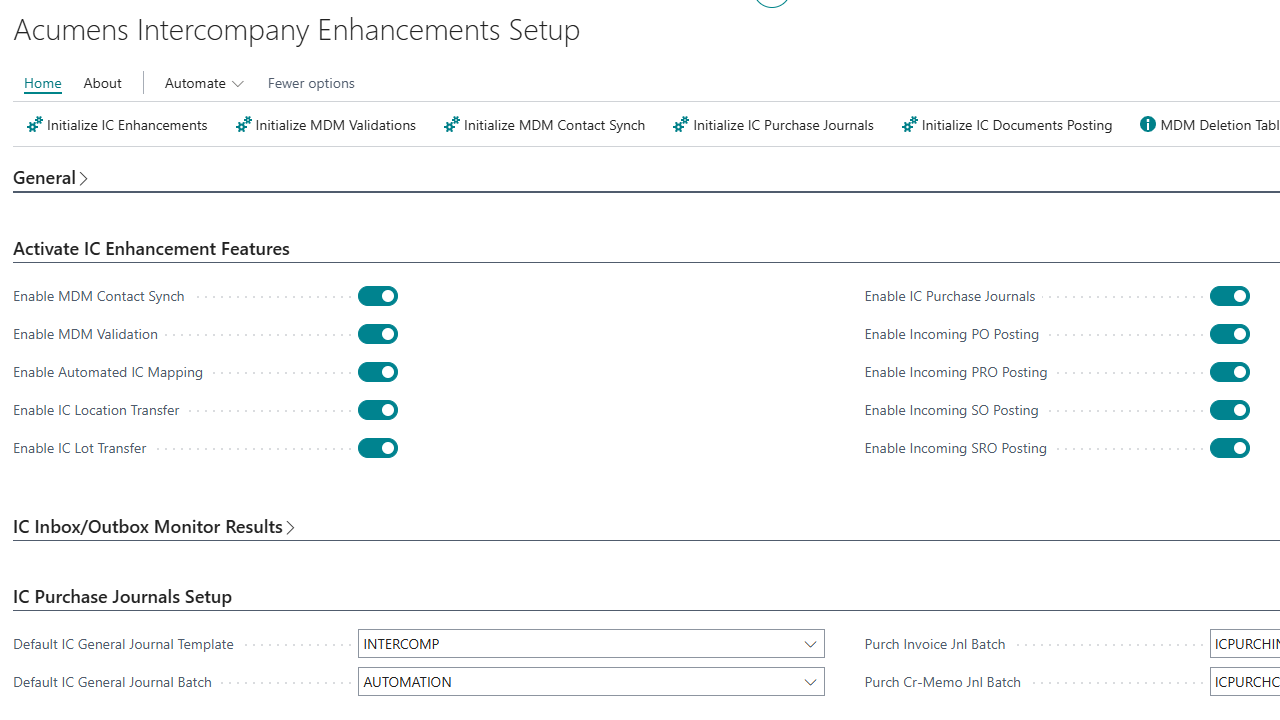
Acumens Intercompany Enhancements extends Microsoft Dynamics 365 Business Central by improving Master Data Management (MDM) and Intercompany processes. It enforces MDM validations, synchronizes contacts, automates intercompany mappings, and supports intercompany location and lot transfers. The app also enables intercompany purchase journal processing, automates posting of incoming IC documents, and maintains source IC document linkage—delivering greater accuracy, consistency, and efficiency for multi-company operations.

Automated IC Mapping
This feature automatically maps these records and cascades modifications when the entries are modified in the current company.

IC location transfer
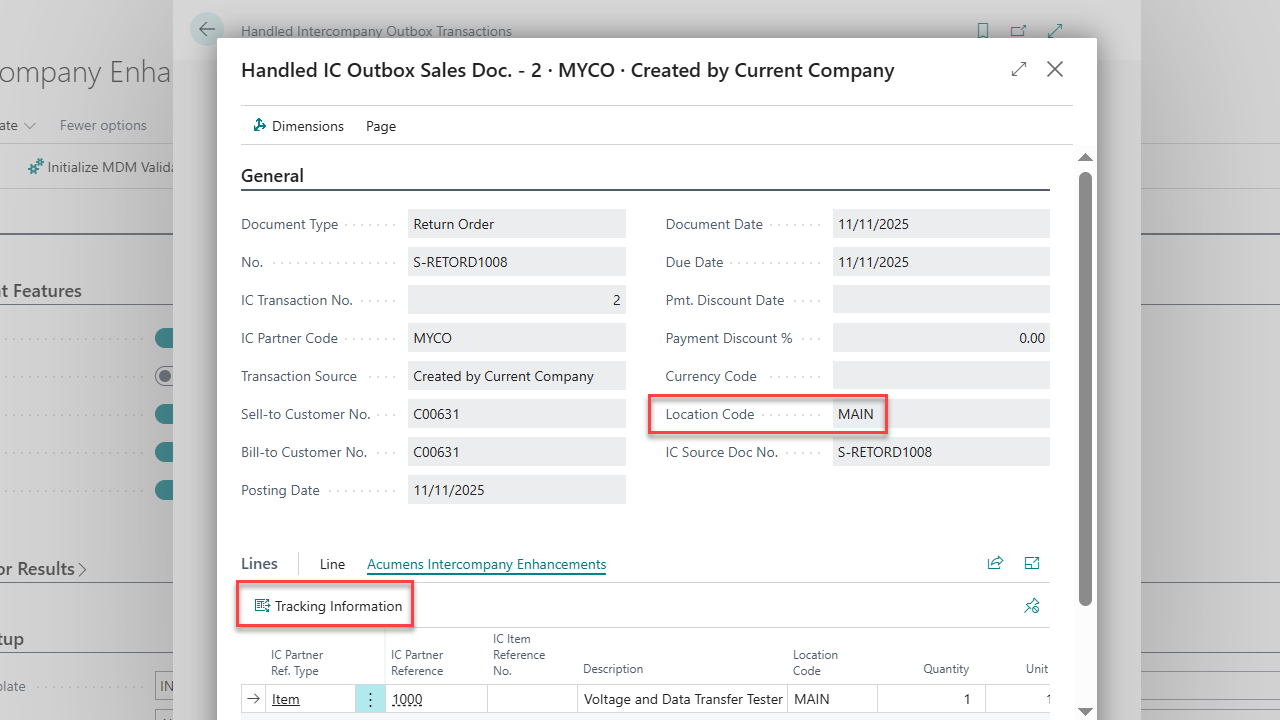
This feature adds the Location Code to the data transfer, ensuring the location specified on headers and lines in the sending partner is transferred to the resultant document in the receiving partner.

IC Documents Linkage
Introduces the "IC Document No." field on all intercompany documents, making it easier to track linked transactions.
Acumens Intercompany & MDM Enhancements (NW)
Features
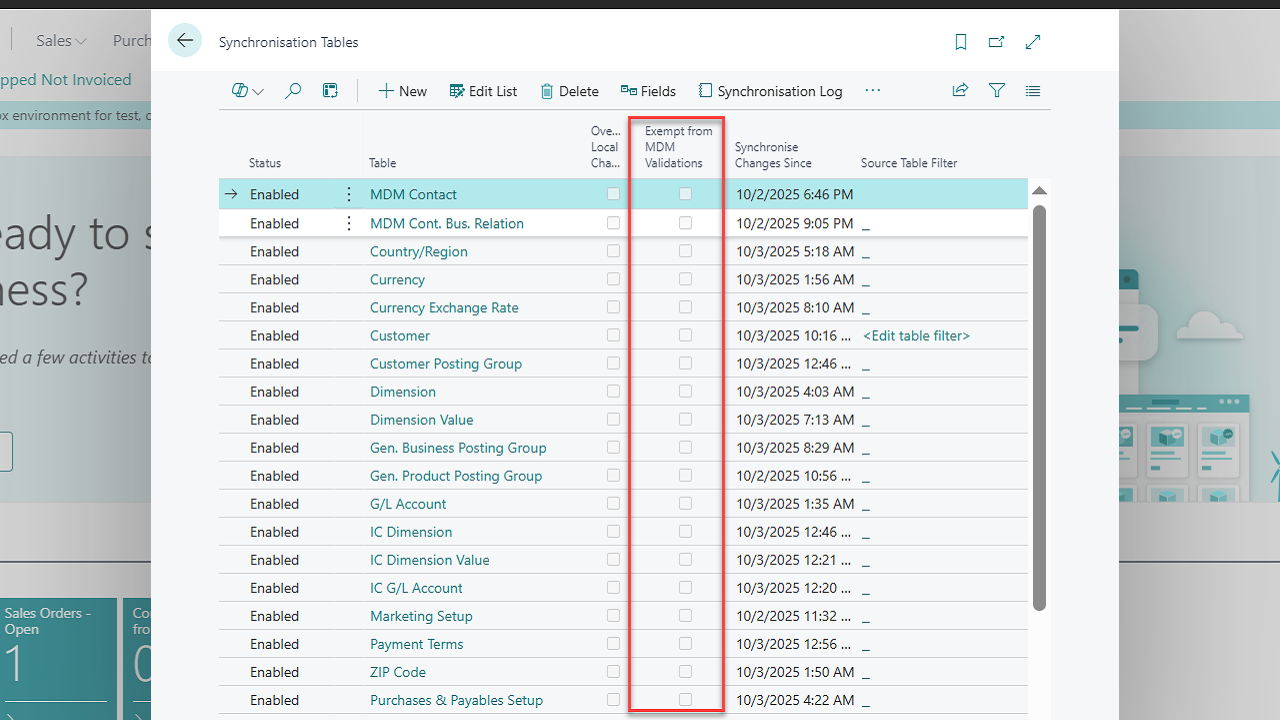
Centralized and Automated MDM Synchronization Setup: Perform all Master Data Management setups from a single company and export them to other companies effortlessly – using a Copy Setup feature.
MDM Validation: This feature enables the following;
MDM Contact Synch: The standard Master Data Management process does not synchronize company contacts. This feature synchronizes all contact changes between the master and subsidiary companies.
Automated IC Mapping: Intercompany purchases, sales, and journal processes rely on mapping of dimensions and chart of accounts between the local company and the intercompany entries. This feature automatically maps these records and cascades modifications when the entries are modified in the current company.
IC location transfer: The standard intercompany processing does not transfer Location Code from the sending to receiving partner during intercompany purchases and sales. This feature adds the Location Code to the data transfer, ensuring the location specified on headers and lines in the sending partner is transferred to the resultant document in the receiving partner.
IC Lot transfer: Enhances intercompany purchase and sales processes by enabling the transfer of lot tracking information alongside other intercompany records.
IC Purchase Journals Processing: Enables posting of intercompany purchase invoice and credit memo transactions by creating and posting intercompany journals from posted purchase invoice and credit memo lines, a capability not available in standard Intercompany functionality.
IC Sales Order Processing: Enables the company to receive items from a third-party vendor and then seamlessly sell those items to an intercompany partner. This ensures smooth transfer of items/services, accurate financial posting, and efficient fulfillment across related companies.
Incoming IC Documents Posting: Automatically posts incoming intercompany purchase and sales transactions as soon as they are accepted.
IC Documents Linkage: Introduces the "IC Document No." field on all intercompany documents, making it easier to track linked transactions. It also includes a "Find IC Document" function to search and view all transactions related by that document number.
Get started with Acumens Intercompany & MDM Enhancements (NW)