
Acumens Loading

Acumens Sales & Special-Order Management (NW)

Available from Microsoft AppSource and OnPrem

Ensure customer orders are protected by reserving against expected PO inventory – received stock is committed to reserved orders and cannot be sold elsewhere

Additional Resources
Version History Online Help FAQ
Acumens Sales & Special-Order Management (NW) Acumes

Acumens Sales & Special-Order Management (NW)

For Microsoft Business Central and Dynamics Nav

Acumens Sales & Special-Order Management (NW) is an app designed to enhance the standard Sales Order process in business central. It enables reservation of items that are not currently in stock but are expected to be received. It also enables creation and management of delivery schedules for ordered items.
Acumens Sales & Special-Order Management (NW)

Special Orders

Allows a customer to make specific requests or instructions, often for an item that is not normally stocked, in addition to other unique arrangements.
Acumens Sales & Special-Order Management (NW)

Delivery Scheduling

Helps track and manage delivery timelines for orders, ensuring transparency and on-time fulfilment.
Acumens Sales & Special-Order Management (NW)

Order Reservations

Allows for reservation of item quantities for customers in purchase order and transfer order documents.
Protect customer orders with reserved inventory

Acumens Sales & Special-Order Management (NW)

Screenshots

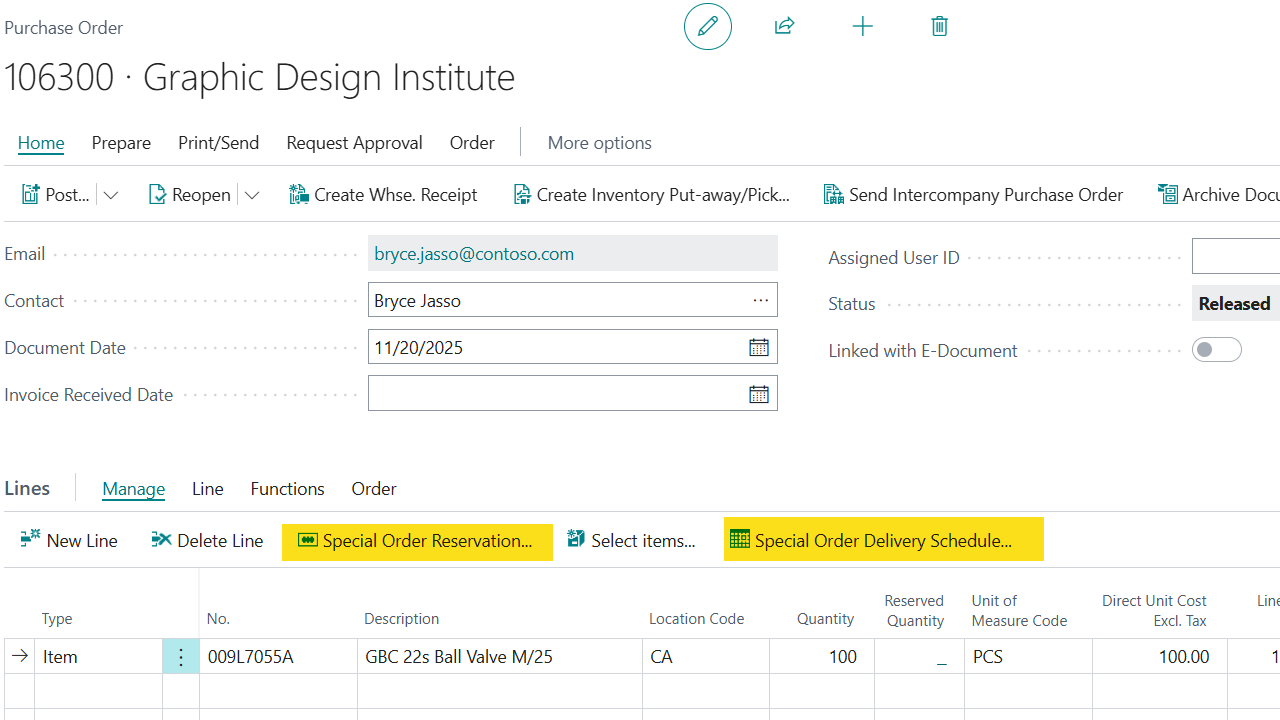
Purchase Order
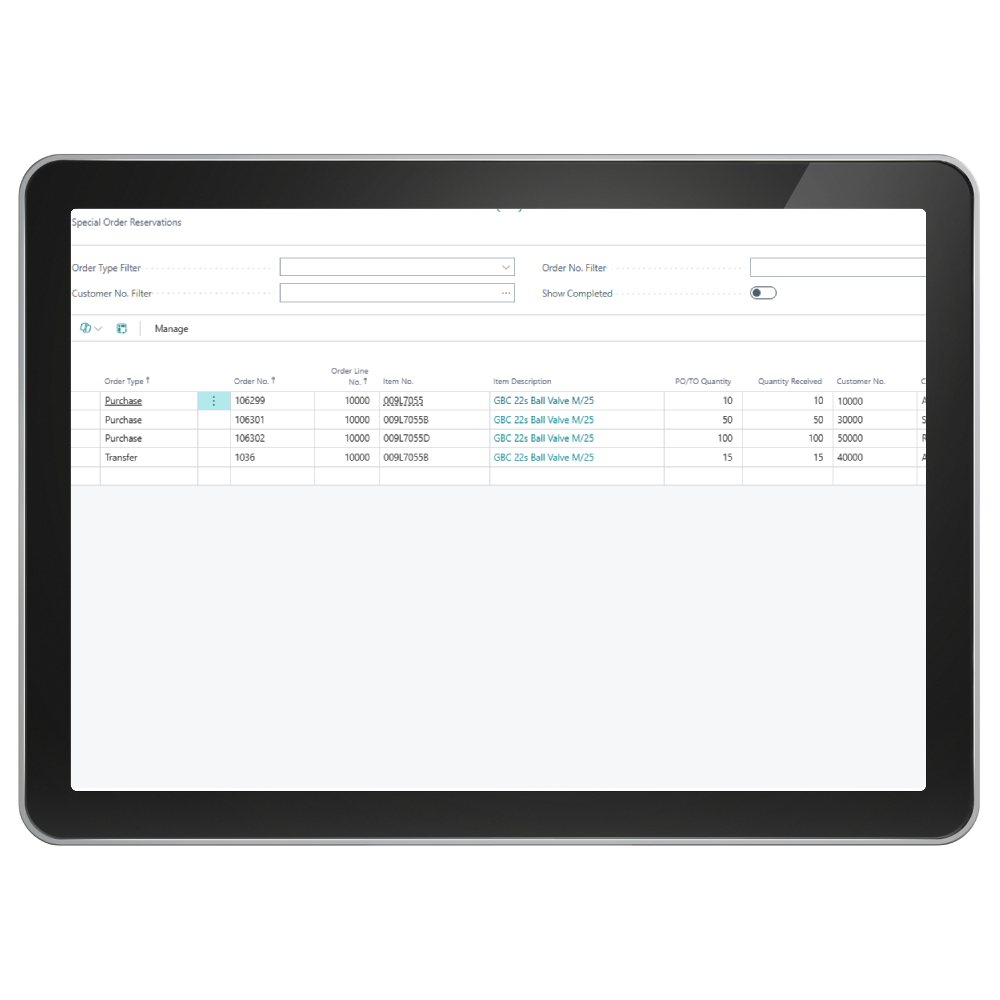
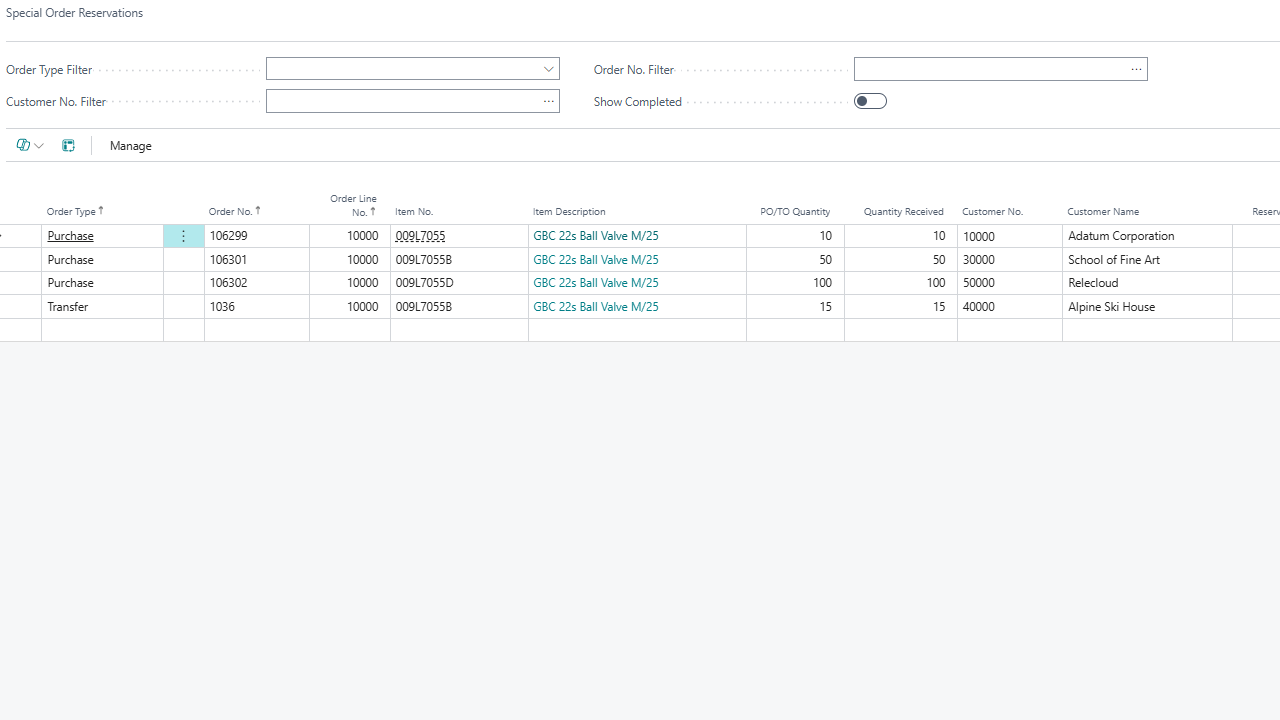
Special Order Reservations
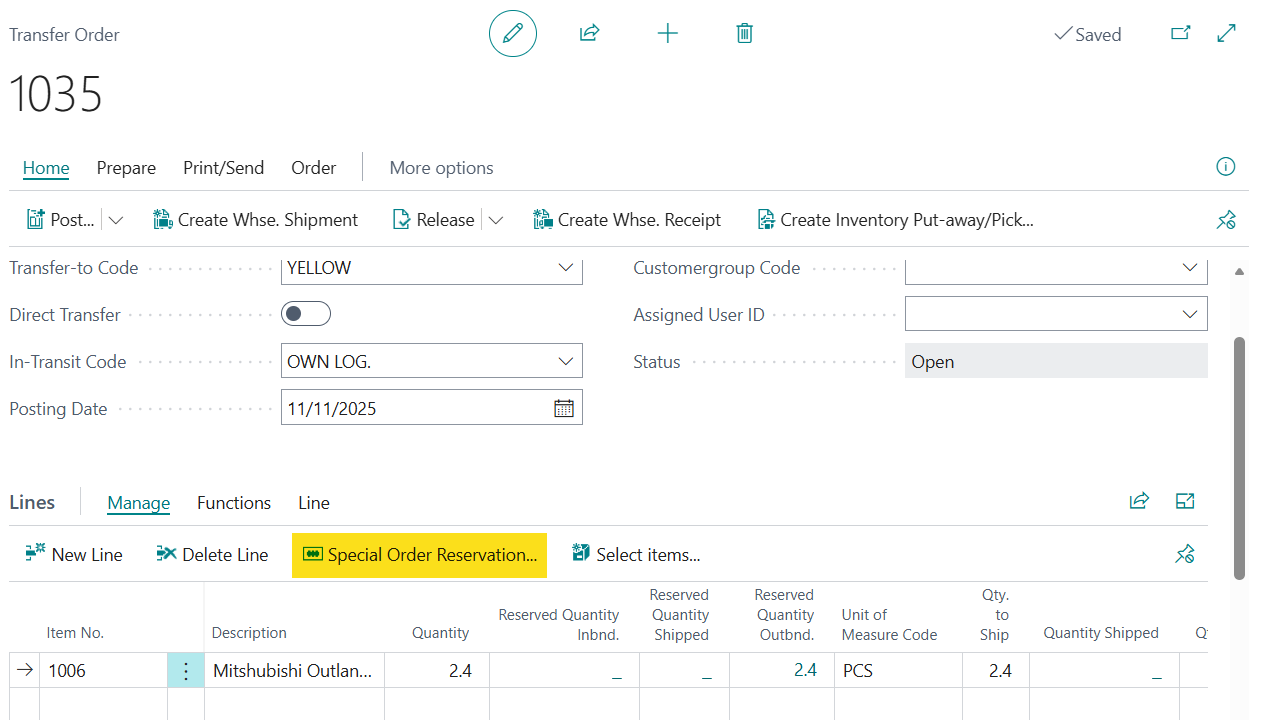
Transfer Order

Get started with Acumens Sales & Special-Order Management (NW)

Acumens Sales & Special-Order Management (NW)

Features

 Use Cases for Special Orders:   A special order allows a customer to make specific requests or instructions, often for an item that is not normally stocked, in addition to other unique arrangements. Special orders fall into these broad categorizations:

  • Non-Stock items: These are items not typically kept in stock, requiring the seller to order from a supplier.
  • Customizations: These involve items that need to be made to specific requirements like a custom-built piece of furniture.
  • Special editions: These could be for limited or special edition products.
  • Special pricing: A special order might involve a request for a lower price than the regular selling price.

 Special Order Reservations:  This feature allows for reservation of item quantities for customers in purchase order and transfer order documents. The quantity ordered for a customer cannot be used sold or used to fulfill other customer orders. It enhances calculation of inventory availability that includes quantities reserved for special orders.
 Special Order Delivery Scheduling:   Helps track and manage delivery timelines for orders, ensuring transparency and on-time fulfilment. A customer can prepay for a large quantity of an item and request a phase delivery of the quantity ordered. There is full tracking of the outstanding quantity.

Get started with Acumens Sales & Special-Order Management (NW)

Frequently Asked Questions

Standard Business Central does not allow customer specific reservations against expected inventory (Purchase or Incoming Transfer). Acumens Sales & Special-Order Management enables users to reserve expected inventory for specific customer orders, ensuring incoming stock is committed to the right customers.
Standard Business Central does not provide customer-specific protection for reserved inventory against other sales orders. Acumens Sales & Special-Order Management protects reserved quantities by preventing other customer orders from consuming inventory already committed to a specific customer.
Standard Business Central does not provide delivery scheduling tied directly to special-order reservations. Acumens Sales & Special-Order Management adds a Special-Order Delivery Schedule that tracks reserved, received, and delivered quantities, helping ensure orders are fulfilled and delivered as planned.

Get started with Acumens Sales & Special-Order Management (NW)

Customer support team ready to assist you

Contact SupportContact

Contact Support for demo of the app or for assistance with setup and training

Sign UpSign Up

Sign up to receive updates on Acumens.com, new releases, and extension updates by filling in the form.