Acumens Vendor Rebates (NA)
Automate vendor rebates in Business Central. Manage agreements, calculate tiered rebates, automate accruals, and improve rebate recovery and accuracy
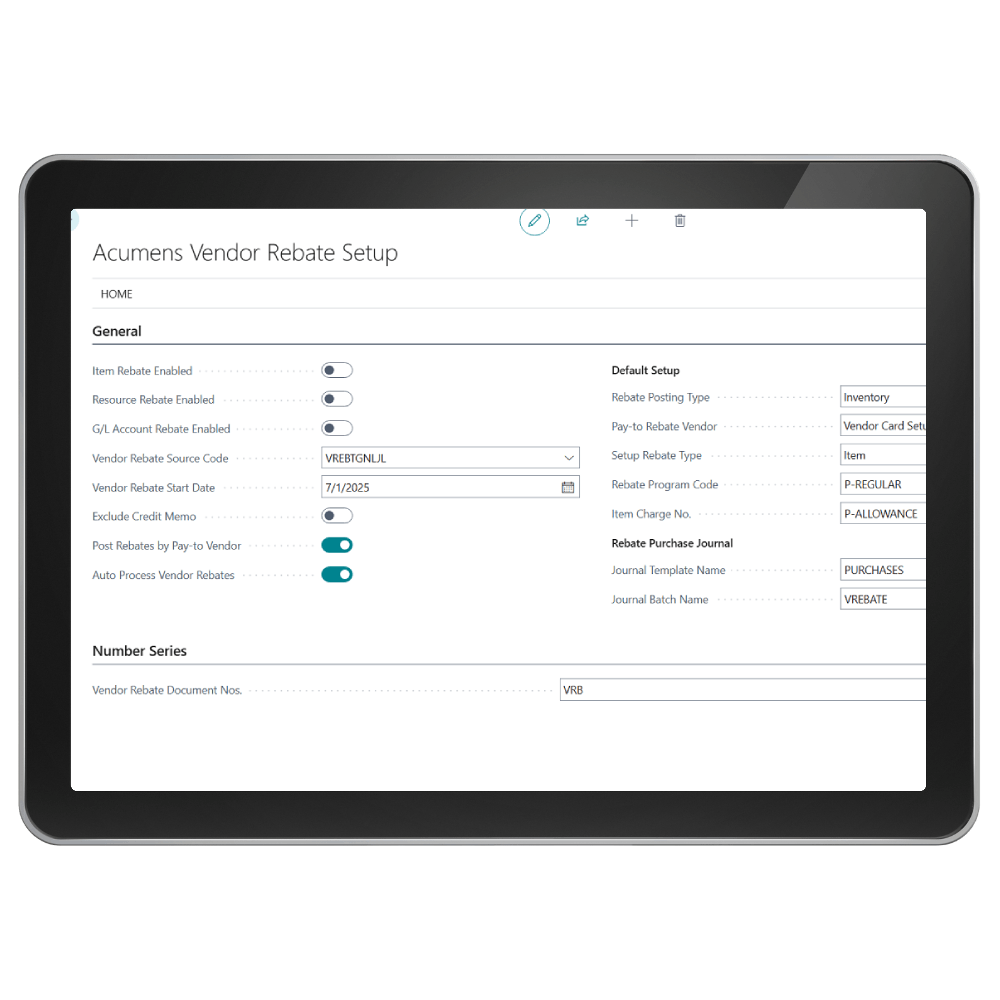

The Acumens Vendor Rebates (NA) app for Microsoft Business Central and Dynamics NAV makes vendor rebate programs easier to manage. It automates the setup of agreements, tracks purchasing targets, and posts rebate credits directly into your purchasing and financial workflows.

Agreement Management
Users can create and manage detailed vendor rebate agreements with validity dates, currencies and qualifying criteria.

Flexible Rebate Setup
Users can set up vendor rebates flexibly by item or item category, by vendor or vendor category and even by resource or G/L account.

Multiple Rebate Programs
Users can define multiple rebate programs such as volume/value-based rebates, tiered volume rebate and growth rebates and run them in parallel based on different qualifying criteria.
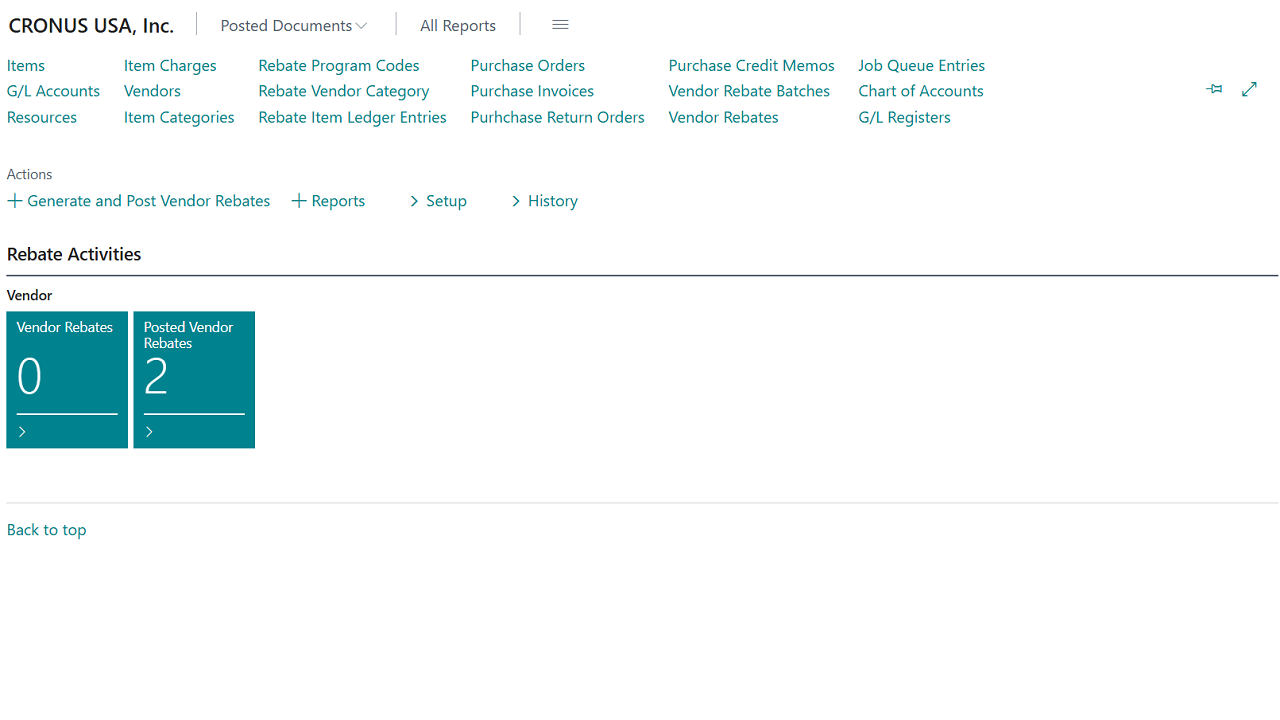
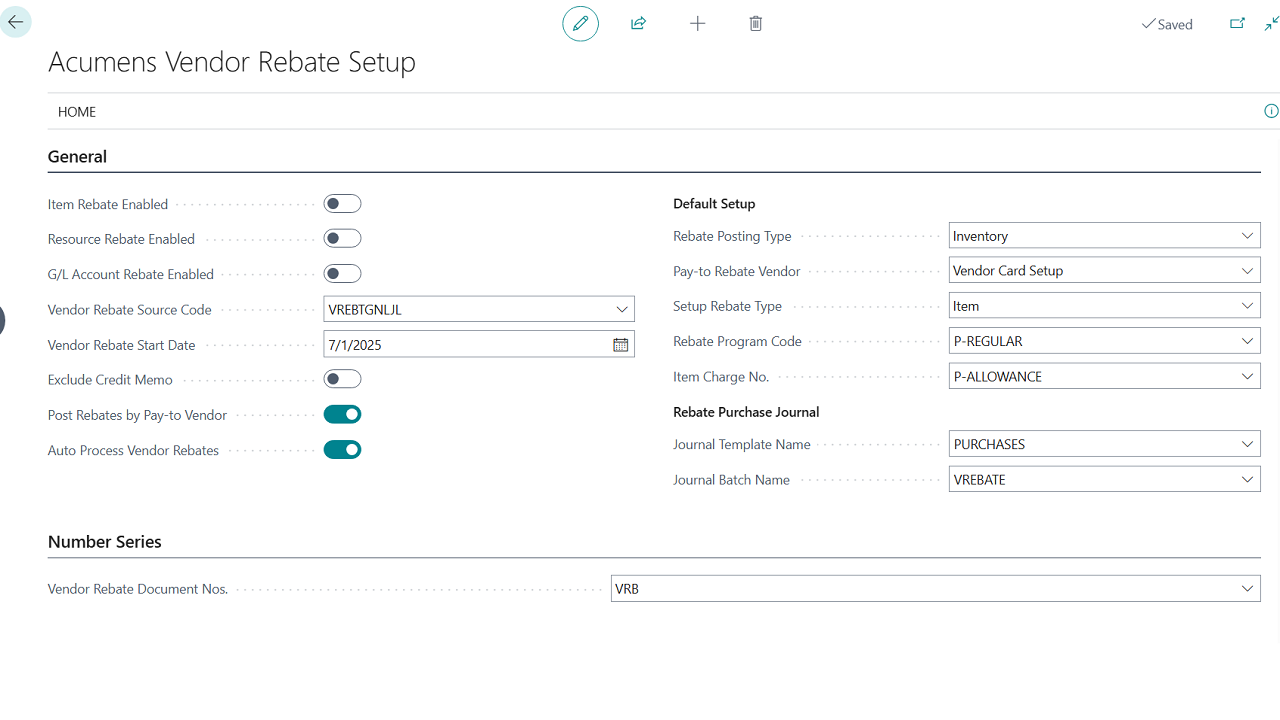
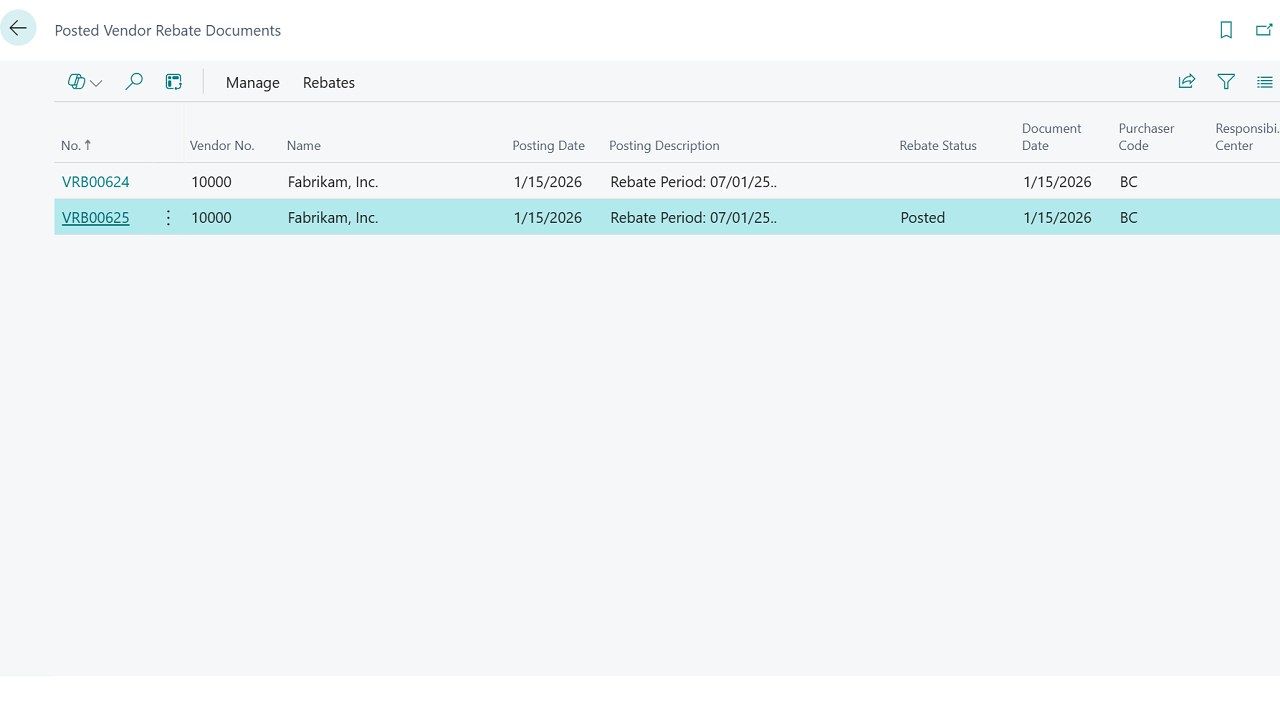
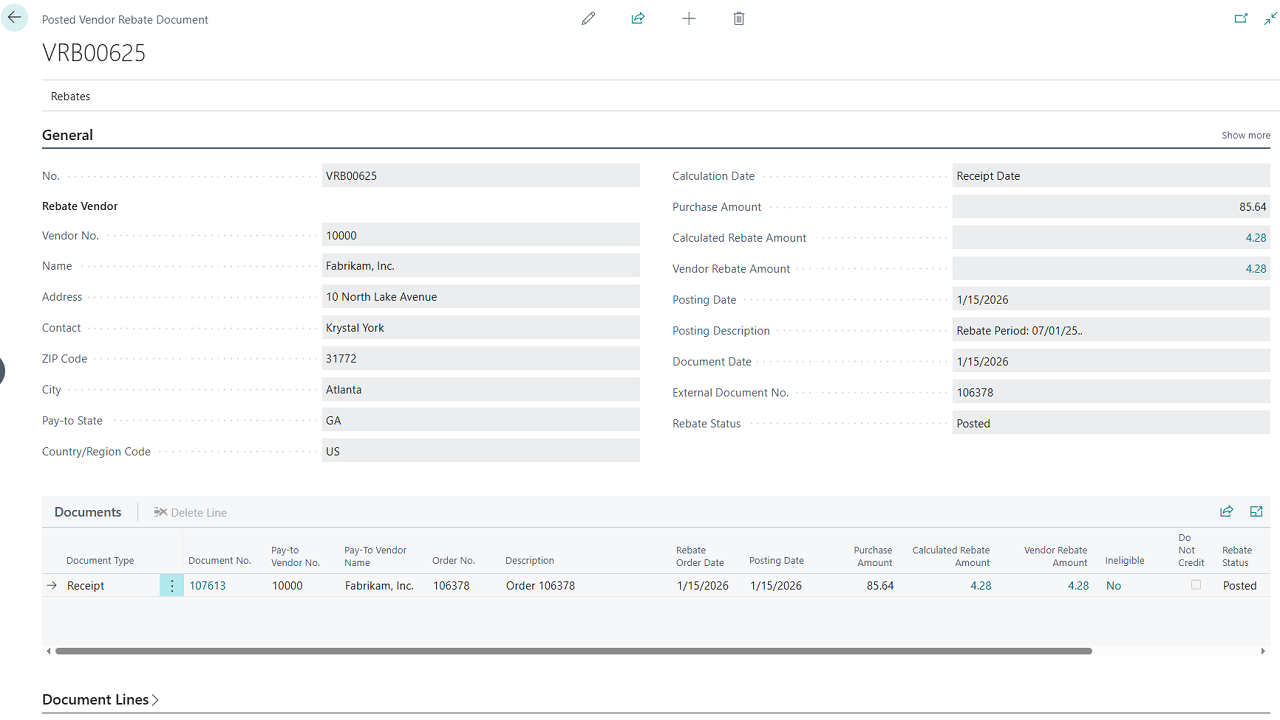
Acumens Vendor Rebates (NA)
Features
Agreement Management: Users can create and manage detailed vendor rebate agreements with validity dates, currencies and qualifying criteria. Agreements can be tied to specific vendors, items or promotions.
Multiple Rebate Programs: Users can define multiple rebate programs such as volume/value-based rebates, tiered volume rebate and growth rebates and run them in parallel based on different qualifying criteria.
Flexible Rebate Setup: Users can set up vendor rebates flexibly by item or item category, by vendor or vendor category and even by resource or G/L account. Categories can be structured around different business drivers such as purchase volume, product type, strategic importance or region/market.
Automated Rebate Processing and Accrual: Vendor Rebates are automatically processed and accrued when the item is physically received (via Receipt) or returned (via Return Shipment).
Vendor Rebate accruals are automatically reversed or adjusted when the item is physically returned (via a Return Shipment posting).
The app automatically monitors purchase transactions against the targets defined in your agreements. This enables users to know exactly when rebate thresholds are met.
Vendor credit memos are created automatically, reducing manual effort and minimizing errors. Rebate accruals, claims, and reporting are fully automated for compliance and accuracy.
The option to manually generate and post vendor rebates is also available through a setup.
Flexible Calculation Options: Rebates can be calculated using various calculation methods and parameters which can be configured per unit, as a percentage or based on a tiered structure.
Real-Time Financial Viability: Rebate liabilities are reflected in real time in the General Ledger, improving financial visibility and forecasting.
Rebate Processing Type: Rebate can be either reduced from Inventory or accrual as expense. Selection is at Rebate Program Level.
Integration: The add-ons are built into the Business Central environment, leveraging existing data and workflows within the ERP system.
Get started with Acumens Vendor Rebates (NA)