Acumens e-Payments for Worldpay (NA)
Seamlessly integrate Business Central with Worldpay to securely process payments, automate deposits, apply invoices, and simplify refunds and voids.
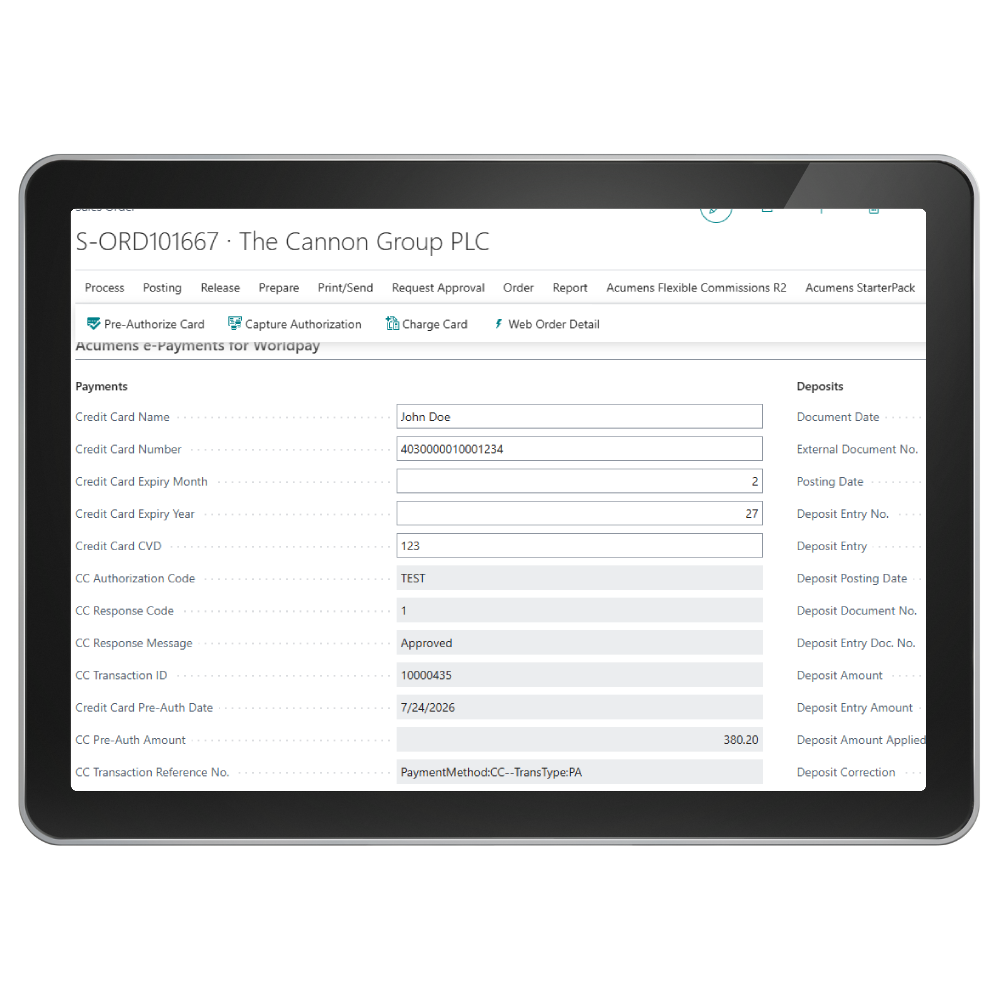

Acumens e-Payments for Worldpay is a Microsoft Dynamics 365 Business Central extension that seamlessly integrates Business Central with the Worldpay (Bambora) payment gateway. It enables secure credit card payment processing directly within Business Central and automates key processes such as card pre-authorization, capture authorization, card charging, void, refunds, deposit creation, and payment application.

Worldpay (Bambora)
Ensures secure and reliable credit card handling, building customer trust and reducing risk

Refunds
Returns funds to the customer after a captured payment has settled

Bill Payments
Simplifies collections by instantly applying payments to outstanding balances, improving efficiency.
Smart, secure payments.
Screenshots
Get started with Acumens e-Payments for Worldpay (NA)
Features
Integration with Worldpay (Bambora): Ensures secure and reliable credit card handling, building customer trust and reducing risk.
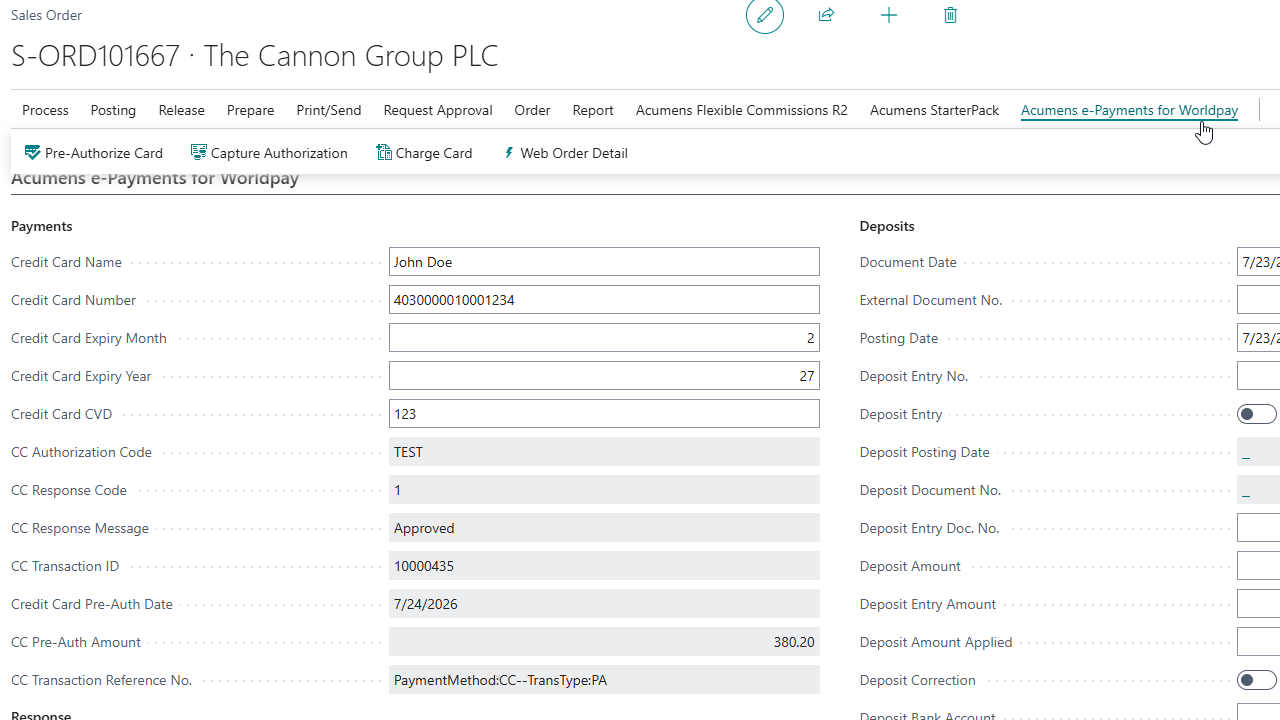
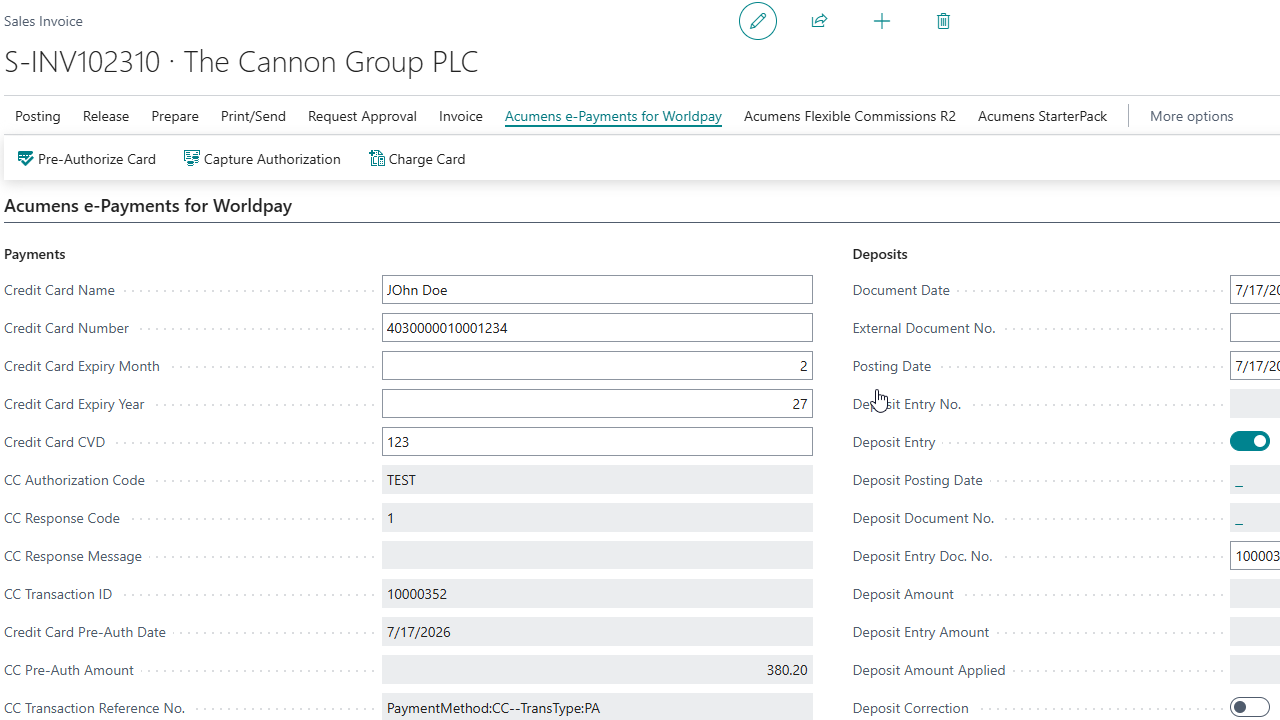
Pre-authorize card: Validates customer payment details upfront, minimizing failed transactions and improving order reliability.
Capture authorization: Finalizes charges only when goods or services are ready, reducing disputes and improving cash flow accuracy.
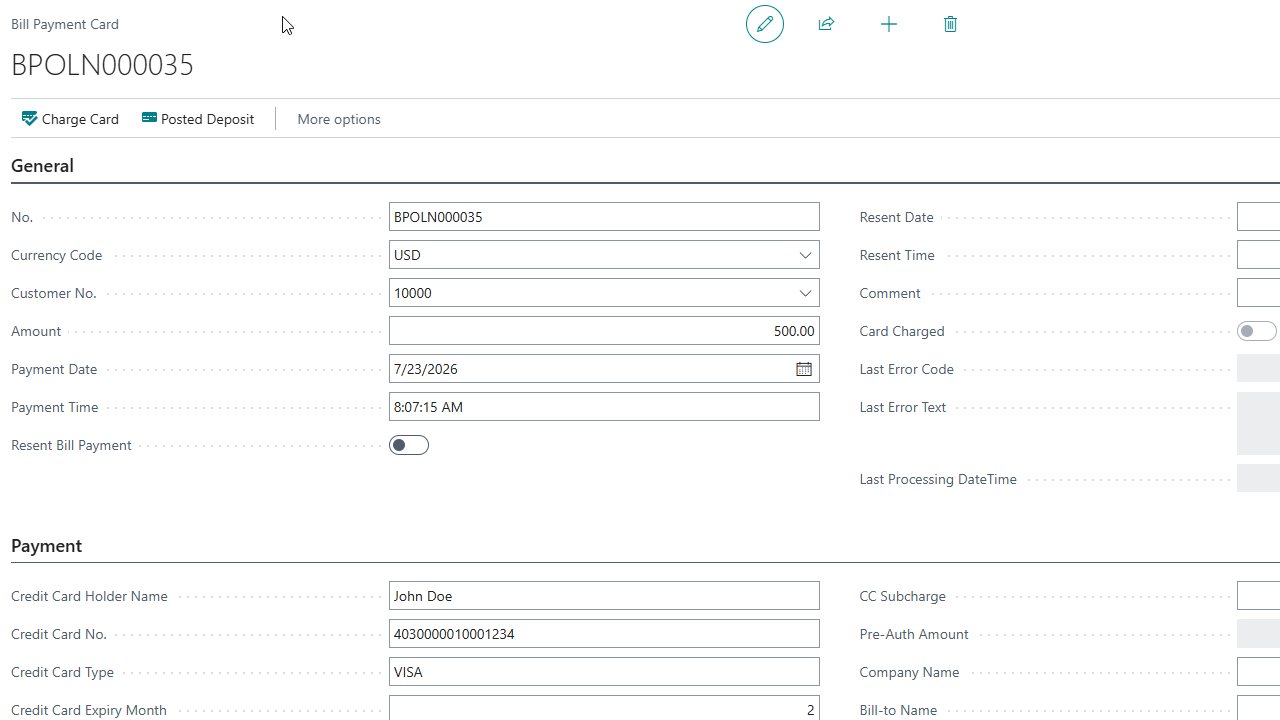
Charge Card: Combines card authorization and capture in one action, enabling faster payment processing through Bambora and automatically creating the related customer and bank account ledger entries.
Void: Cancels a preauthorized card payment before final capture closing the transaction and releasing the authorization hold.
Refunds: Returns funds to the customer after a captured payment has settled, while recording the reversal in the related payment and ledger entries.
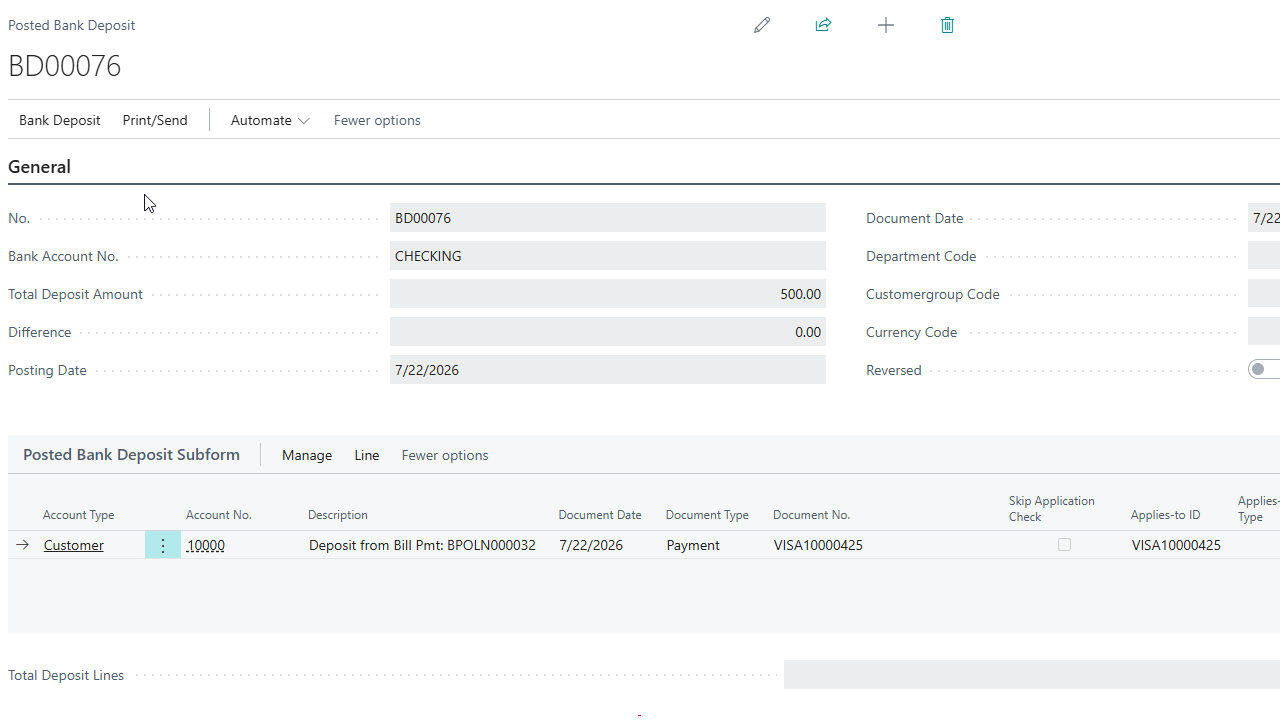
Automatic customer deposit creation and posting: Eliminates manual bookkeeping, ensuring accurate financial records with minimal user intervention.
Automatic application of deposits to sales invoices: Streamlines reconciliation by linking payments directly to invoices, saving time and reducing errors.
Automatic application of bill payments to customer invoices: Simplifies collections by instantly applying payments to outstanding balances, improving efficiency.
Support for both Web Payments and Business Central Payments: Offers flexibility to handle payments from multiple sales channels in one unified workflow.
Get started with Acumens e-Payments for Worldpay (NA)
Get started with Acumens e-Payments for Worldpay (NA)