Acumens e-Tax Enterprise R2 (NA)
Improve tax compliance in Dynamics 365 BC with real time, multi API sales tax calculations that support tax exemptions, surcharges, and custom business rules
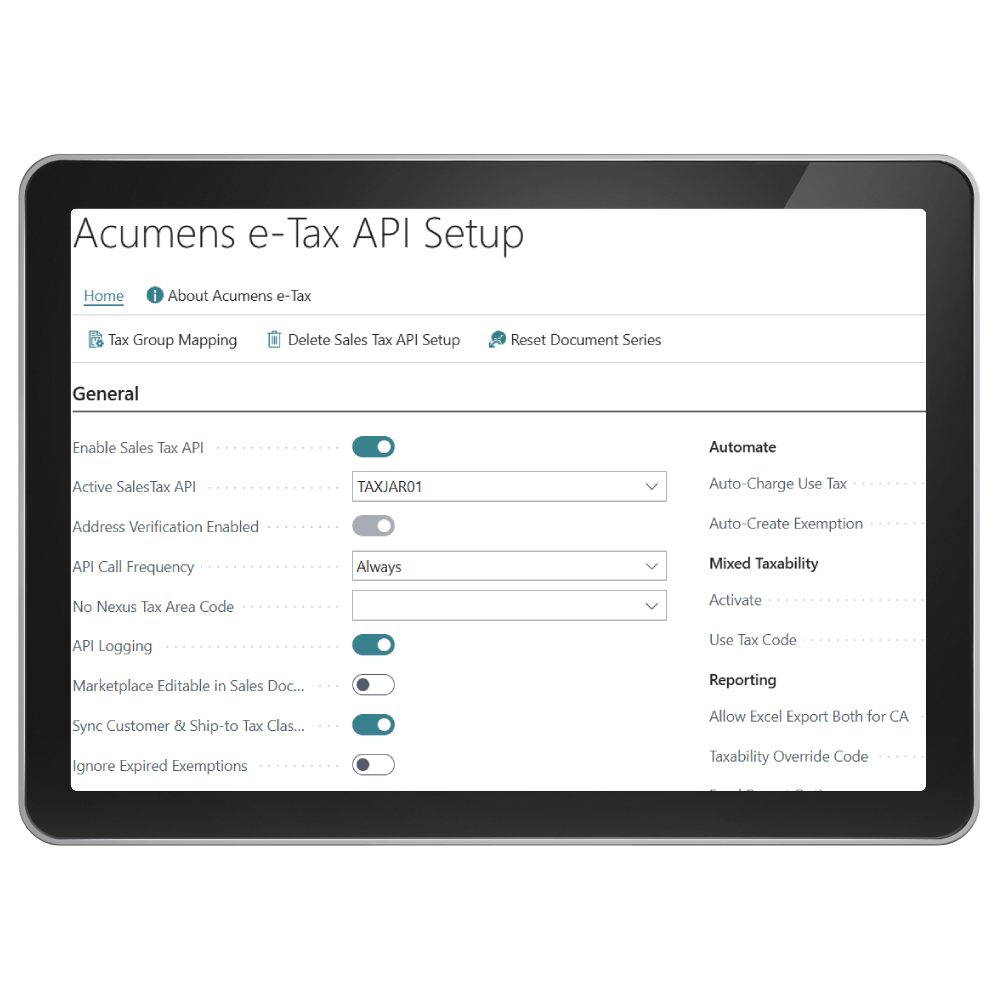

The Acumens e-Tax Enterprise R2 (NA) app for Microsoft Business Central and Dynamics NAV makes vendor rebate programs easier to manage. It automates the setup of agreements, tracks purchasing targets, and posts rebate credits directly into your purchasing and financial workflows.
Sales Tax Calculation
This feature offers address-based sales tax calculation. The rates fetched from the APIs are real time.

Sales Use Tax
This is applicable to resellers where items for resale are not taxable but items that are consumed within the company are taxable.

Credit Sales Tax
This feature is used to process sales tax correction through a Credit Memo when Sales Tax on the Invoice was processed incorrectly.
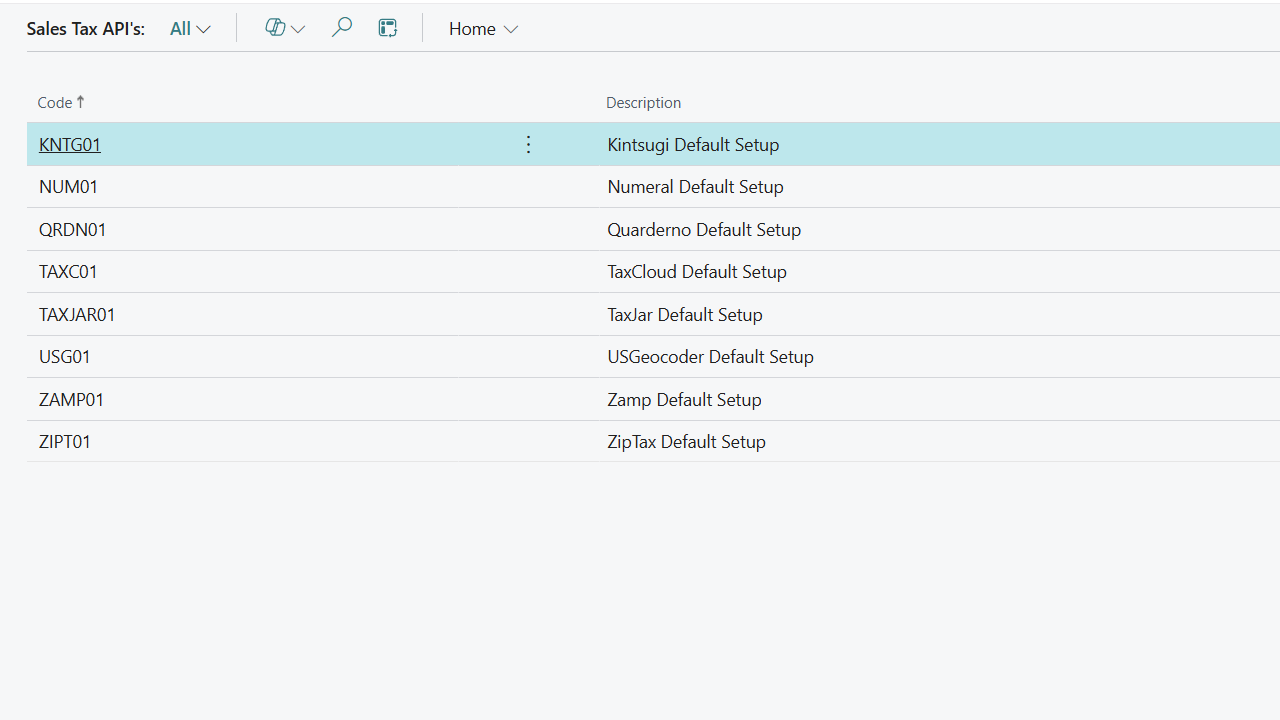
The supported external Sales Tax APIs are::
TaxJar
ZipTax
USGeocoder
Zamp
TaxCloud
Quaderno
Kintsugi
Numeral
The supported external address verification APIs are:
UPS.com
Smarty.com
Zamp
These external APIs are subscription based and can be used one at a time for each category.
Automate Sales Tax Rates & Return Filing in D365
Screenshots
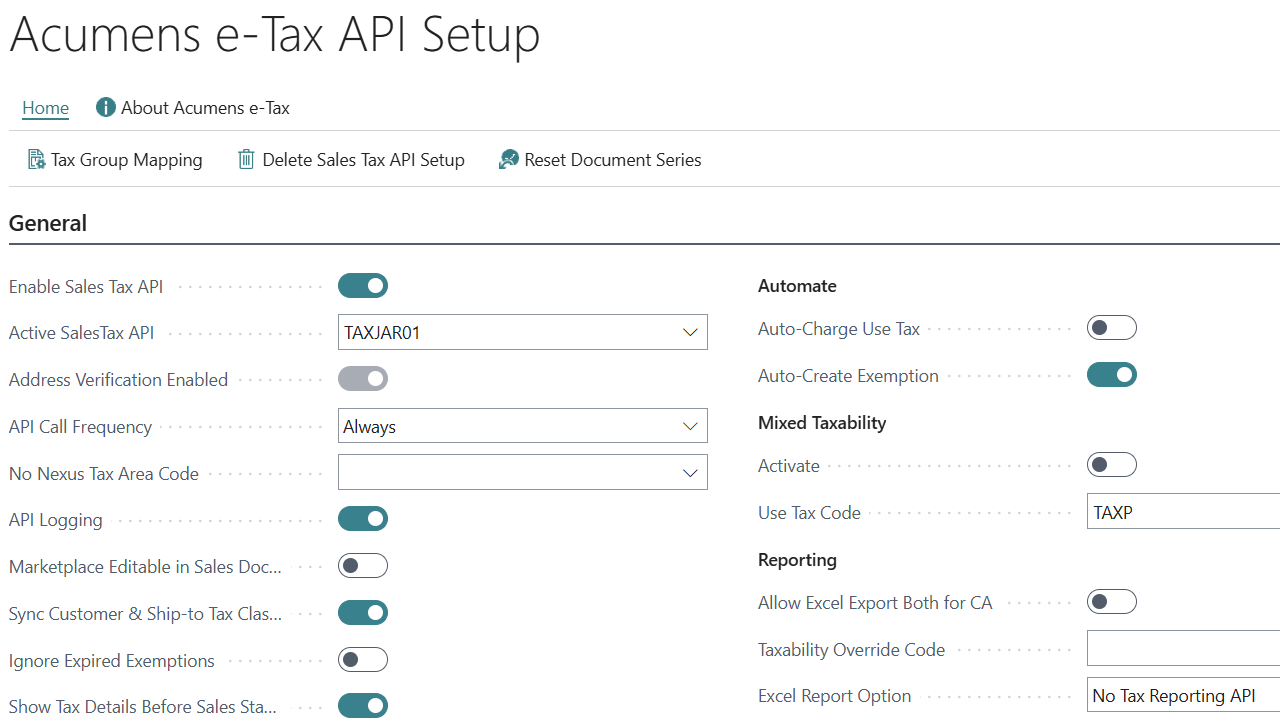
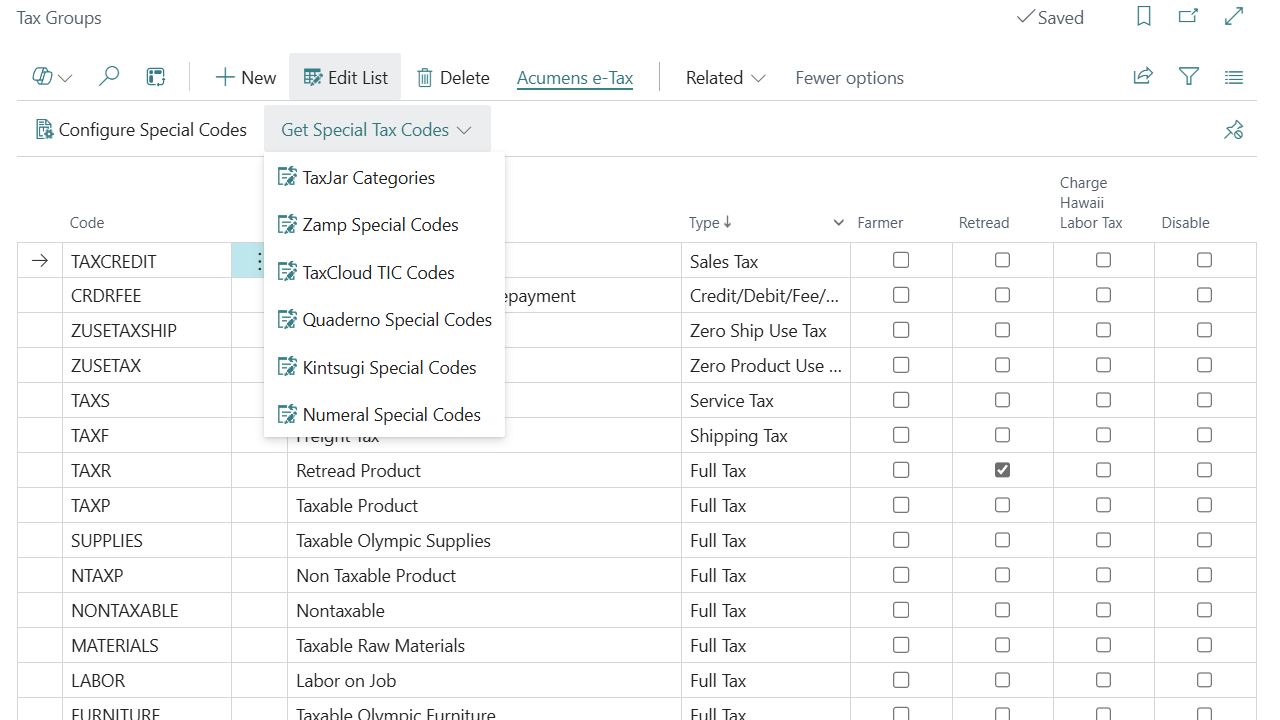
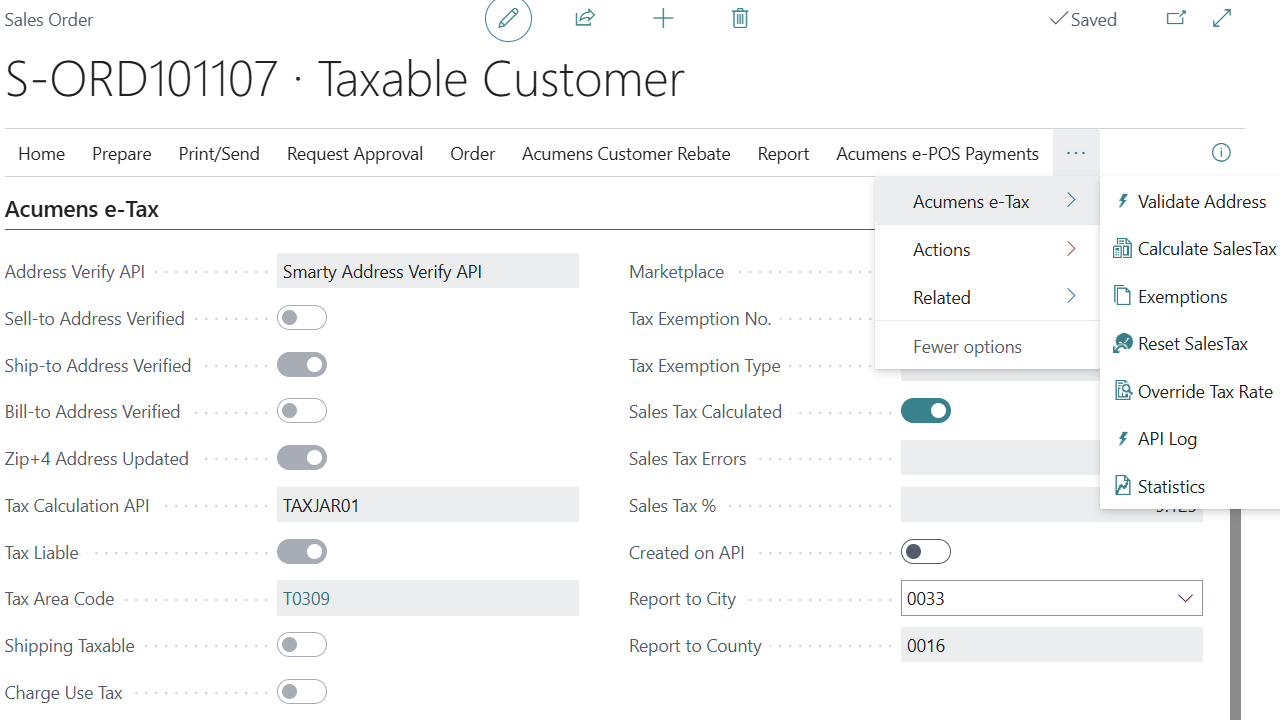
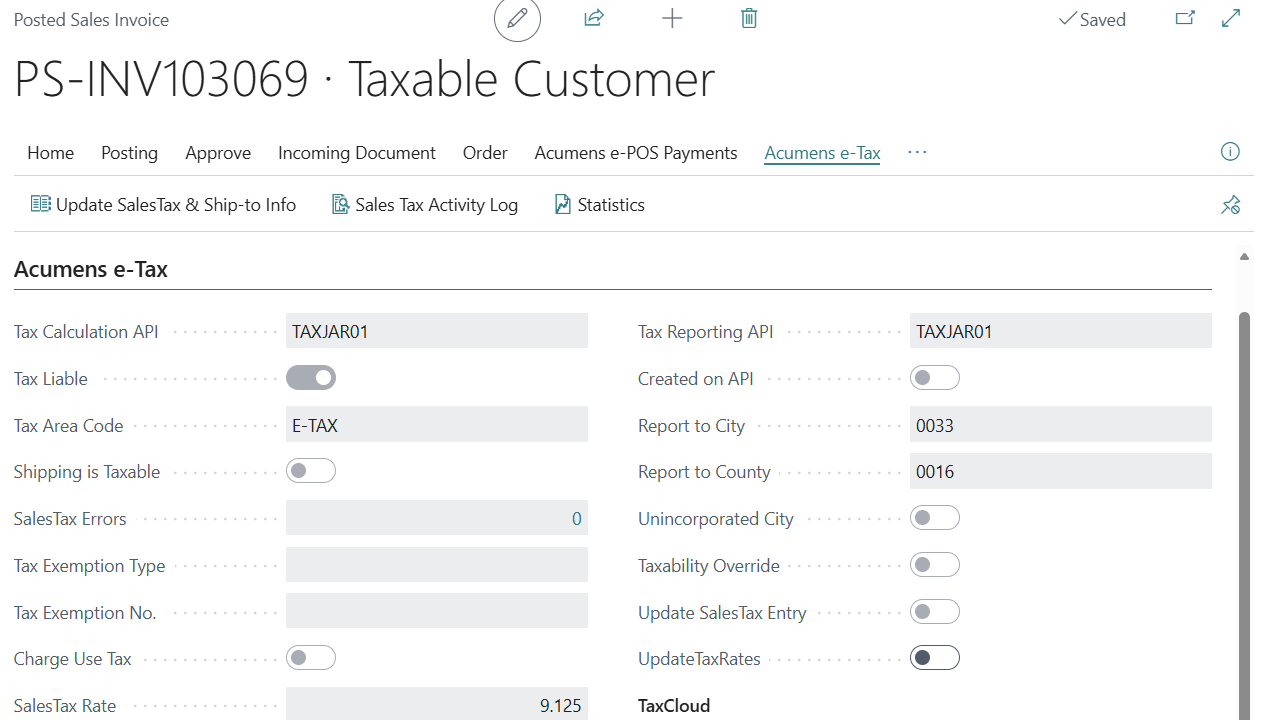
Get started with Acumens e-Tax Enterprise R2 (NA)
Features
Sales Tax Calculation: This feature offers address-based sales tax calculation. The rates fetched from the APIs are real time.
B2B/ B2C Customer Types: These customer types determine whether tax Rates are fetched (API Calls) for each sales document or once a month. It’s an optimization feature to reduce API costs.
Exemptions: This feature is used to support the different types of Sales Exemptions. Exemptions are defined per Customer per State. On Customer Level, that can be refined further to have exemptions based on Ship-to- Address.
Sales Tax handling for Marketplace: With this feature, clients can handle marketplace and e-commerce platforms sales in Business Central and be able to report on them based on their sales tax handling terms with the platform.
Hawaii Wholesale: Hawaii resale attracts tax at a specific rate. Acumens e-Tax provides support for this feature.
Sales Use Tax: This is applicable to resellers where items for resale are not taxable but items that are consumed within the company are taxable.
Hawaii Labor non-exemption: This applies to Hawaii Labor where labor is taxed regardless of customer exemption.
National Accounts Exemptions: Sales billed to National accounts are exempt based on National Accounts Exemptions.
Override Tax Rates: This feature allows users to define specific rates for a customer if the rates fetched based on their address are not the correct rates. Its common with remote addresses.
Extended Taxability: The App allows for Sales Tax Calculation variations based on dependencies i.e. an item can be taxable/non-taxable based on being sold with a specific resource or a resource in a specific resource group and vice versa.
Resources can also be set to automatically add to a document if a certain item is being sold in a specific state
Special Tax Rates:
Credit Sales Tax: This feature is used to process sales tax correction through a Credit Memo when Sales Tax on the Invoice was processed incorrectly.
Exact Tax Reversal: This ensures that when doing a document Credit Memo, the Tax Rate used on the original Invoice is the same rate used to reverse the document.
Posted Documents Sales Tax Related Updates: The App allows for Document Taxability and Ship-to / Return-from Address Updates. These changes trigger a recreation of the document sales tax entries for reporting. All these changes are logged.
Sales Tax Reporting:
Get started with Acumens e-Tax Enterprise R2 (NA)
In standard Business Central, sales tax calculation relies on manual setup of Tax Areas and Tax Groups. This means you must define tax jurisdictions and assign them to customers or documents, which can be time‑consuming and prone to errors—especially when dealing with complex or multi‑state tax rules.
With Acumens e‑Tax (Enterprise) R2, this process is automated. The app fetches address‑specific tax rates directly from external APIs (such as TaxJar, ZipTax, Zamp, TaxCloud, Quaderno, etc.) based on the validated Ship‑to address. It eliminates the need for manual Tax Area setup by dynamically applying the correct rate at the time of calculation or posting.
In standard Business Central, sales tax filing is a manual process. Users must generate tax reports (such as the Sales Tax Settlement report), export them to Excel, and then file returns directly with the state or tax authority. Business Central does not provide built‑in automated filing or API integrations with tax agencies.
With Acumens e‑Tax (Enterprise) R2, this limitation is addressed. The app supports automated tax filing via API uploads to providers like TaxJar, Zamp, TaxCloud, Quaderno, Kintsugi, and Numeral. These APIs can file returns on behalf of the client, eliminating the need for manual submission. For users who prefer not to use filing services, the app also supports manual reporting with enhanced Excel outputs.
In standard Business Central, exemptions are handled in a very basic way. You can create a zero-rated Tax Area code to use but the system does not differentiate between exemption types (e.g., government, wholesale, marketplace). This often requires manual workarounds when dealing with complex scenarios.
With Acumens e‑Tax (Enterprise) R2, exemptions are much more robust. The app supports four distinct exemption types:
It also adds specialized rules, such as Hawaii labor non‑exemption (labor remains taxable even for exempt customers) and National Accounts exemptions (all customers billed to a national account inherit its exemption).
Get started with Acumens e-Tax Enterprise R2 (NA)