
Acumens Sales Agent for Dynamics 365 Business Central (NW)
Acumens Sales Agent for Dynamics 365 Business Central is an extension designed to simplify how customer purchase orders are received and processed into Sales Orders.
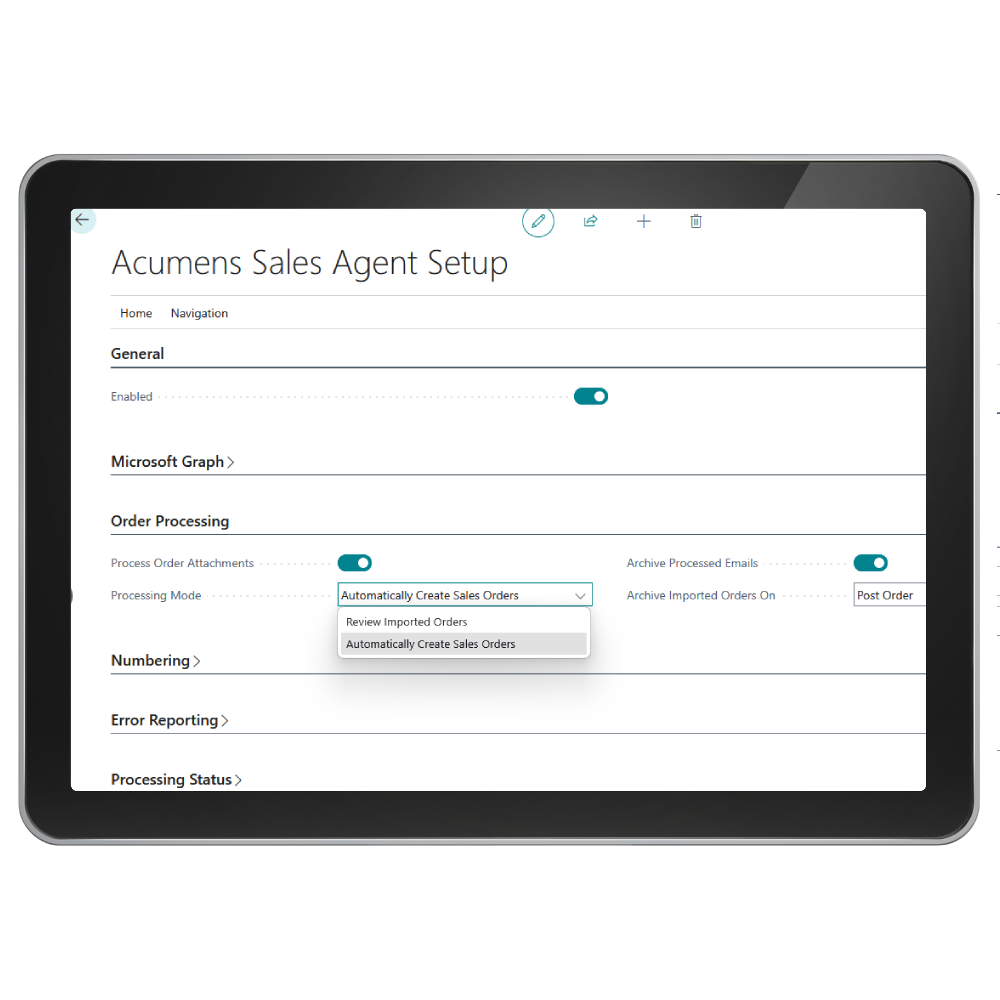

Acumens Sales Agent for Dynamics 365 Business Central is an extension designed to simplify how customer purchase orders are received and processed into Sales Orders.
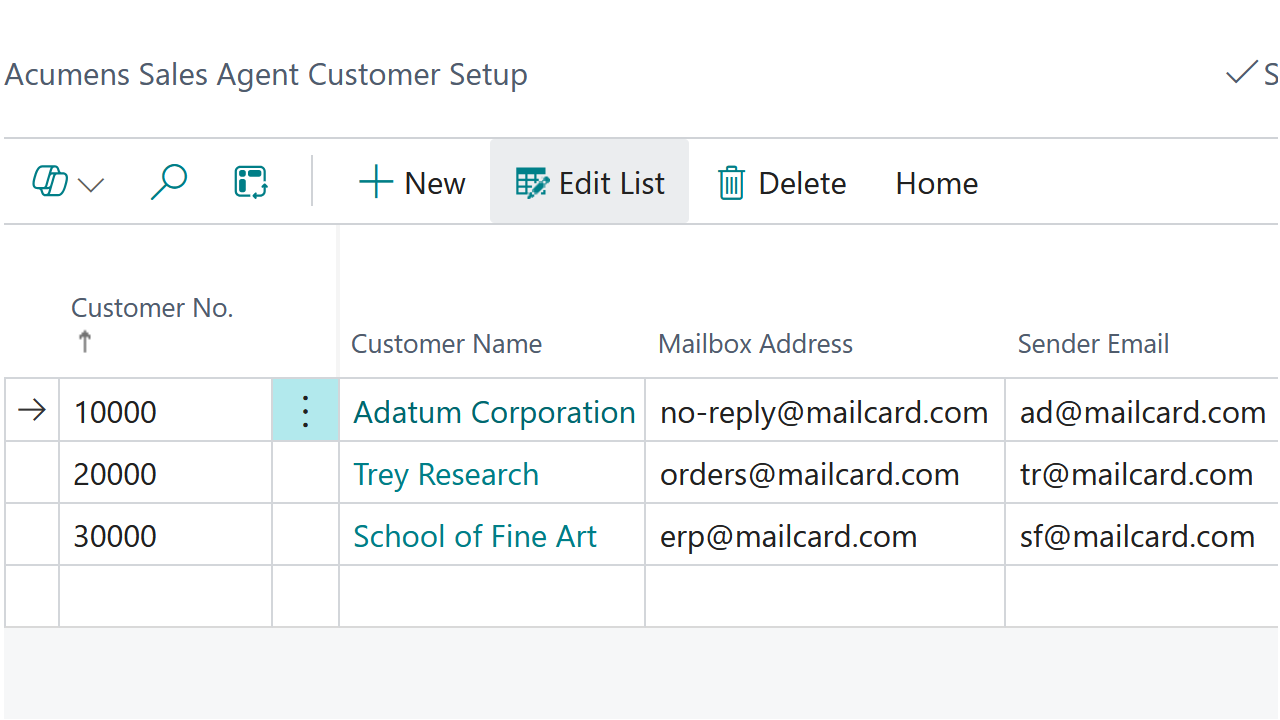
The extension helps reduce repetitive order entry by retrieving supported purchase order attachments from configured customer mailboxes, mapping and validating the order information, and creating Sales Orders in Business Central. Customers can have different mailbox, file mapping, Ship-to, and processing configurations, making the solution flexible enough to support different order formats and business requirements.
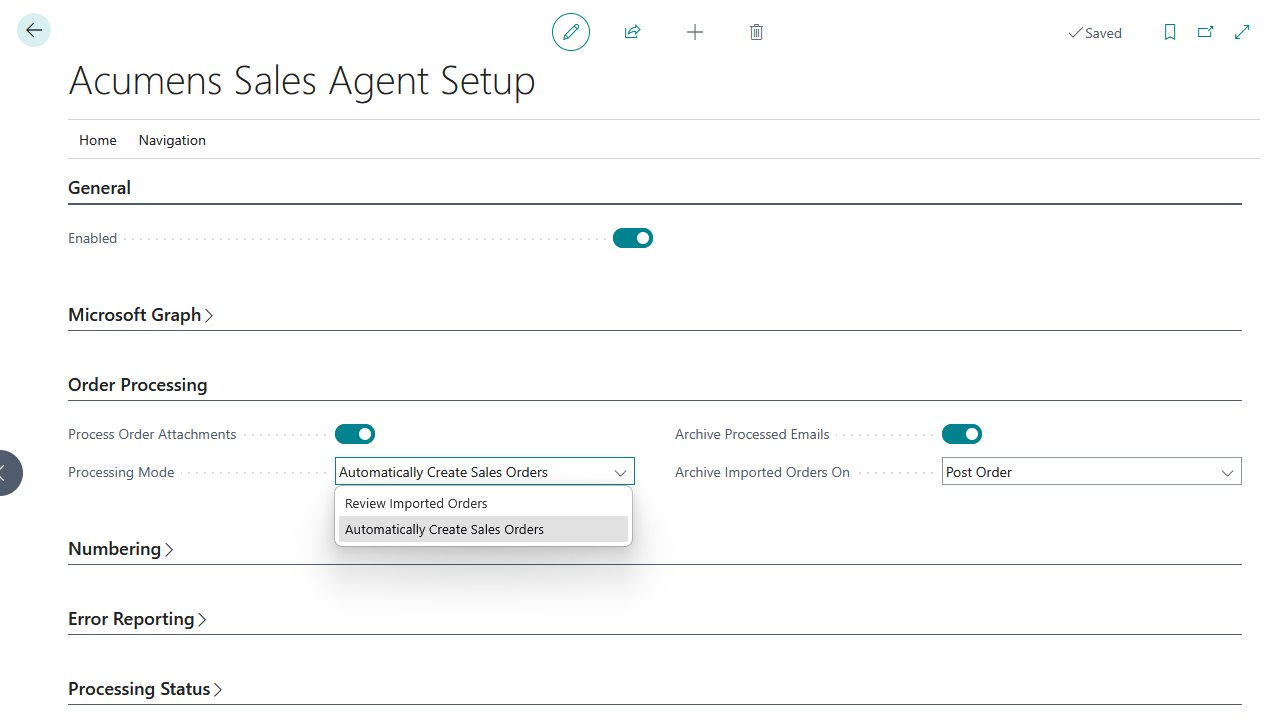
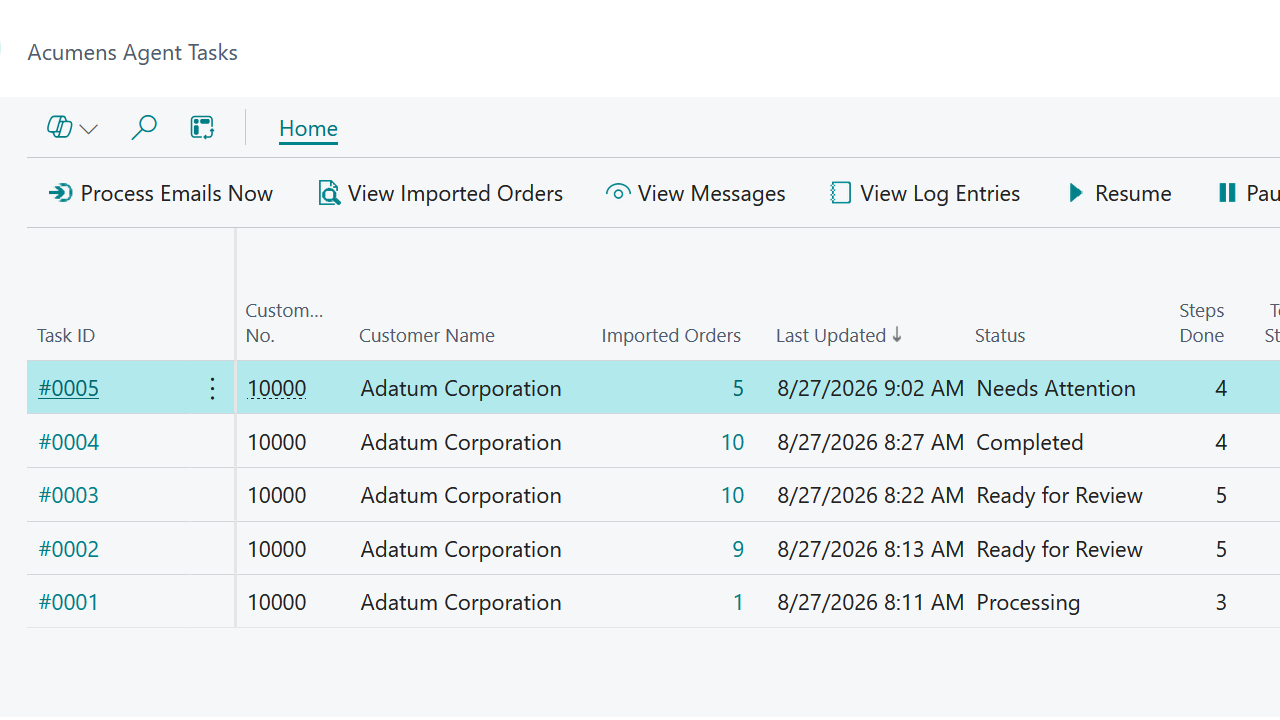
Users can choose to review imported orders before creating Sales Orders or allow successfully validated orders to be created automatically. Agent Tasks provide a central place to monitor processing progress, review errors, and track completed orders.

Automated Customer Order Intake
Receive and process supported customer purchase order attachments from configured mailboxes using Microsoft Graph, reducing the need to manually capture incoming orders.

Flexible Order Data Mapping
Map columns from different customer order files to the information required for Sales Order processing, making it easier to work with different customer file formats.

Order Validation
Validate imported customer and order information before Sales Order creation and clearly identify issues that need attention.
Acumens Sales Agent for Dynamics 365 Business Central (NW)
Features
Automated Customer Order Intake: Receive and process supported customer purchase order attachments from configured mailboxes using Microsoft Graph, reducing the need to manually capture incoming orders.
Customer-Specific Setup: Configure mailbox details, Ship-to information, file formats, processing options, and other order requirements for individual customers.
Flexible Order Data Mapping: Map columns from different customer order files to the information required for Sales Order processing, making it easier to work with different customer file formats.
Review or Automatically Create Sales Orders: Choose whether imported orders should be reviewed before Sales Order creation or automatically converted once validation is successful.
Order Validation: Validate imported customer and order information before Sales Order creation and clearly identify issues that need attention.
Automated Sales Order Creation: Create Business Central Sales Orders from successfully validated order data, helping reduce repetitive data entry and improve order-processing efficiency.
Centralized Order Monitoring: Use Agent Tasks to monitor imported attachments, processing status, validation errors, created Sales Orders, and processing history from one place.
Unattended Order Processing: Use recurring Business Central Job Queue processing to automatically check configured mailboxes and process incoming customer orders.
Get started with Acumens Sales Agent for Dynamics 365 Business Central (NW)