Royalty Collection is part of the Acumens Customer Rebates, Broker Commissions & Royalties app. It automates the process of calculating, collecting and reporting royalties owed by franchisees to the franchisor directly within Dynamics 365 Business Central. It eliminates manual spreadsheets and integrates seamlessly with sales and purchase transactions to ensure accuracy and transparency.
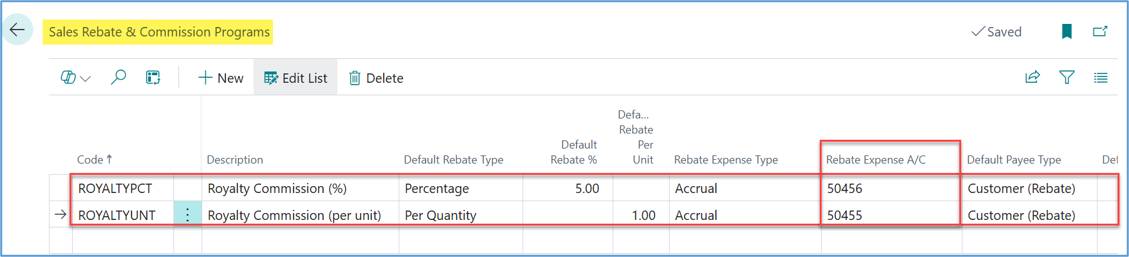
Percentage-based and dollar-based royalty program codes can be defined in this setup. Each program code is linked to an expense account.
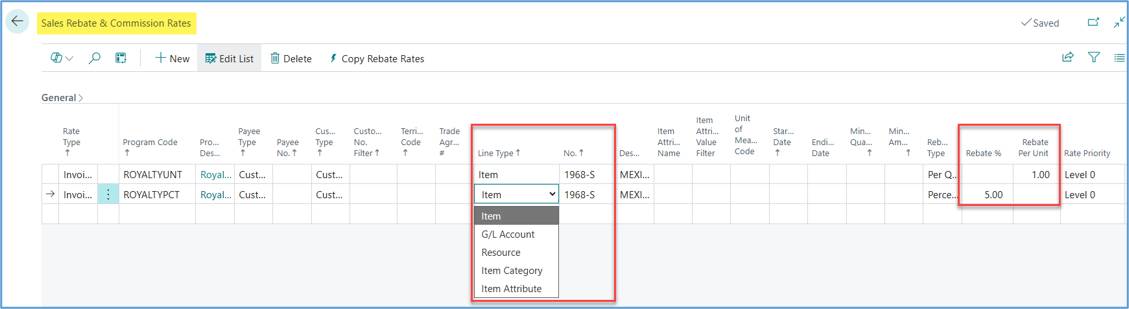
Royalties can be linked to a specific item, G/L account, resource, item category, or item attribute based on the program code defined in the Program Code Setup. Specific rates for different programs can be defined on this page.
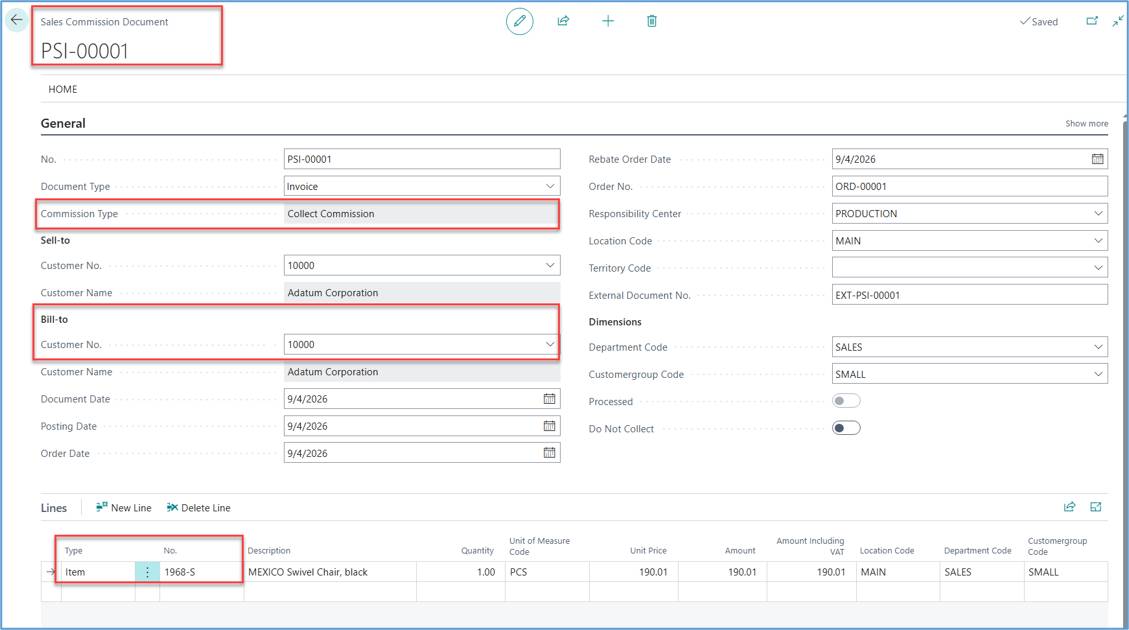
After the setup is complete, the first step in the royalty collection process is to import franchisee sales data, including posted invoices and credit memos, into the royalty staging records below. This ensures that all relevant transactions are captured before running the royalty calculations and posting.
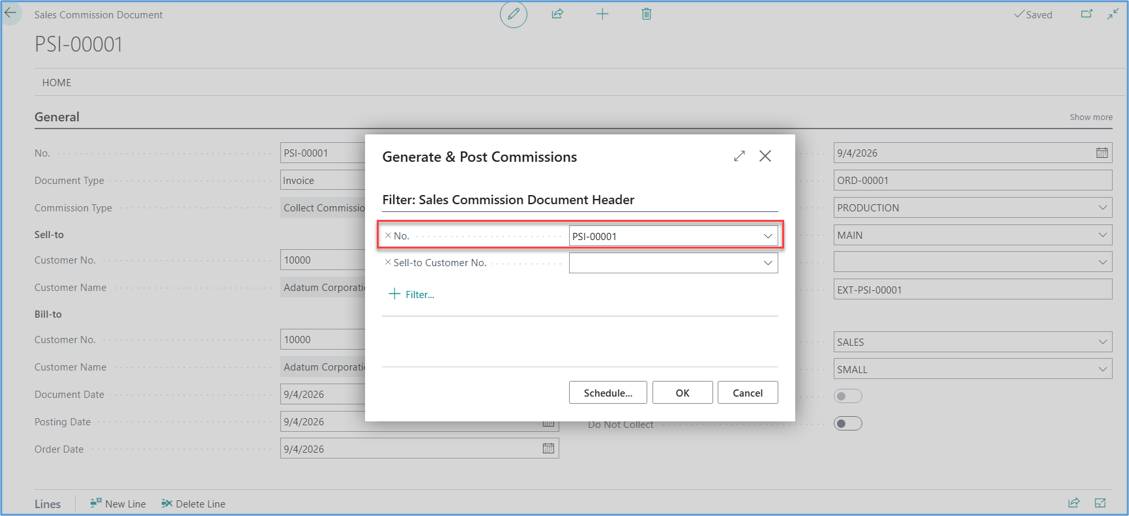
Click the Generate & Post Commissions action to calculate and post royalties.
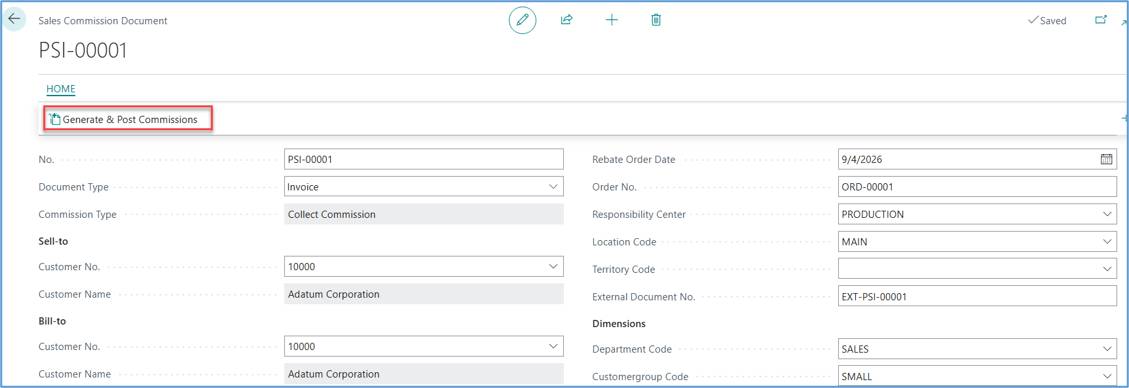
You can run this as a batch by removing the filter below.
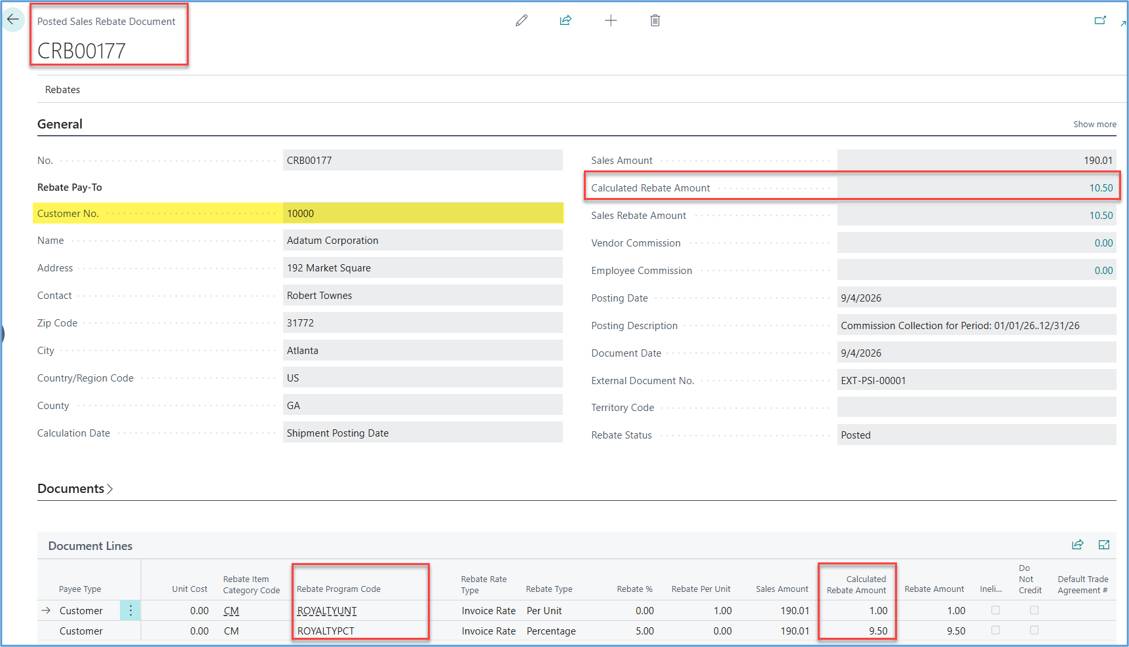
Posted Sales Rebate Document.
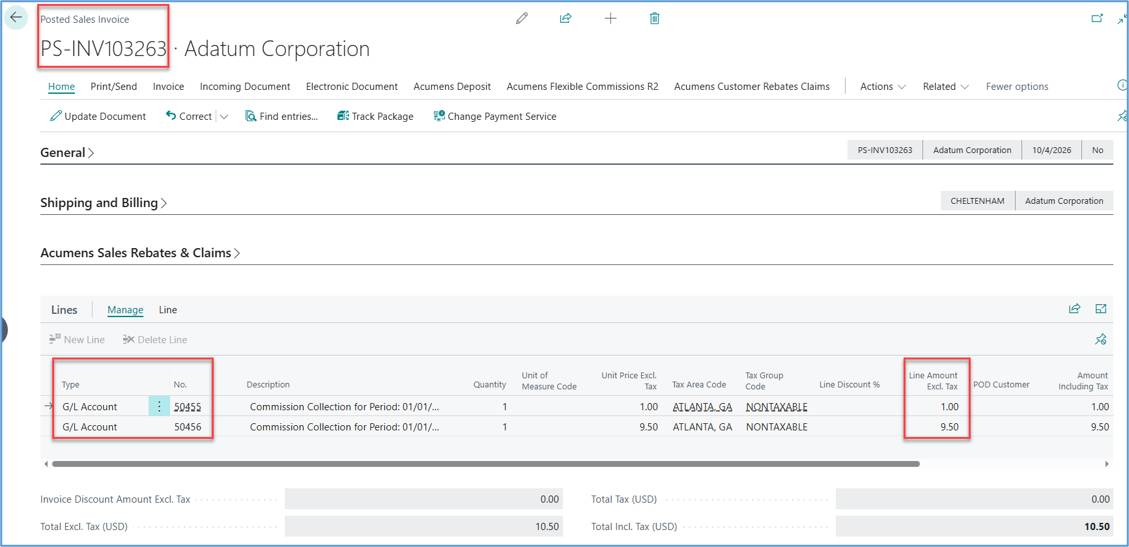
Posted Sales Invoice.
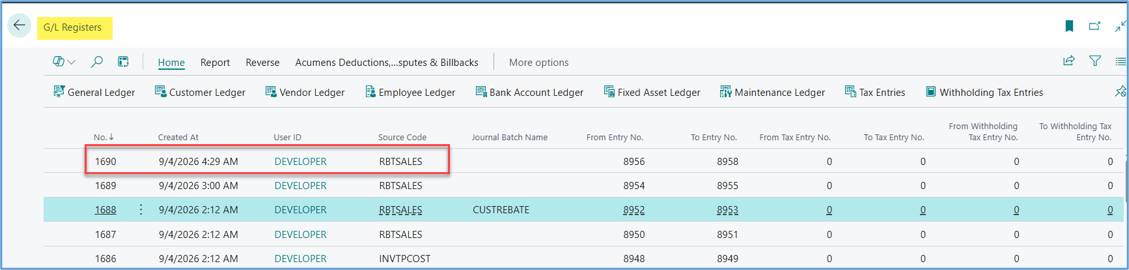
Highlighted is the last G/L Register posted which includes Royalties Collection.
General Ledger Entries related to the above G/L Register showing Royalties Collection.
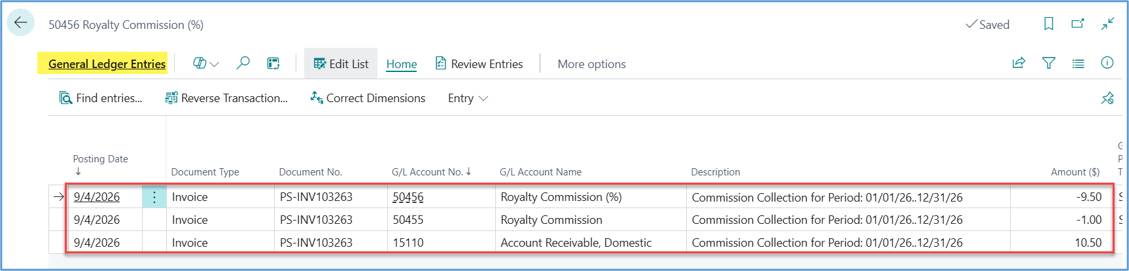
Customer Ledger Entry showing the amount owed.
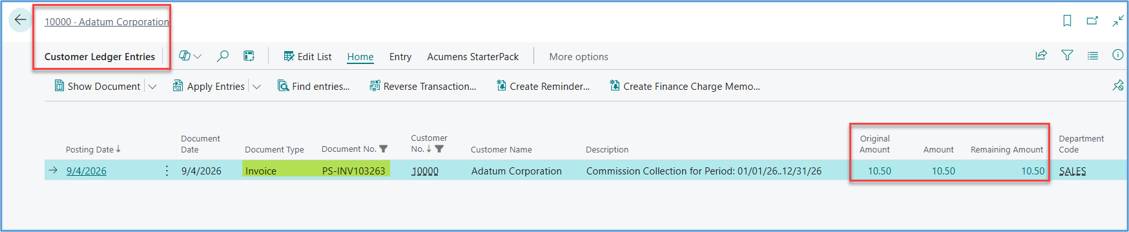
The document moved to the Processed list.
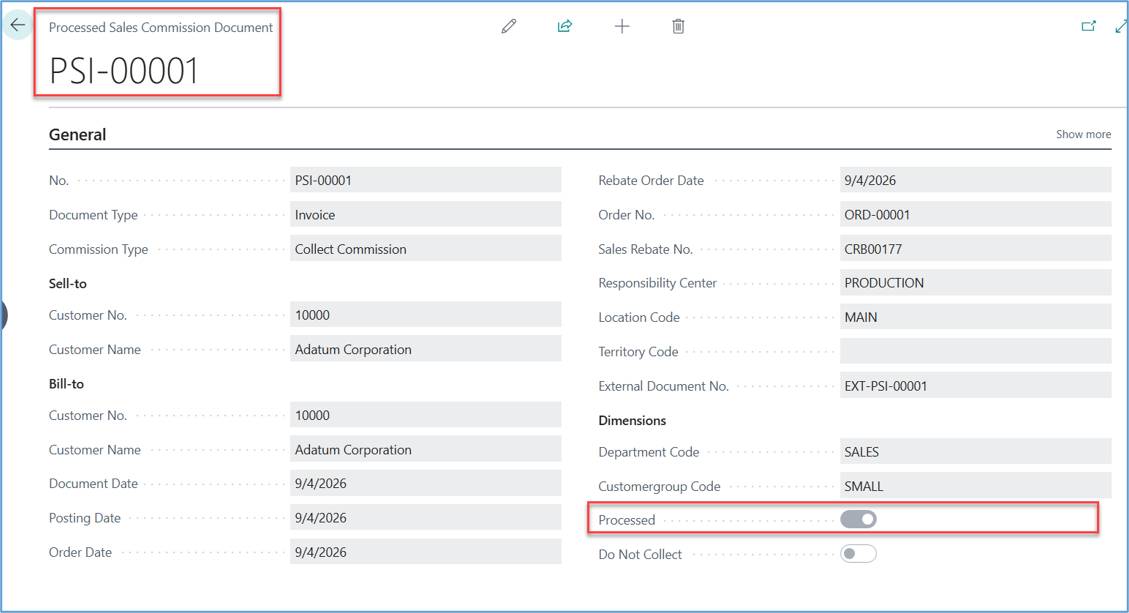
Handled though program code configuration.
The correct tier is applied correctly during posting.
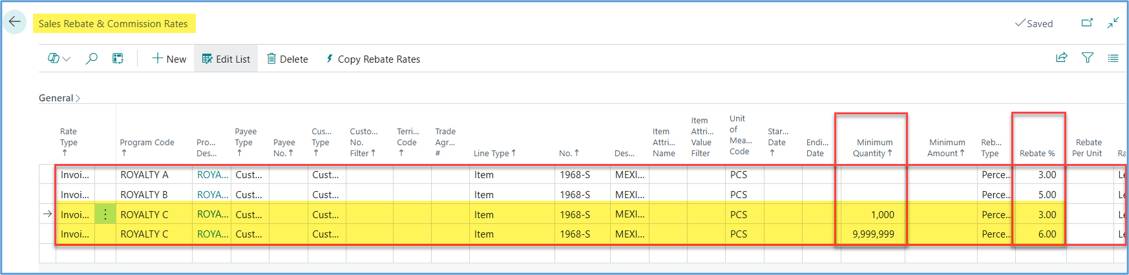
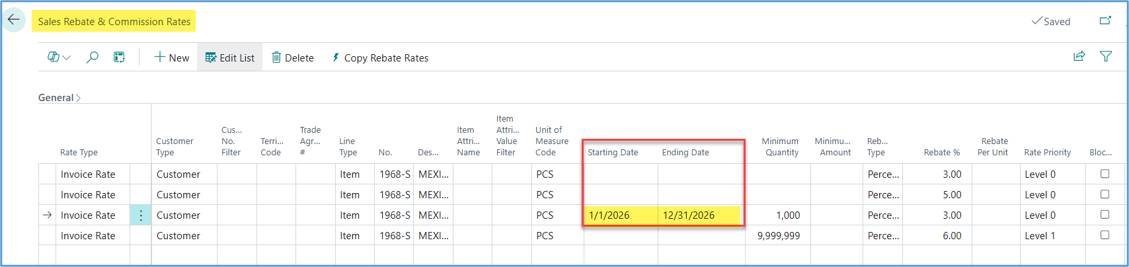
We can also expire a particular tier by defining the starting and ending date as shown below.
Royalty collection statements can be tailored to meet specific franchisor requirements. They are generated directly within Business Central from collected royalty data and can be automatically sent to franchisees.
The app is meant for organizations that need to automate and control the calculation, collection and reporting of royalties directly within Dynamics 365 Business Central.
It replaces manual spreadsheets with a seamless integration into both sales and purchase transactions, ensuring accuracy, transparency and compliance.