Acumens e-Payments for Worldpay is a Microsoft Dynamics 365 Business Central extension that seamlessly integrates Business Central with the Worldpay (Bambora) payment gateway. It enables secure credit card payment processing directly within Business Central, automating key processes such as card pre-authorization, capture authorization, charge card, void, refunds, deposit creation, and payment application.
The solution supports two primary business areas:
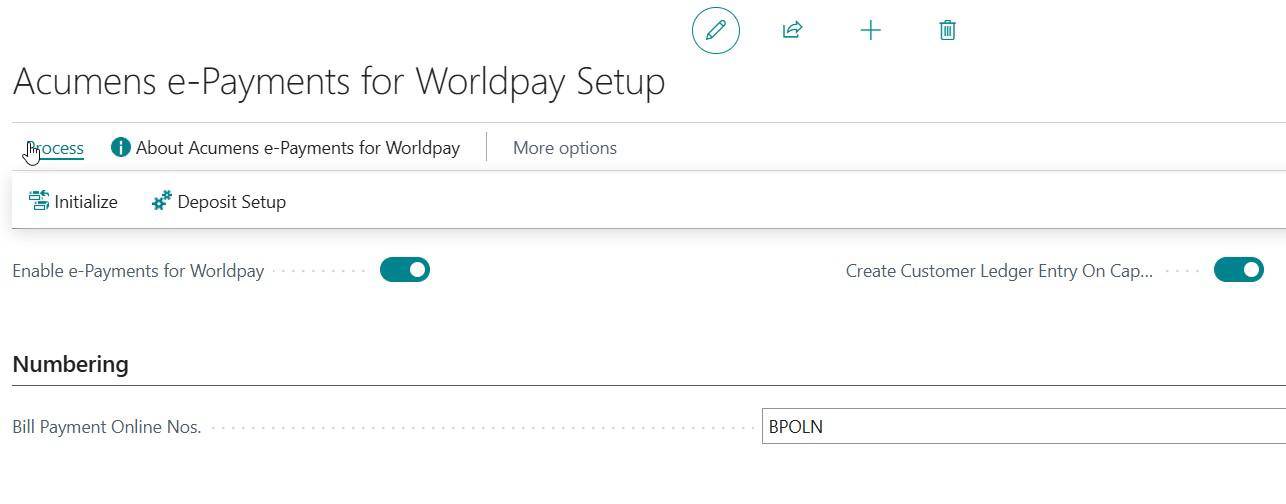
Provide an automated initialization mechanism for the Acumens e-Payments for Worldpay extension to establish core setup parameters, enable system functionality, and automatically allocate required number series and permissions.
The Acumens Worldpay Deposit Setup page defines how deposit journals are created, posted, and linked to the appropriate bank accounts.
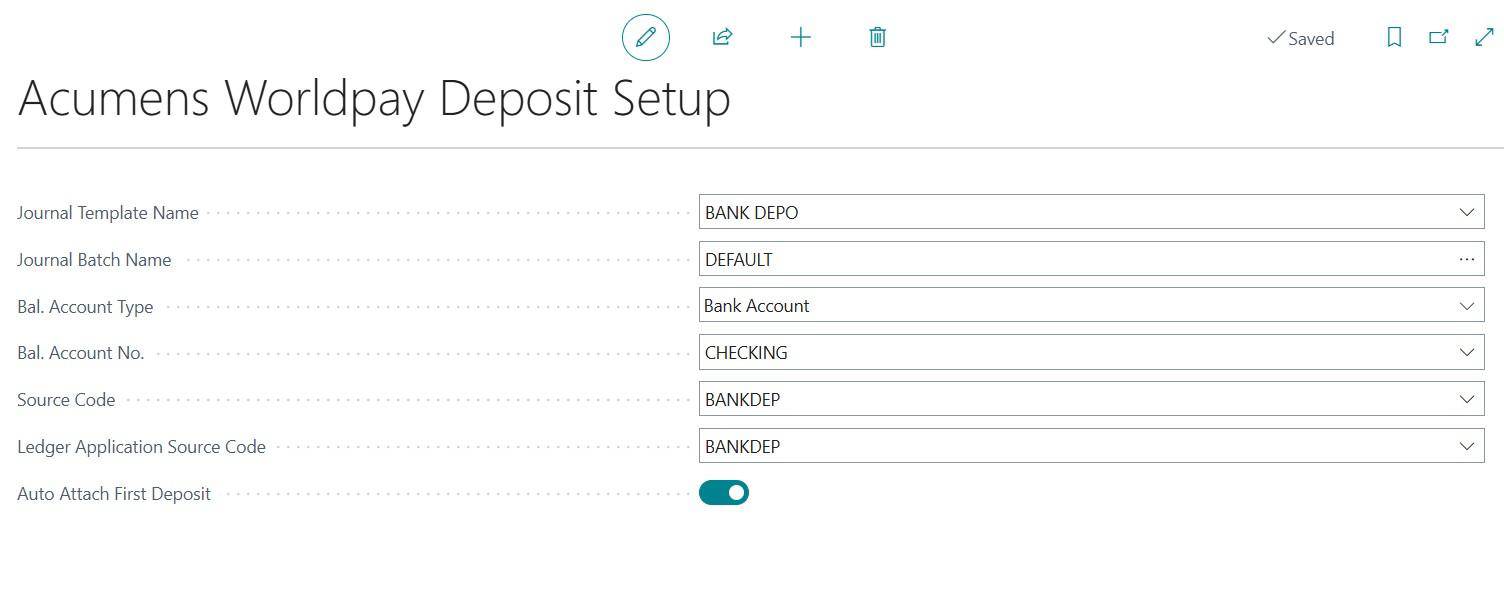
The Auto Attach First Deposit field in Acumens Worldpay Deposit Setup automates the linking of deposit entries to related records: It updates either the Bill Payment or the Sales Order with deposit details.
The Credit Card Provider List page serves as a master data configuration window. It is used to define and manage credit card providers e.g. Bambora integrated with the system.
Note: Activating Currently Use flag tells the custom integration code units to immediately route incoming web tokens from the designated Website Code through this provider's API endpoints.

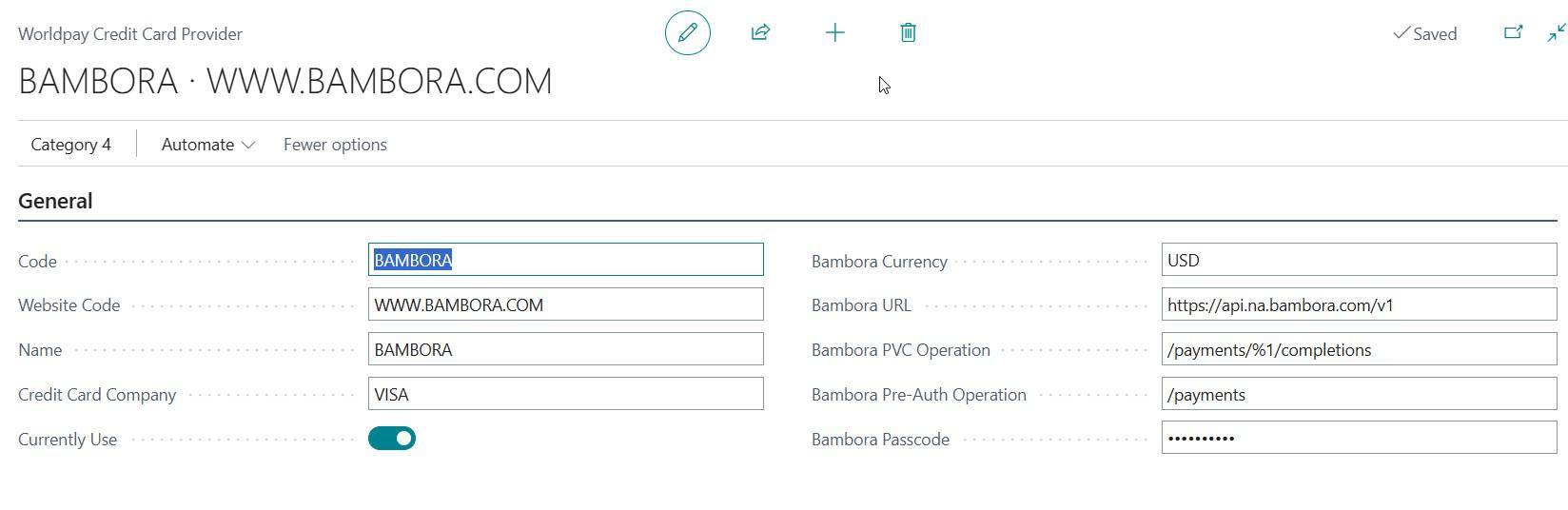
Bambora URL: The base API endpoint URL used to communicate securely with the gateway servers ([https://api.na.bambora.com/v1](https://api.na.bambora.com/v1)).
Bambora Pre-Auth Operation: The API sub-path used to handle initial payment authorization holds, ensuring funds are reserved on the card before a sale completes (/payments).
Bambora PVC Operation: The specific API sub-path used to finalize pre-validation charges or process payment completions.
Bambora Passcode: The encrypted merchant security key or API passcode provided by Bambora to securely authenticate transactions.
Web orders that are linked to Business Central sales orders and have been preauthorized can be captured from the web order detail page.
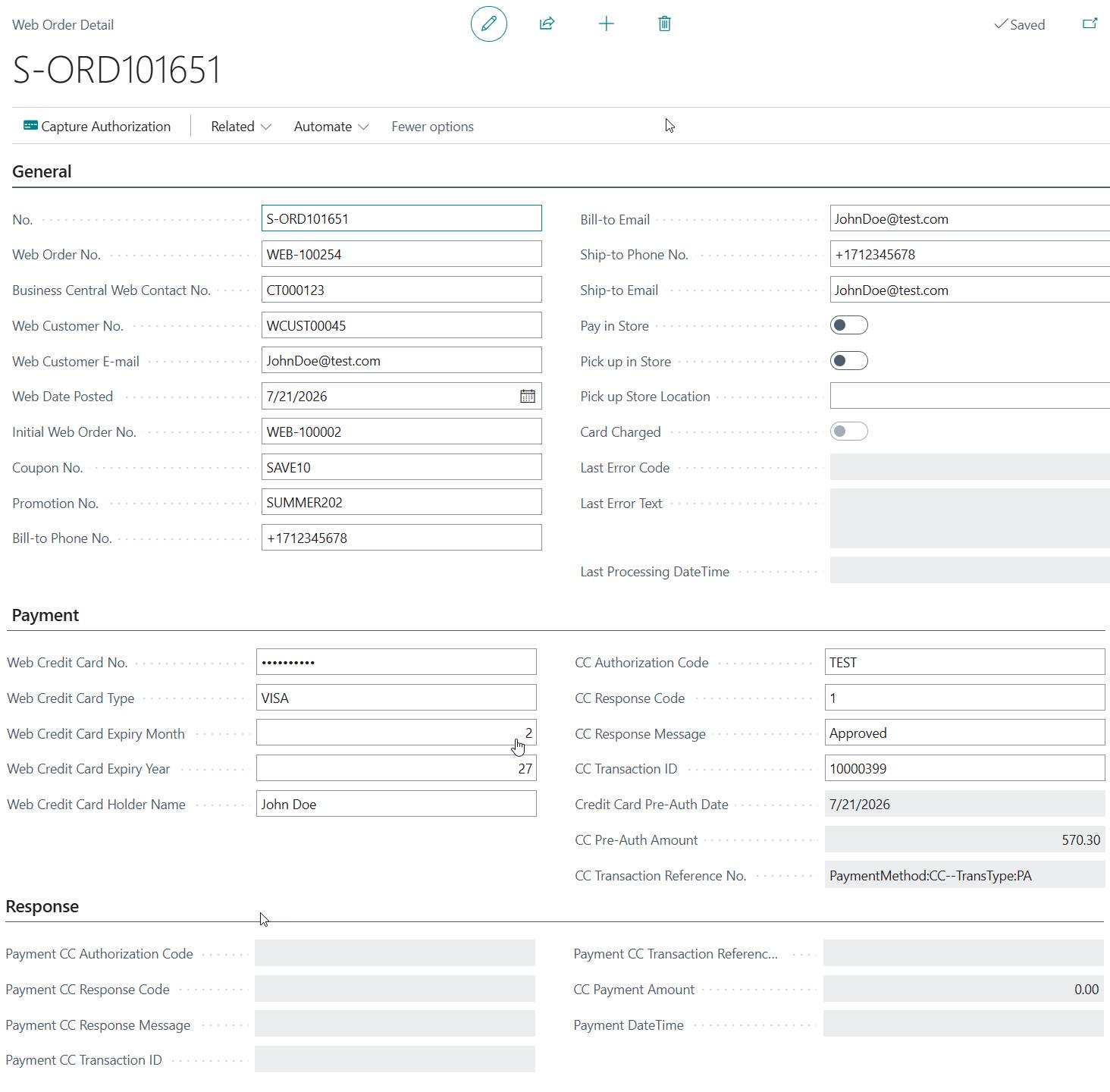
When an authorization is captured, the system posts a bank deposit. The system then checks the
Can Create Customer Ledger Entry on Capture setting on the Acumens e-Payments for Worldpay Setup page.
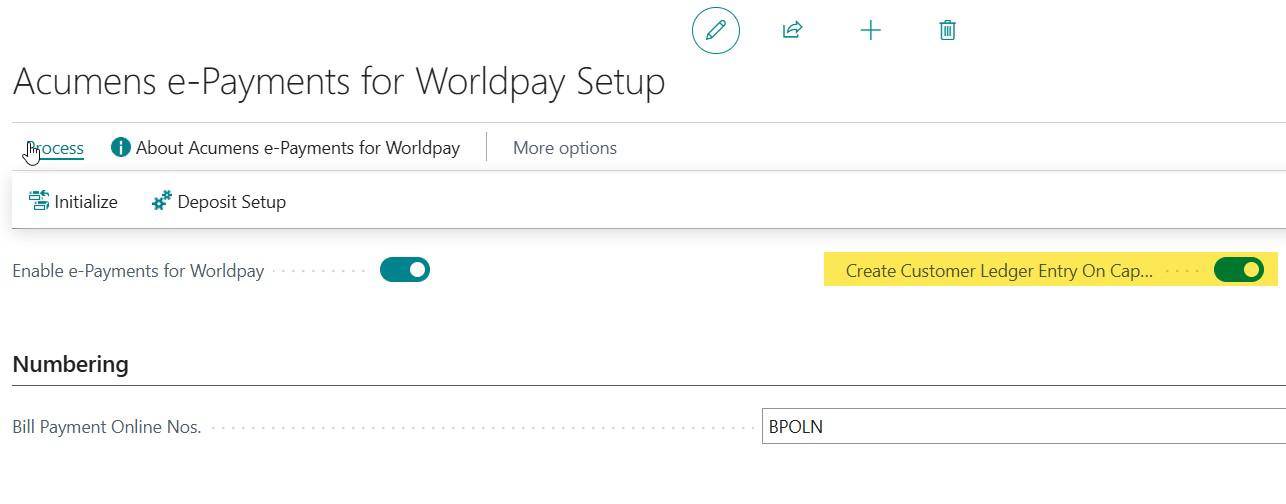
If the setting is disabled, the system does not create the customer ledger entry during capture. However, it still creates the bank account ledger entry.

The system also creates a deposit entry to store the deposit details. These details are later used to create the customer ledger entry when the sales order is posted.

When the related sales invoice is posted, the system creates customer ledger entry for the bank deposit and applies it to the invoice amount.
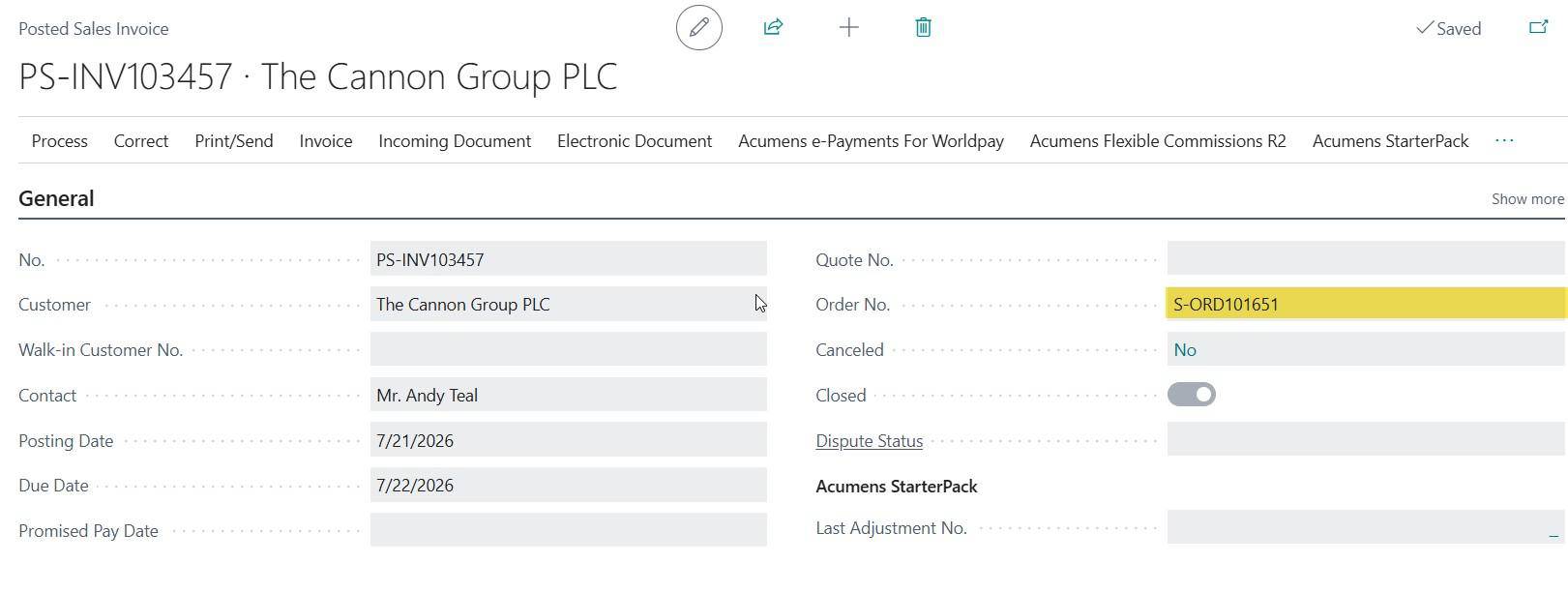
Bank Deposit Customer Ledger Entry.

Sales Invoice Customer Ledger Entry

For Business Central–created sales orders, credit card payments can be preauthorized directly from the sales order and captured later when the order is ready for posting. Users can also use the Charge Card function to authorize and capture the payment in a single action. When payment is captured or charged, the system automatically creates the related customer deposit entry for the processed amount. During sales order posting, the deposit is applied to the generated posted sales invoice, ensuring that the payment is correctly matched to the customer transaction.
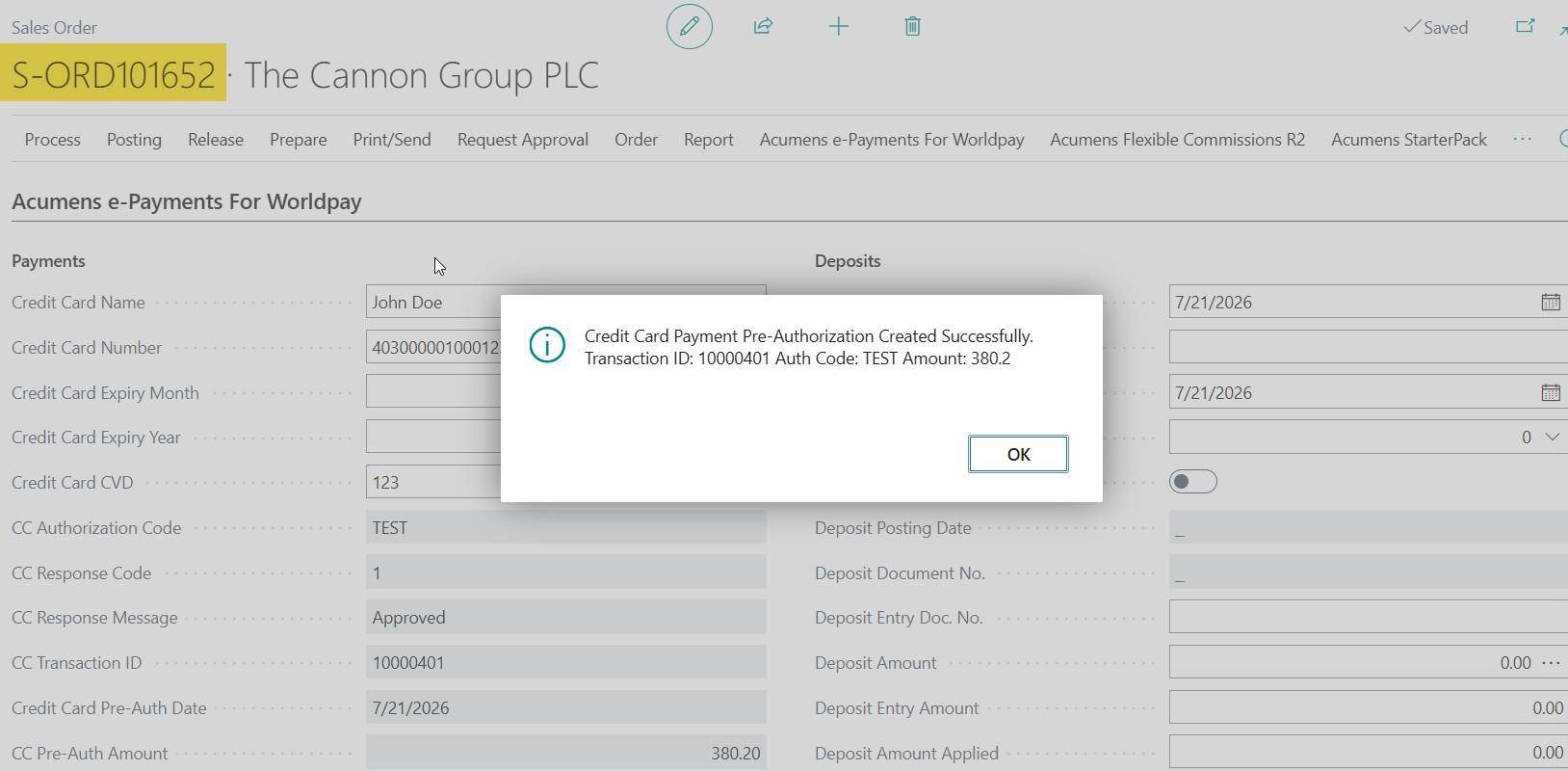
Preauthorize Card action is triggered on the sales order
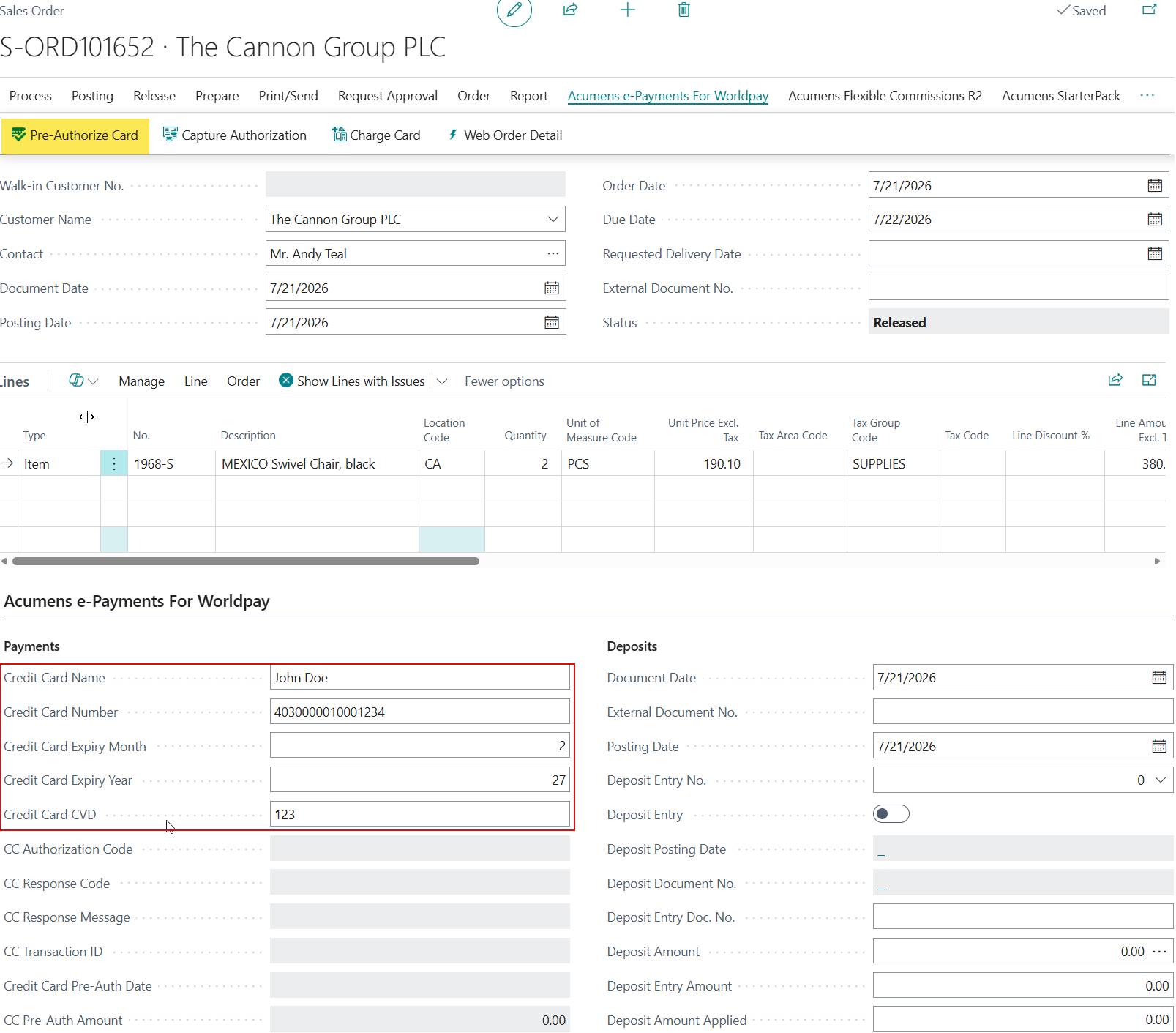
Once the Preauthorize Card action is successful, the sales order is updated with the preauthorization information.
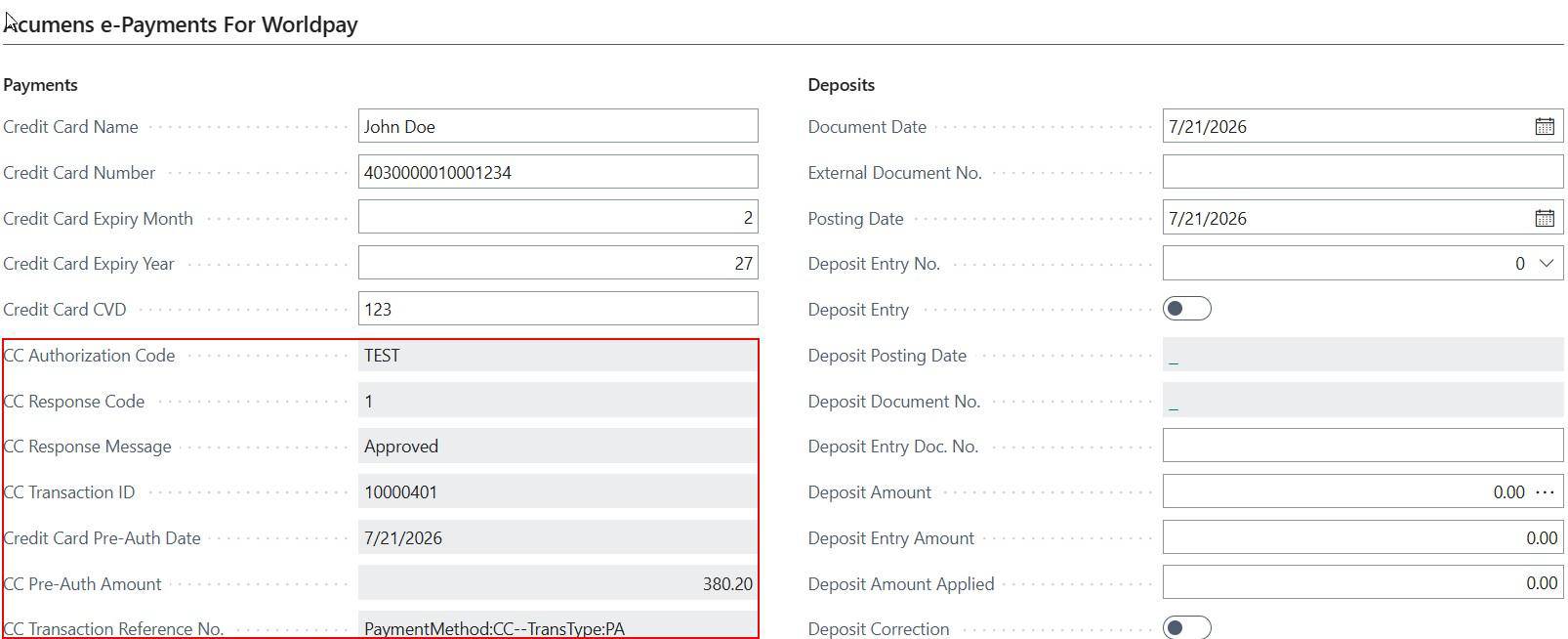
After the sales order has been successfully preauthorized, the payment is captured by selecting the Capture Authorization action.
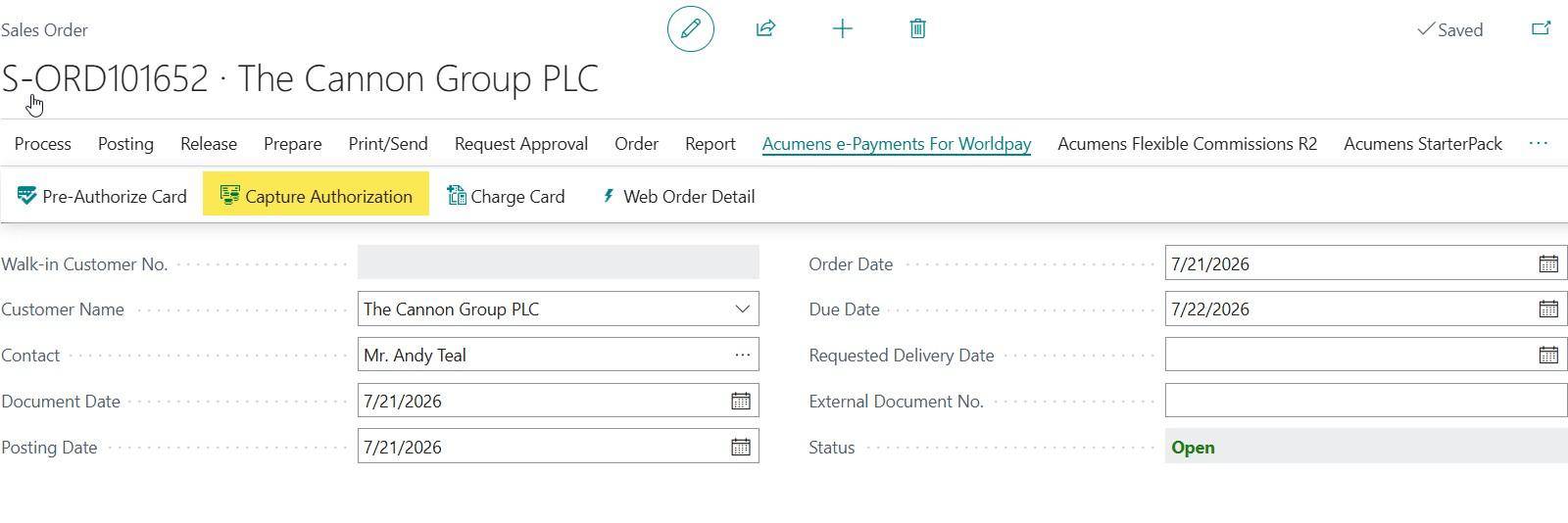
When the capture is completed successfully two scenarios occur depending on the below setting on the Acumens e-Payments for Worldpay Setup
Scenario1: "Create Customer Ledger Entry on Capture" =FALSE:
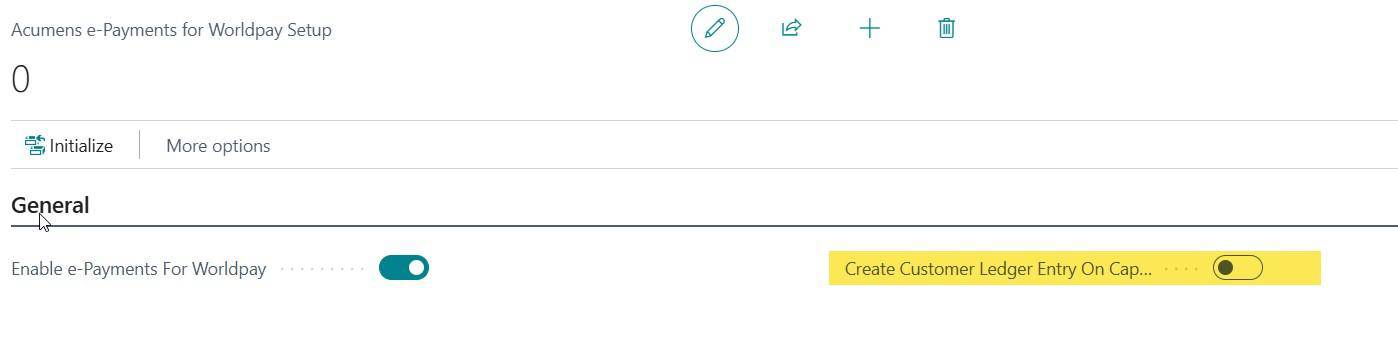
In this scenario:
The system automatically creates and posts Bank deposit but doesn’t create customer ledger entry.

Deposit entry is created.

On Invoicing the Sales Order, Customer ledger entry is created for the Bank Deposit and applied to sales invoice amount.
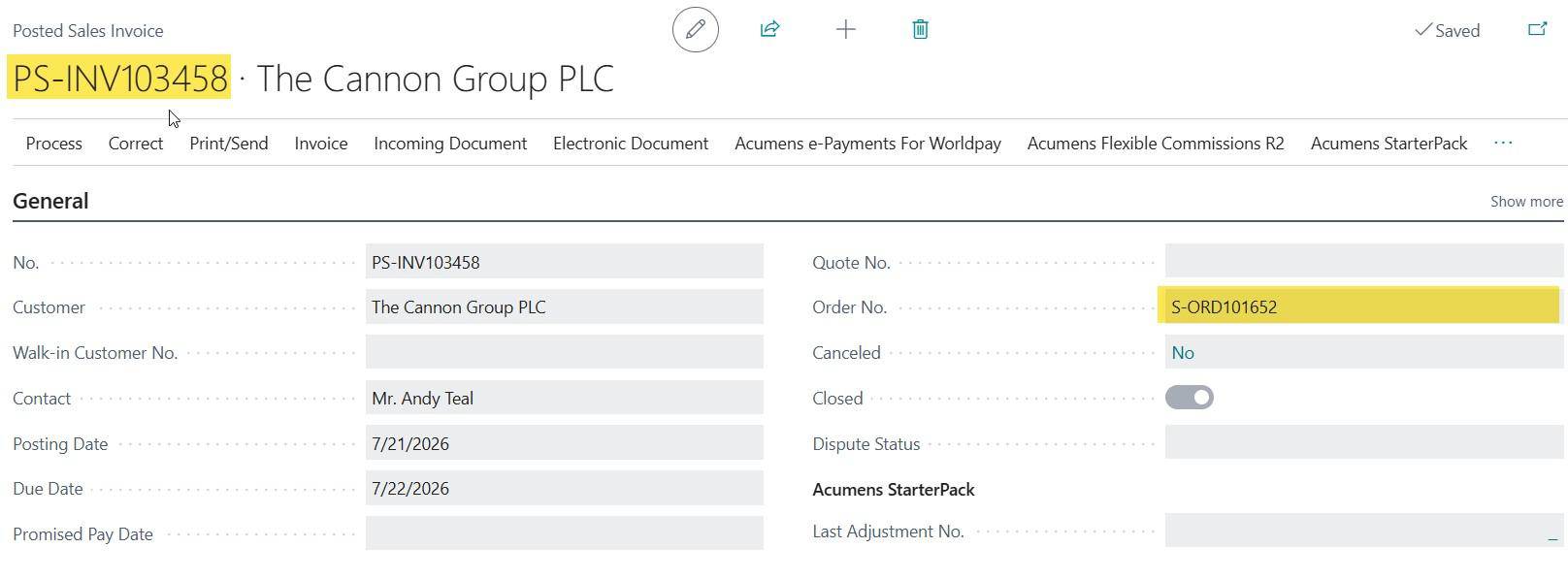
Customer Ledger Entry

Applied Bank Deposit Payment

Scenario2: “Create Customer Ledger Entry on Capture” =TRUE:
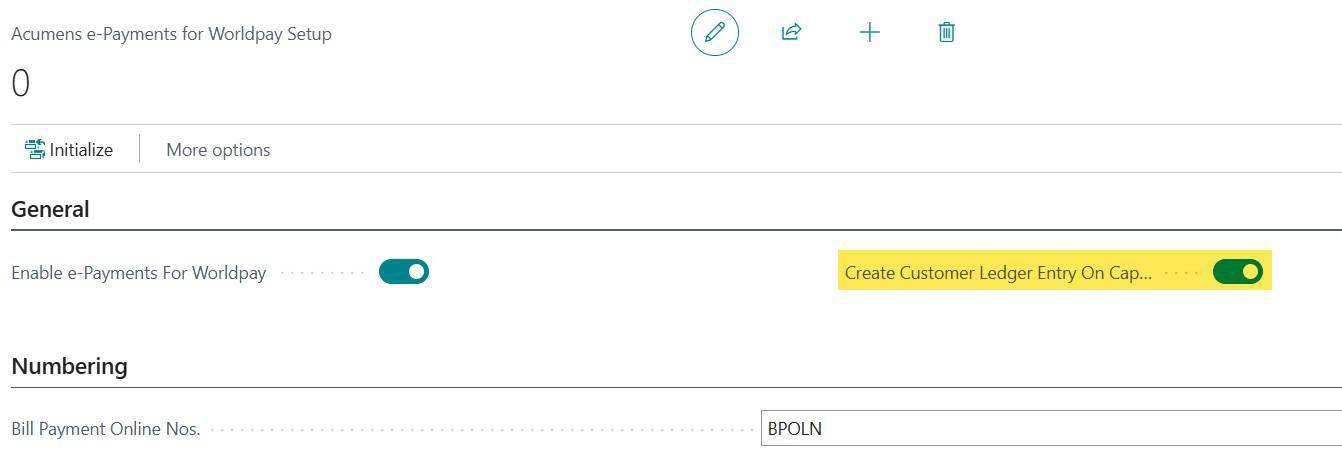
In this scenario:
The system automatically creates and posts Bank deposits. The default posting routine for payment is executed, whereby Customer Ledger for the payment is created and Bank account ledger as double entry. i. Sales order Capture Authorization.
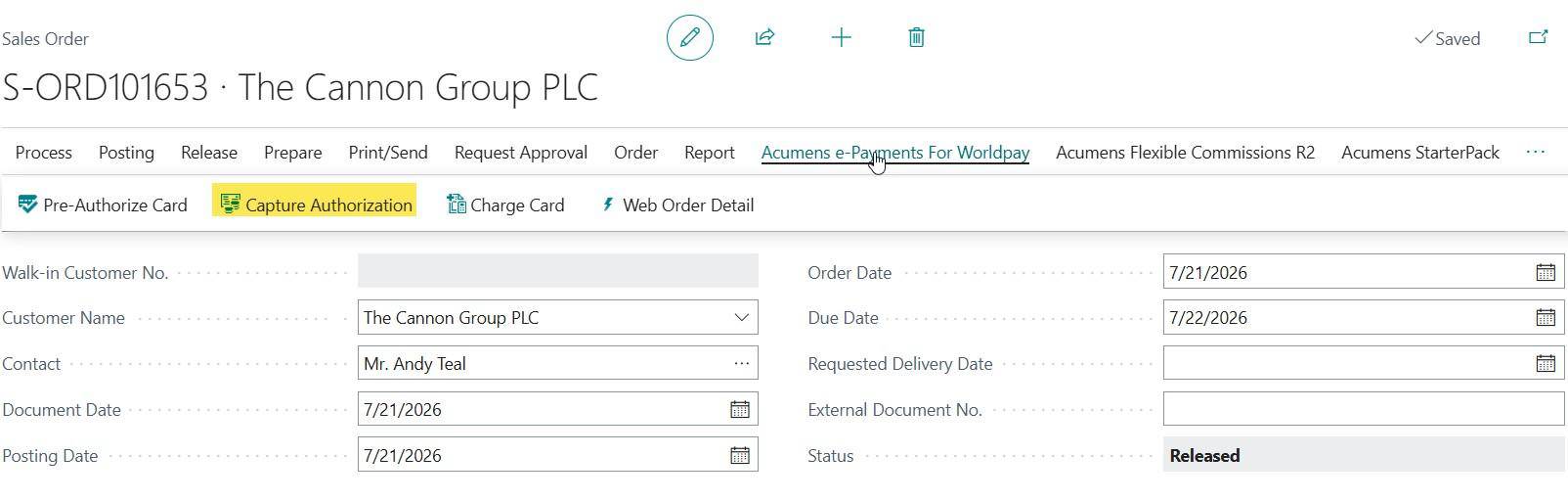
Customer Ledger Entry:

Bank Account Ledger Entry:

ii. On Posting Sales Invoice, the Customer ledger entry-Payment(Deposit) is applied to the invoice amount.
Posted Sales Invoice:
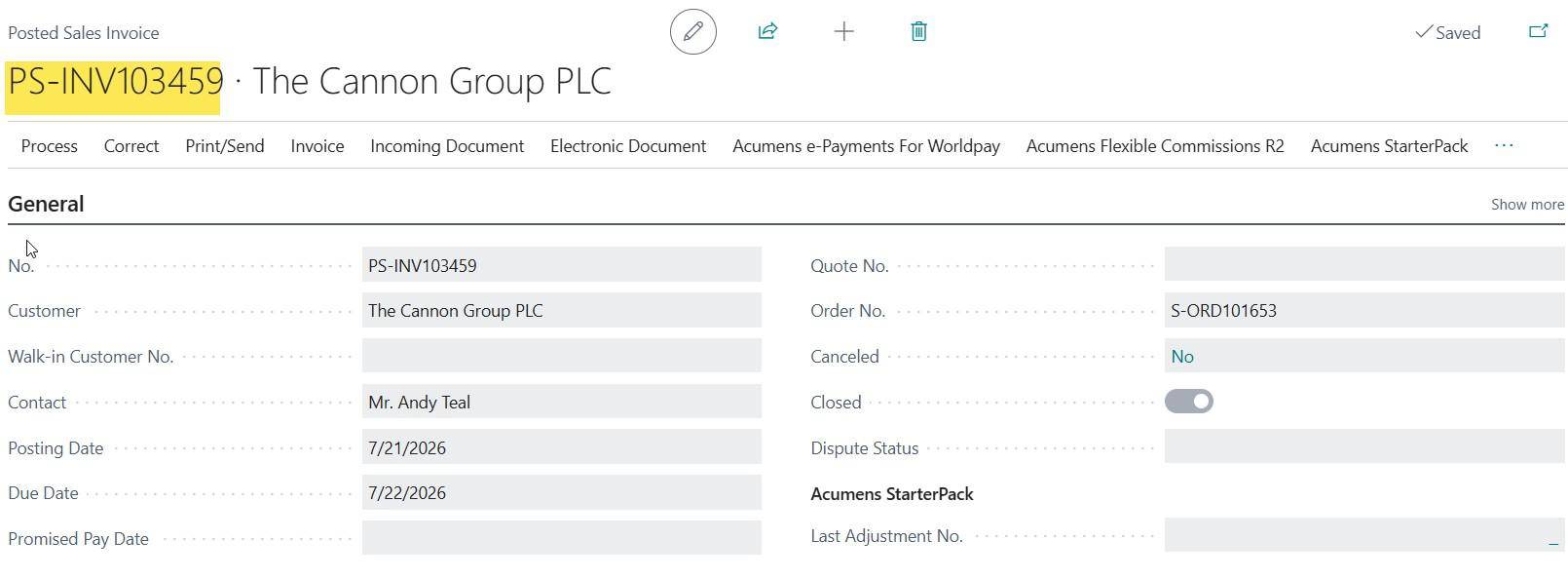
Customer Ledger Entry:

Applied Customer Ledger Entry:

Sales Order-Charge Card:
Charge Card is a payment process that performs card preauthorization and authorization capture in a single step.
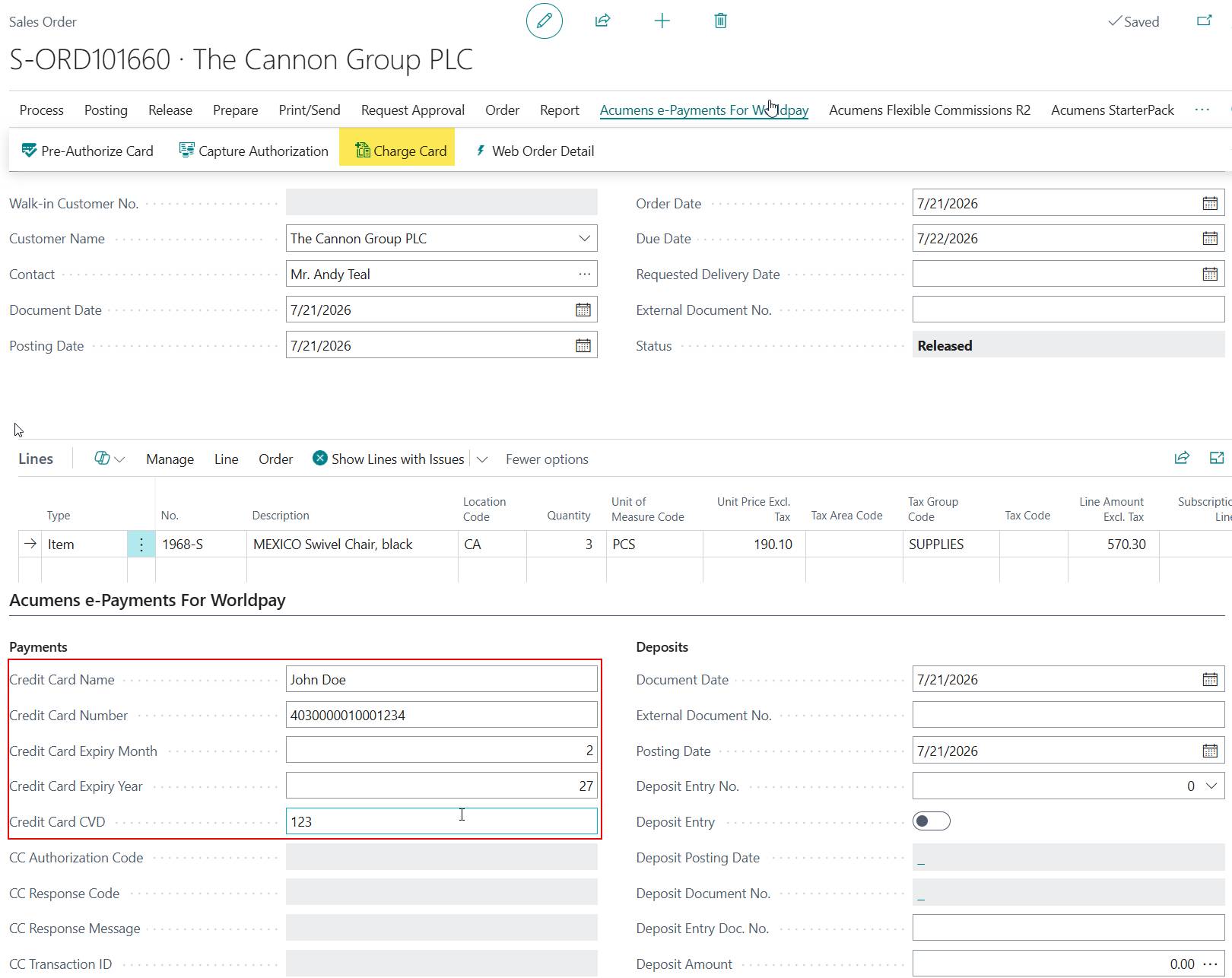
When the card is charged, a customer ledger entry and a bank account ledger entry are created for the charged amount. Deposit Entry details are also captured and updated on the sales order.
Customer Ledger Entry:

Bank Account Ledger Entry:

Deposit Entry:

When the sales order is posted, the deposit amount is applied to the invoice amount.
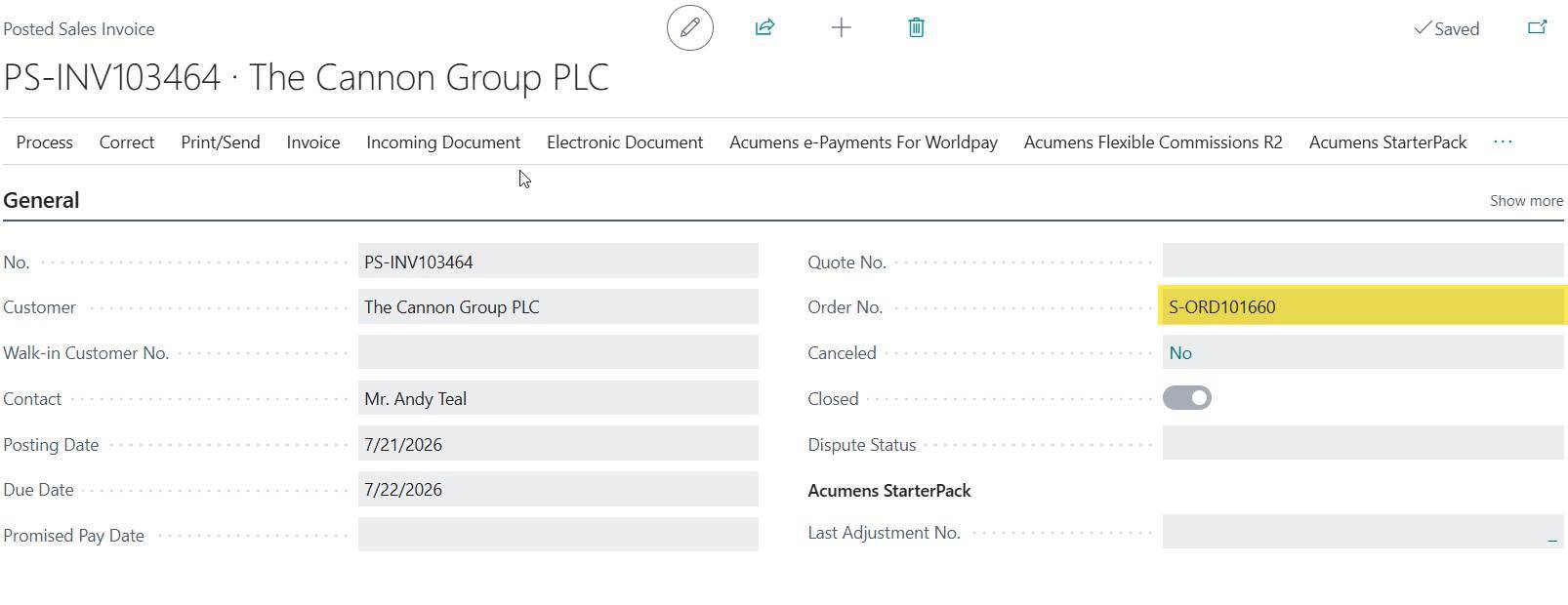
Customer Ledger Entry:

Applied Customer Ledger Entry:

Sales Invoice - Charge Card:
Users can execute an immediate credit card charge transaction directly from an unposted Sales Invoice header via the Acumens e-Payments for Worldpay integration.
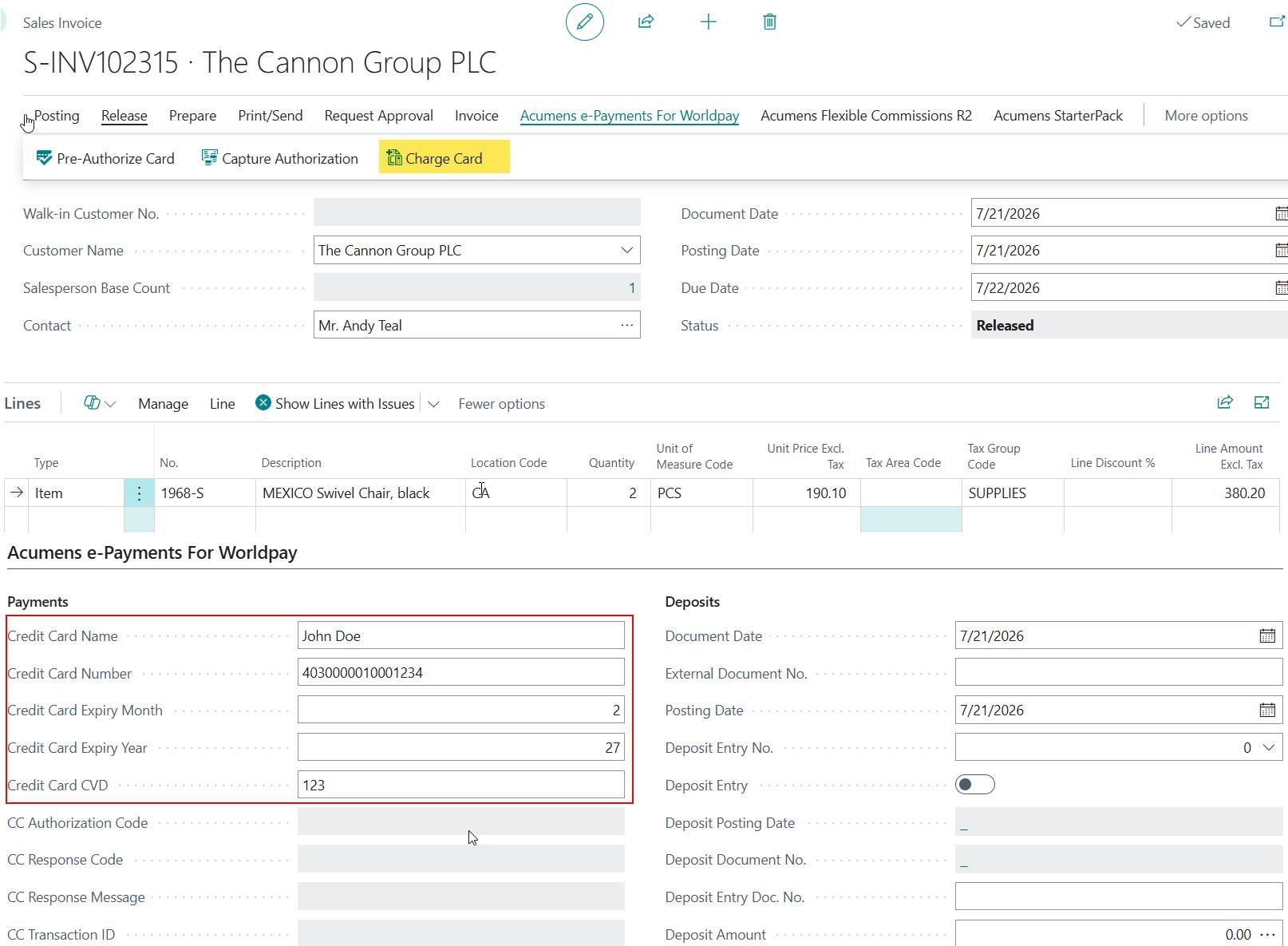
When the Charge Card is executed, Customer ledger and Bank account ledger entries are created.
Customer Ledger Entries:

Bank Account Ledger Entries:

When the Sales Invoice is posted, the customer ledger entry payment is applied to the Posted invoice.
Posted Sales Invoice:
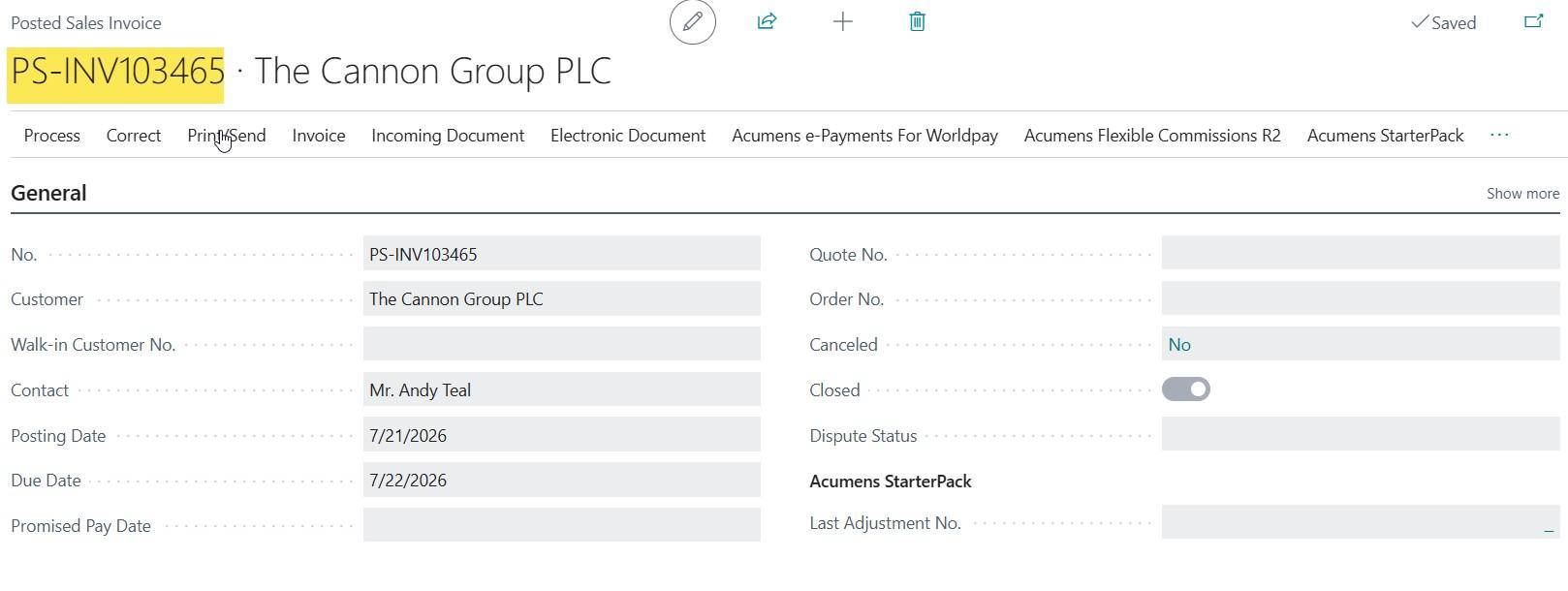
Customer Ledger Entry:

Applied customer Ledger Entry:

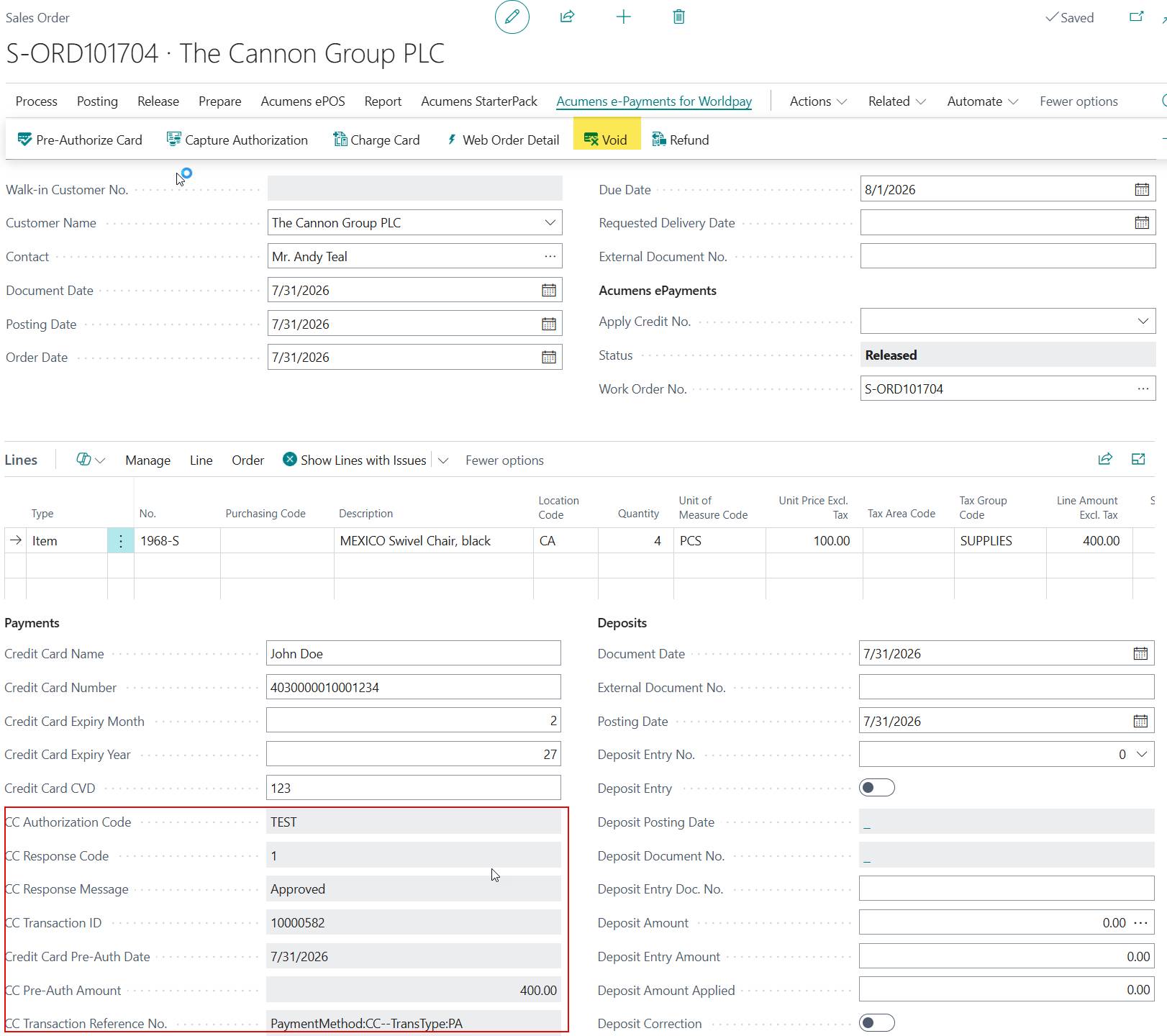
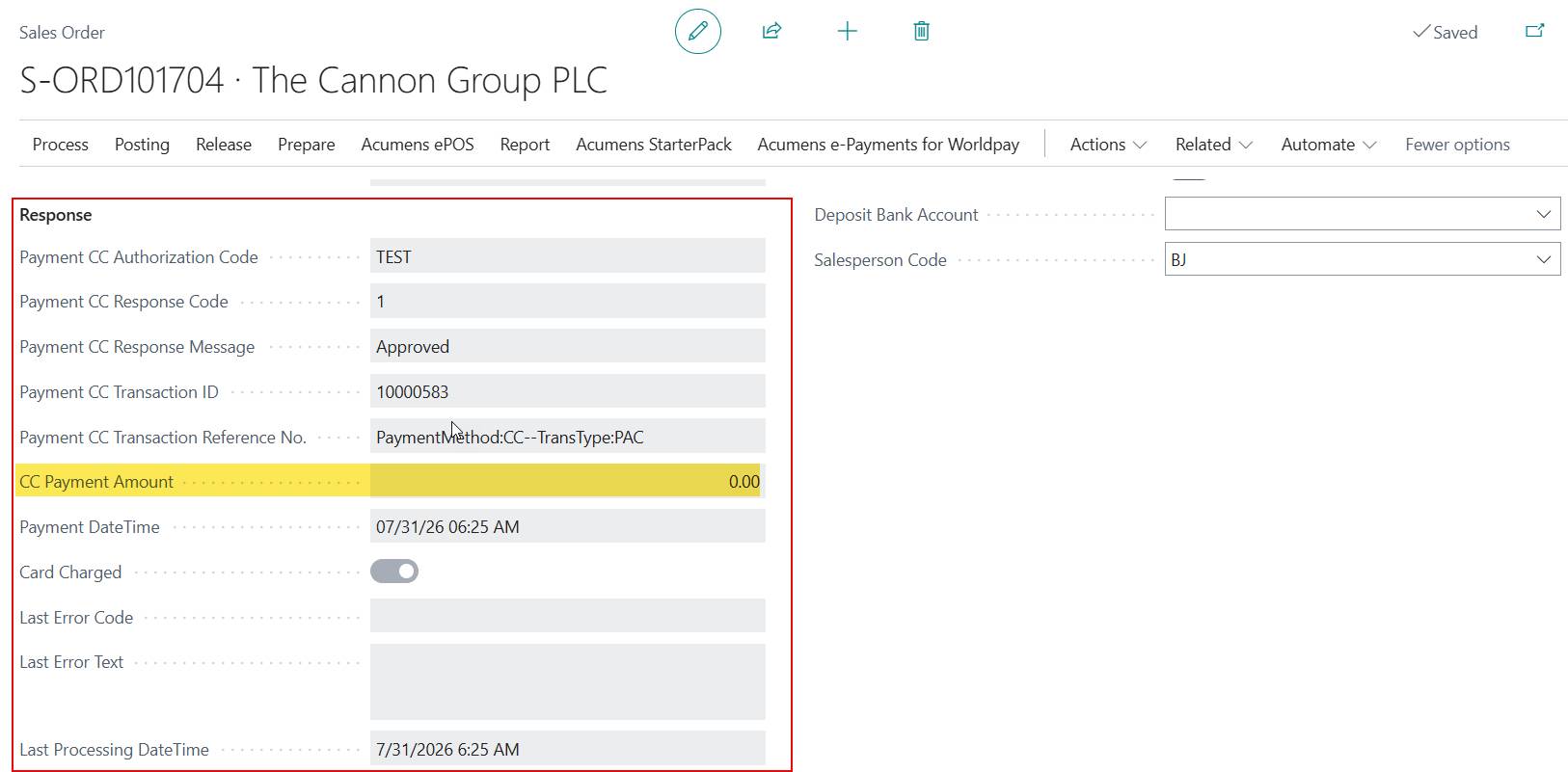
A preauthorized card payment can be voided before final capture. To void the payment, the system submits a capture request for $0.00. This closes the transaction and instructs the payment gateway to release the authorization hold.
Refund Payment:
Once a preauthorized payment has been captured and settled with the payment gateway, it can no longer be voided. To return funds to the customer after settlement, you must issue a Refund.
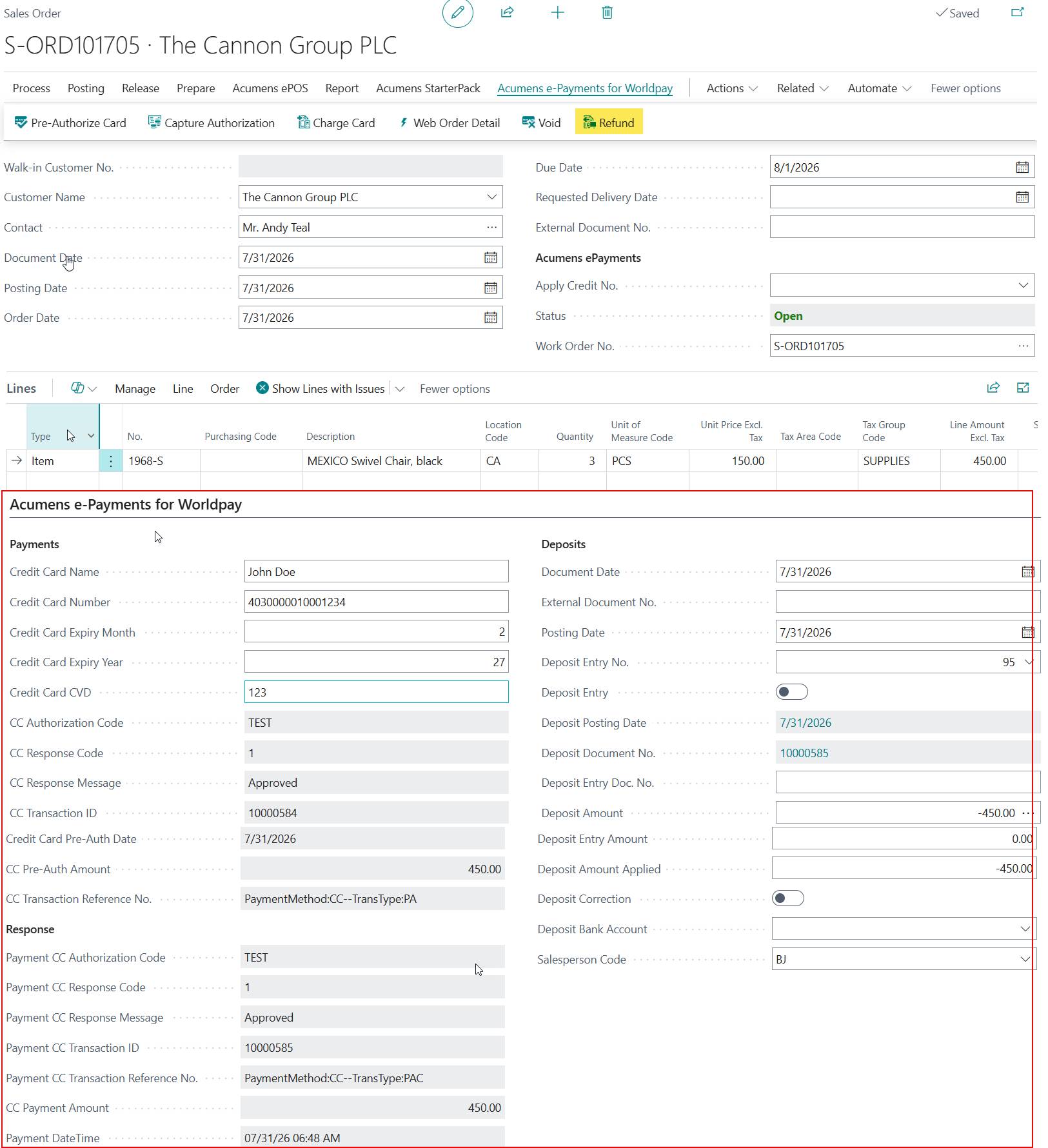
Refund process reverses the earlier posted deposit during capture.
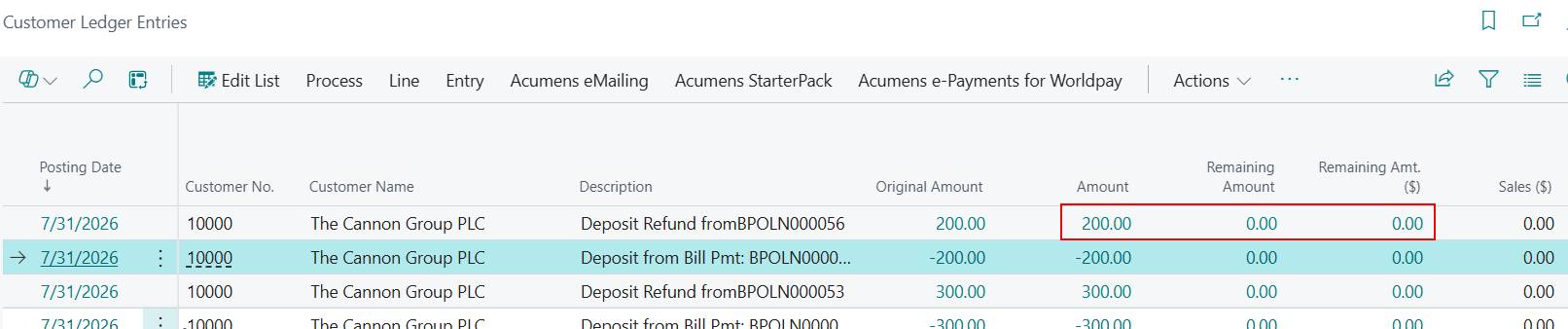
Customer Ledger Entry for the Deposit:

Customer Ledger Entry after refund:

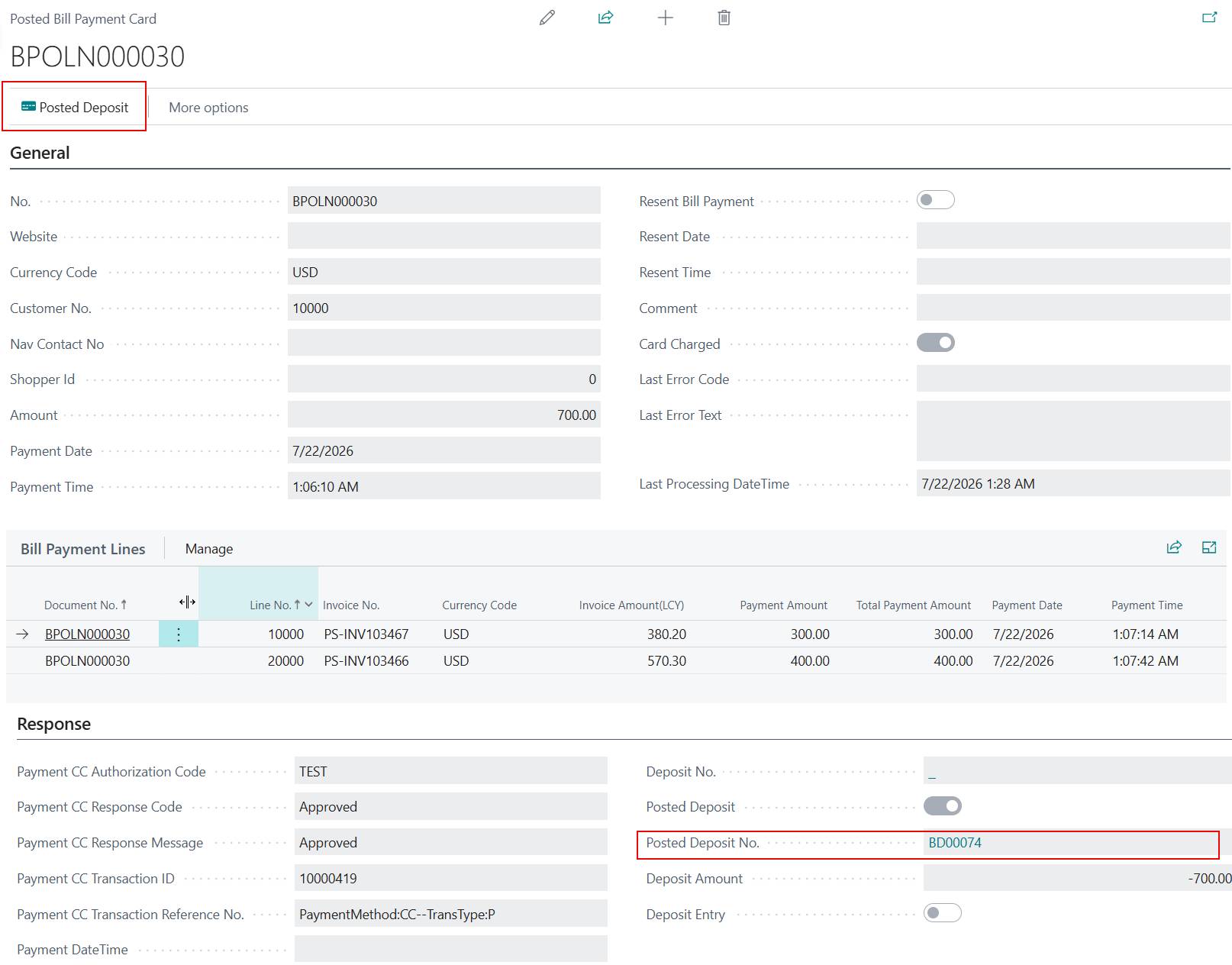
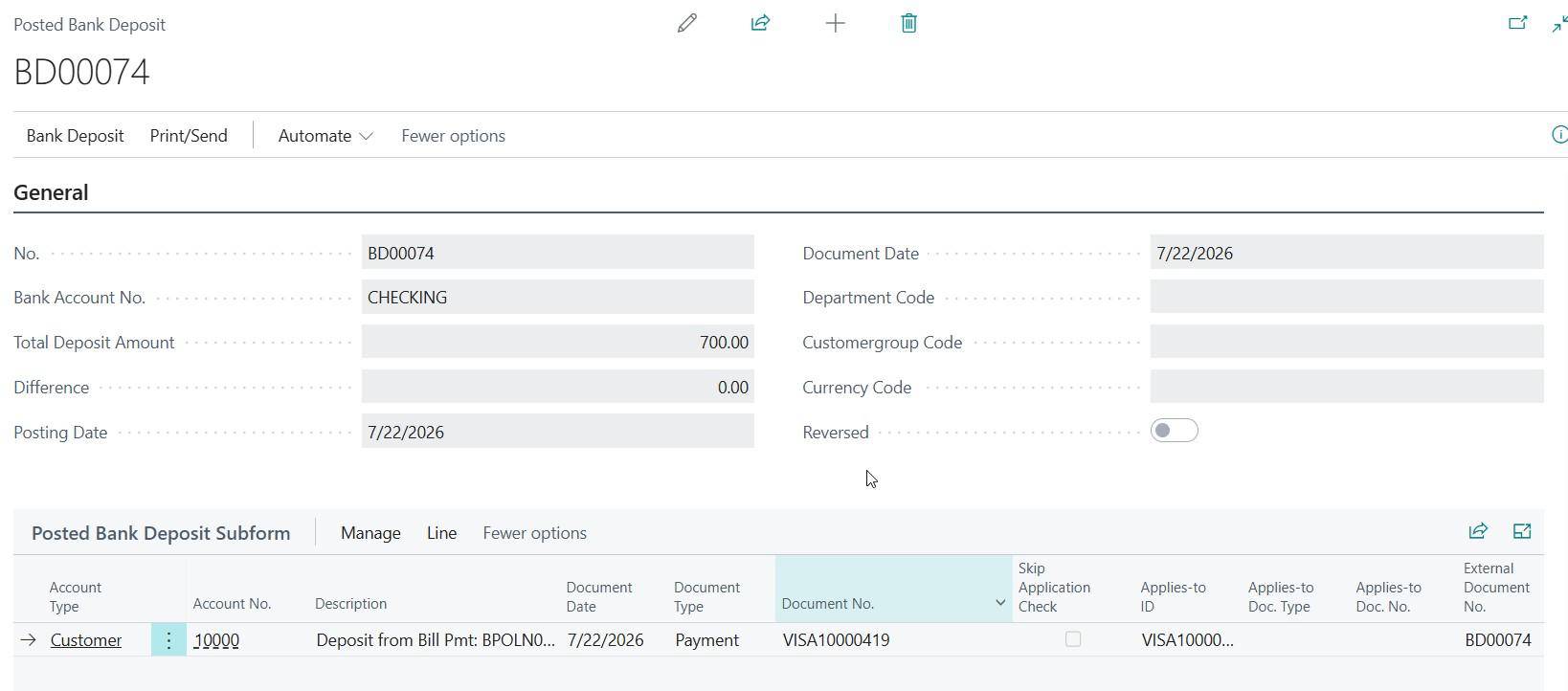
Bill Payments allow users to process credit card payments against one or more posted sales invoices. Multiple invoices can be entered on the Bill Payment lines, and the user specifies the amount to charge together with the required card details. Once the card is charged, the system posts the related deposit entry and automatically applies the deposit to the posted sales invoices listed on the payment lines.
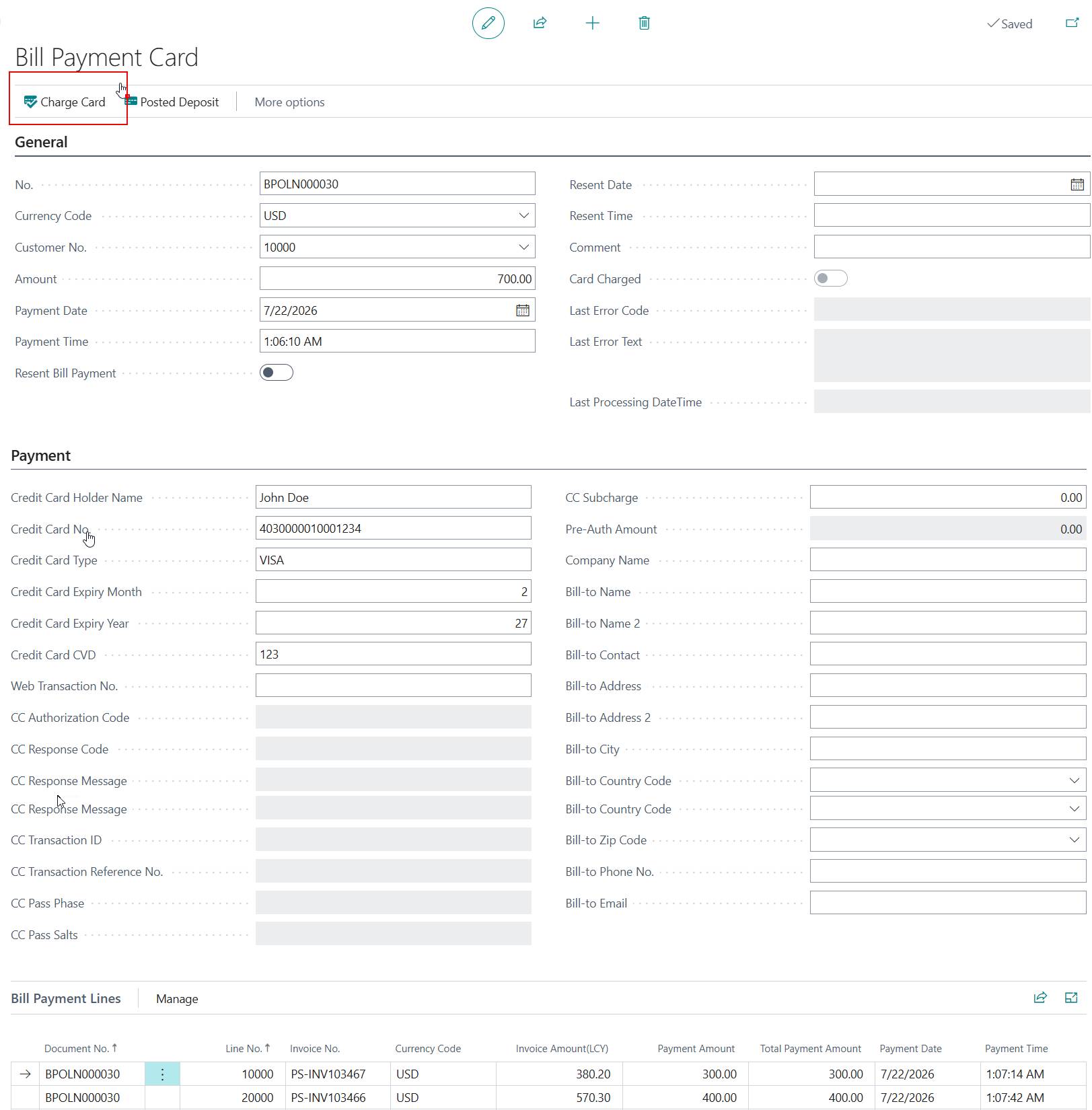
On Charge card and the payment is successfully captured, the system will automatically:
Post the deposit:
Customer Ledger Entry:

Bank Account Ledger Entry:

Automatically apply the posted payment amount to the multiple invoices, marking them as closed or partially paid.
Open Invoices before deposit posting:

Open Invoices after deposit posting:
The remaining amount has been reduced by the amount applied by deposit posting.

A bill payment that has been charged but not yet settled with the payment gateway can be voided. Voiding the transaction cancels the payment and immediately releases the reserved funds back to the cardholder's account.
Posted Bill Payment:
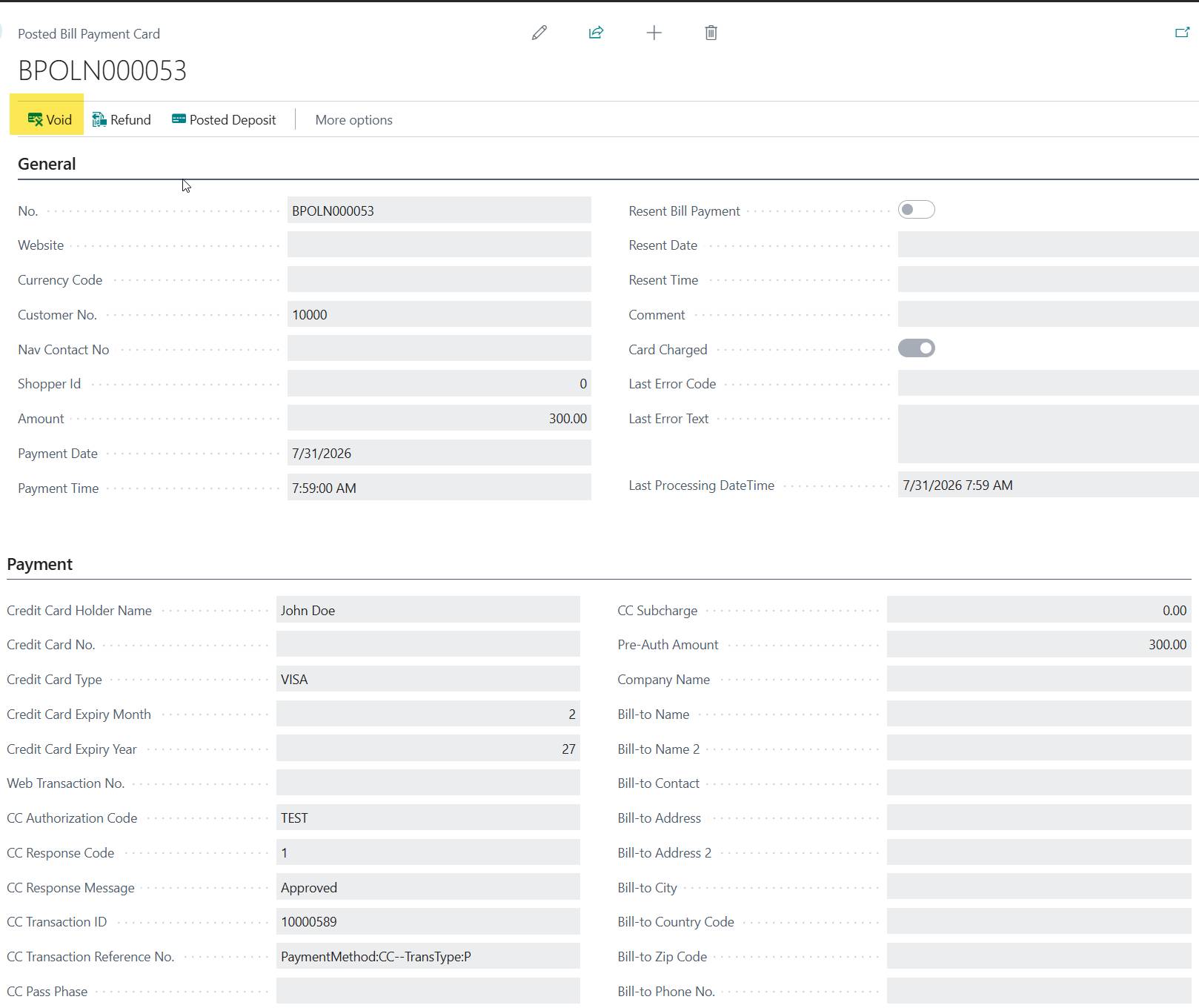
Customer ledger entry for the payment on charge card.

Customer Ledger entry after void payment.

Once a bill payment has been charged and settled wsith the payment gateway, it can no longer be voided. To return funds to the customer after settlement, you must issue a Refund.
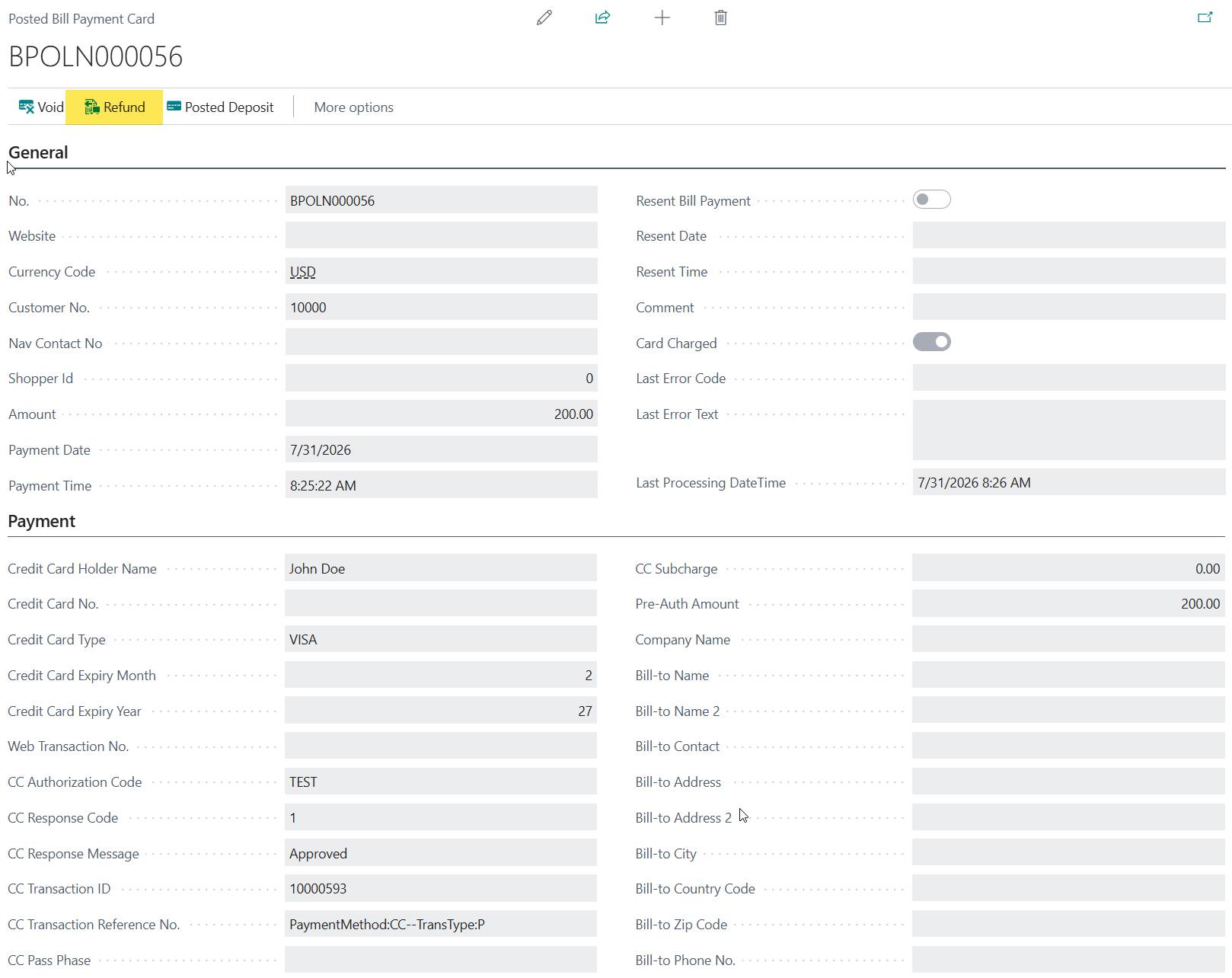
Customer Ledger Entries after successful refund