Organizations that manage project-based procurement often need greater control over purchasing while ensuring that all costs are correctly assigned to projects.
Acumens Procure-to-Pay extends Microsoft Dynamics 365 Business Central with a structured Purchase Requisition process that supports approvals, vendor quotations, bid analysis, project management, and automated Purchase Order creation.
In this article, we'll walk through the complete procurement lifecycle.
Purchase Requisitions provide a controlled way for employees to request goods and services before a Purchase Order is created.
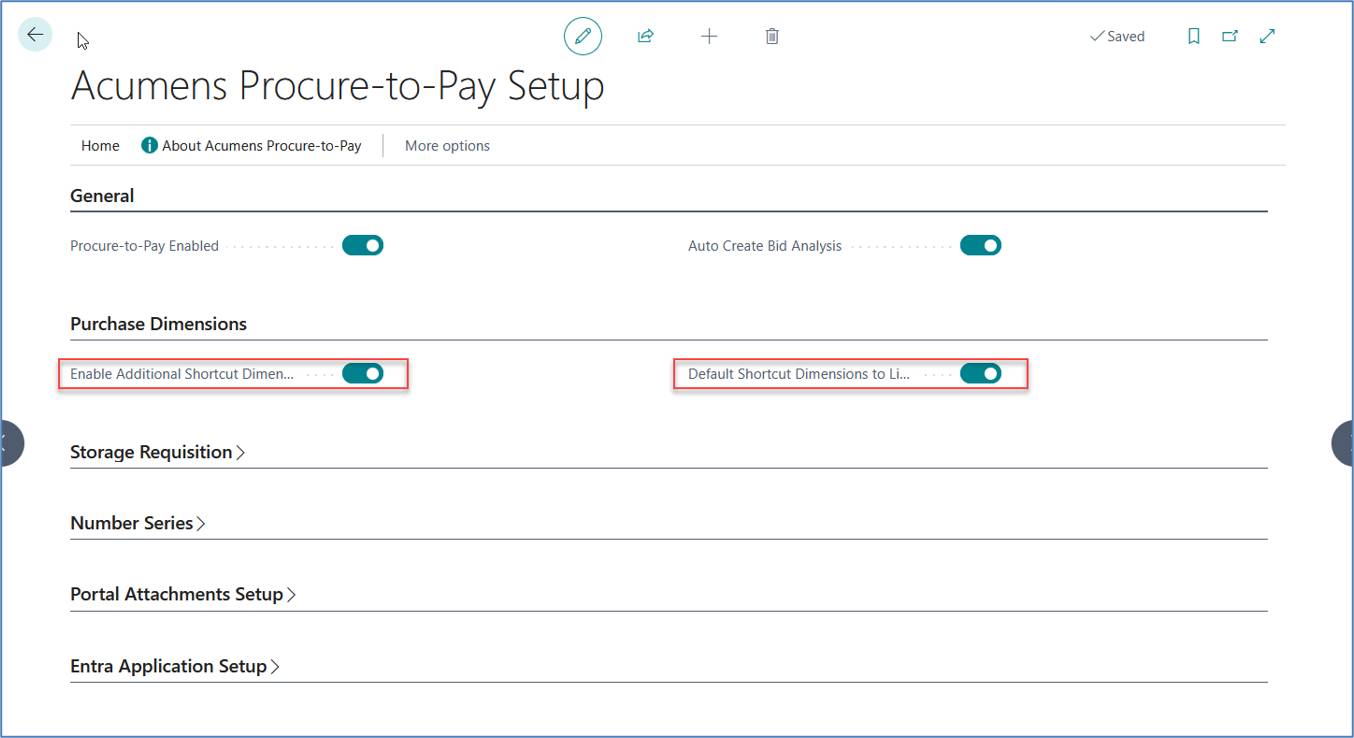
Enable Procure-to-Pay and configure Additional Shortcut Dimensions, numbering, and approvals before users begin creating requisitions.
Figure 1: Acumens Procure-to-Pay Setup
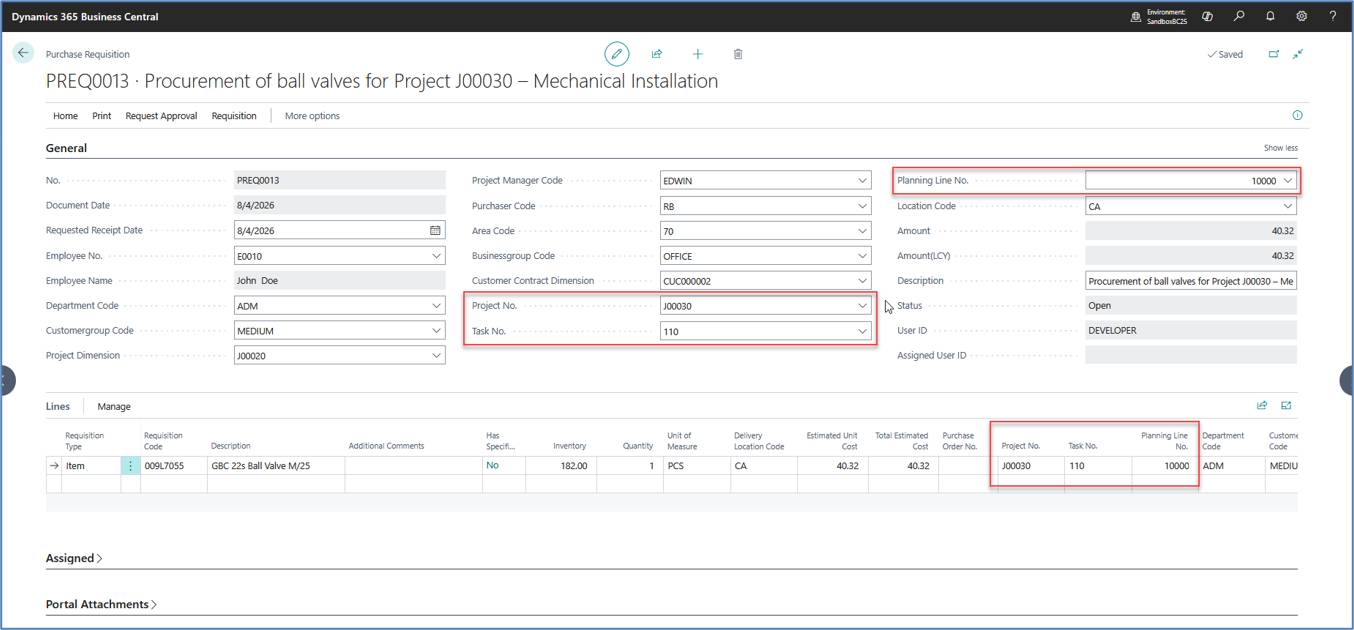
Enter employee, department, requested receipt date, location, description, Project No., Task No., and optionally the Planning Line No. Project information defaults from the header to the lines.
Figure 2: Creating Purchase Requisition
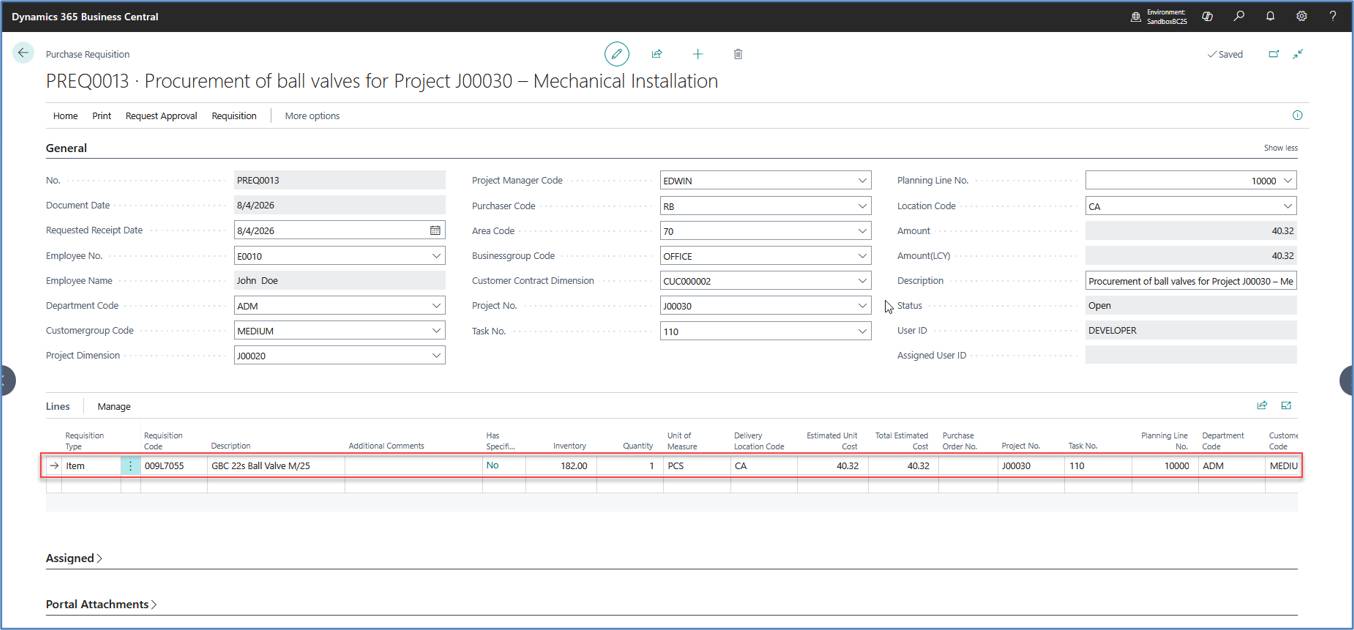
Add items, G/L Accounts, Fixed Assets, or services. Project information and dimensions are inherited by the lines.
Figure 3: Purchase Requisition Line
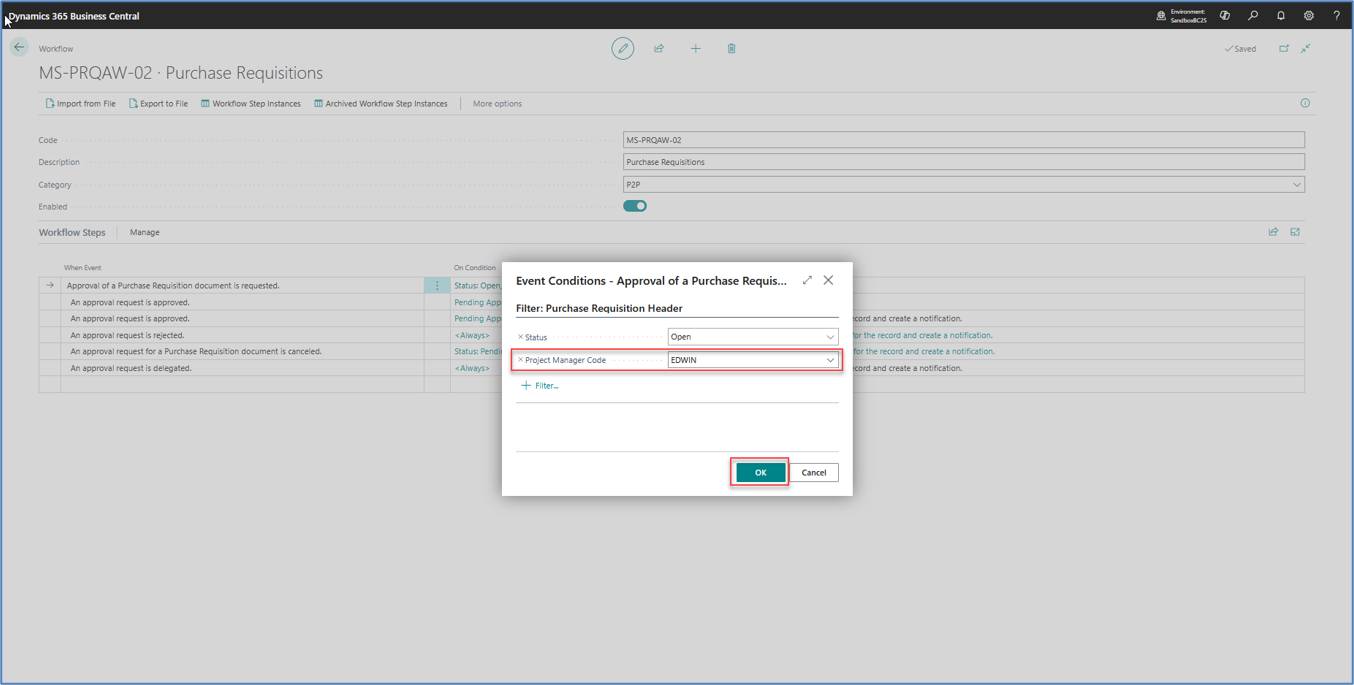
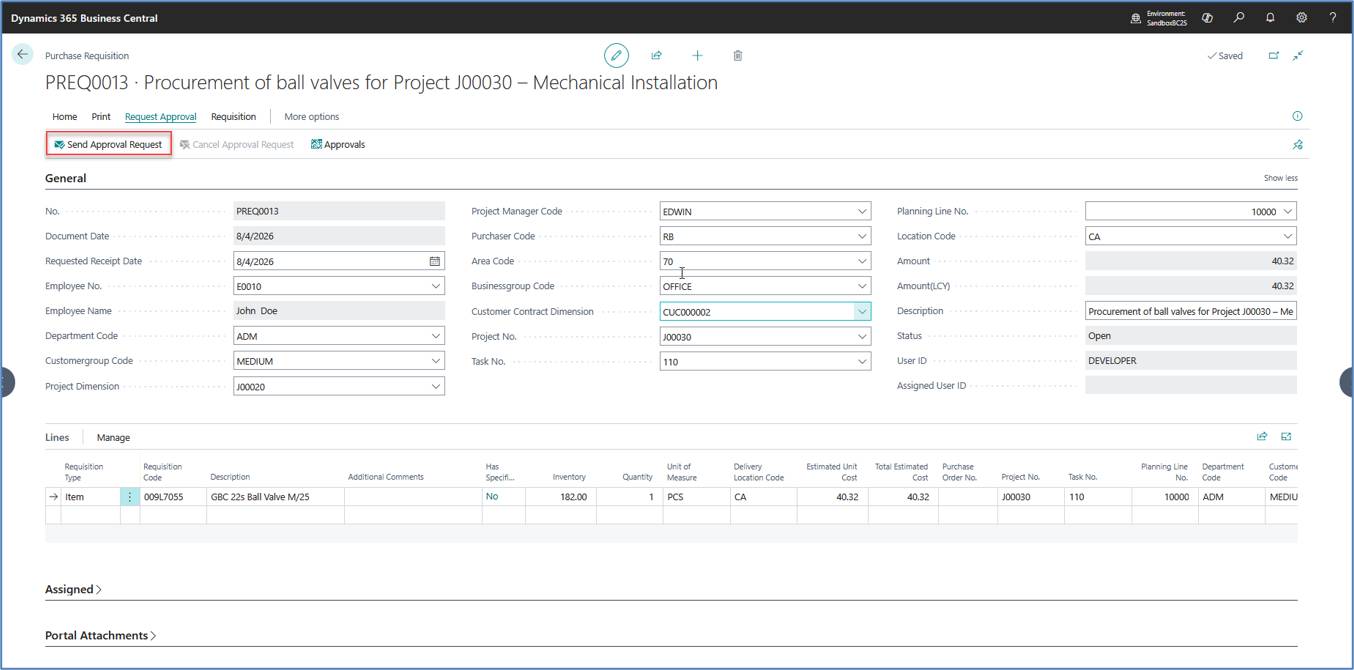
Submit the requisition through the organization's approval workflow before procurement begins.
Figure 4: Approval Workflow
Submit the Purchase Requisition for Approval
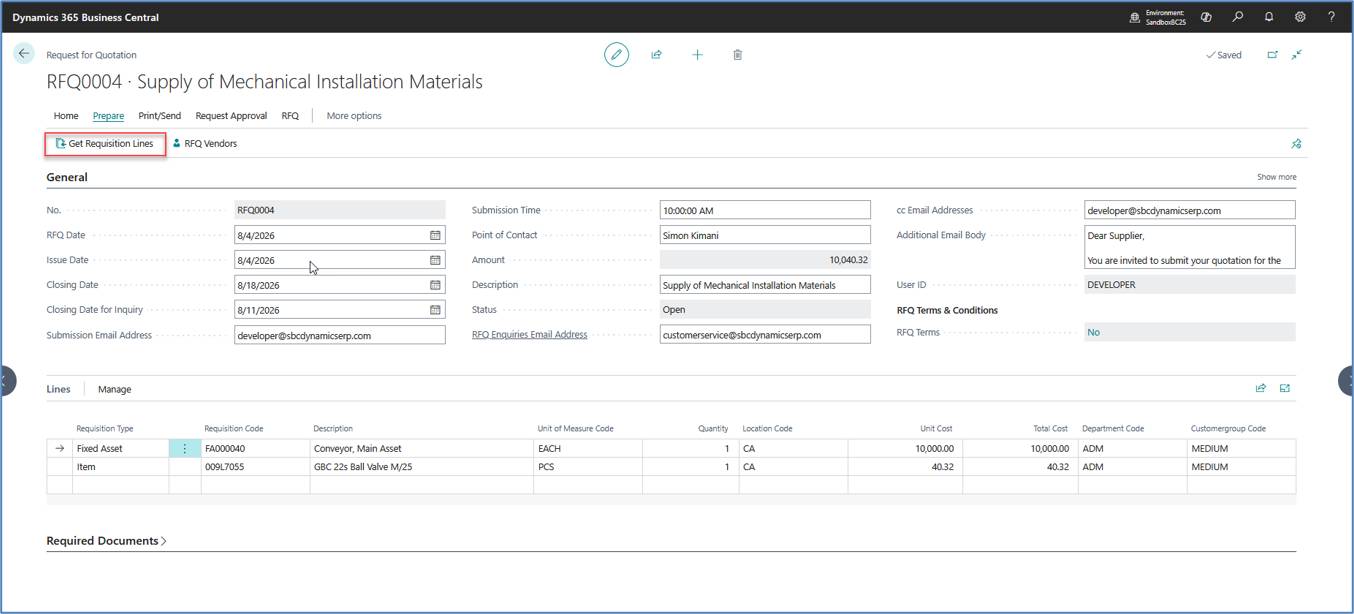
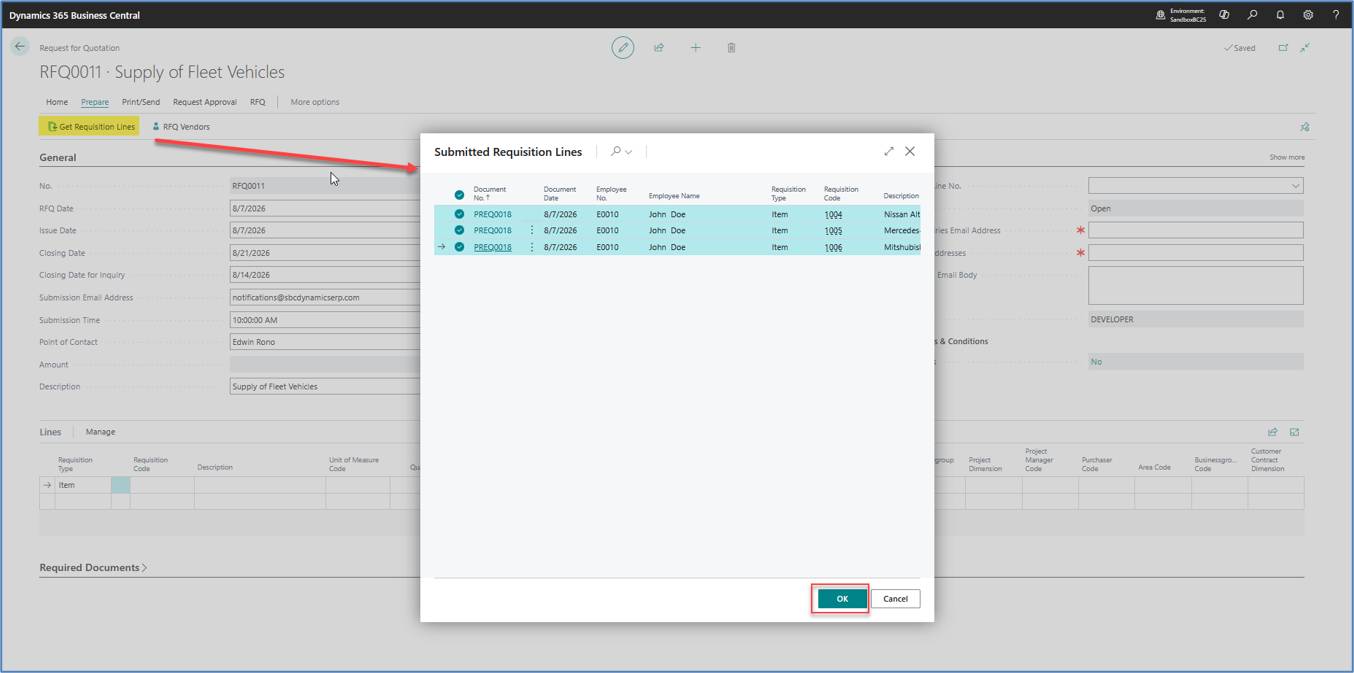
Create an RFQ from the approved requisition. Project and dimension information is transferred automatically.
Figure 5: Request for Quotation
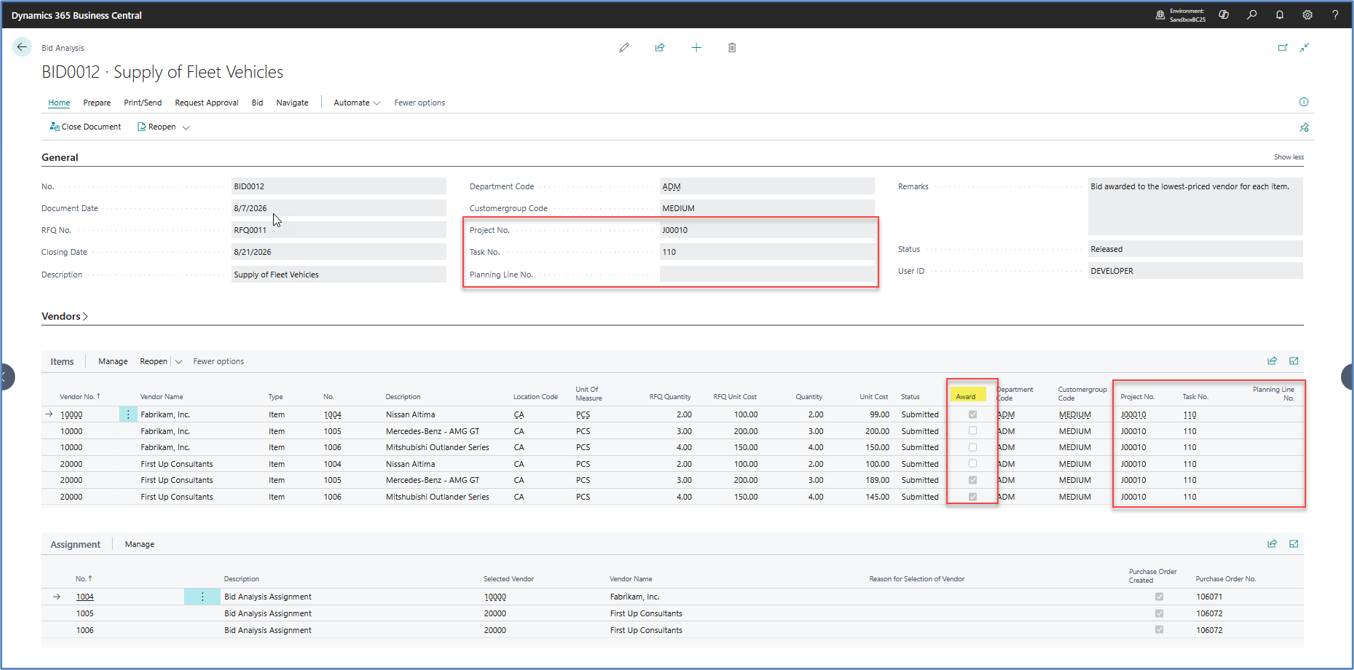
Evaluate supplier quotations and award each line to the preferred vendor while maintaining project traceability.
Figure 6: Bid Analysis
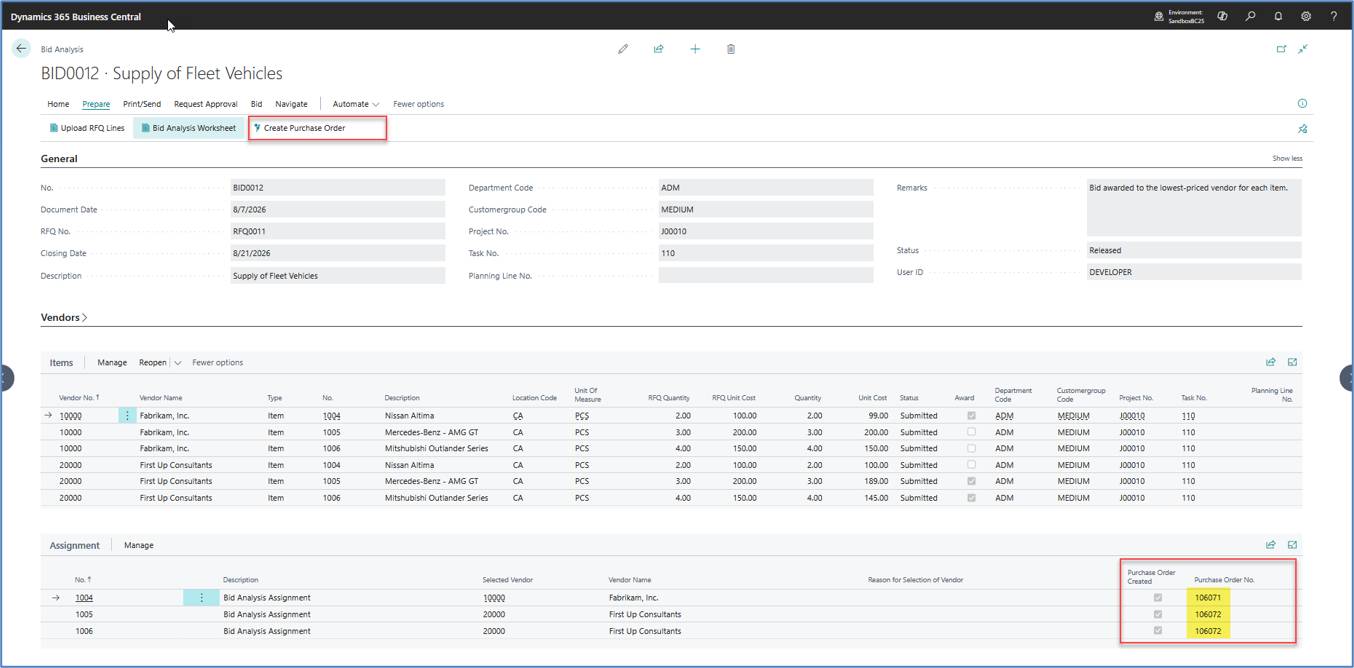
Generate vendor-specific Purchase Orders from the Bid Analysis while preserving project references and dimensions.
Figure 7: Creating Purchase Order
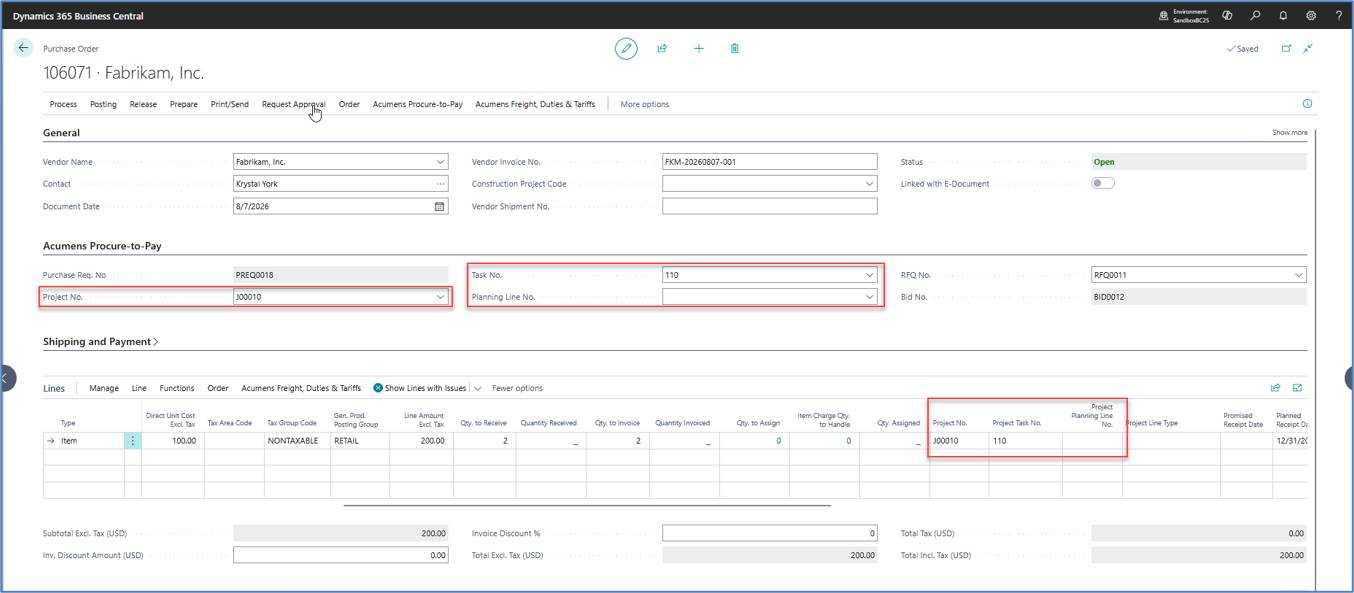
Purchase Order – Vendor 1
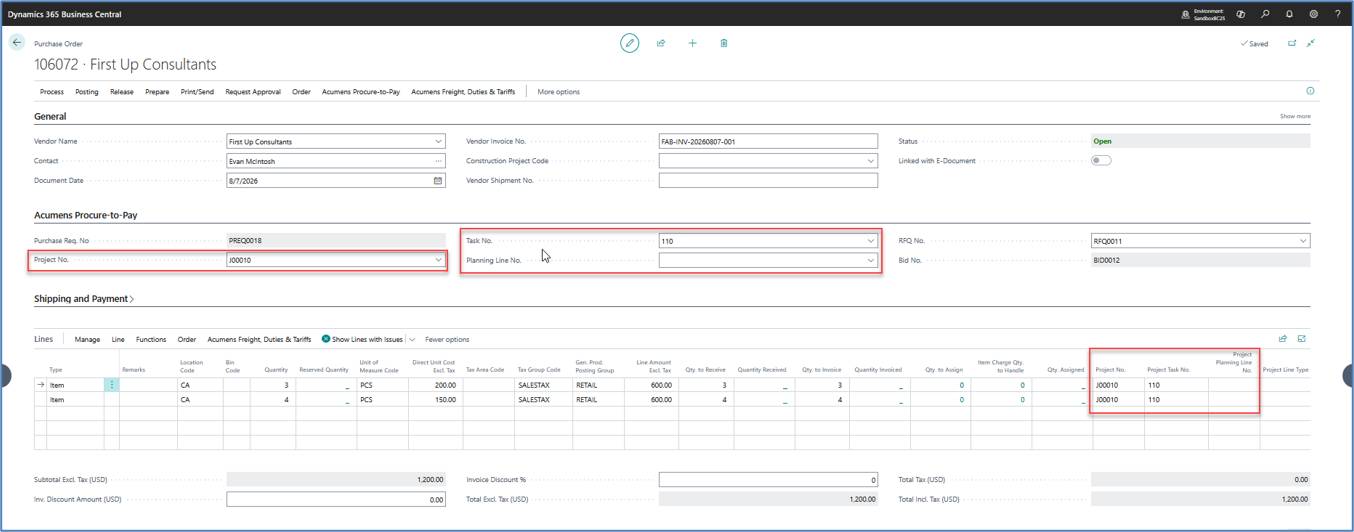
Purchase Order – Vendor 2
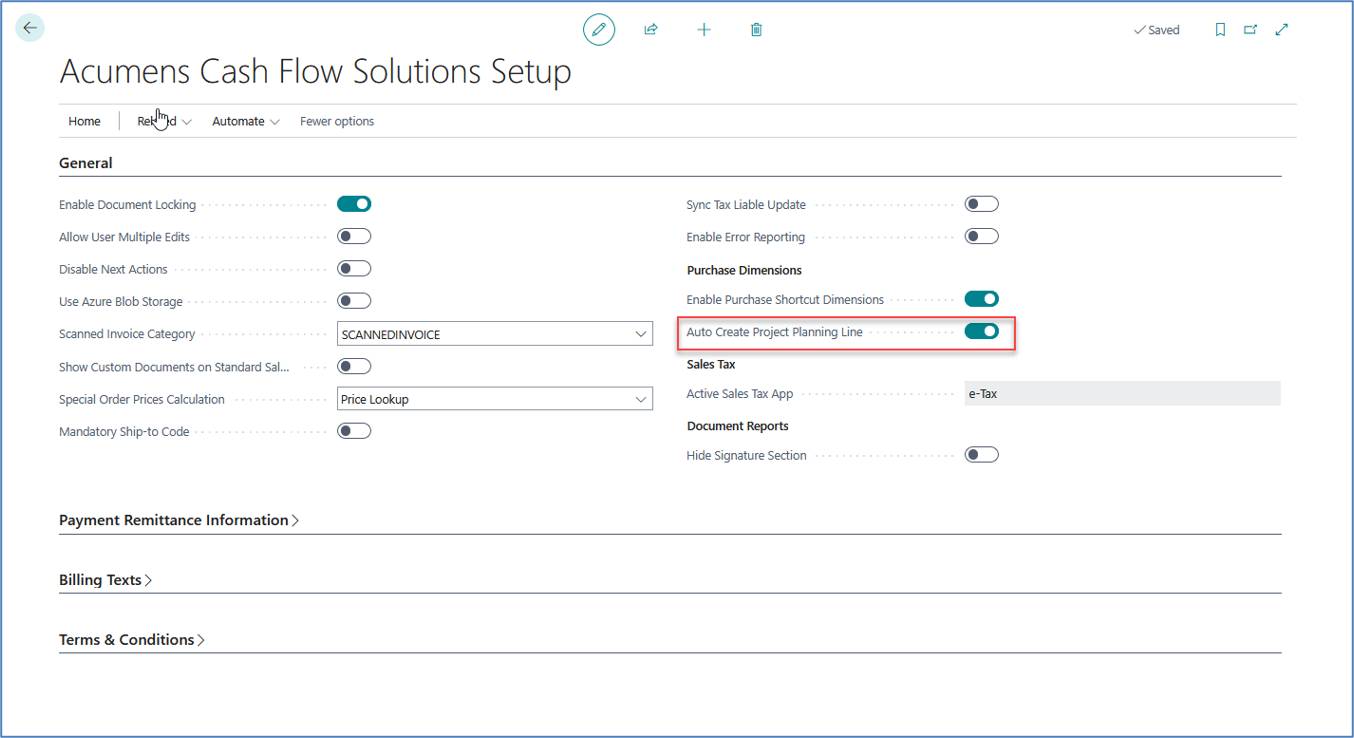
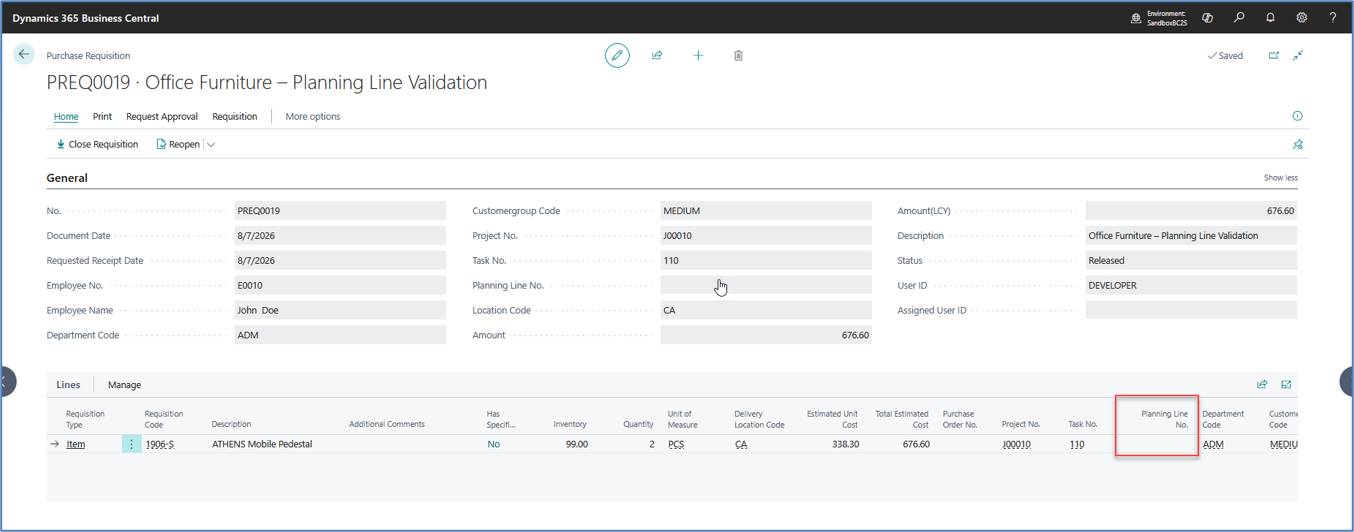
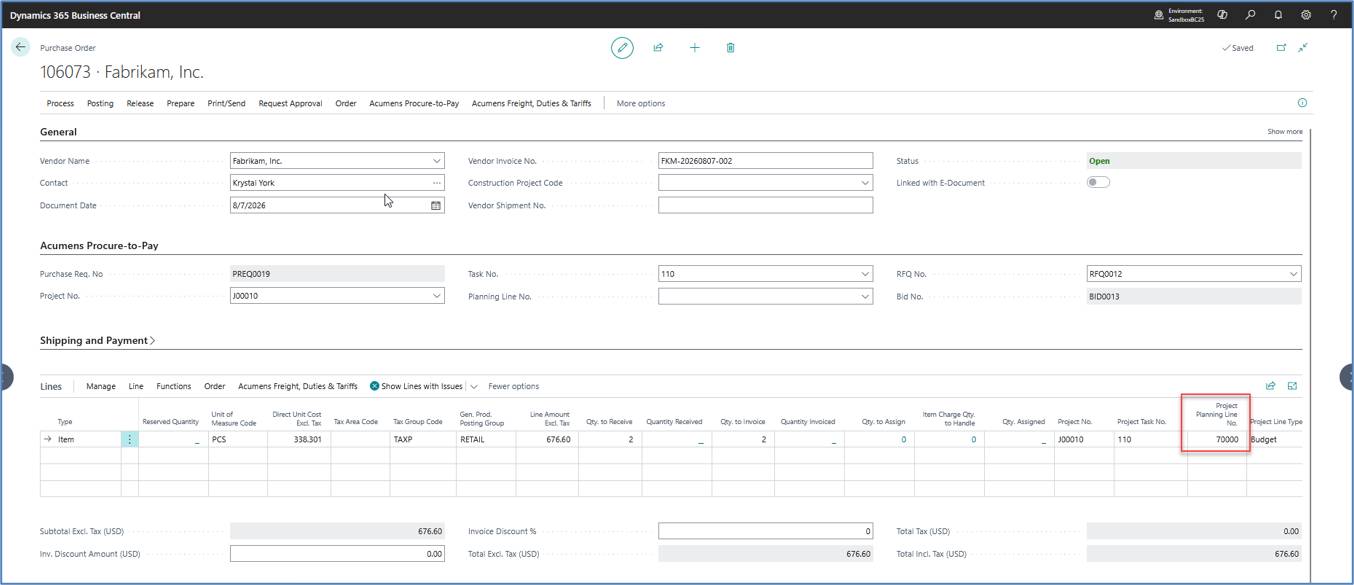
Acumens Procure-to-Pay simplifies project-based procurement by automatically creating a Project Planning Line when a Purchase Requisition line does not contain a Planning Line Number. During Purchase Order generation, the system creates the missing Planning Line and assigns it to the corresponding Purchase Order line. This automation preserves complete project traceability, supports accurate project costing, and reduces manual effort for procurement users.
Acumens Procure-to-Pay provides a complete procurement lifecycle for Microsoft Dynamics 365 Business Central. By combining Purchase Requisitions, approval workflows, vendor quotations, Bid Analysis, Project Management, and automated Purchase Order creation, organizations gain better purchasing control, improved project traceability, and reduced manual effort.