Acumens Loading

Acumens e-Mailing (NW) for Microsoft Dynamics NAV/BC

e-Mailing Cash Receipts in Business Central

This functionality enhances the Cash Receipt Journals by allowing users to quickly produce cash receipt documents directly from the journal. Through the Acumens e-Mailing menu, you can either email receipts to customers or print receipts for their records.

It provides a convenient way to manage cash receipt documentation without leaving the Cash Receipt Journals page, improving efficiency, reducing manual processing and ensuring customers can receive their payment receipts promptly.

1. Strategic Benefits

  • Efficiency Gains – It eliminates the need to navigate away from the journal, reducing manual steps and accelerating receipt issuance.
  • Customer Experience – It ensures customers promptly receive payment confirmations, strengthening trust and transparency.
  • Compliance & Audit Readiness – Provides documented proof of transactions through both digital and printed channels.
  • Process Automation – It reduces human error and standardizes receipt handling across the finance team.

2. Setup

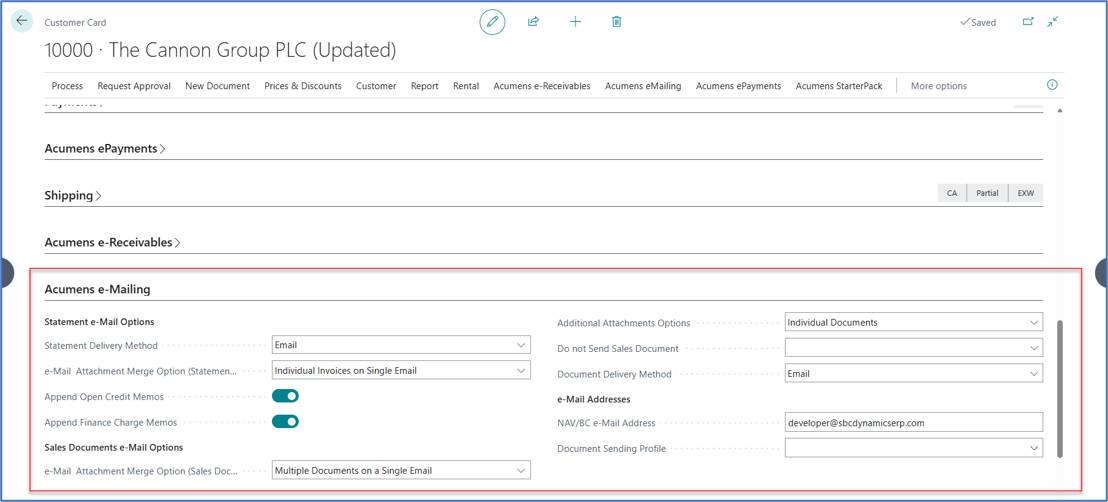
Allows you to determine the preferred method on the customer cards required for generating and sending cash receipt documents.
e-Mailing Cash Receipts in Business Central

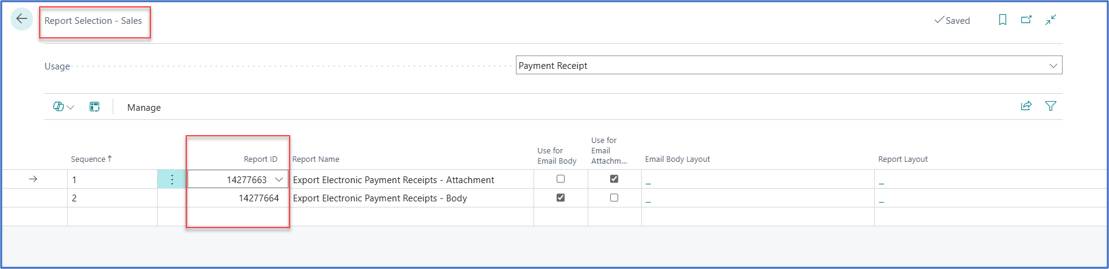
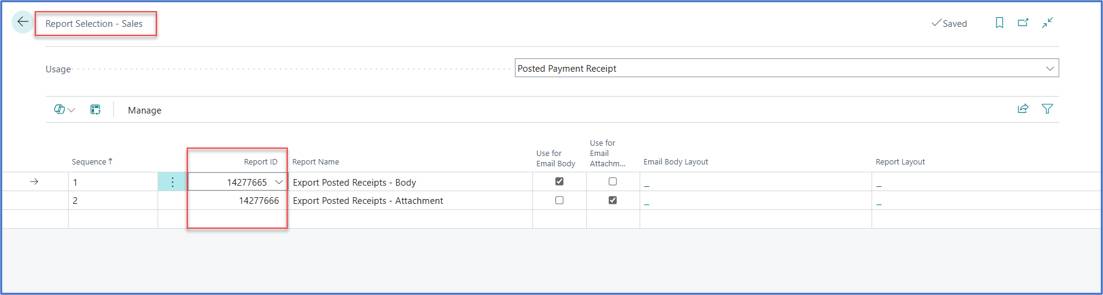
The appropriate report layouts for both unposted and posted documents can be assigned in the report selection as highlighted.
e-Mailing Cash Receipts in Business Central e-Mailing Cash Receipts in Business Central

3. Cash Receipt Journal Actions

Through the Acumens e Mailing menu, finance teams can:
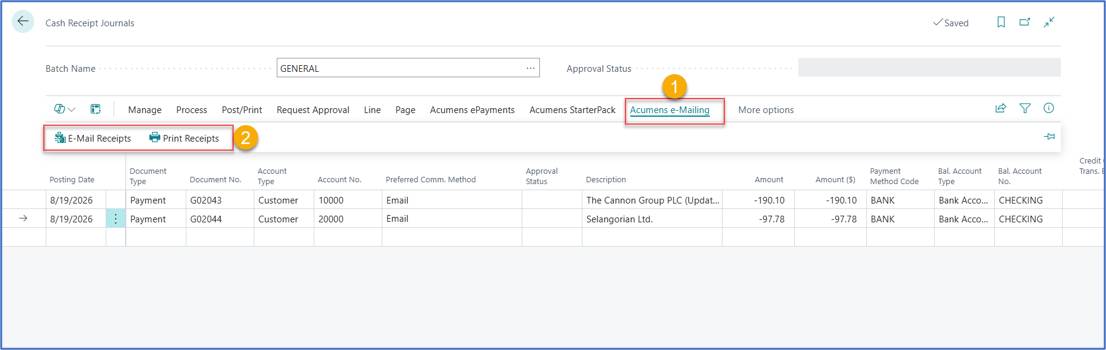
  • Instantly email receipts to customers for digital confirmation.
  • Generate printed receipts for physical records and customer delivery.

e-Mailing Cash Receipts in Business Central

e-Mail Receipts

The E-Mail Receipts option provides three different methods for sending cash receipt documents to customers.
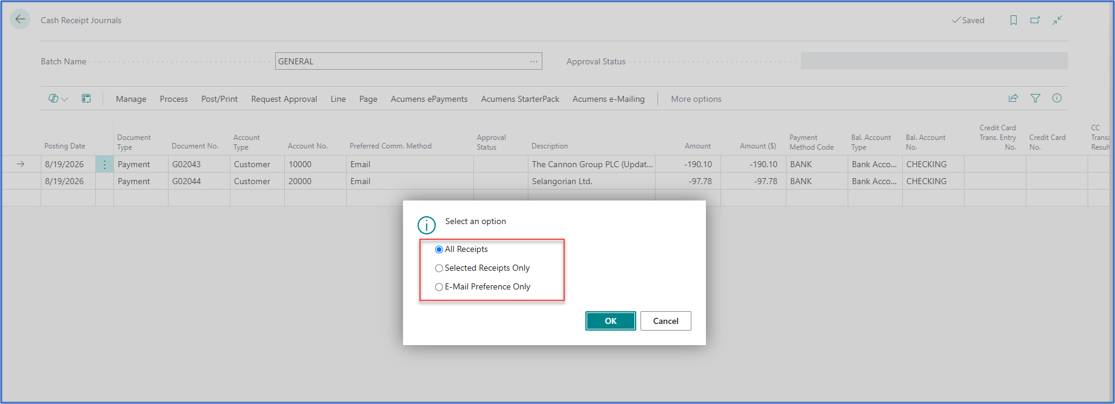
e-Mailing Cash Receipts in Business Central

The e-Mail Batch helps you to manage and process multiple customer receipts or other documents for email delivery in a single batch.
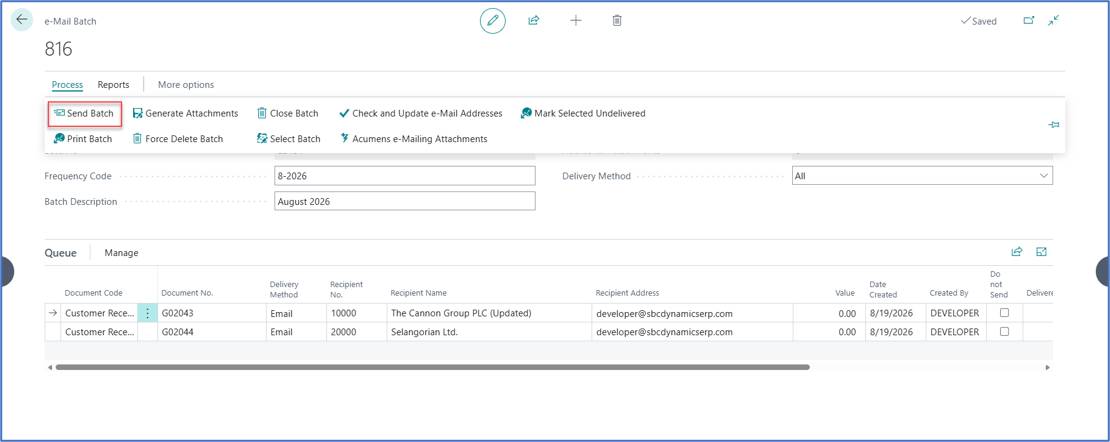
e-Mailing Cash Receipts in Business Central

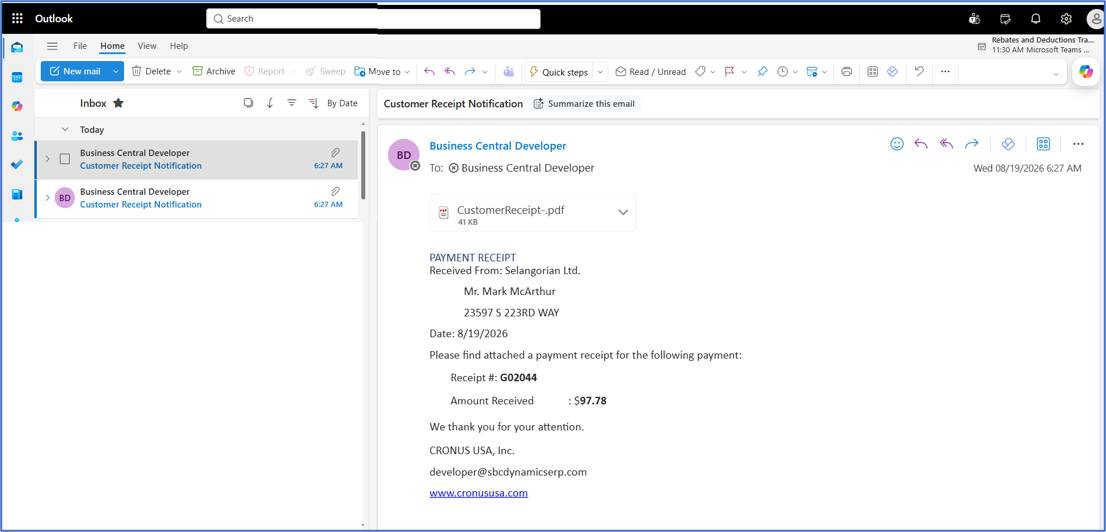
E-mail sent and received.

e-Mailing Cash Receipts in Business Central

Print Receipts

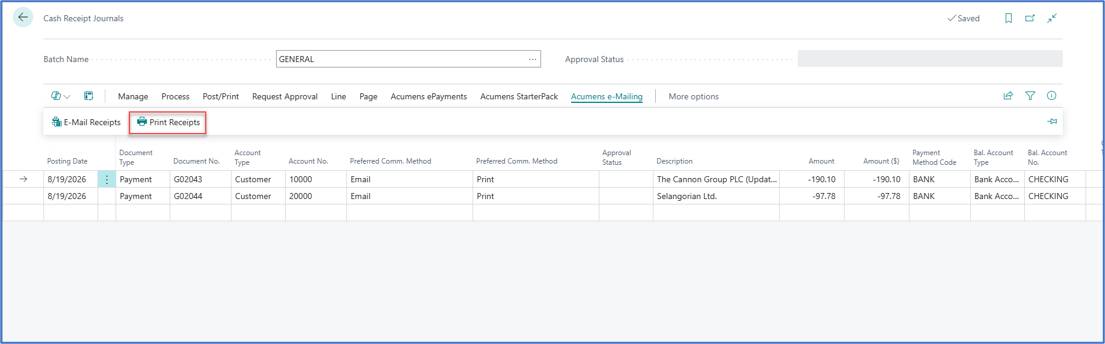
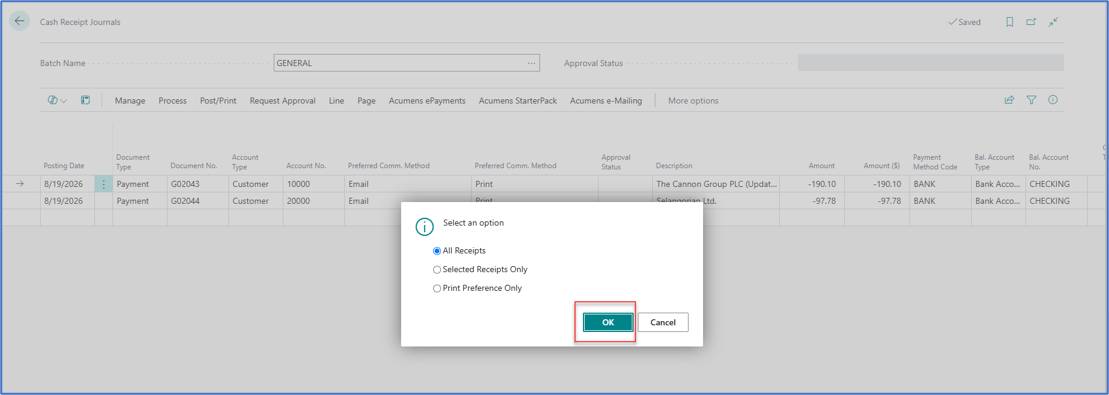
Print Receipts have three options that work in a similar way (only that "E-Mail Preference Only is replaced by Print Preference Only).

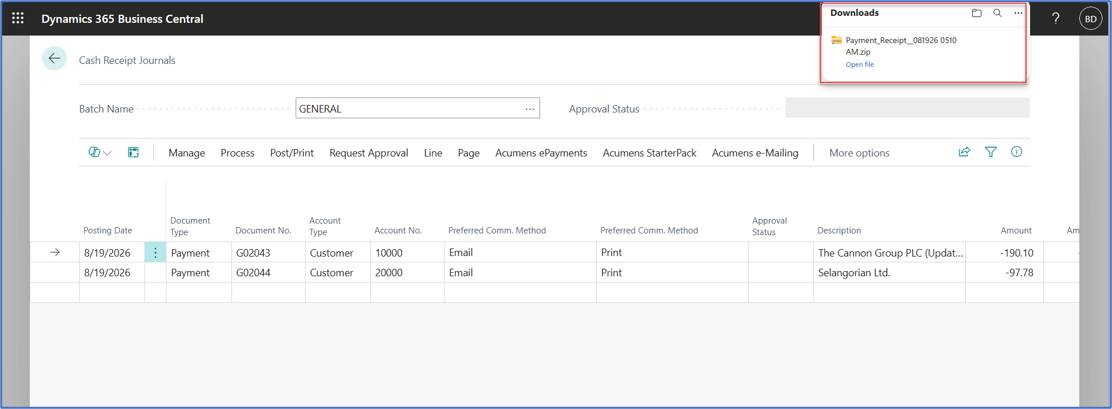
Select Print Receipts to generate and print the cash receipt document for the selected journal entries.
e-Mailing Cash Receipts in Business Central e-Mailing Cash Receipts in Business Central

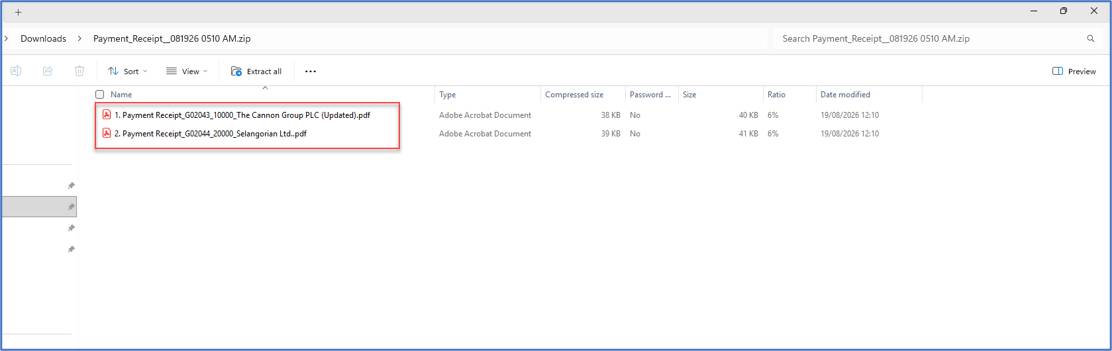
Saved to the Downloads folder.

e-Mailing Cash Receipts in Business Central e-Mailing Cash Receipts in Business Central

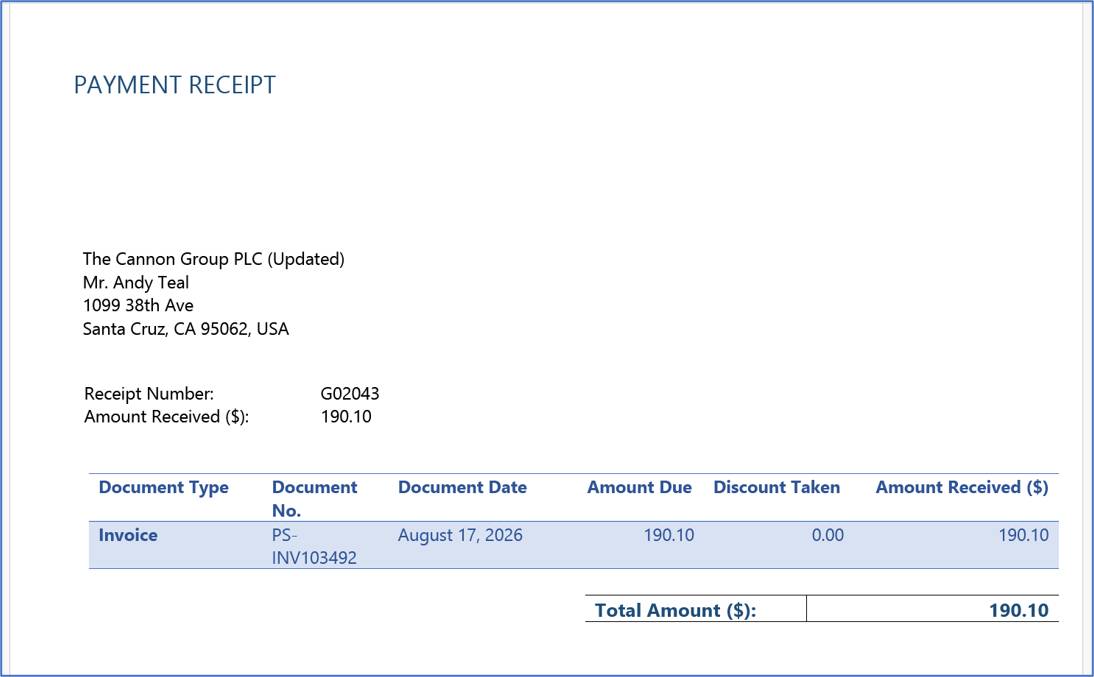
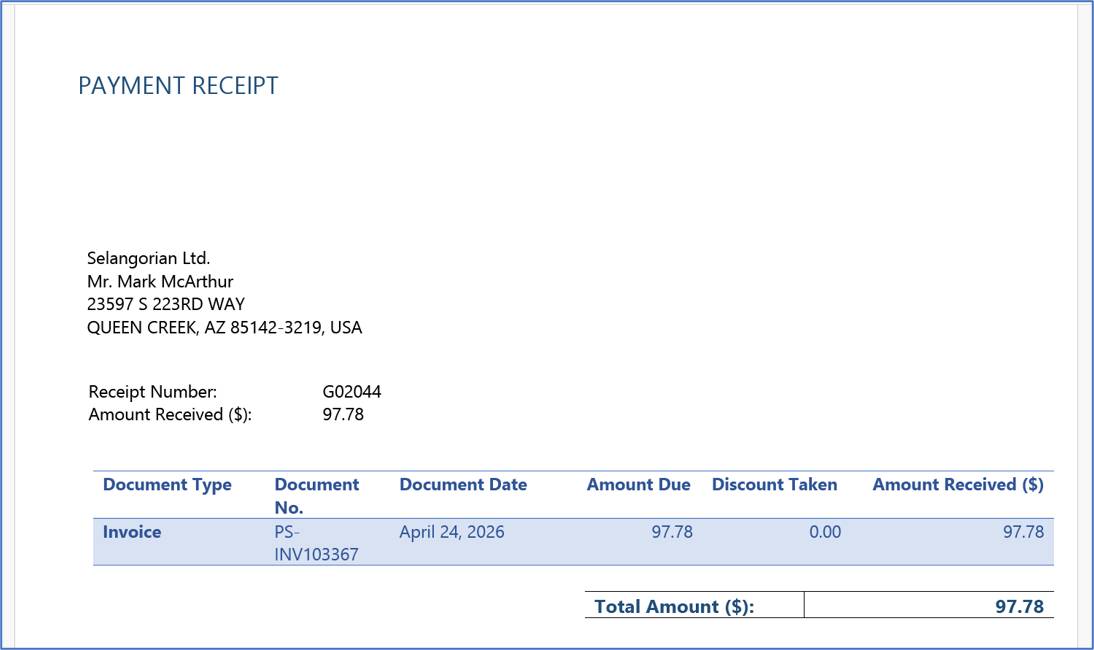
Payment Receipt 1

e-Mailing Cash Receipts in Business Central

Payment Receipt 2

e-Mailing Cash Receipts in Business Central

4. Posted Receipts – Customer Ledger Entries

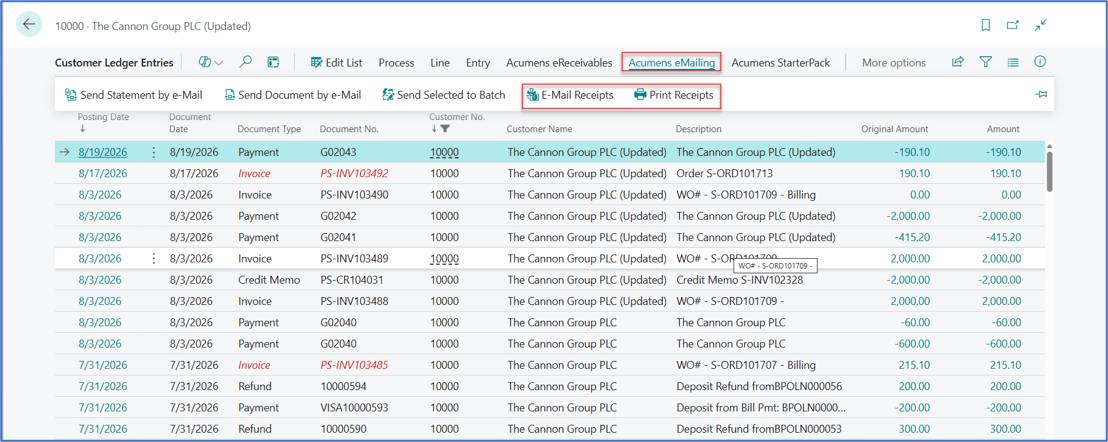
You can access the posted receipt information from the relevant Customer Ledger Entry.

The posted receipt can also be used to generate or resend the receipt document when required.
e-Mailing Cash Receipts in Business Central

The Bottom Line

These options helps you to email or print cash receipts directly from the Cash Receipt Journals and customer ledger entries, eliminating the need to navigate to separate pages or manually prepare receipt documents.

Customer support team ready to assist you

Contact SupportContact

Contact Support for demo of the app or for assistance with setup and training

Sign UpSign Up

Sign up to receive updates on Acumens Consulting, new releases, and extension updates by filling in the form.