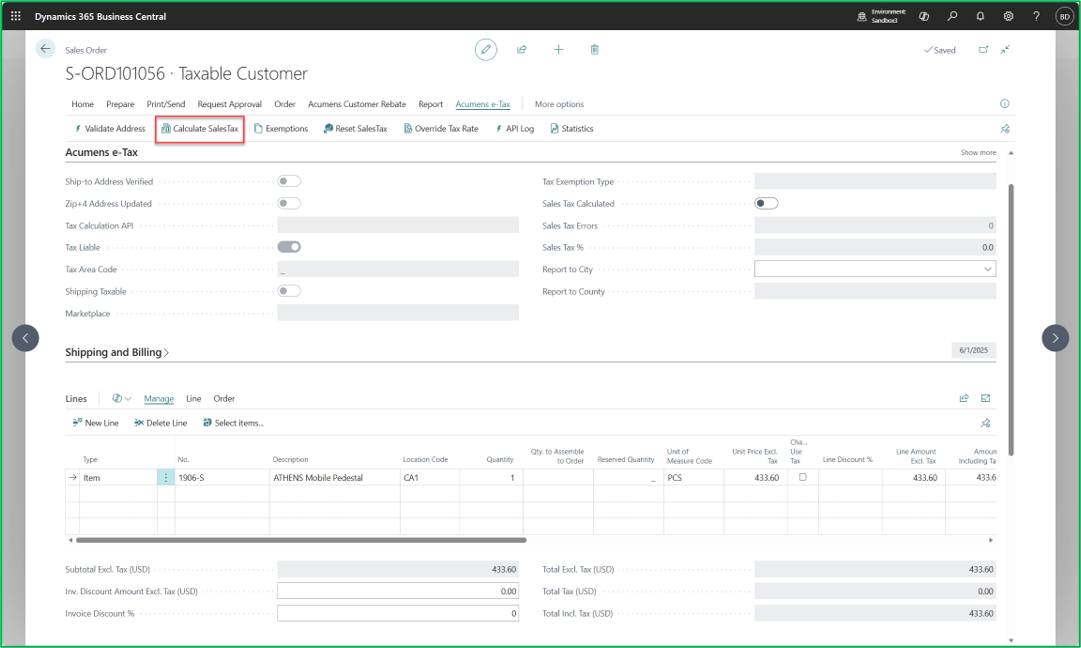
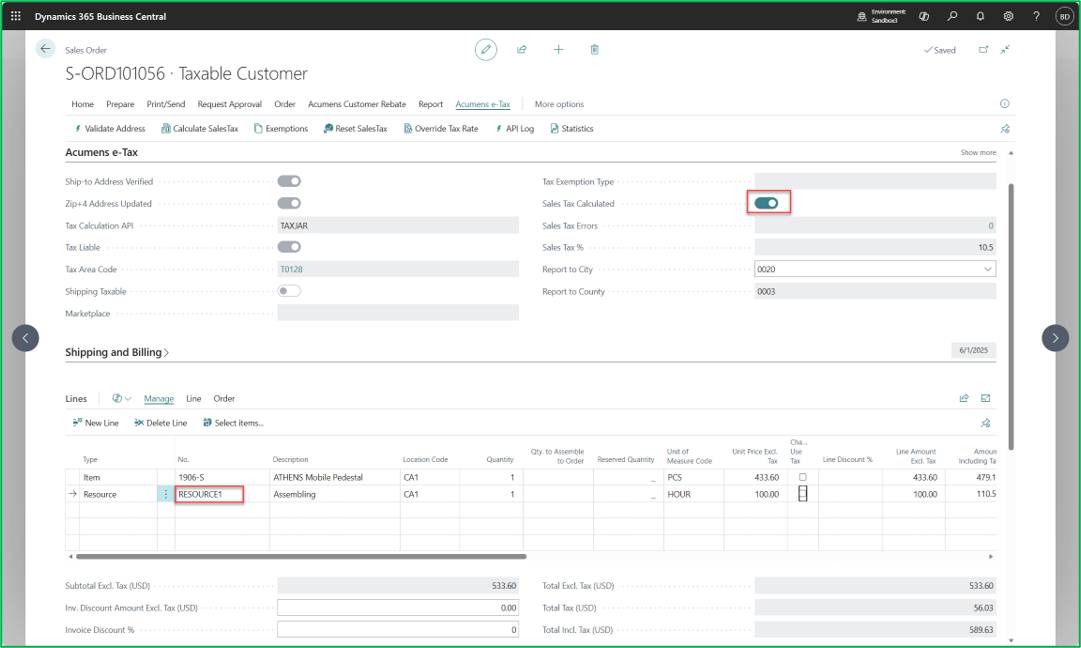
Acumens e-Tax app extends standard Business Central Sales Tax functionality by introducing address specific sales tax calculation which is fetched from external API’s based on a validated address and customizations for special taxes. The app supports use of Multiple APIs at the same time within one Company in Business Central.This document serves as a comprehensive reference guide detailing functional logic, tax application, required documentation and system handling for key sales and use tax scenarios.
A partial sales and use tax exemption applies to qualified purchases of farm equipment, machinery and replacement parts used primarily in agricultural production.
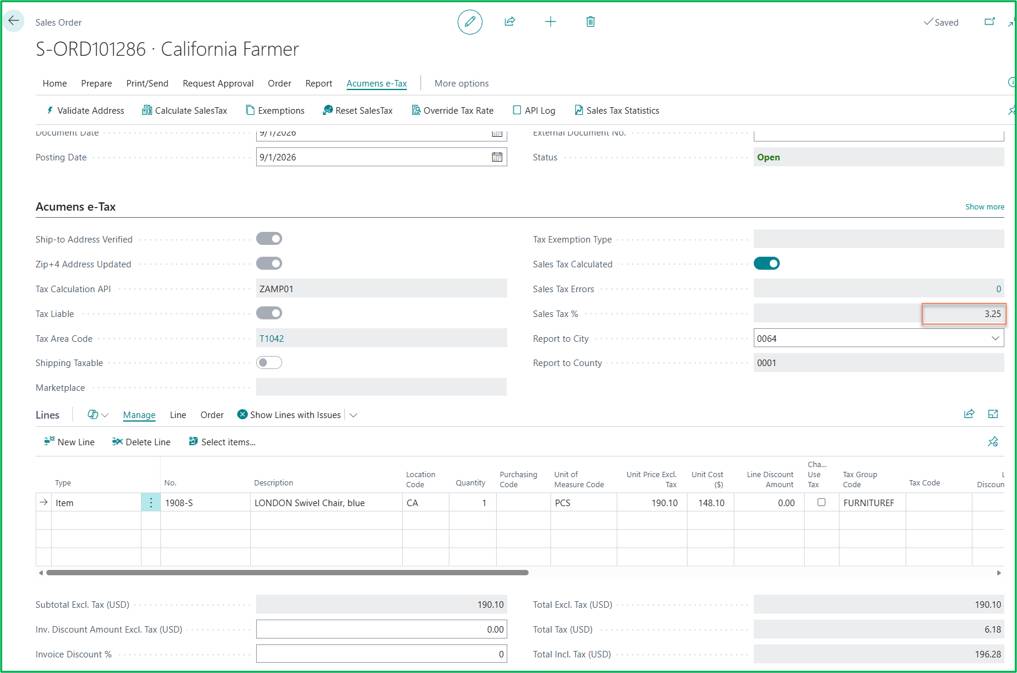
California Farmers get a 5% subsidy on State Tax.
A standard Sales Order is created. On the Sales Order -> Calculate SalesTax
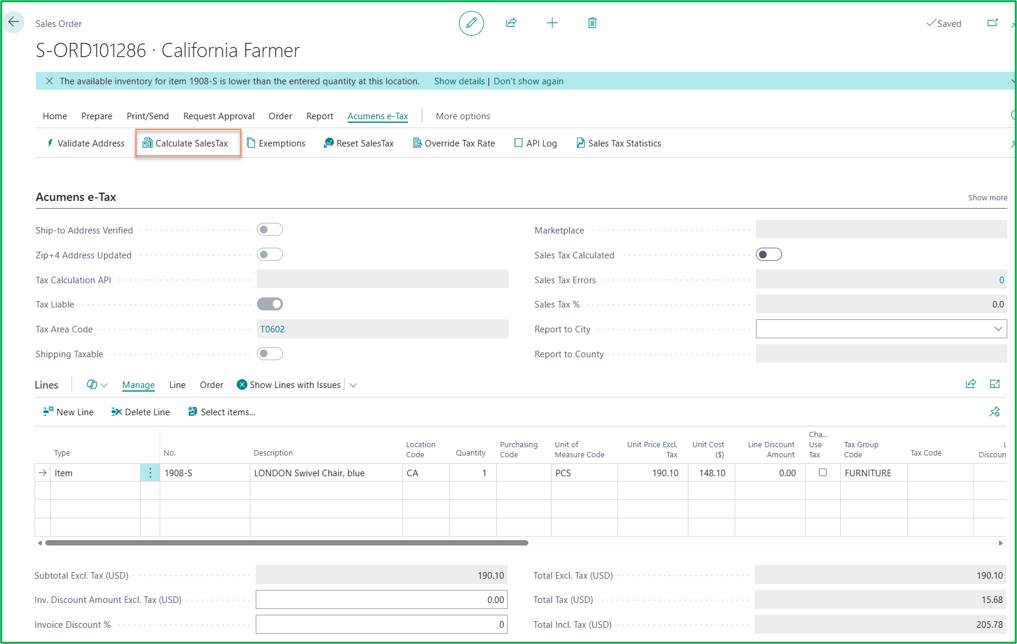
On Calculate Tax: Standard tax rates apply to the order.
Before Farming Exemption is enabled the tax rate is 8.25 %.
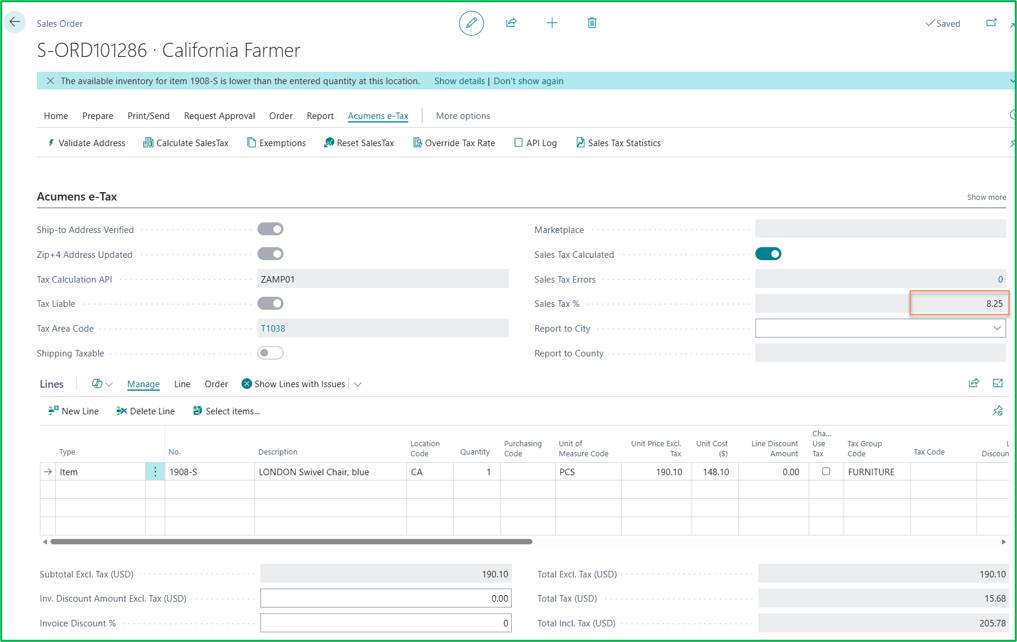
When Farming Exemption is enabled: The 5% state tax subsidy is applied, resulting in a reduced calculated tax rate/amount of 3.25%.
Shipping Tax has different taxability’s based on State.
For example:
Sales Order for CA:
Create a sales order with a line item and a separate line item for shipping charges destined for California.
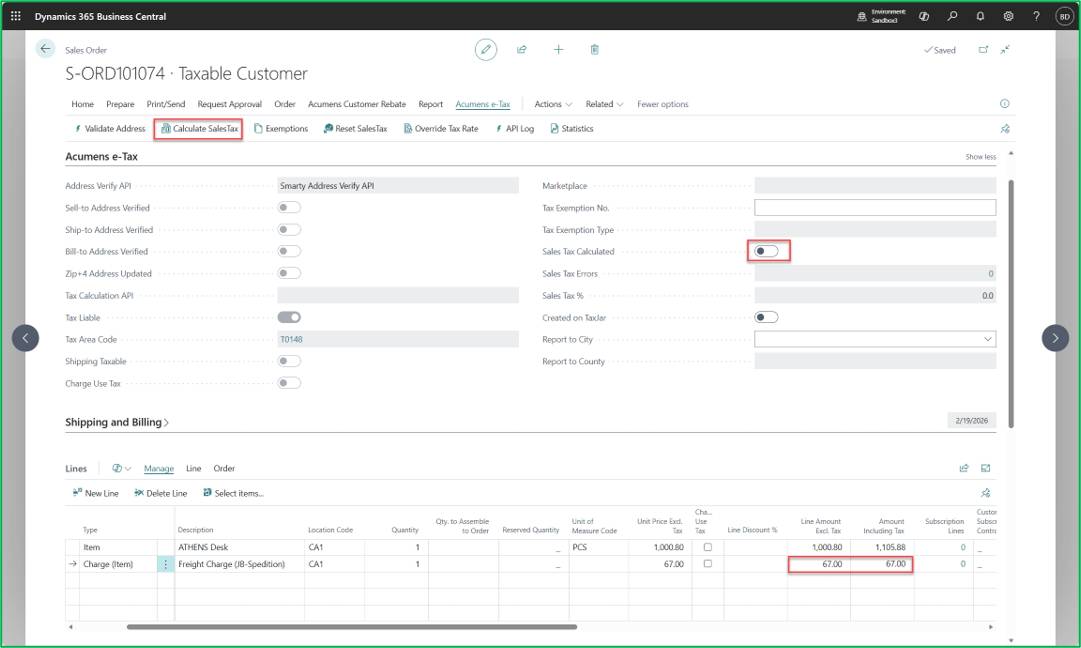
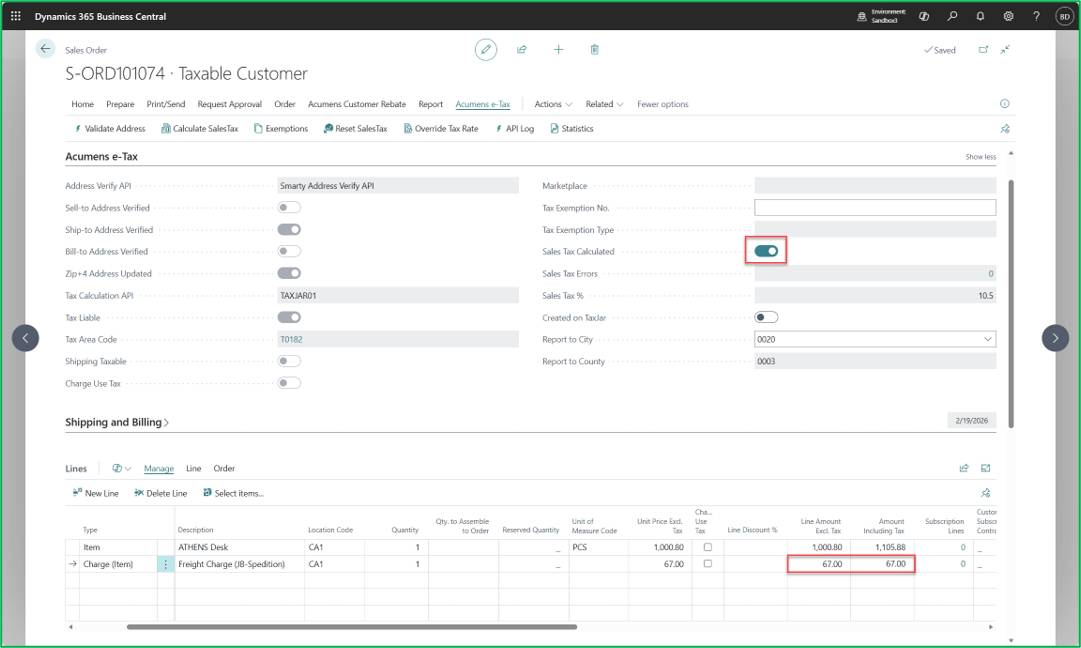
When clicking Calculate Sales Tax, tax is applied to the item line while the shipping line remains untaxed.
Sales Order for HI:
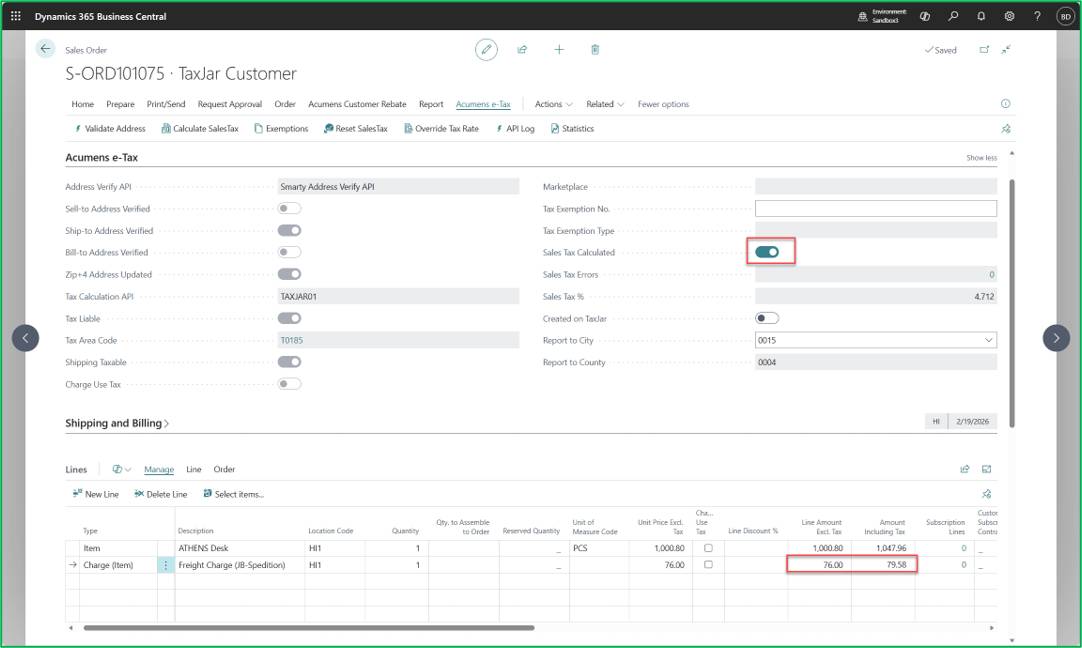
Create a sales order with a line item and a shipping line item destined for Hawaii.
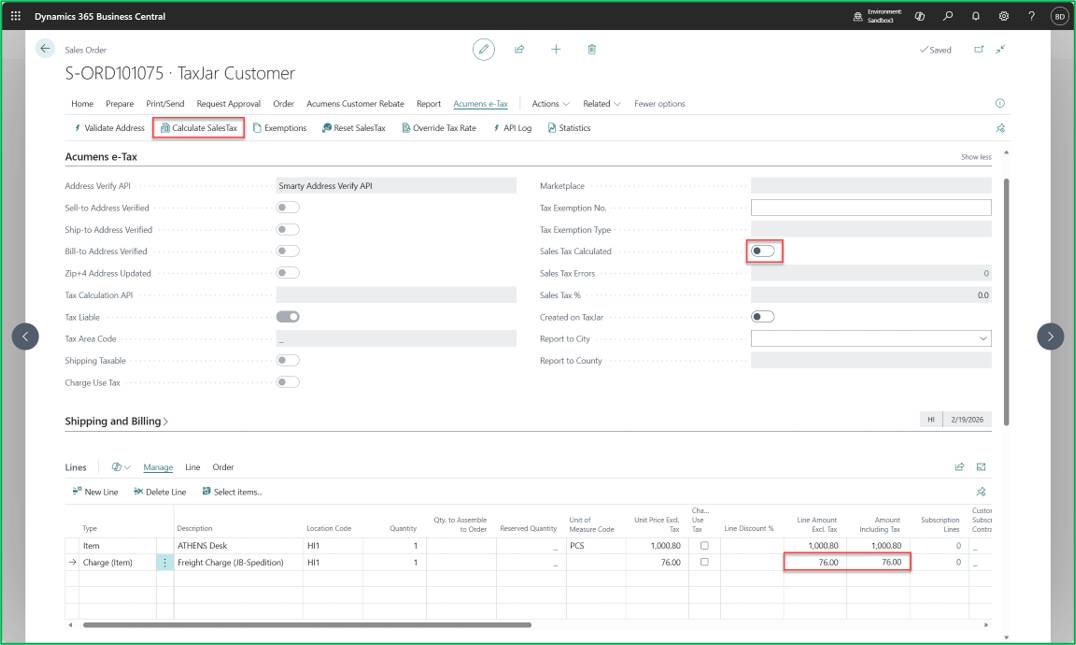
When clicking Calculate Sales Tax, tax is calculated and applied to both the item line and the shipping line.
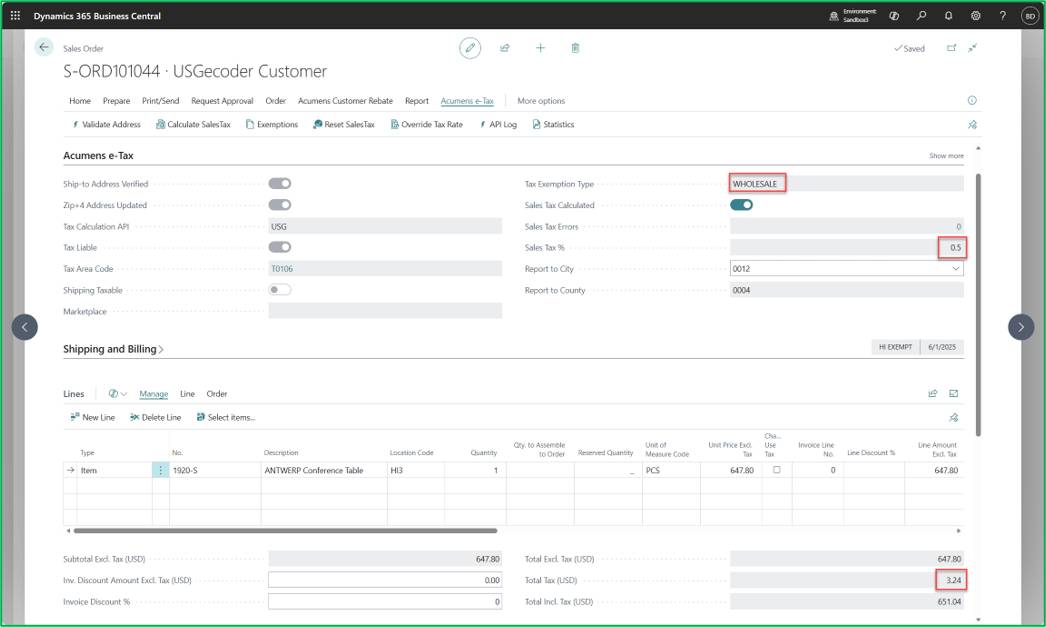
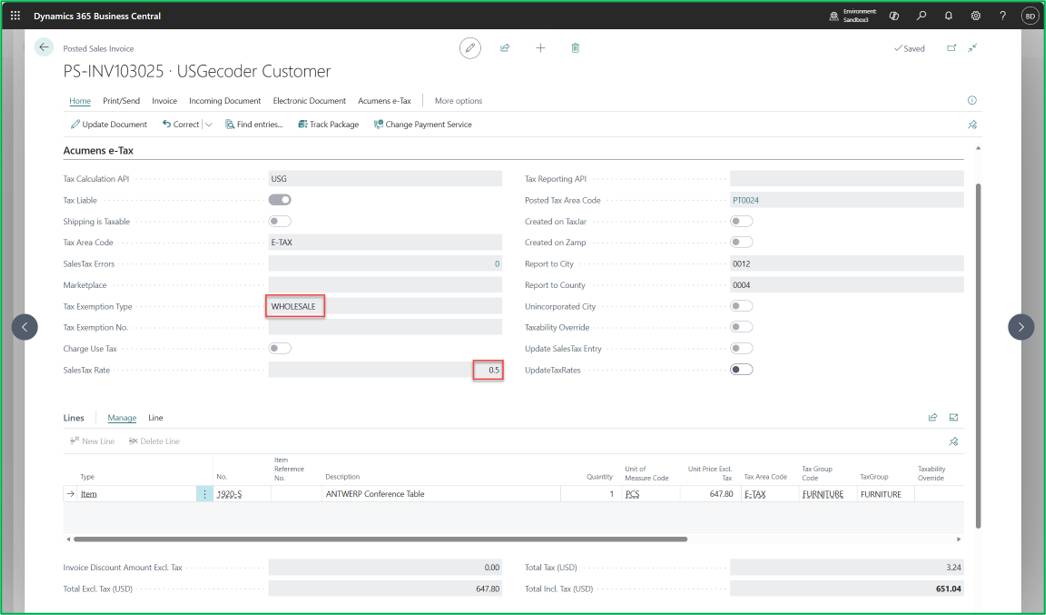
Hawaii's General Excise Tax (GET) treats wholesale/resale transactions differently than typical sales-tax states. Instead of full exemption, valid resale transactions in Hawaii attract a reduced rate of 0.5%.
Sales Order -> Calculate SalesTax
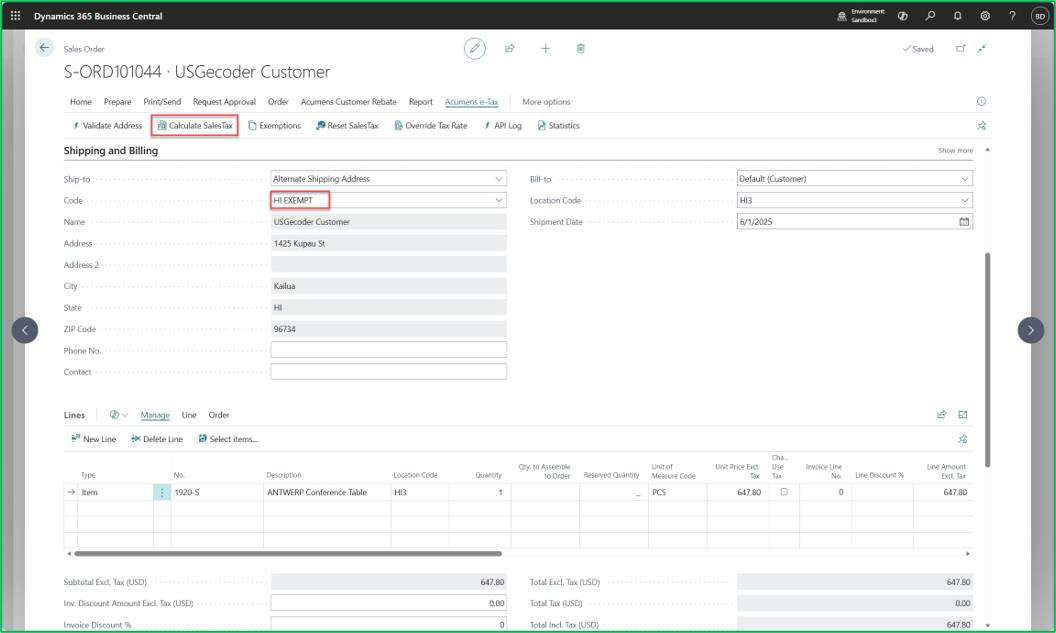
On Calculate Tax:
On Post Document:
This feature is used to process sales tax corrections through a Sales Credit Memo when sales tax on an invoice was calculated or processed incorrectly, without needing to recreate or redo the entire sales document
Posted Sales Invoice that requires tax correction – reduce tax amount by $20.
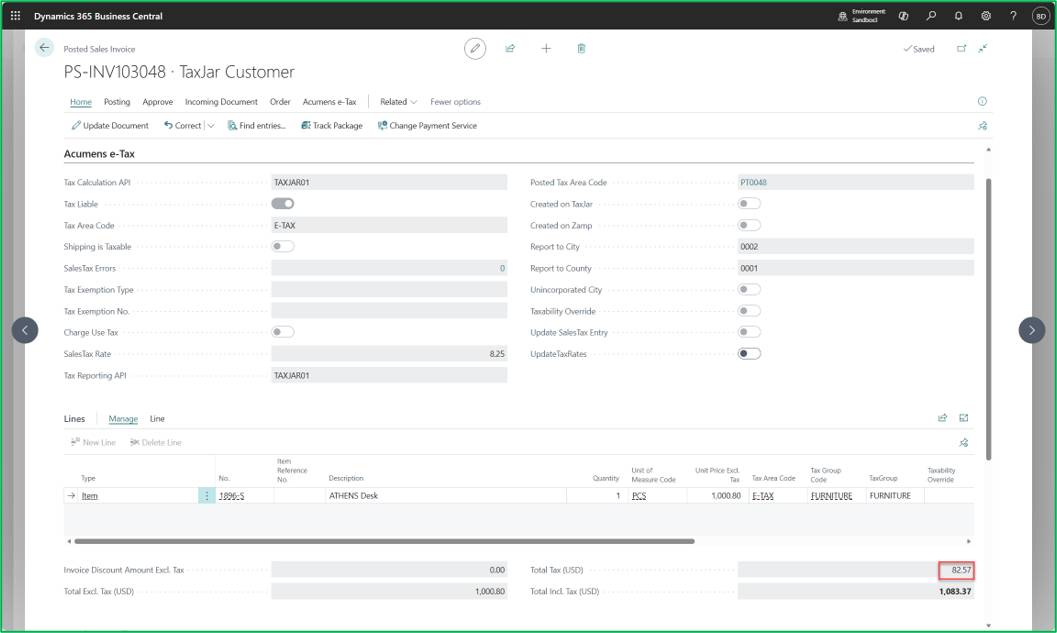
Create a Sales Credit Memo referencing the invoice requiring adjustment.
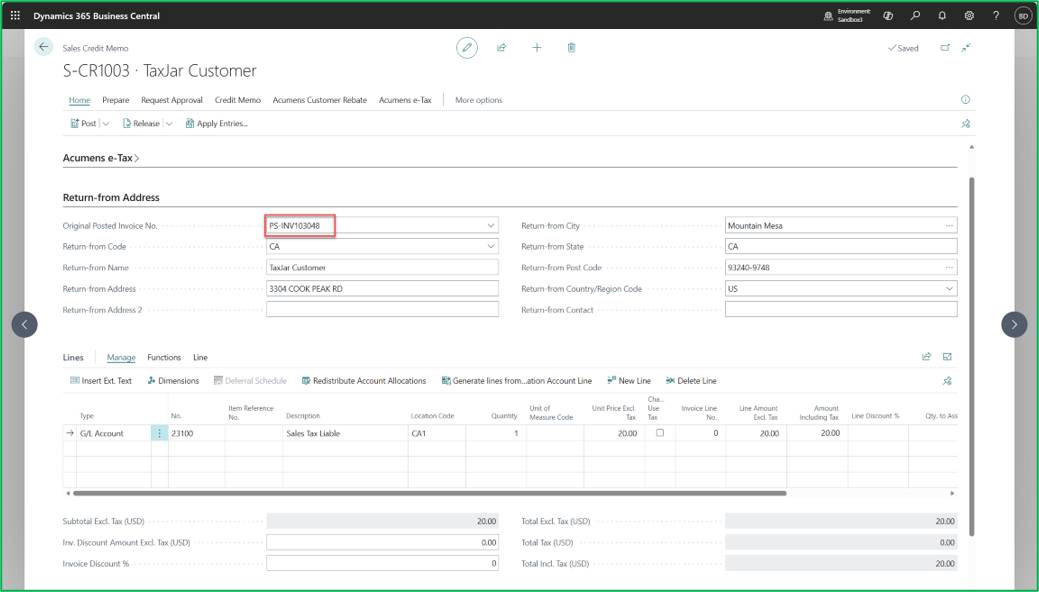
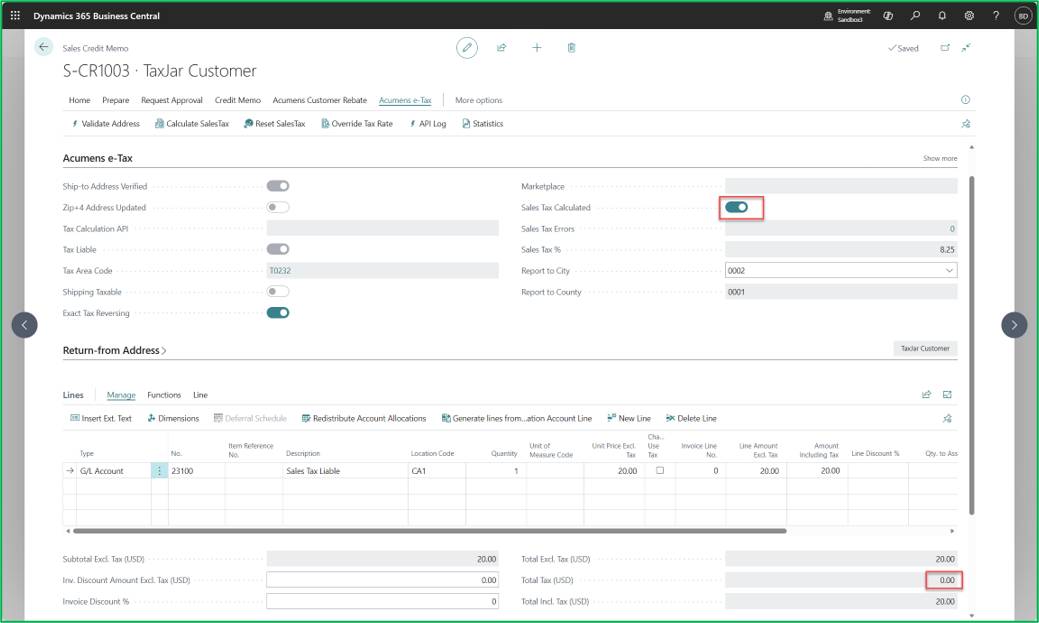
Execute the Calculate Sales Tax action on the Sales Credit Memo.
The line does not add tax.
Post the document to create the Posted Sales Credit Memo.
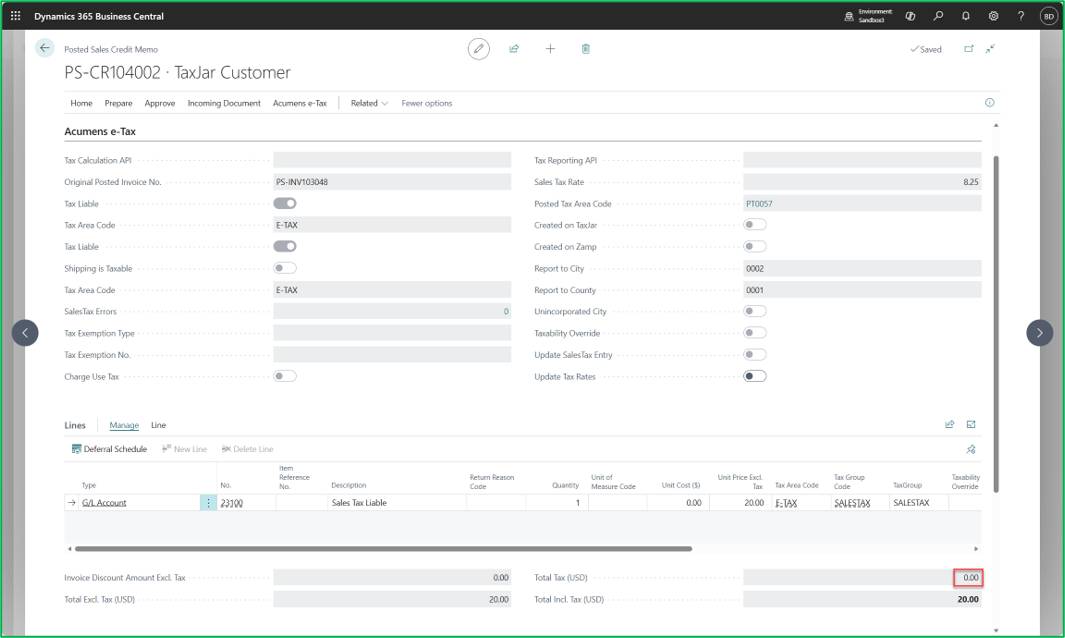
When reporting sales tax adjustments generated via Credit Sales Tax, the processing varies by method:
API Upload e.g. TaxJar:
The system uploads the document to the API endpoint to update remote tax filing.
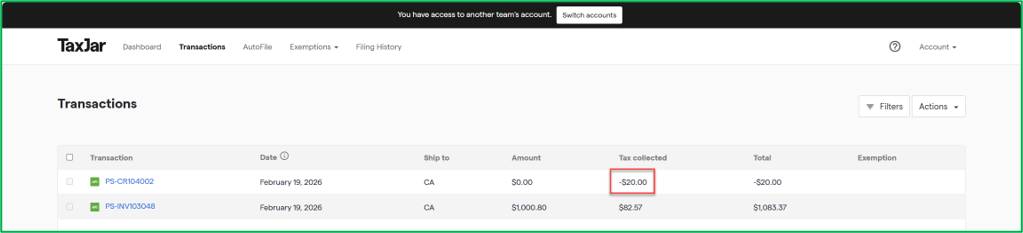
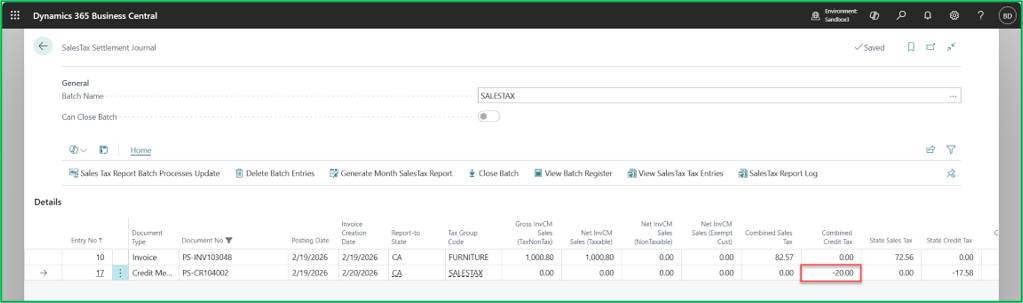
Manual Reporting
The credit amount is reported as full tax on the manual sales tax settlement/reporting journals.
California Retread Tax is the rule that when a tire shop retreads or recaps a customer’s own tire and charges a lump sum price, 75% of that amount is treated as taxable under California sales tax law.
Sales Order:
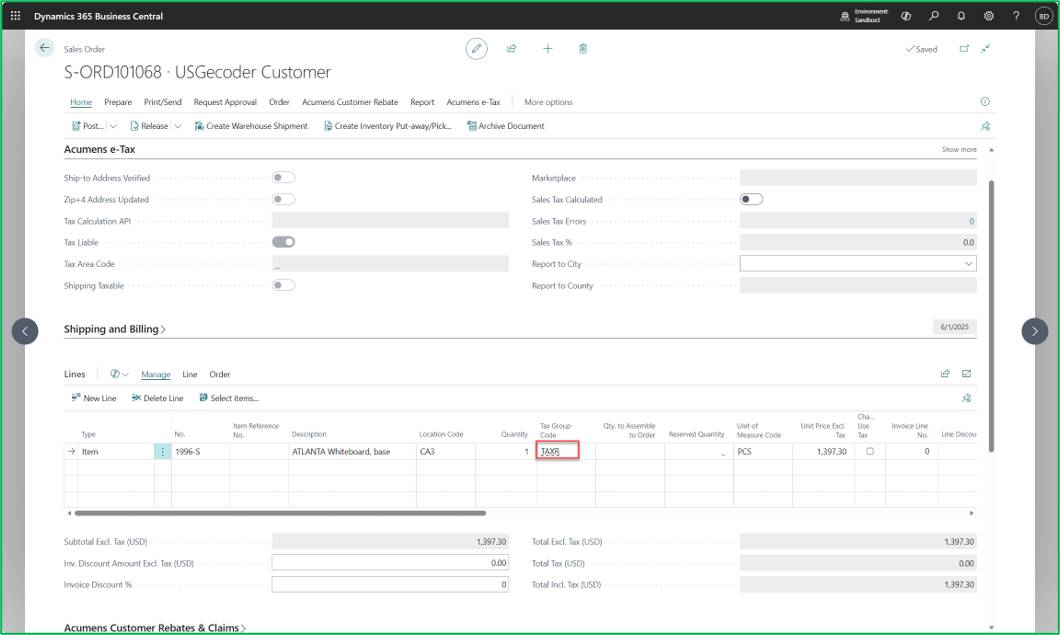
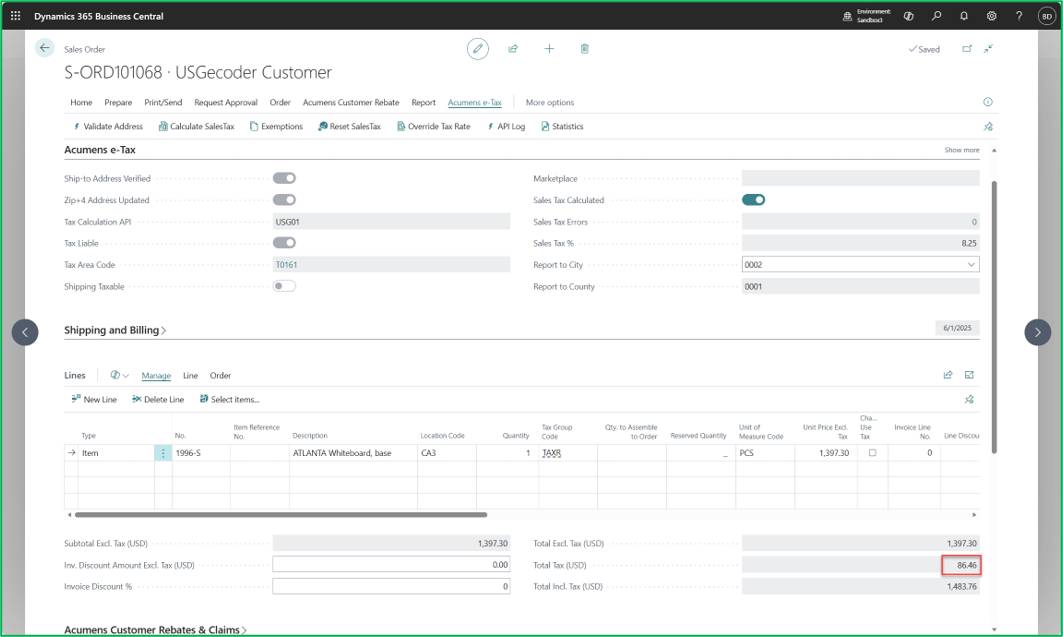
On Calculate Tax:
Tax for Retread = (Line Amount * 0.75) * Tax Rate = (1397.30*0.75) * 8.25% = 86.46.
Sales and Use Tax for resale customers is the tax framework where a business purchasing goods for resale is exempt from sales tax at the time of purchase, provided they issue a valid resale certificate. The tax is deferred and becomes due only when the business sells the goods to the final consumer.
However, if a resale customer buys items tax free and later uses them internally, those items become taxable under use tax, because they were never actually resold.
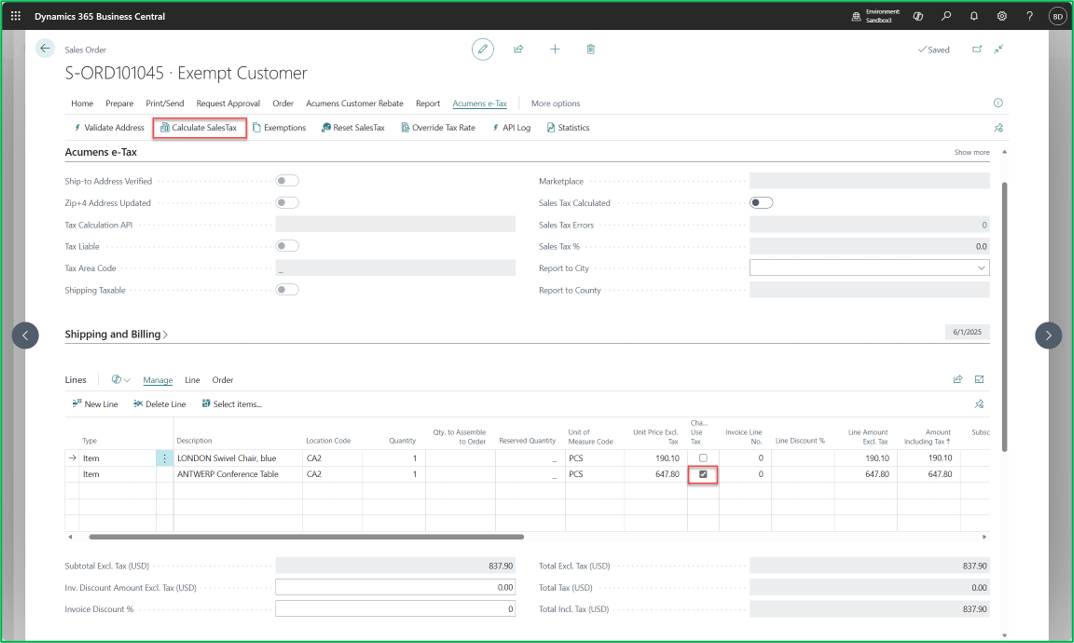
On Calculate Sales Tax:
Line marked to charge use Tax charges tax, and the other lines are not.
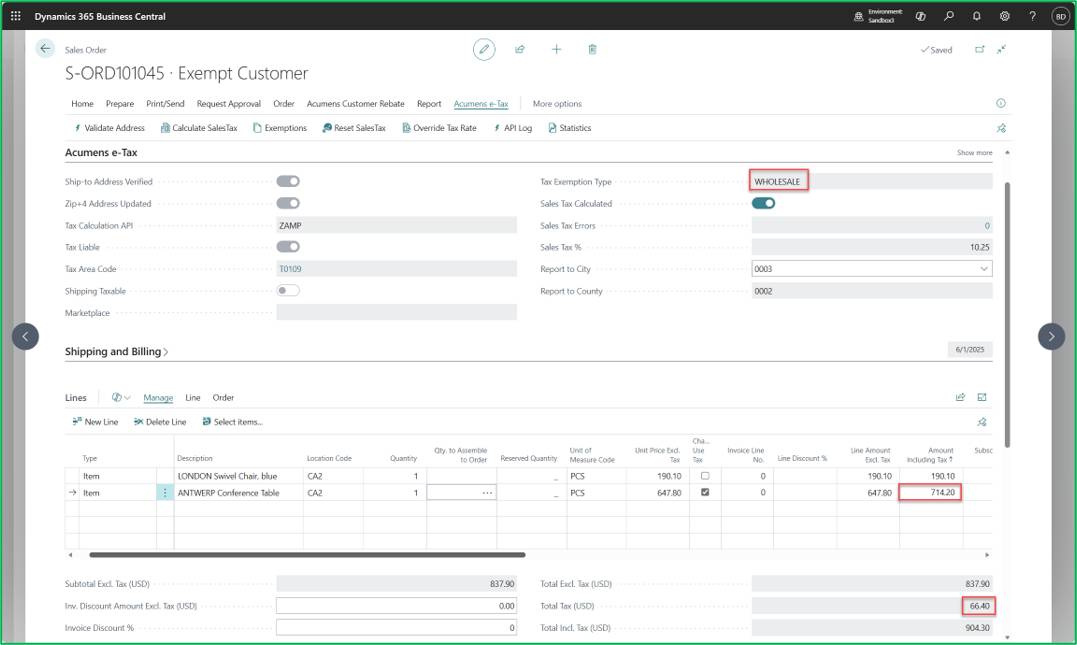
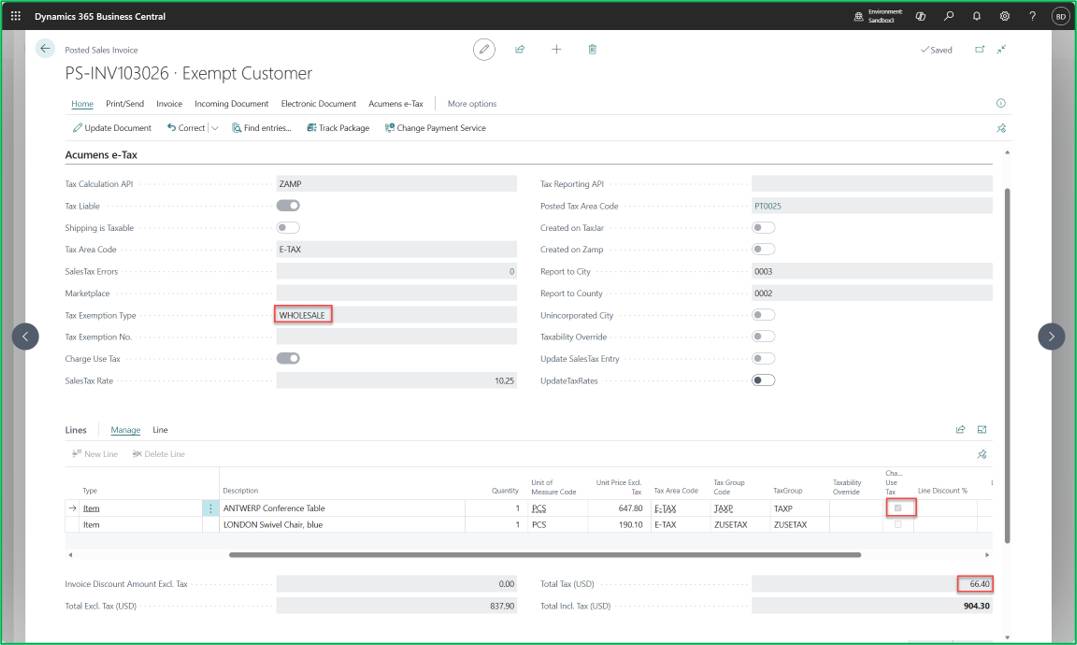
Posted Document:
The Marketplace feature supports sales transactions sold through third-party marketplace platforms (such as Amazon FBA) when processing them in Business Central.
Marketplace platforms handle tax obligations differently:
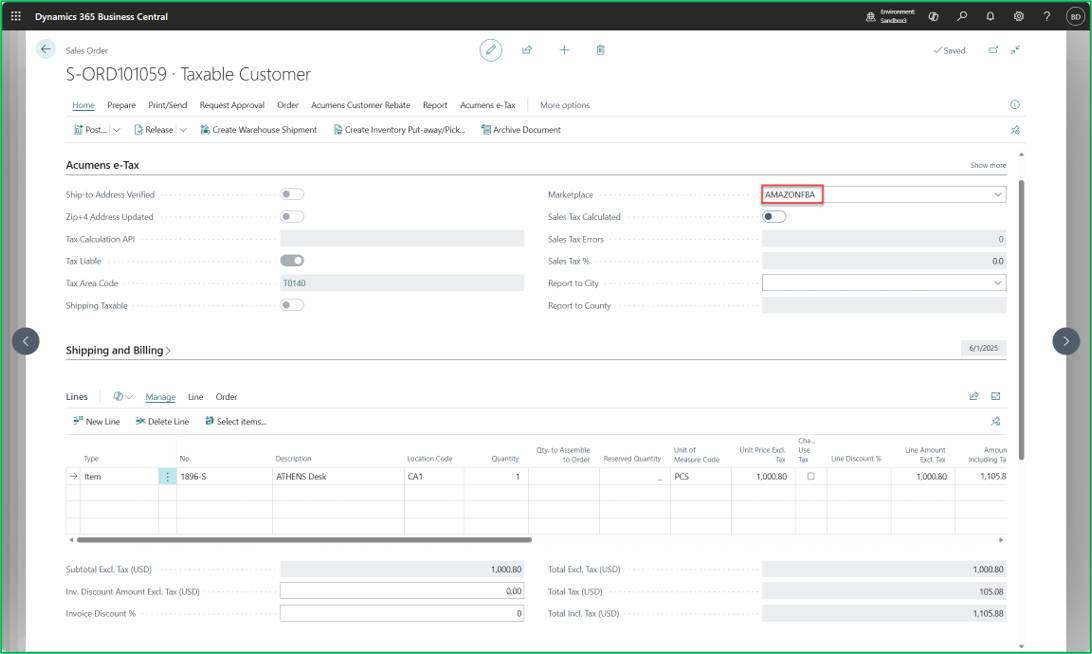
On Calculate Tax:
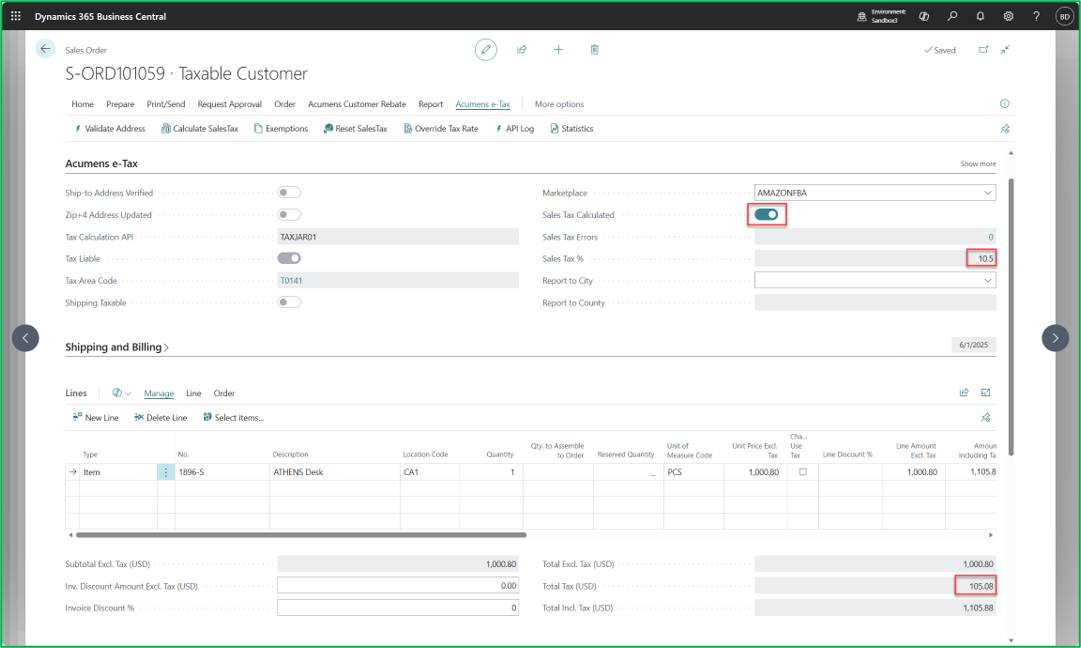
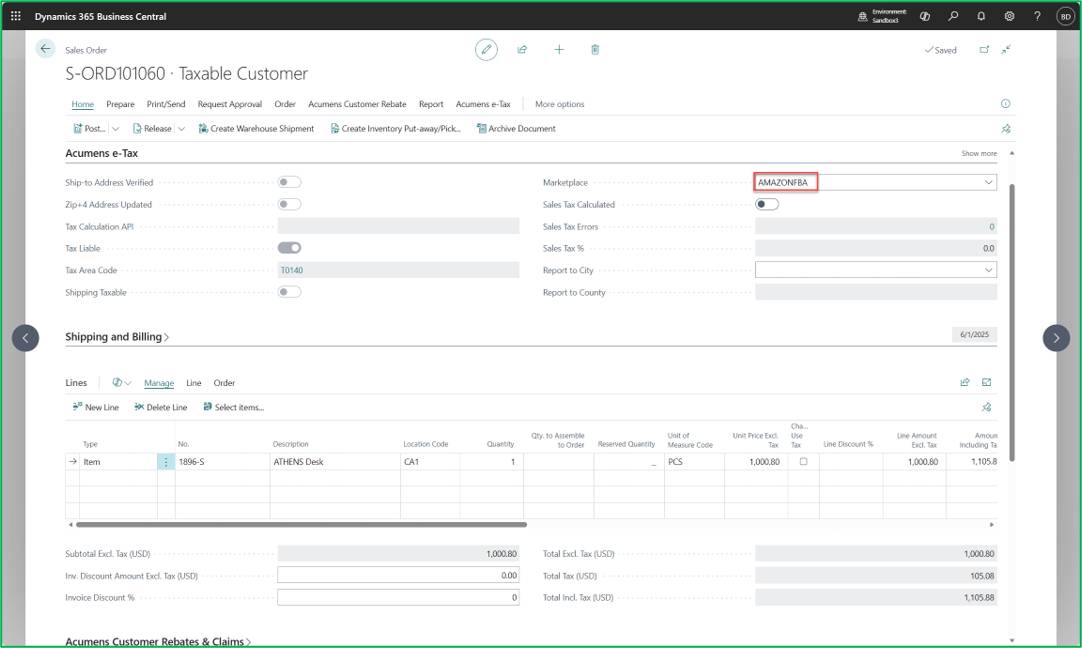
On Calculate Tax:
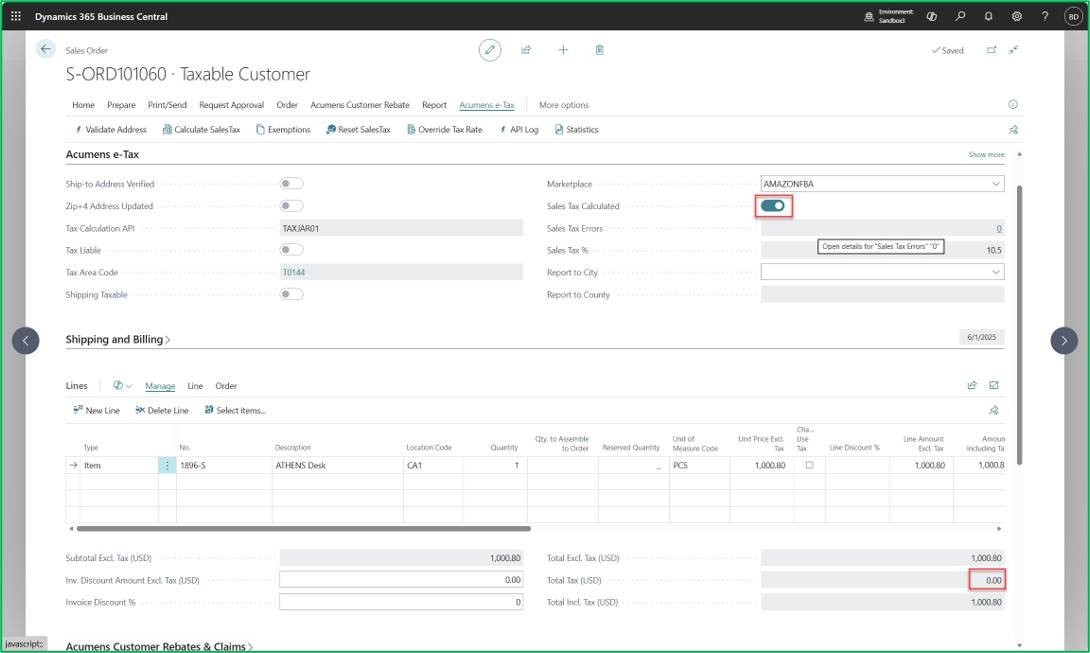
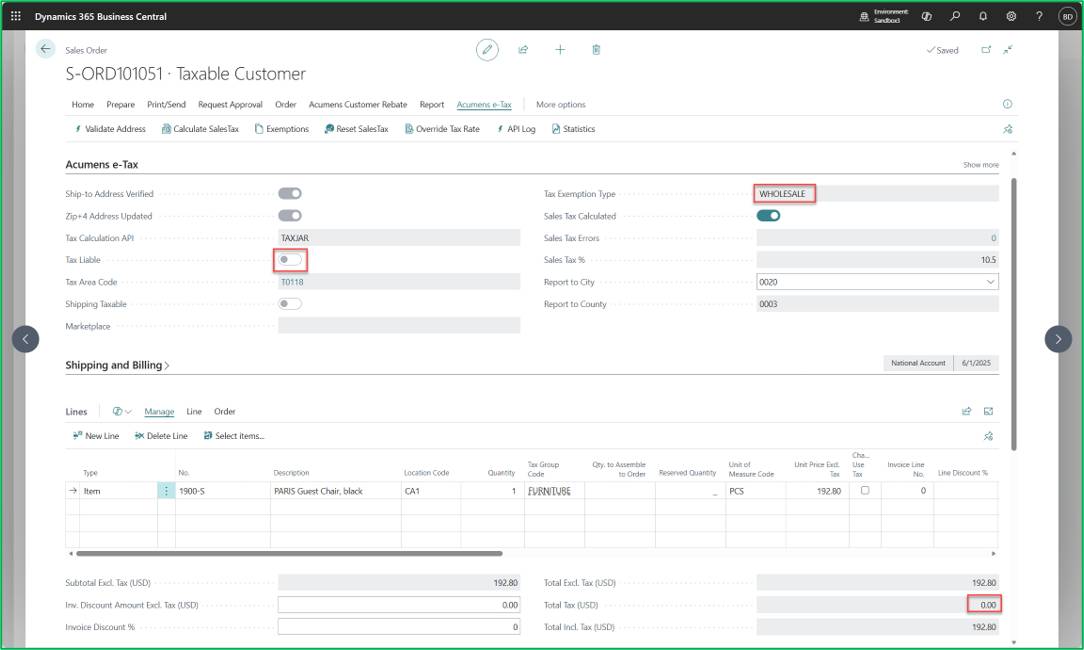
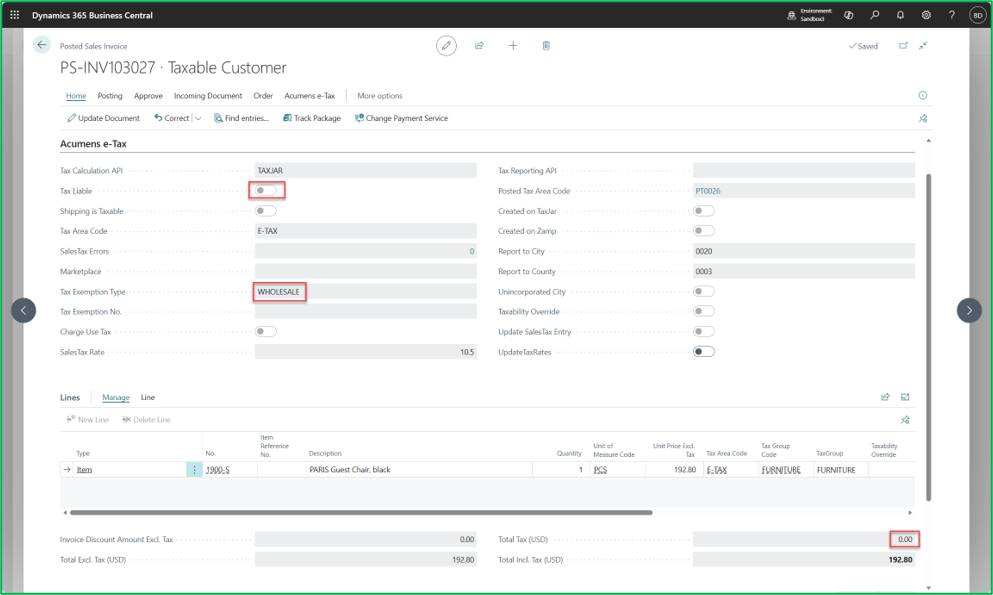
National Account Exemptions in the U.S. refer to a special sales and use tax treatment where a large parent organization (the "National Account") holds a tax exempt status, and all customers billed under that national account inherit the exemption, even if those individual locations or subsidiaries would not normally qualify on their own.
The exemption configuration is applied directly during the sales order creation process for associated customers.
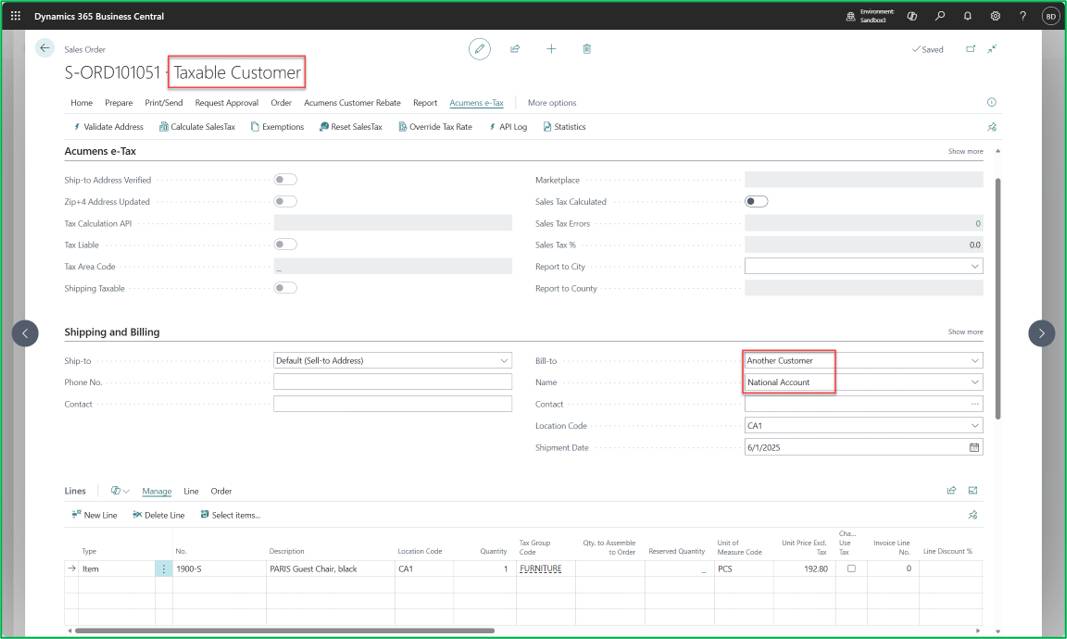
When running the Calculate Tax action on a sales order, the system evaluates and applies the National Account Customer Exemption.
After posting, the exemption details associated with the National Account are reflected and retained on the posted sales documents.
Extended Taxability means that the tax status of an item or labor is determined by what it is sold with, not just by the item or labor itself.
For items: Extended Taxability applies when an item becomes taxable or non taxable because it is bundled or combined with another item or service. A normally exempt item can become taxable when sold with a taxable service, and a normally taxable item can become exempt when sold as part of a non taxable service. The taxability is driven by the context of the sale, not the item alone.
For labor: Extended Taxability applies when labor becomes taxable or non taxable based on its relationship to a product in the same transaction. Labor inherits taxability from the item it is bundled with—becoming taxable when inseparable from a taxable product and remaining exempt when connected to a non taxable service.
Example: Item Extended Taxability
The system allows setting up rules for an item's taxability relative to associated resources.
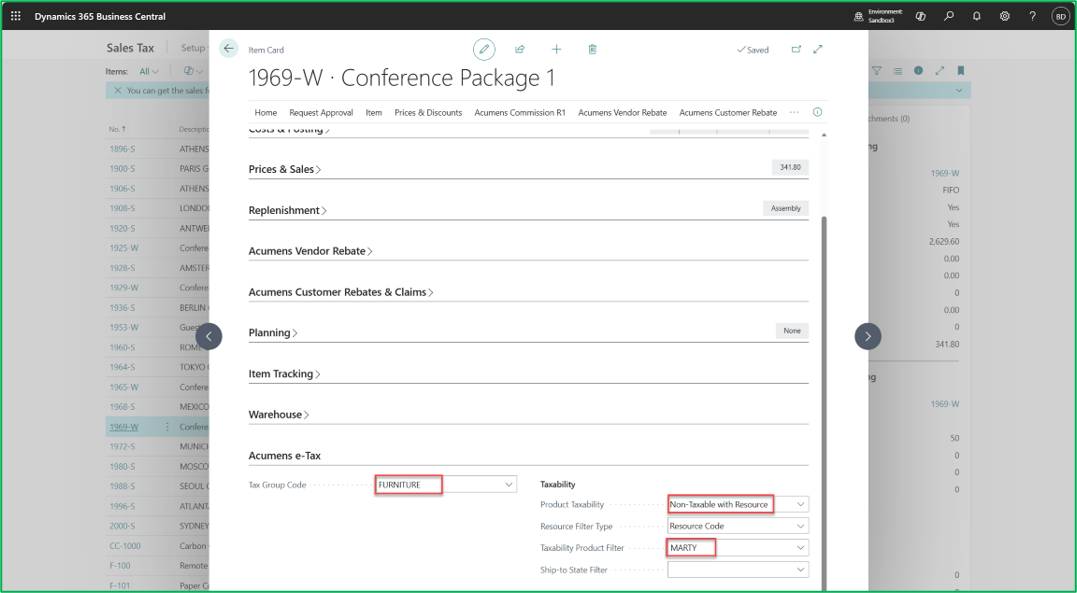
Sales Order:
When executing a sales transaction, running the Calculate Tax process evaluates these item/resource dependencies to automatically apply or adjust the correct tax calculation.
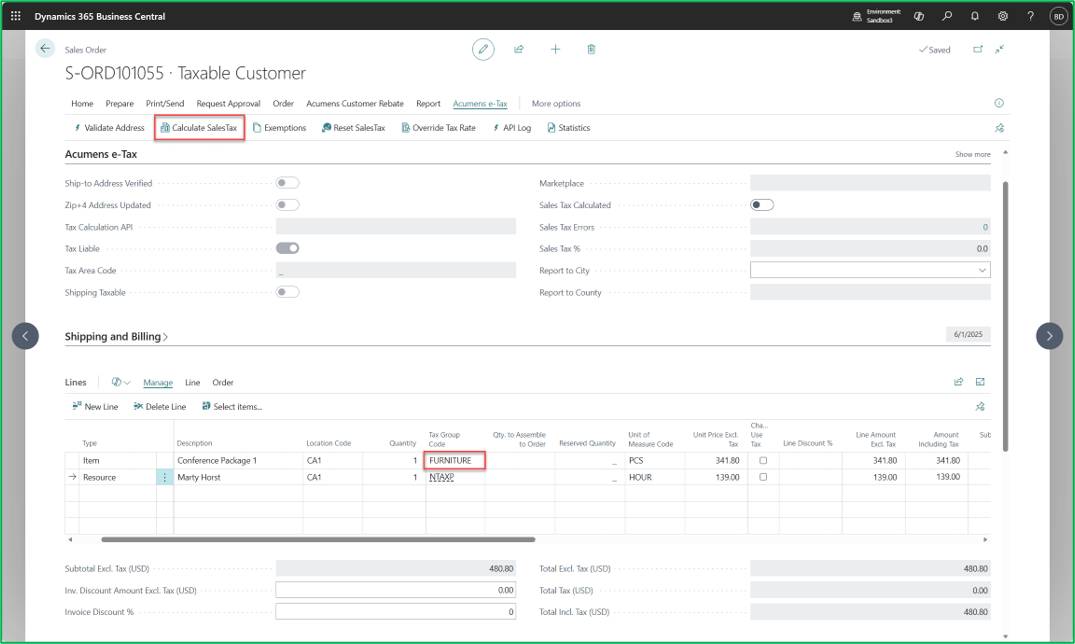
On Calculate Tax:
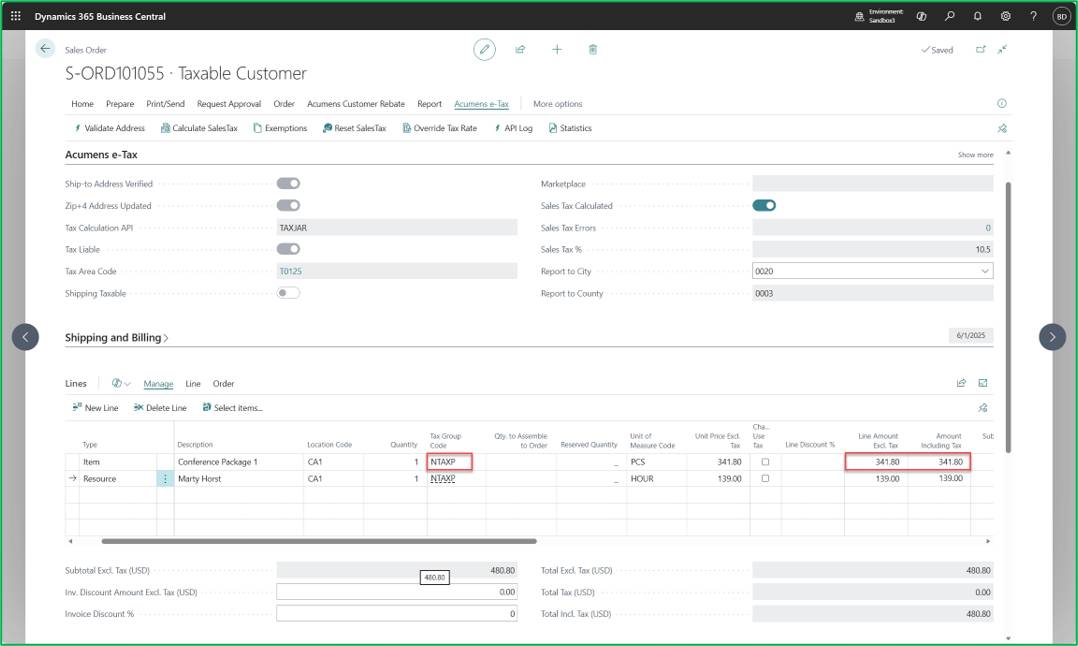
Auto-add Resource to Order:
It is the rule or system behavior that automatically adds the required labor or service line to a sales order when a certain product is sold.
Resource:
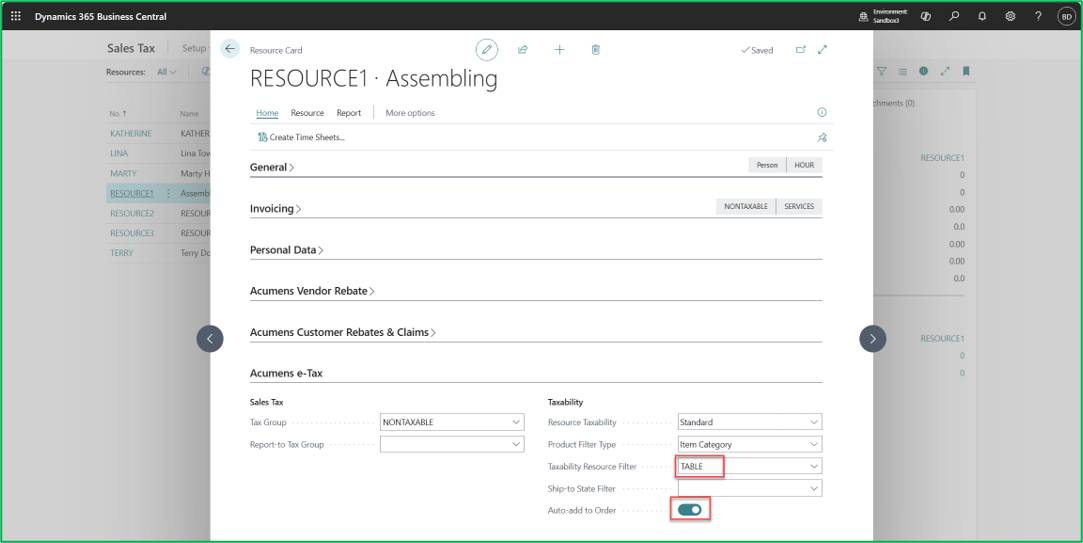
Sales Order -> Calculate Sales Tax