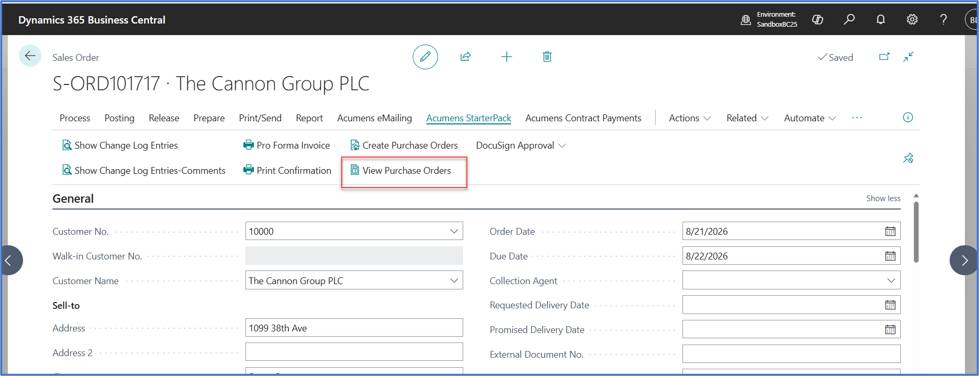
This feature provides an option to directly generate Purchase Orders linked to a Sales Order without going through the requsition worksheets.
When a sales line is flagged as either Special Order or Drop Shipment, user can just use an action on sales order card to Purchase Orders directly from the Sales Order.
This eliminates the current Business central process which forces users to go throught the standard manual process via Requisition worksheets.
Standard Business central provides the option to create purchase order for special orders through Requisition Worksheet > Special Order > Get Sales Orders > Carry Out Action Message.
Special Orders: Special Order is any item or items that is reserved for the customer. When a purchase order is done, the vendor will send these items to your warehouse, and then you ship them to your customer.
Drop Shipments: Drop Shipment is used when a purchased item needs to be shipped directly to the customer from your vendor. In such cases, you will not receive the item into your warehouse.
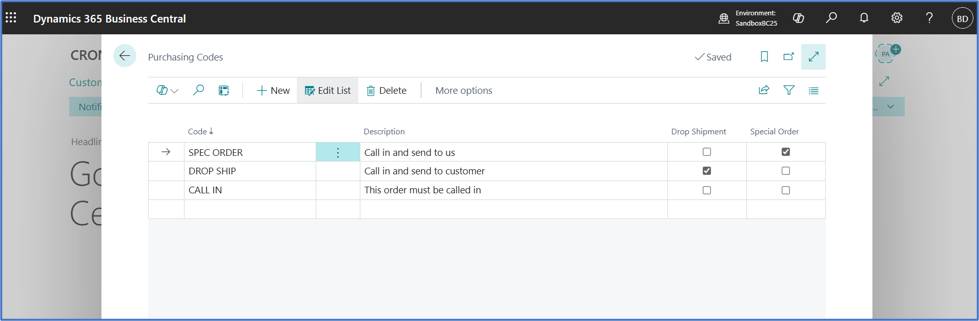
Setup Purchasing Codes for both Drop shipments and Special Orders.
Create a Sales Order, select sales lines and specify the purchasing code as either DROP SHIP or SPEC ORDER.
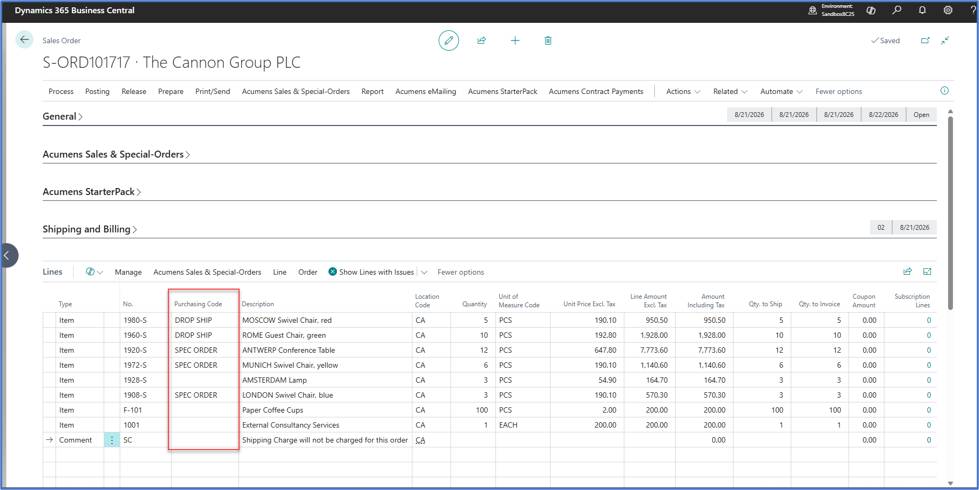
Release the order and click on “Create Purchase Orders”action under Acumens Starterpack.
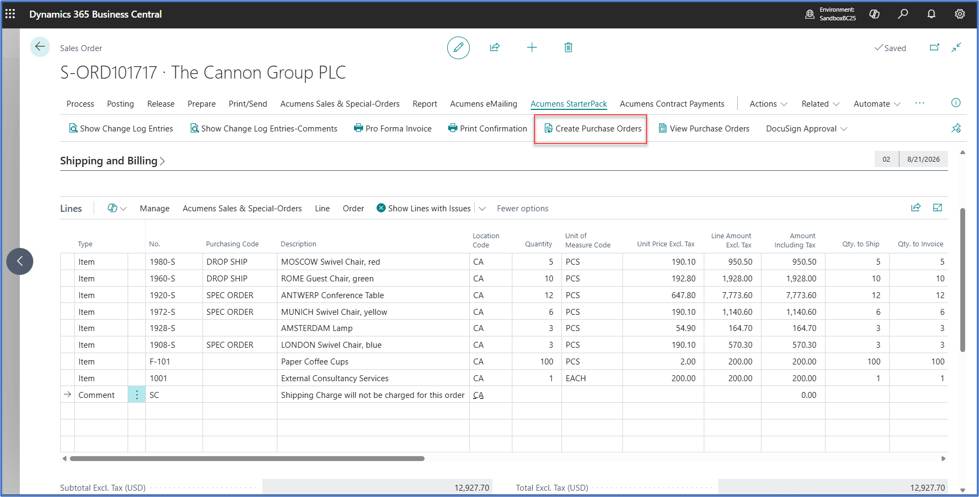
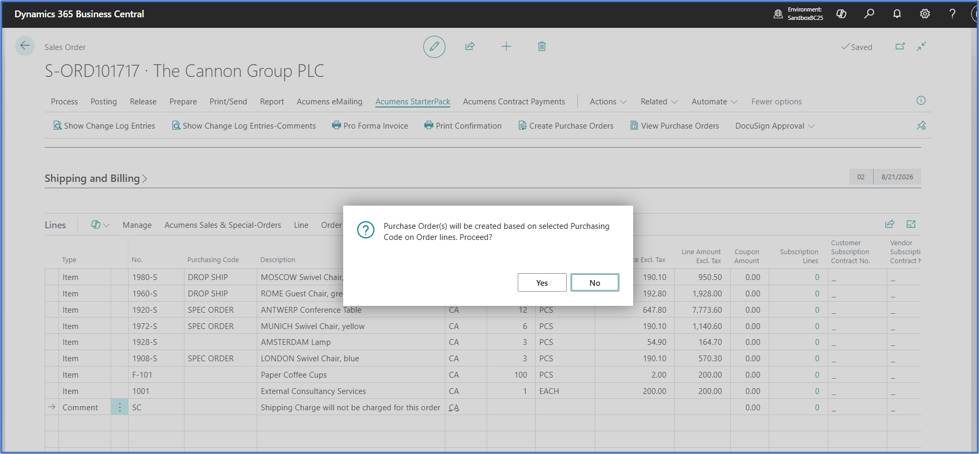
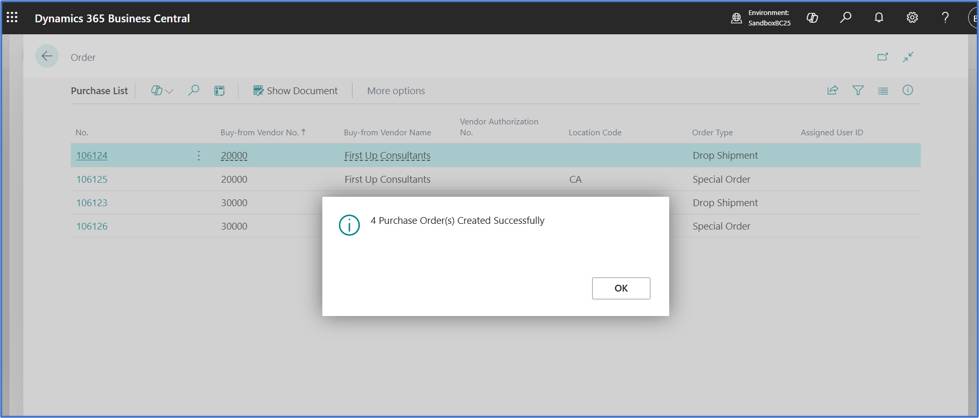
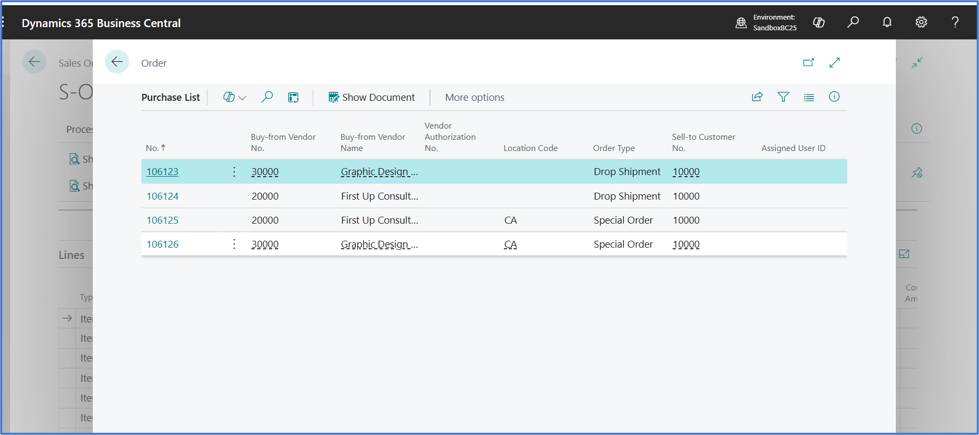
Purchase orders are created per Purchasing code, per customer.
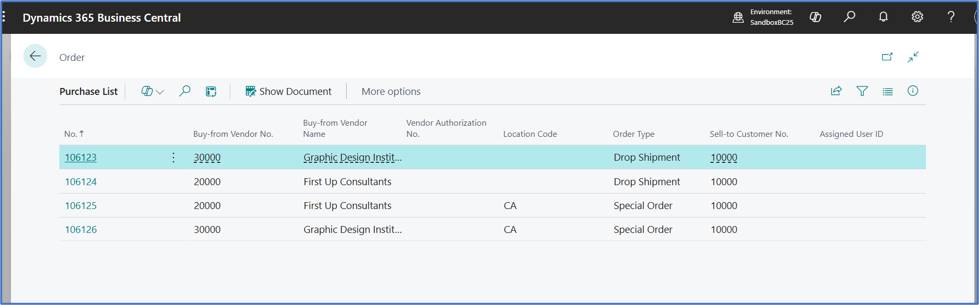
"View Purchase Orders" action provides an easier way to view all the purchase orders from the Sales Order.