Automate receivables with scheduled past-due invoice reminders, scheduled customer statements, and credit risk scoring, reducing the manual effort required to manage overdue accounts. Address Business Central’s limitations around manual AR follow-up and customer blocking with configurable past-due threshold criteria, structured credit reviews, flexible aging bands, and controlled customer blocking or unblocking.
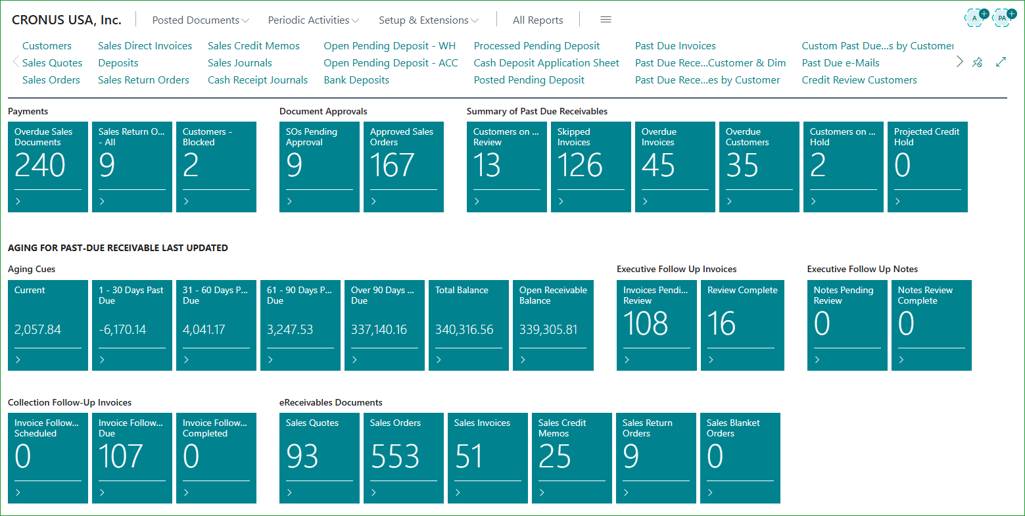
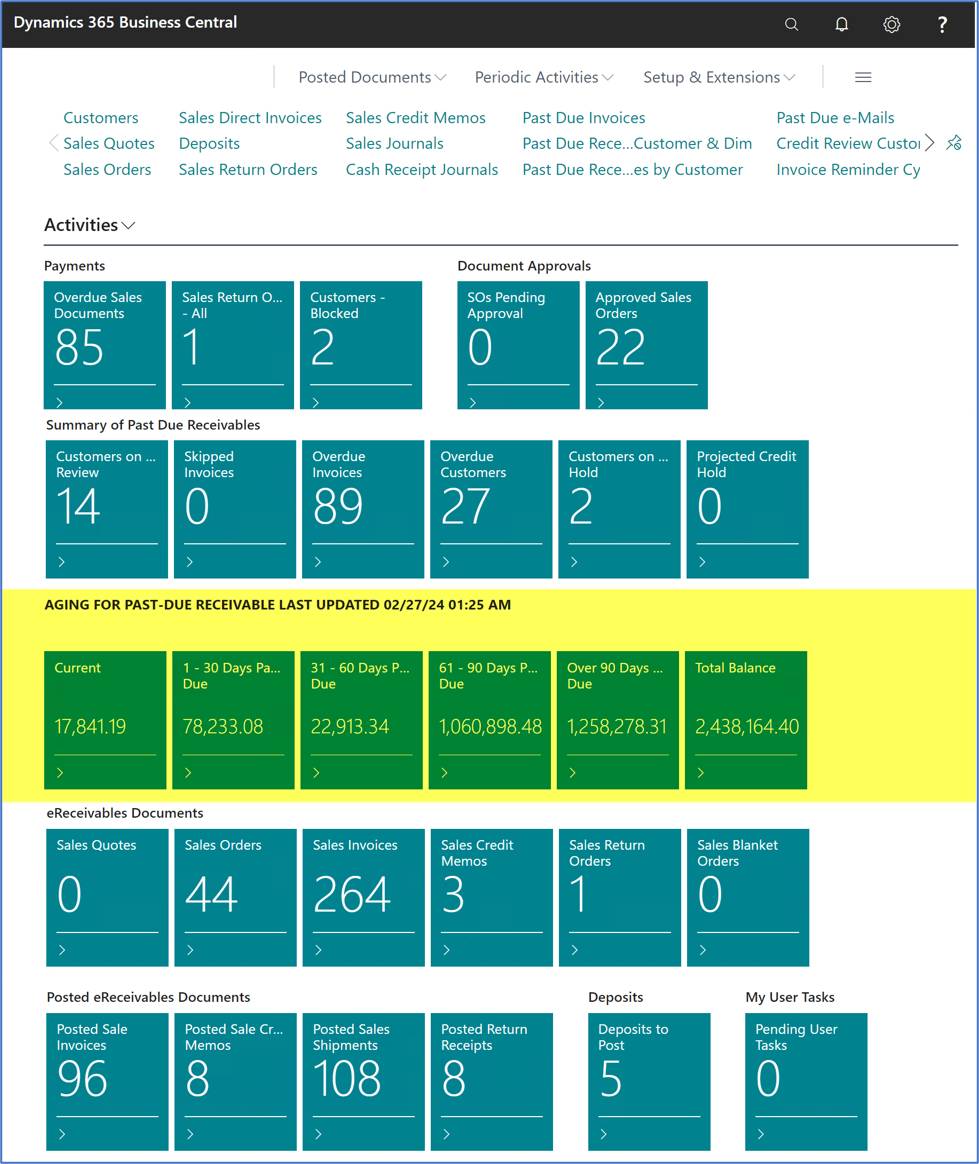
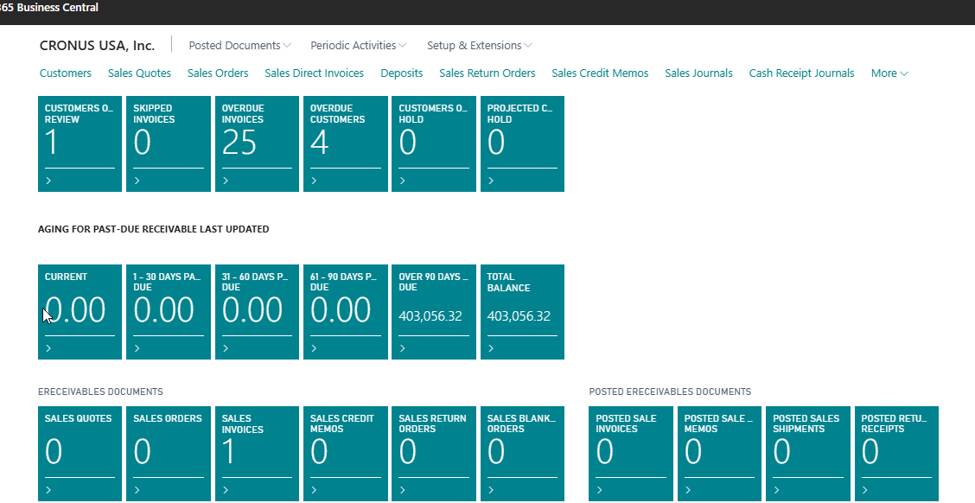
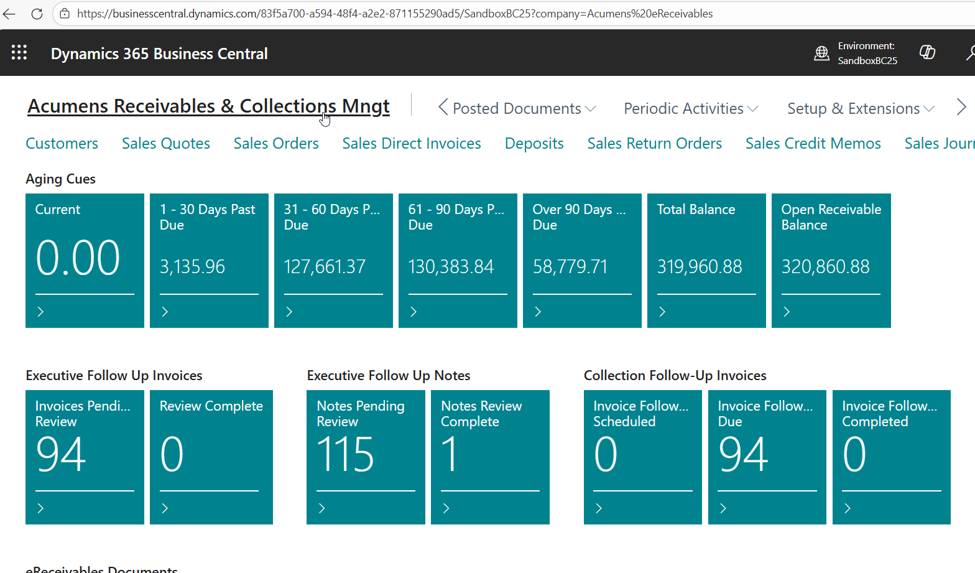
Every user opens straight into a Role Center tailored to what they're responsible for. Admins see everything. Sales team managers see the activity of everyone on their team. Salespeople see only their own accounts. Past-due balances are automatically grouped into flexible aging buckets – 30, 60, 90 days, or whatever thresholds your business runs on – so the moment someone logs in, they know exactly where to focus.
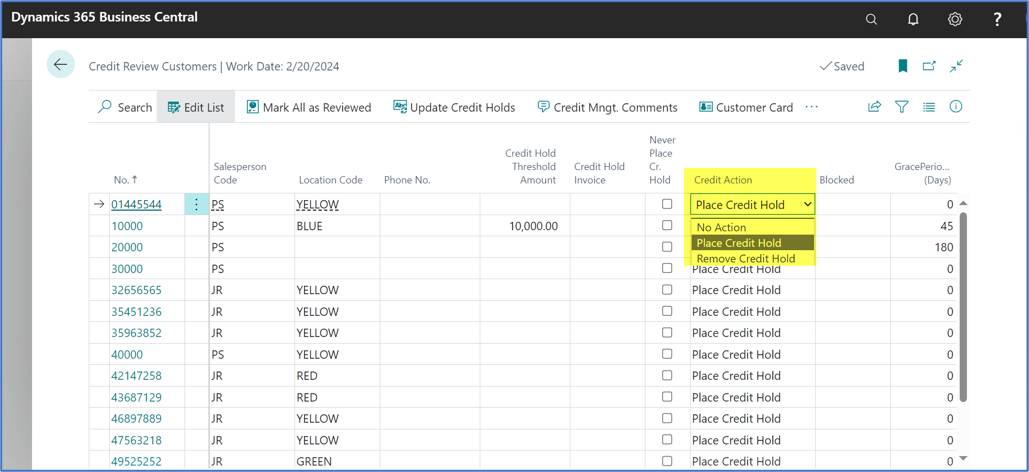
Credit holds are one of the most sensitive levers in AR – block the wrong customer and you delay business; miss a risky account and you increase credit exposure. This app automates the whole cycle:
Everyone on hold shows up in one consolidated Customers on Credit Hold list, so nothing falls through the cracks.
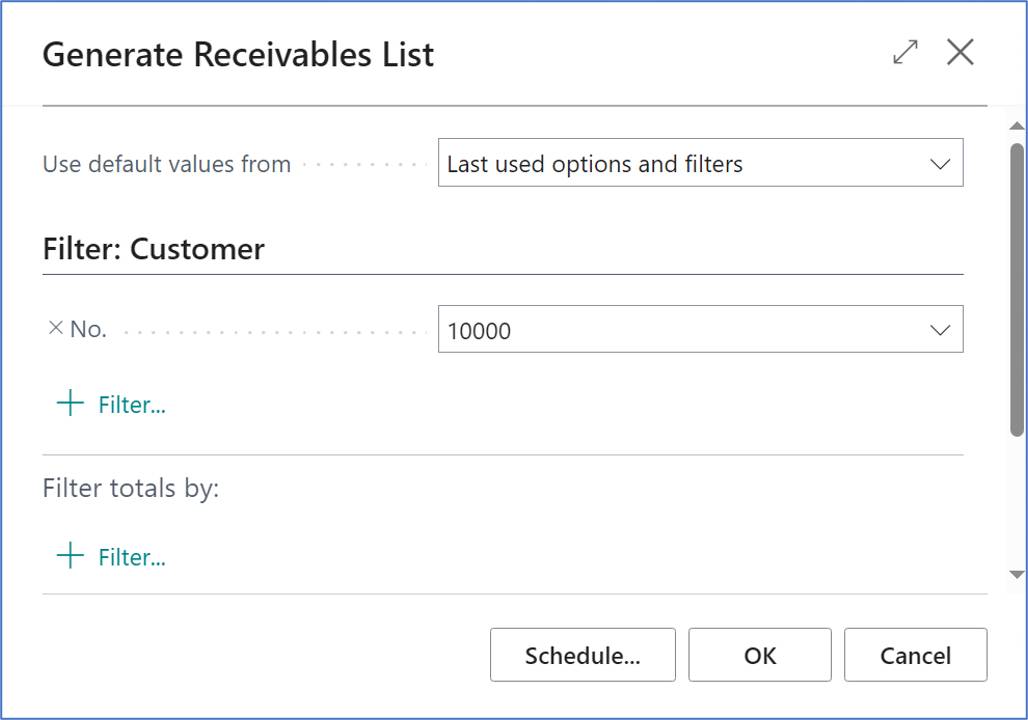
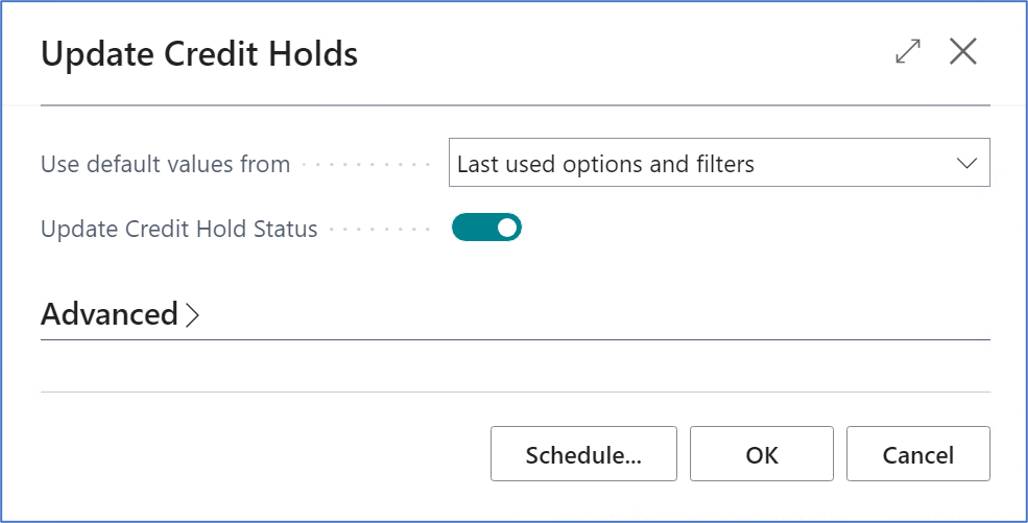
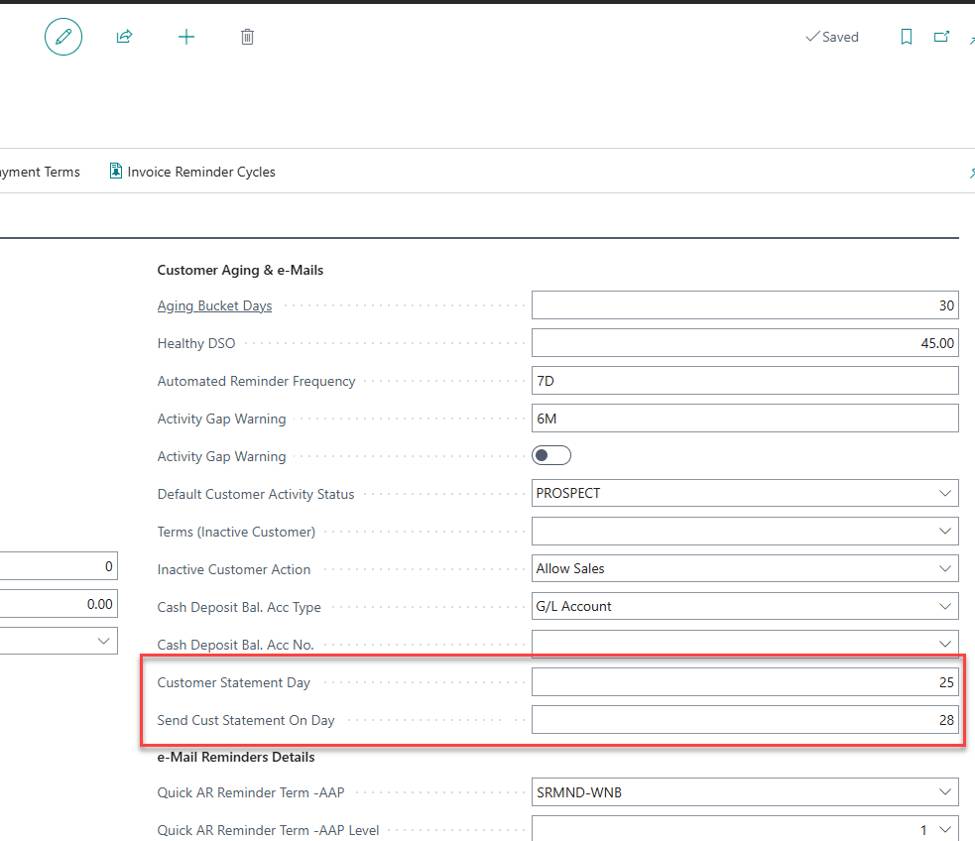
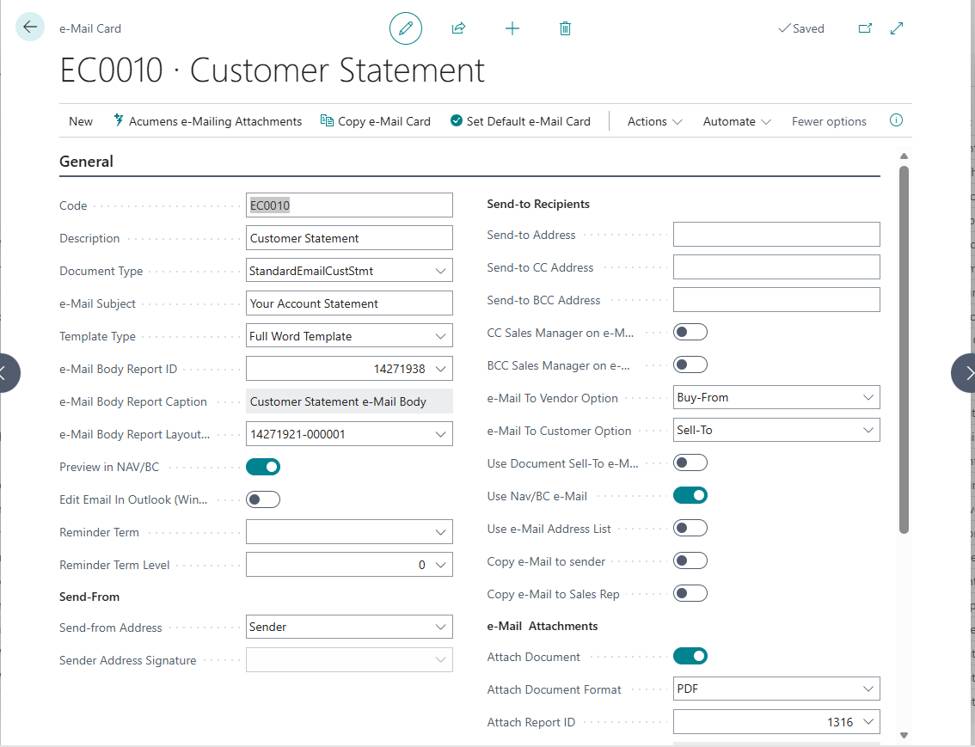
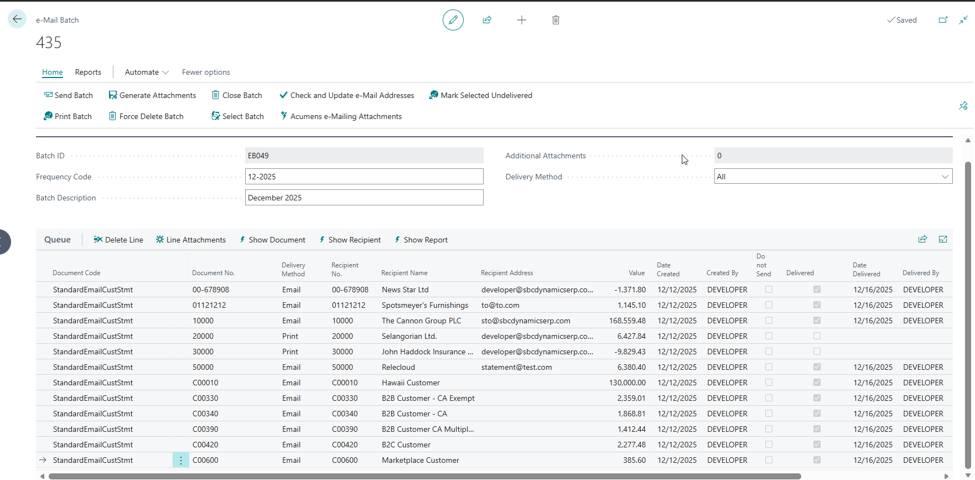
Set the day of the month and the as-of date once, and statements generate and email automatically – including whichever supporting invoices and credit memos each customer's settings call for, either as separate attachments or a single merged PDF. The email itself is fully configurable, with its own card controlling which statement gets attached, the body text, and the recipient address, and a job queue entry that triggers the batch automatically on send day.
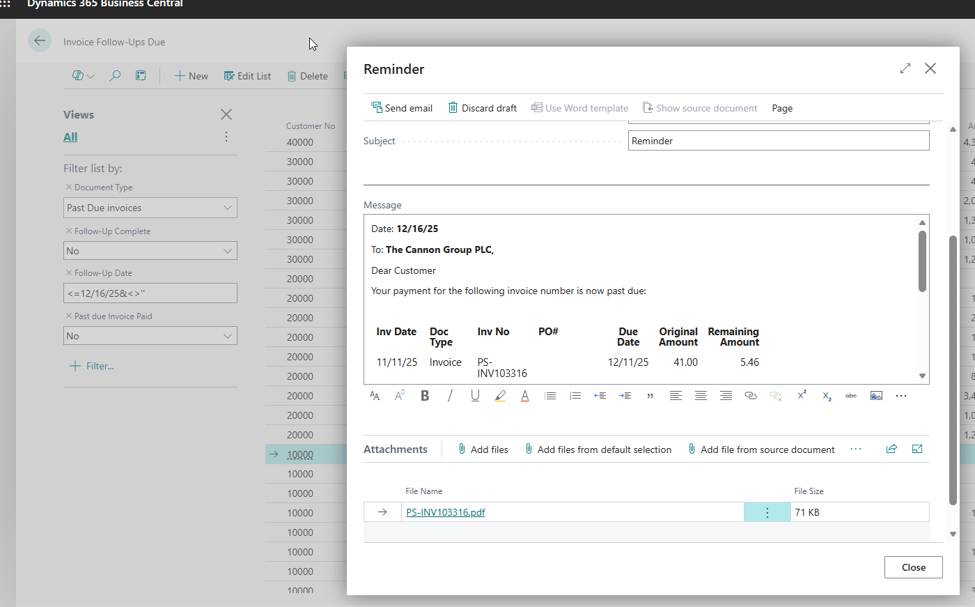
For instant reminders, Quick AR Reminders let you send reminders for all open invoices, a hand-picked selection, or everything 30+, 60+, or 90+ days past due – directly from the Overdue Invoices, Customer Ledger Entries, or Past Due Invoices pages, using templates configured in advance.
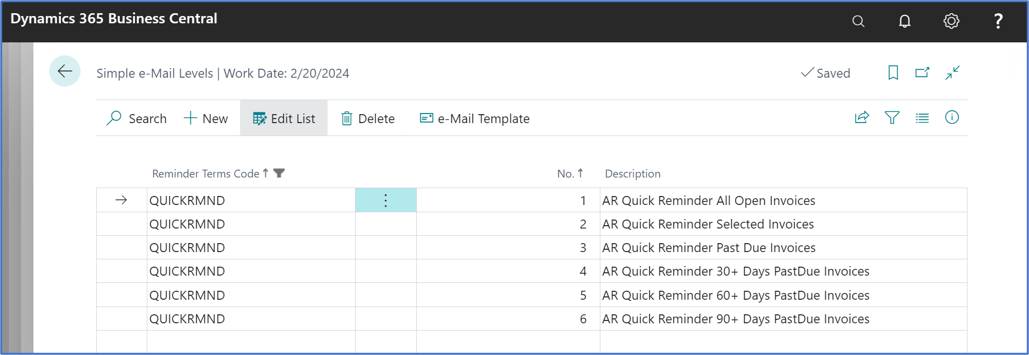
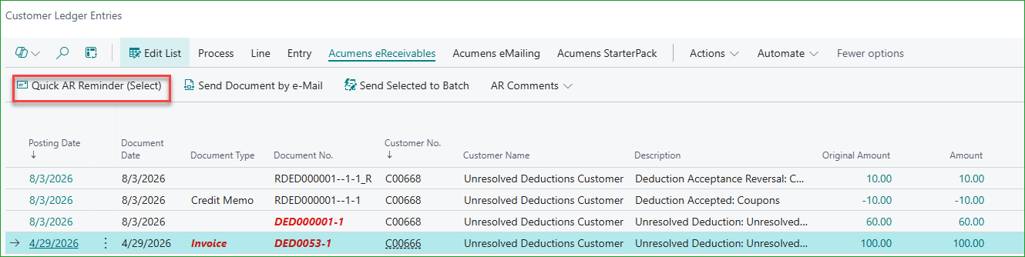
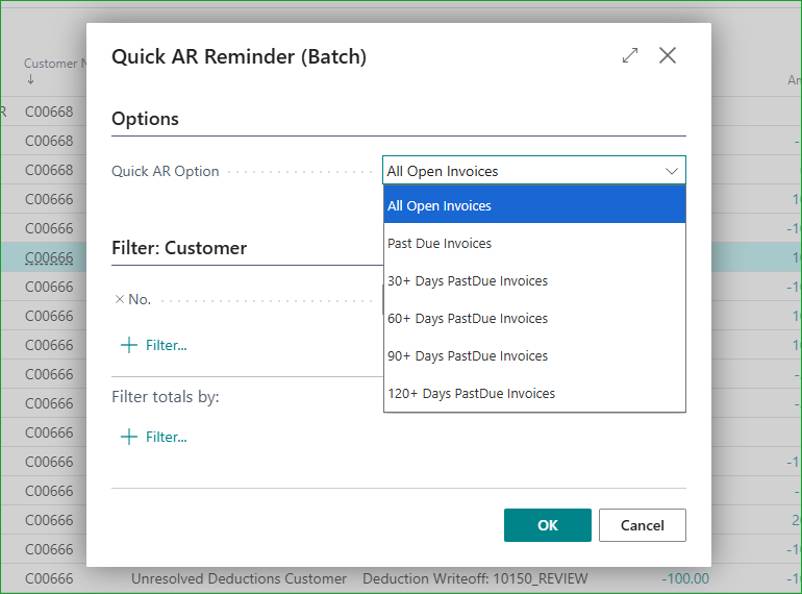
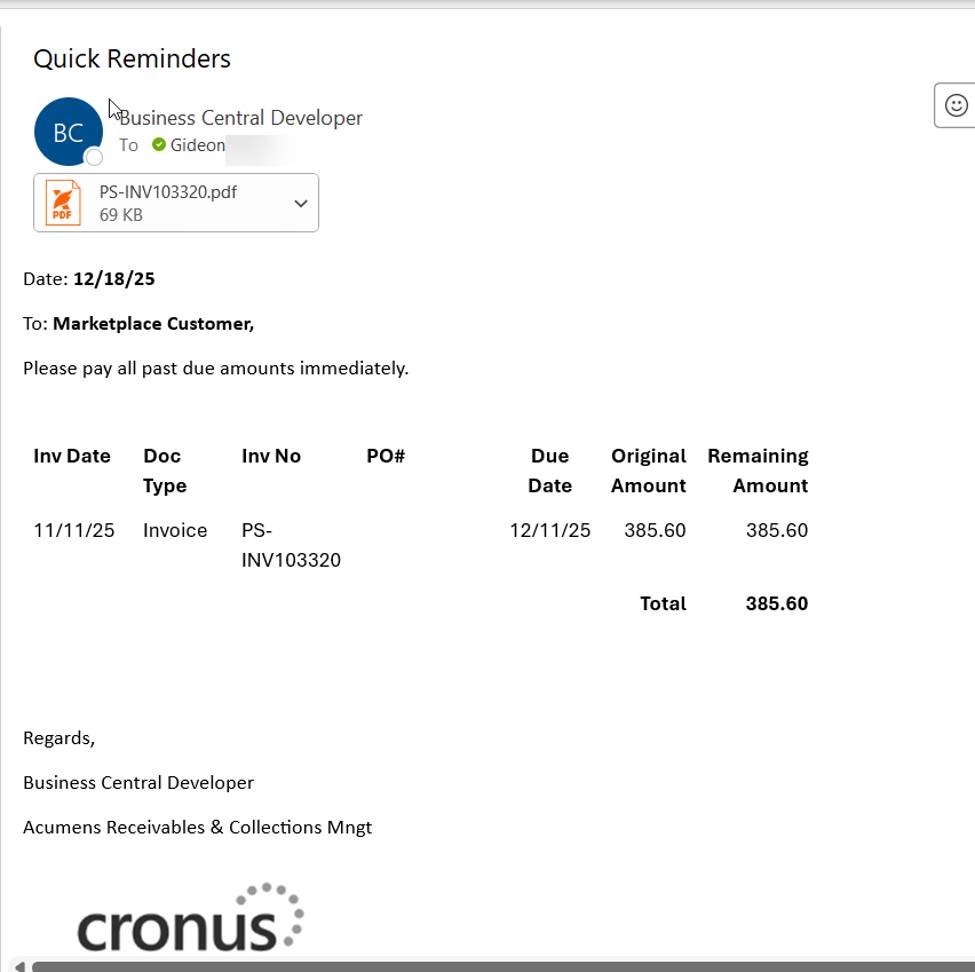
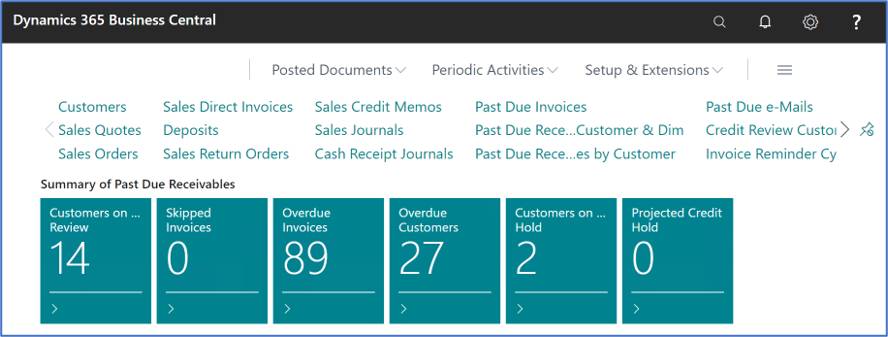
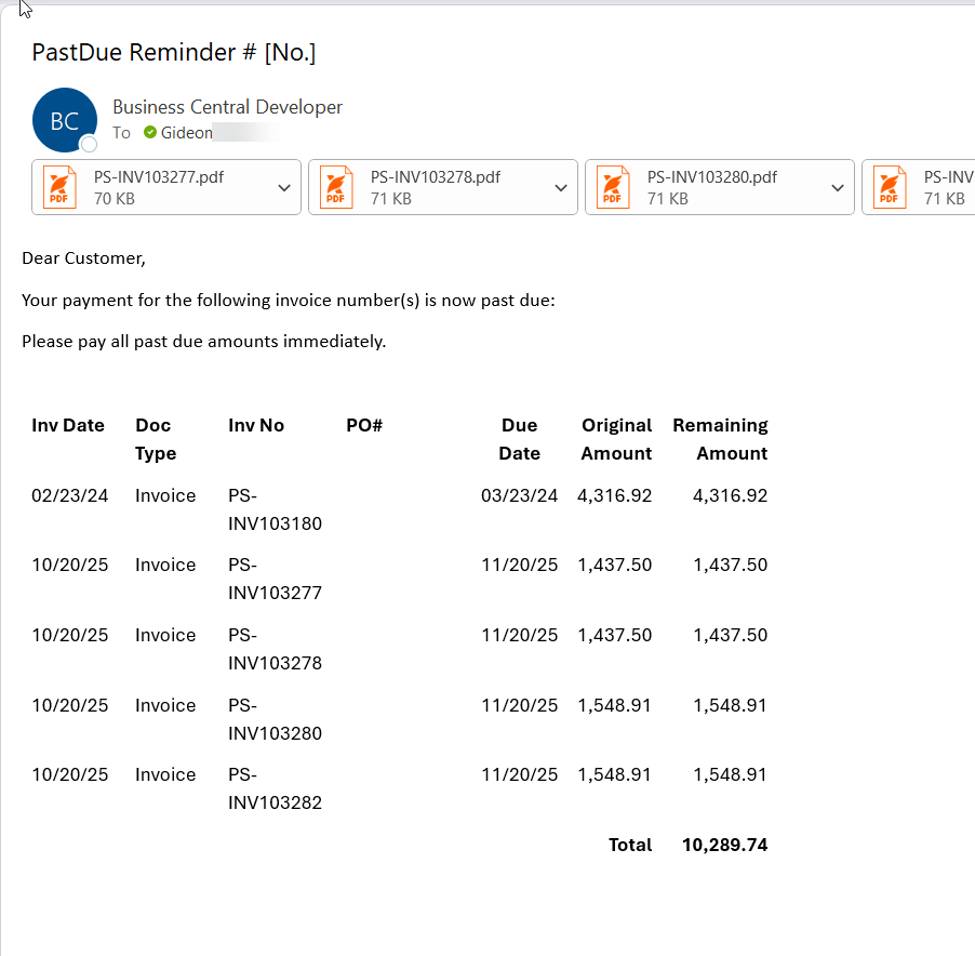
For a broader, aging-based push, Past Due Reminders let you generate and email a customer's full past-due position in one message, with drill-down available on any amount to see the breakdown behind it. Two options are built in: Aging Reminders, based on the customer's aged balance, and Credit Level Reminders, where the email's wording automatically adjusts to the customer's assigned credit level or degree of delinquency.
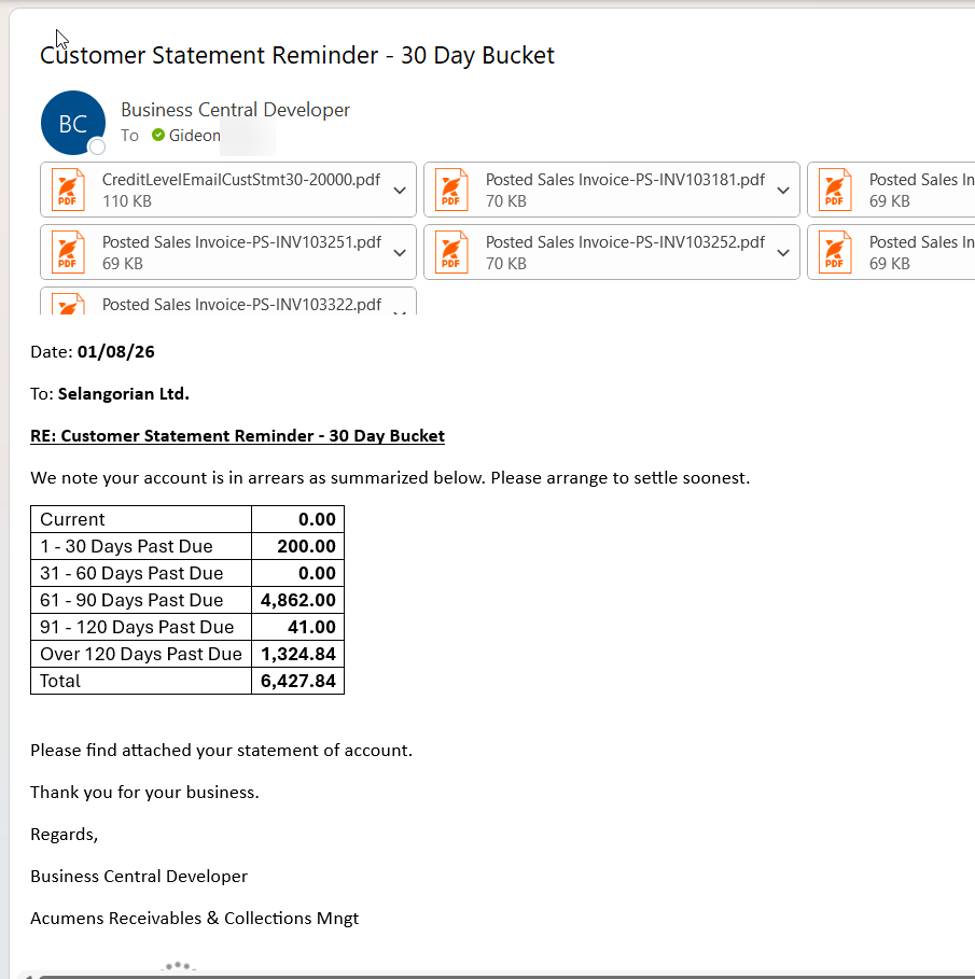
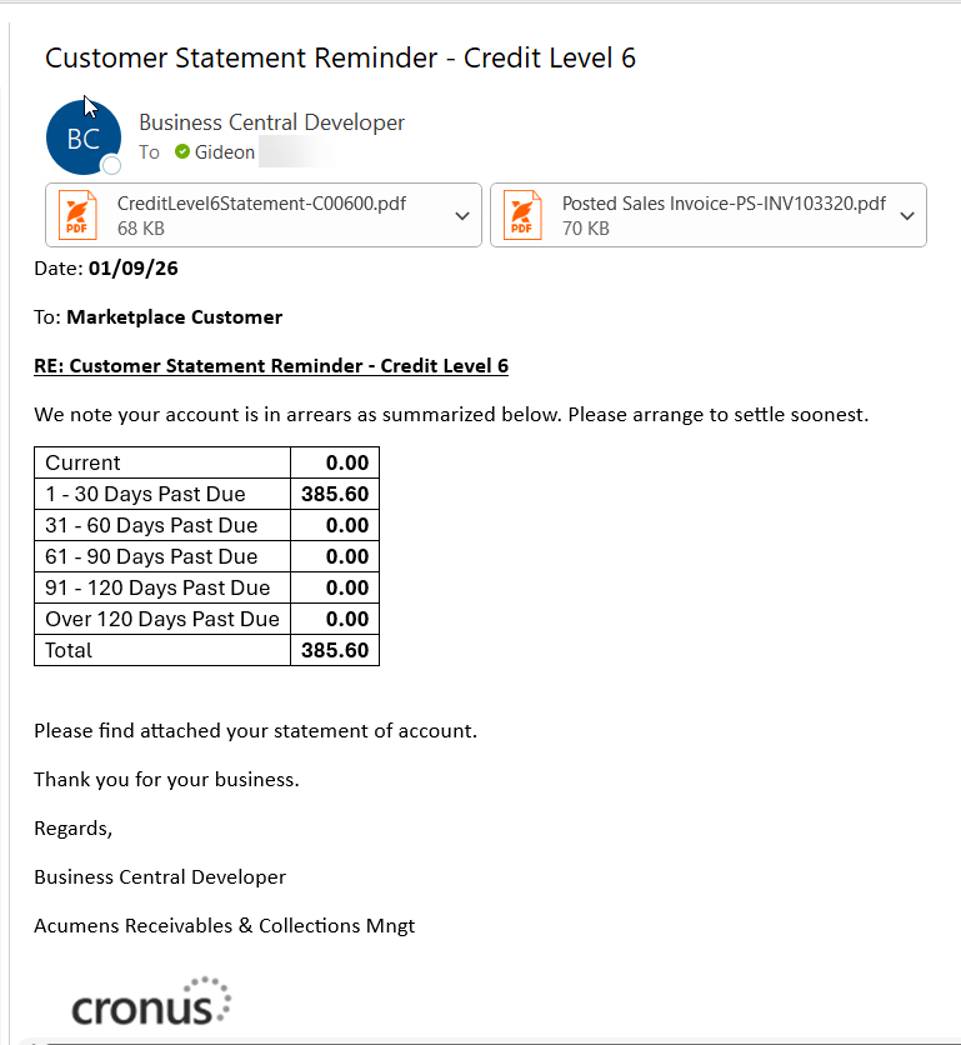
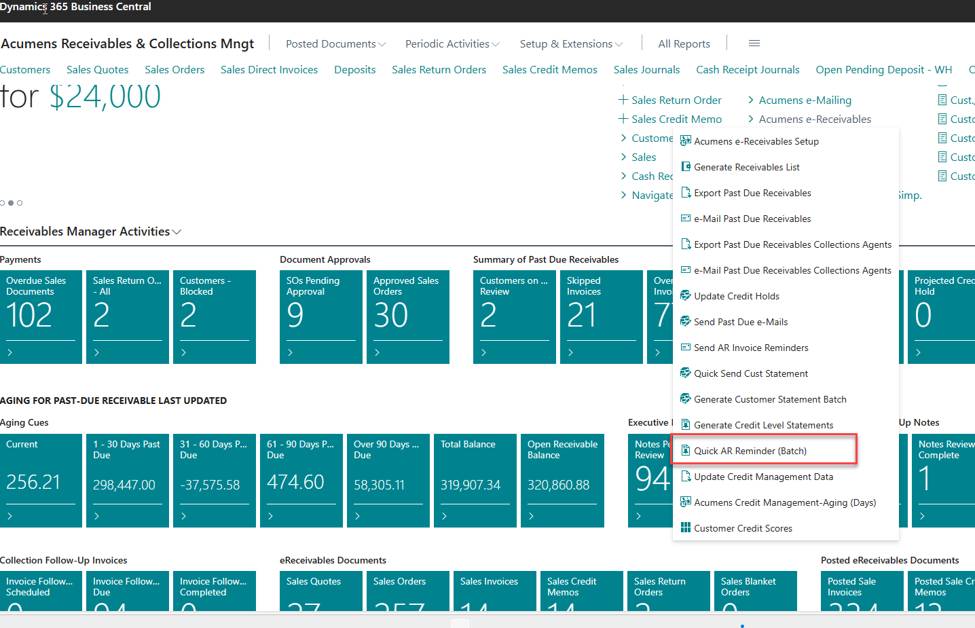
Scheduled Reminders take the same past-due logic and run it as a batch across your entire customer base at once. A single Quick AR Reminder batch action generates the entries into a Past Due e-Mail list, and from there one click dispatches every reminder email in the queue.
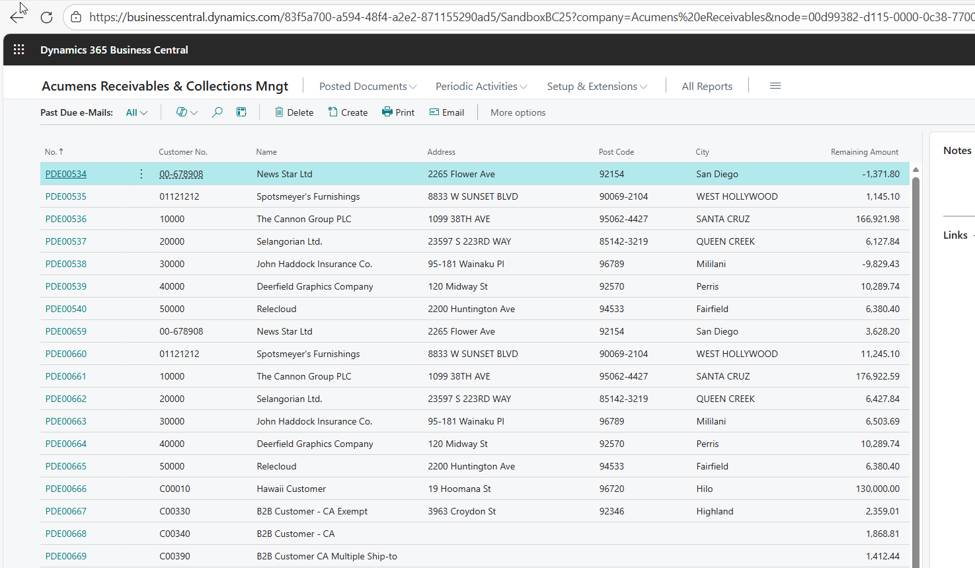
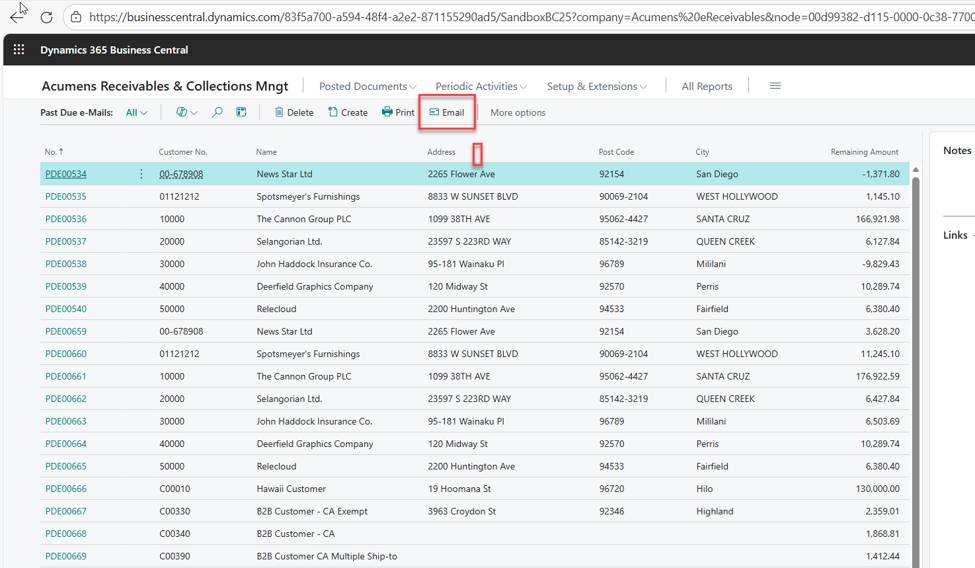
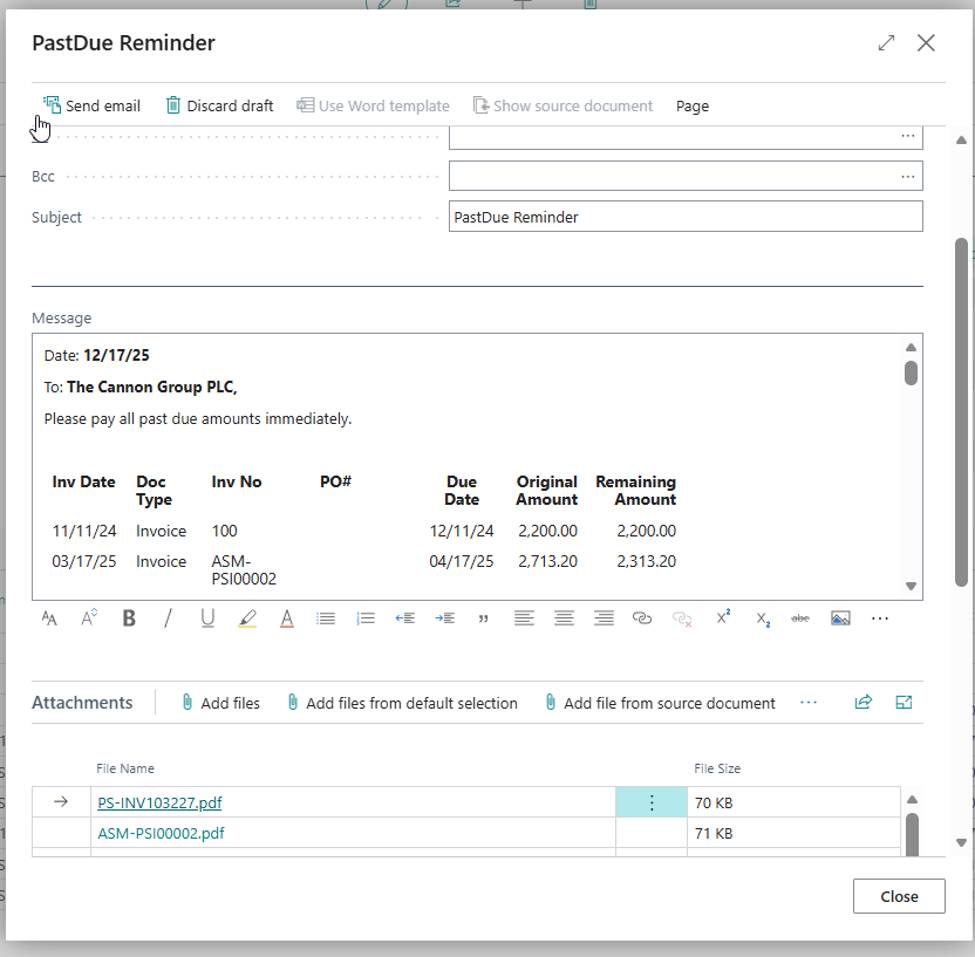
For the more surgical cases, Single Invoice Reminders let you select one specific overdue invoice and send a reminder tied to just that document as it falls due.
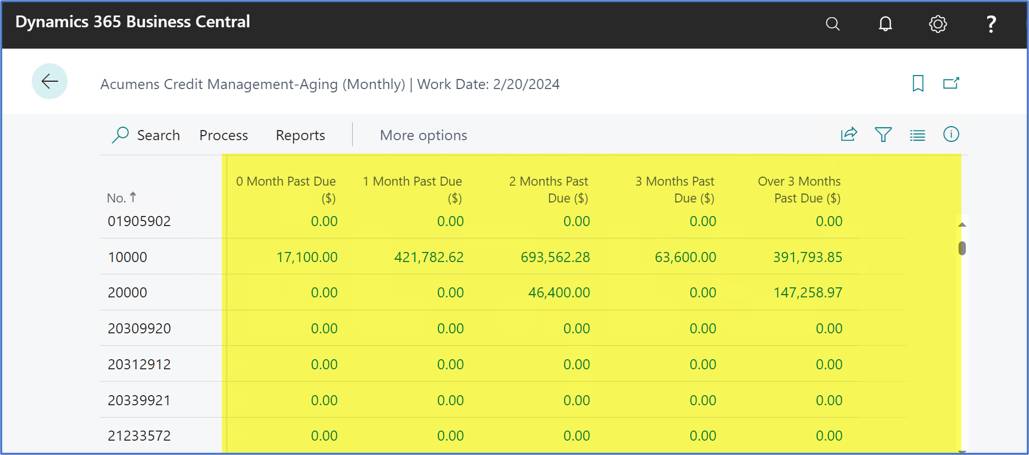
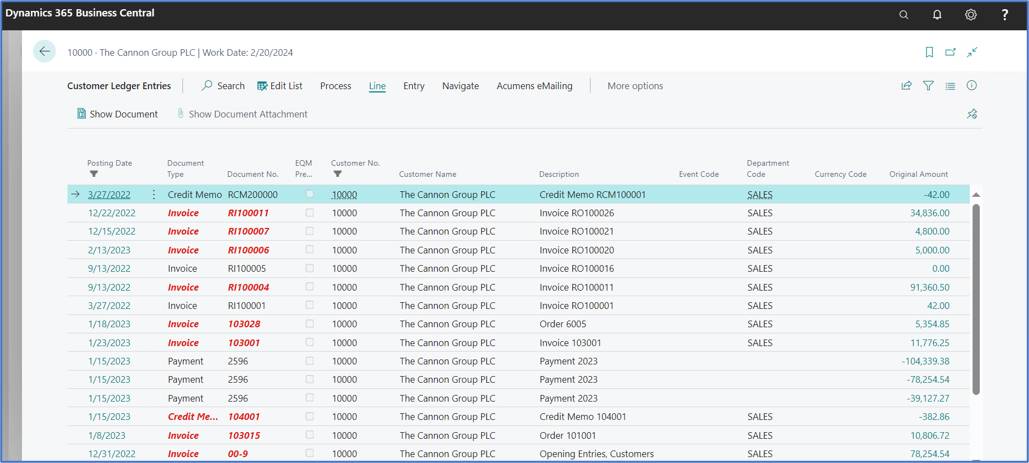
The Credit Management page shows every customer's aging balance by month, with drill-down into the figures behind each one. Because it's updated in real time as invoices, credit memos, and payments post, exposure is never a stale, end-of-month number.
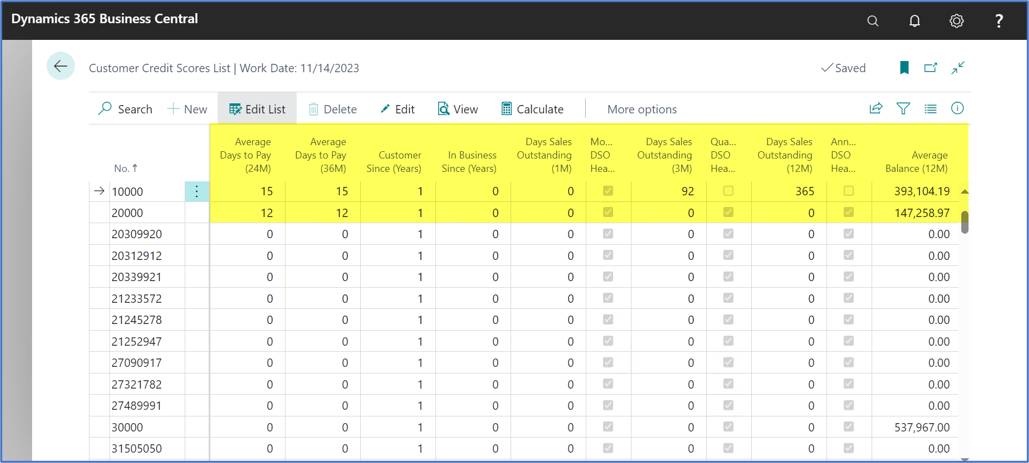
Credit Risk Scores provide an early-warning system instead of an after-the-fact review. Scores are calculated per customer against parameters you define, either on demand or automatically on a schedule via job queue, with a full score history available for any customer on the list.
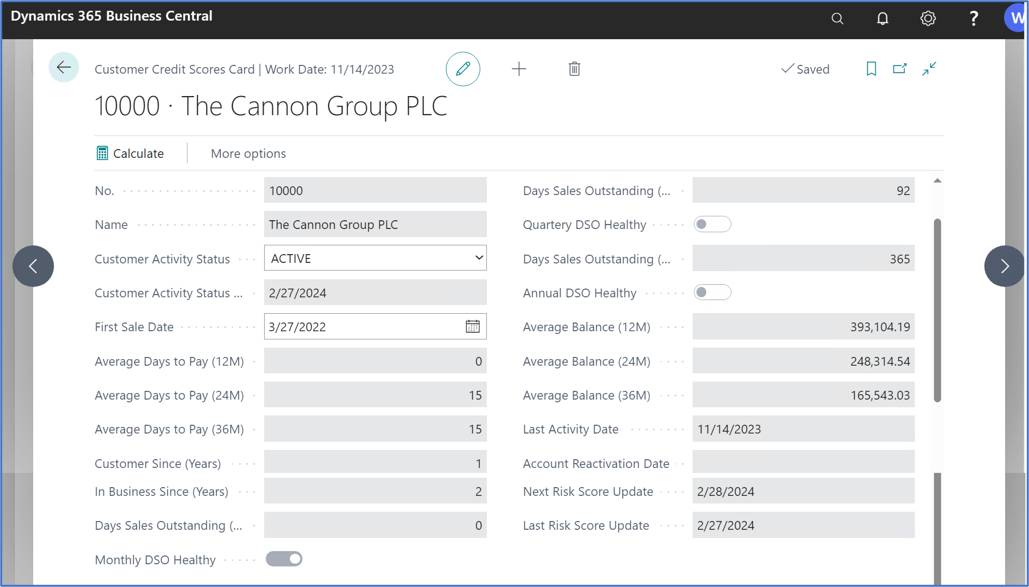
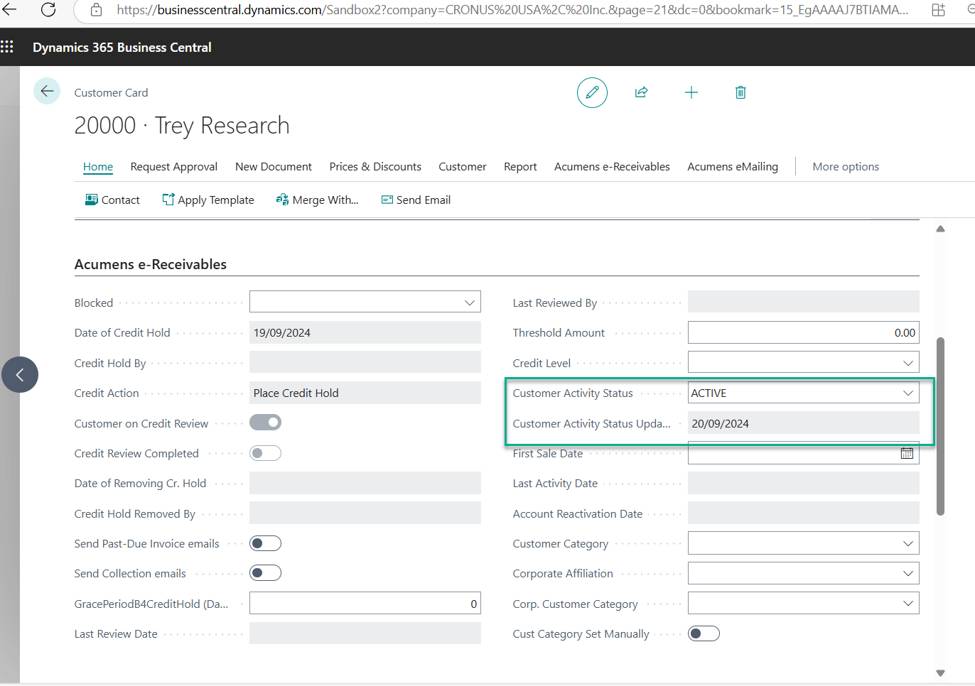
The app also watches for a quieter risk signal most systems miss: accounts that have simply gone quiet. Based on a Last Activity Date and a configurable Activity Gap Warning period, a periodic batch process keeps each customer's Activity Status and Activity Update Date current automatically.
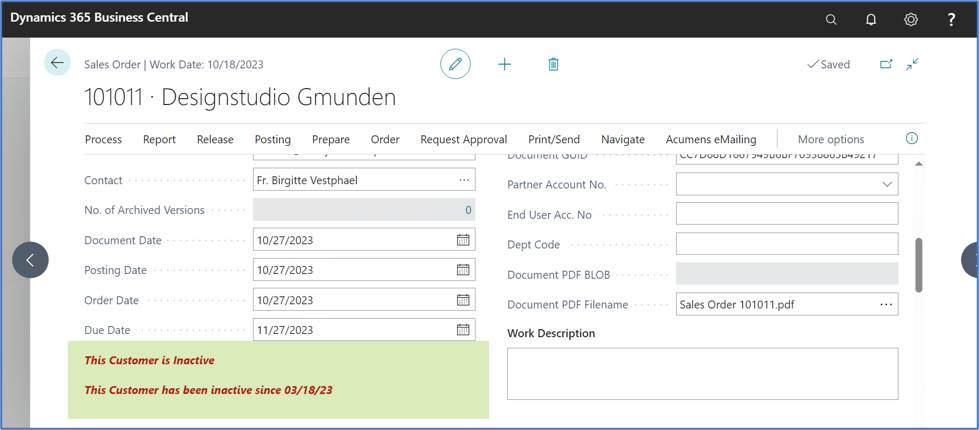
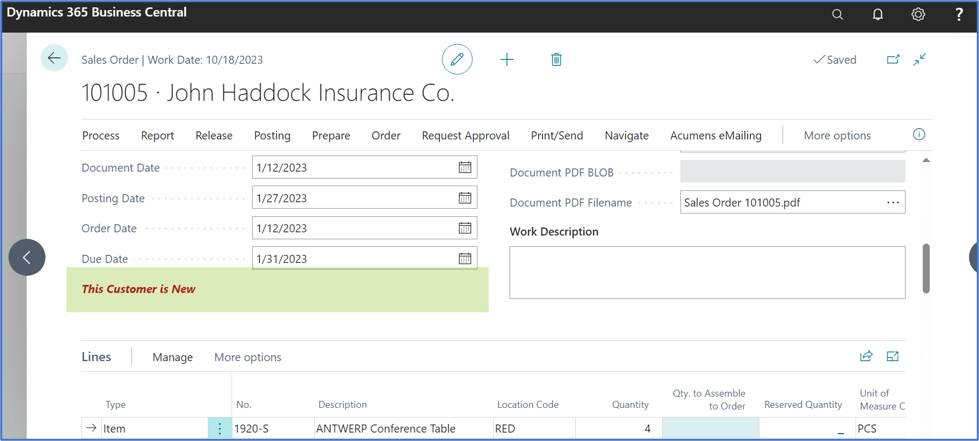
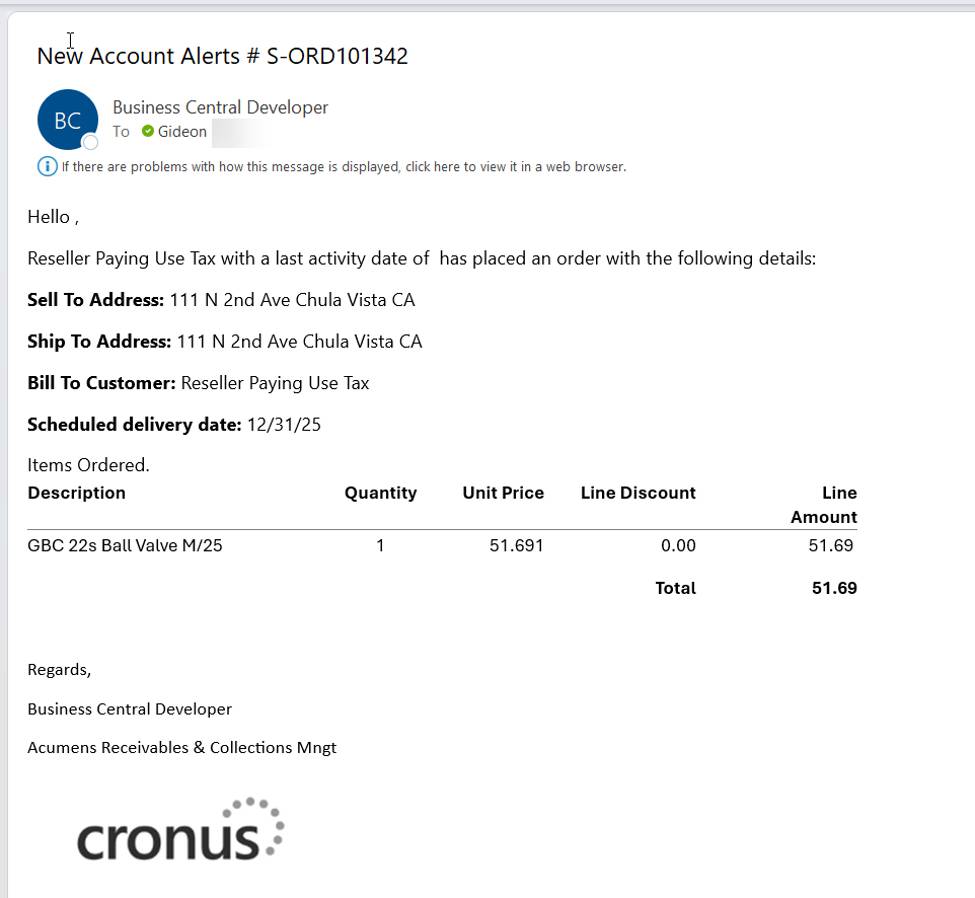
New Account Alerts flag the account activity status for a customer's last posted sales invoice right on the sales order. Once enabled, with a New Account Alerts Period Calculation set on the setup, the system emails the assigned salesperson at order release in two situations: customers with six or more months of inactivity, and brand-new customers with no activity date at all – precisely the moments extra credit scrutiny pays off. A copy of the alert is also routed to any additional email addresses you define.
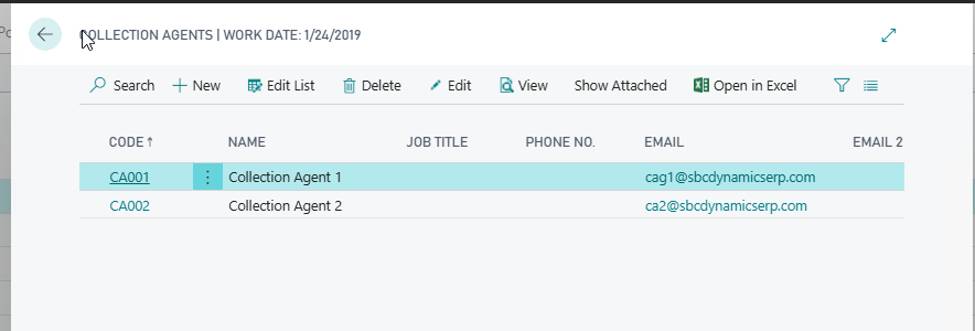
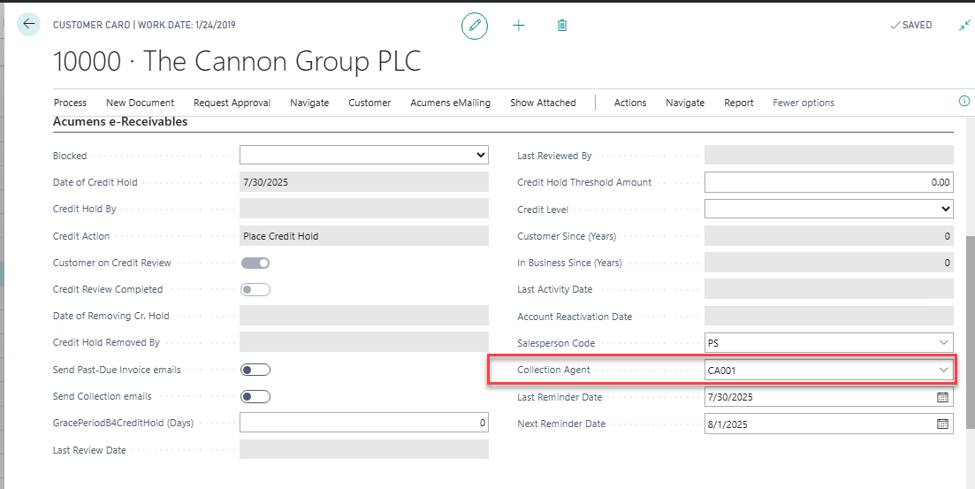
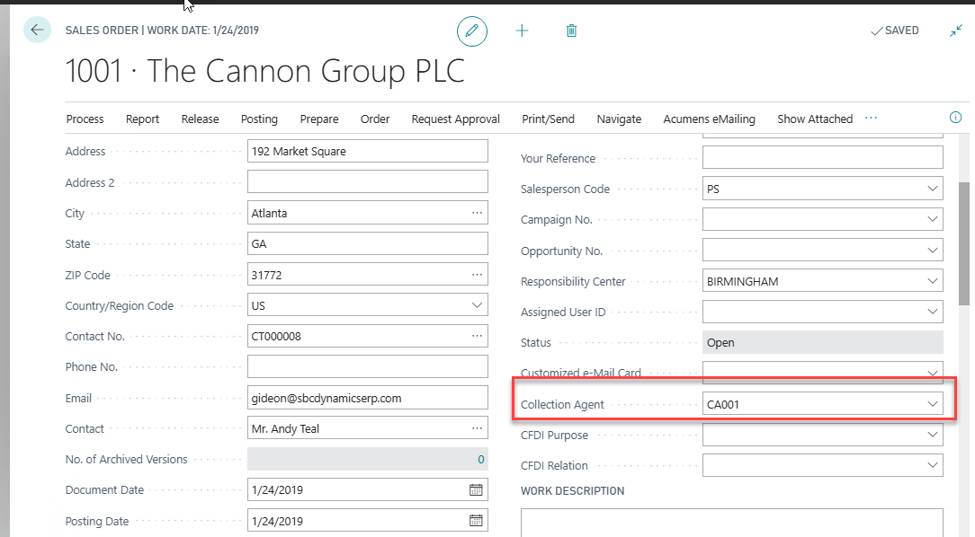
For businesses running a dedicated collections function, Acumens Receivables and Collections Management adds a full agent structure. Collection Agent codes are set up and assigned to salespeople and customers, then flow automatically through sales orders into posted ledger entries. Mapping an individual user to a Collection Agent Filter in user setup ensures their Collection Agent Dashboard (and every cue on it) shows only their own book of business, including a dedicated view of their past-due invoices, while the unfiltered Admin dashboard keeps full visibility across every agent.
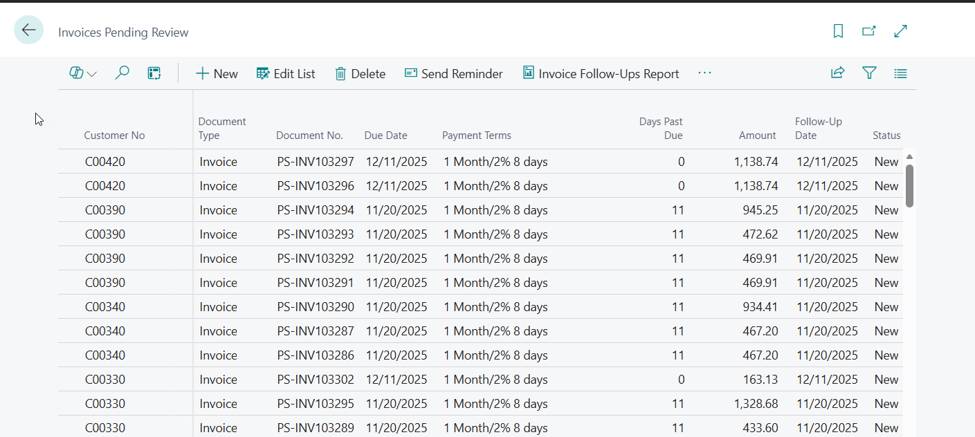
Underneath collections sits a Follow-Ups engine. Every run of the receivables batch job seeds new follow-up records into role-specific cues: a Cue Summary rolling up all follow-ups and their comments, a Manager Cue splitting pending-review items from paid ones, and a Collector Invoice Follow-Ups cue tracking items as Scheduled, Due, or Completed. Collectors log comments against each follow-up from a Document Comments page, mark items complete with a single checkbox, and paid invoices move automatically to a Notes Review Complete cue – giving managers a running audit trail without ever asking for a status update. A separate Follow-Up Reminders flow, driven by its own e-mail card and configurable Reminder Terms and Levels, sends dedicated follow-up emails straight from the invoice list.
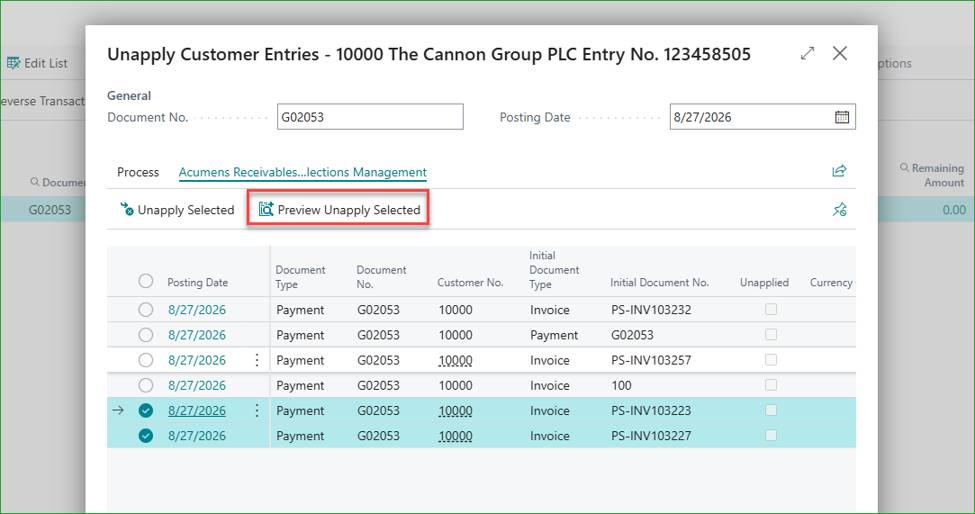
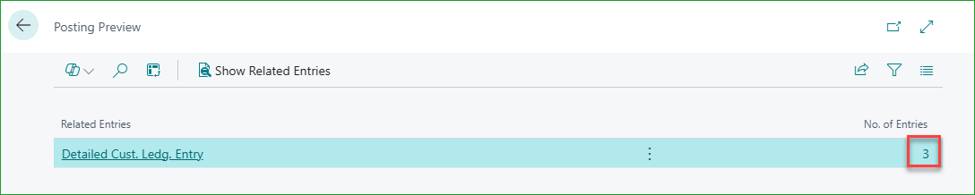
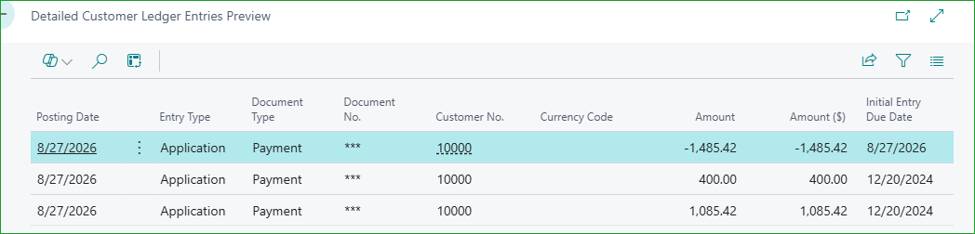
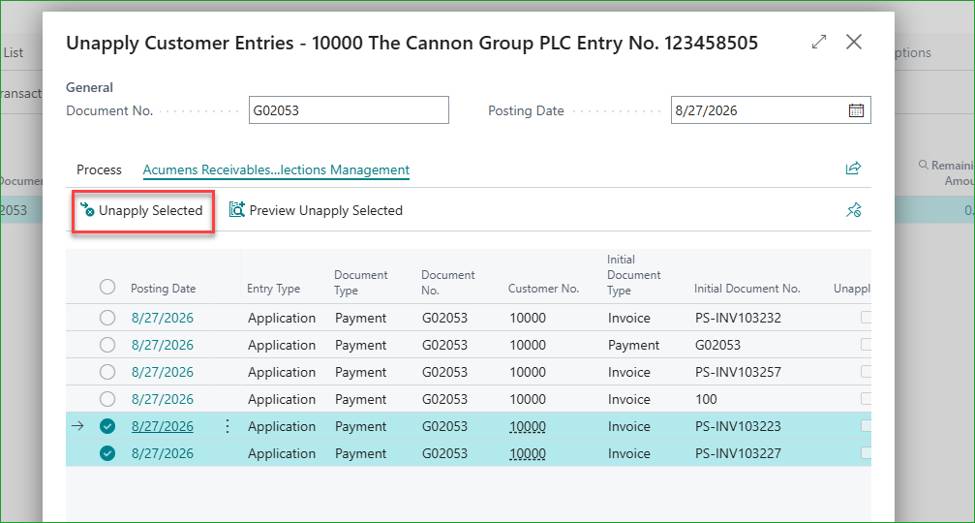
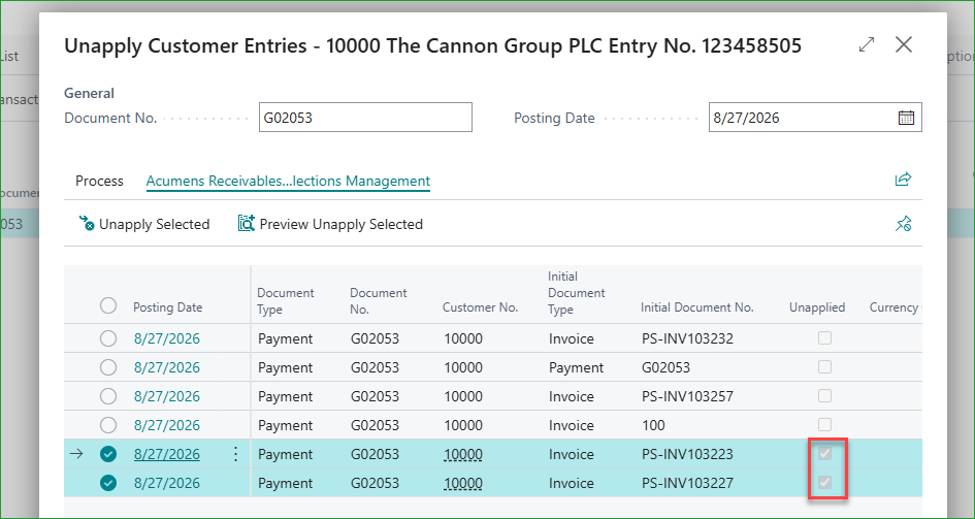
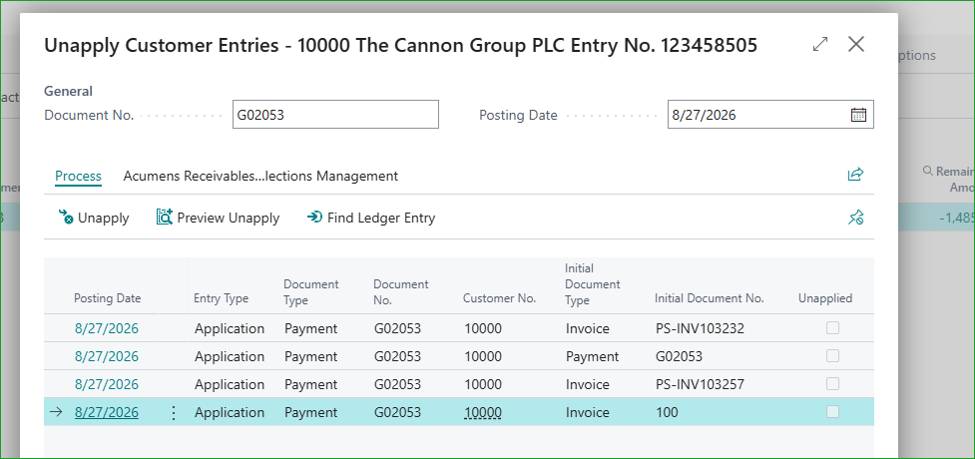
Standard Business Central forces you to unapply an entire payment batch even if only one invoice in that application needs to change, a frustrating, all-or-nothing constraint. Partial Unapply removes this limitation: select just the invoices that need to be undone, click Preview Unapply Selected to see exactly which invoice entries and the balancing payment entry will be affected, then click Unapply Selected to act on only those invoices. Unapplied entries are marked accordingly on the page, and once it's reopened, they drop off the list entirely – leaving the rest of the original payment application untouched.
Acumens Receivables and Collections Management fills in the gaps around credit risk, collections, and customer communication that native BC leaves to manual effort. It brings structure and automation to the AR process, helping teams evaluate risk, send reminders on schedule, manage agent workloads, and give finance leaders a real-time view of exposure instead of relying on monthly reports that are already out of date.
If your team is still stitching this together with Excel and reminder emails typed from scratch, it’s worth trying this out.