Creating a new company in Business Central can require significant effort when the objective is to retain relevant setups and master data while excluding historical transactions and other unnecessary data. This feature simplifies that process by providing controlled ways to create a clean company based on an existing company.
Two processes are supported:
Create New Blank Company and Copy Master Data – Creates a new blank company and copies the required master data and setups from an existing company.
Copy Company and Delete Transactions – Copies an existing company and removes transactional data, retaining the required master data and setups.
The operation is intended to be performed within the same Business Central environment or database. The database can be moved to a new environment before or after the company copy process, providing flexibility when preparing companies for a different environment.
Install Acumens StarterPack app then in "Starterpack Feature Management" page, enable "Feature: Copy Company Data".

The following options are supported.
Create a blank company, then copy required setups and master data from the master company. Proceed as follows;
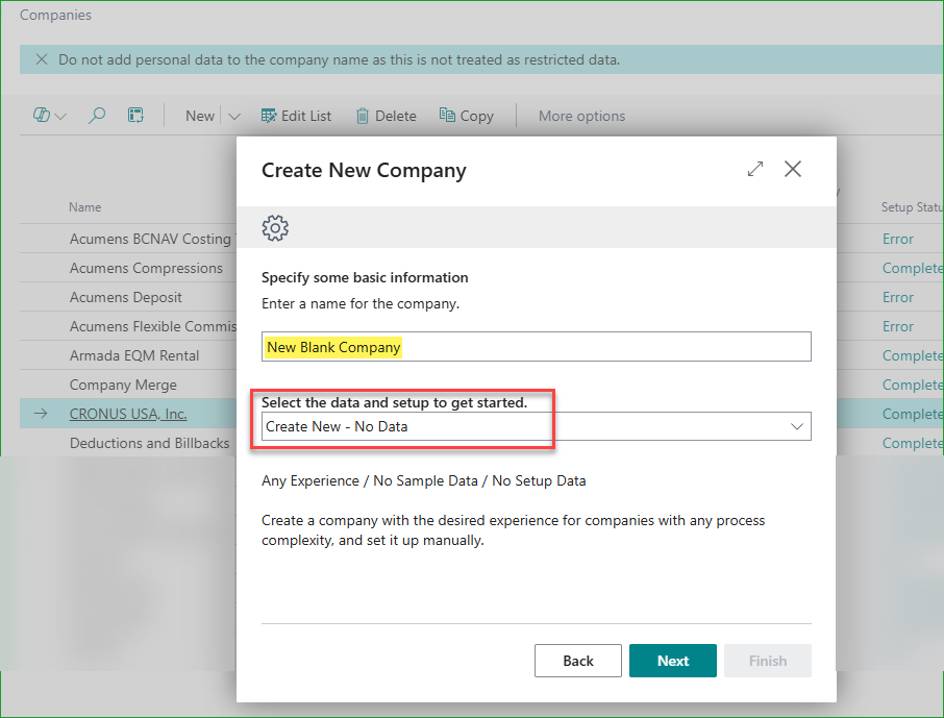
Create a new blank company – No Data.
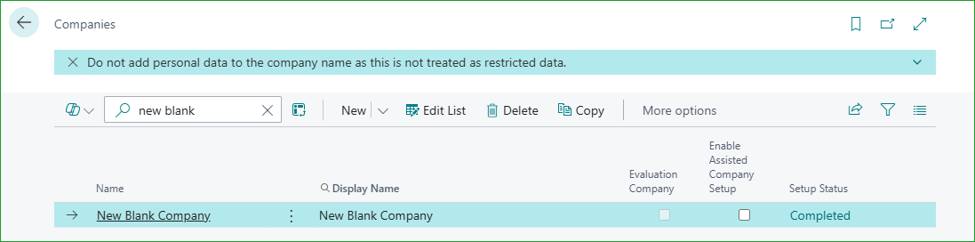
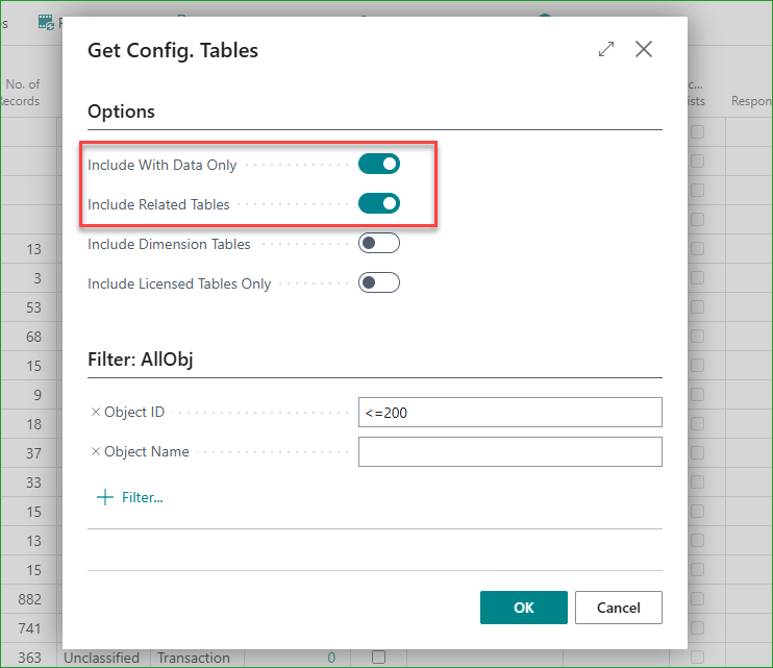
In the master company, open the Configuration Worksheet and load all tables, preferrably only tables containing data.

You can set table object range or leave unfiltered to load all tables.
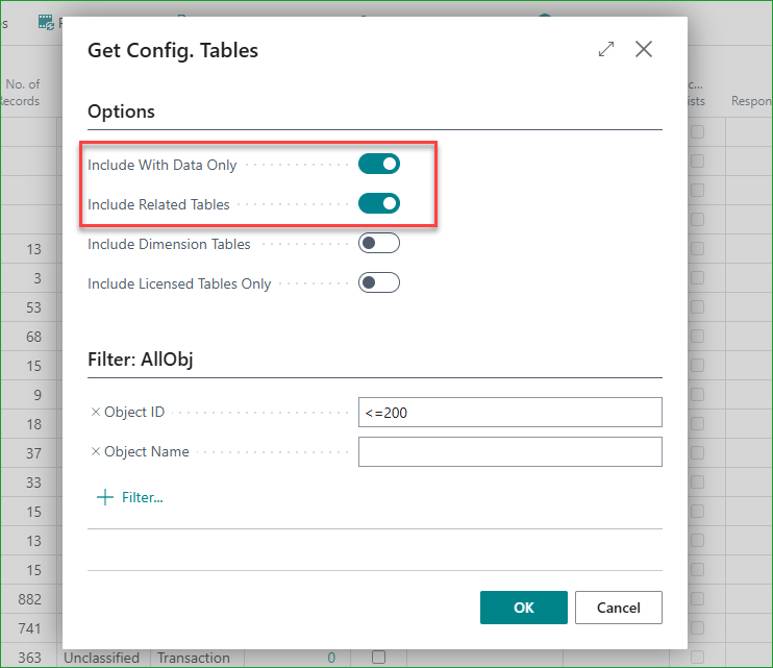
You can also use the “Refresh Tables” action to load all tables in one click.

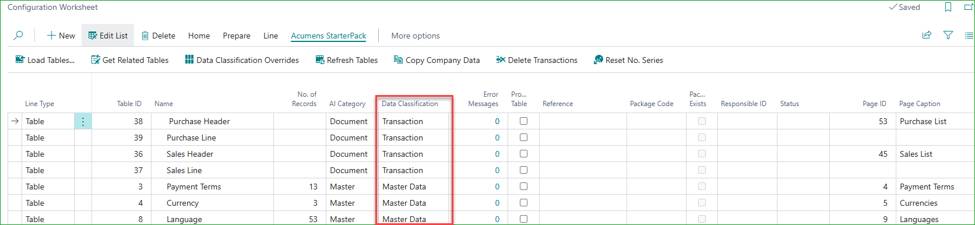
Verify the data classification. Ensure tables are correctly classified as either Master Data or Transaction. This process copies the Master Data tables.
The default classification is based on AI logic that looks at multiple criteria in determining whather a table is master or transactional. Go through the list and make the necessary Data Classification corrections.
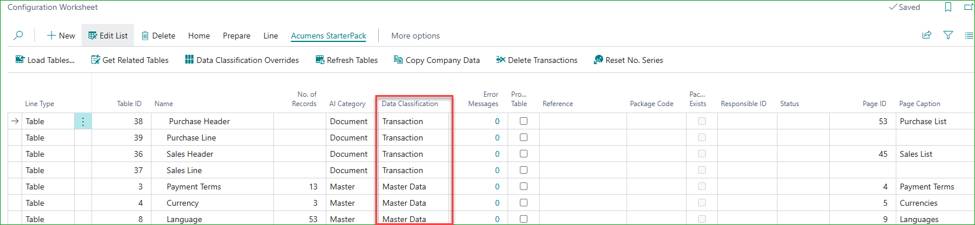
You can also go to "Data Classification Overrides" and add default table classifications. This will update the worksheet in real time and will override future automatic classifications.

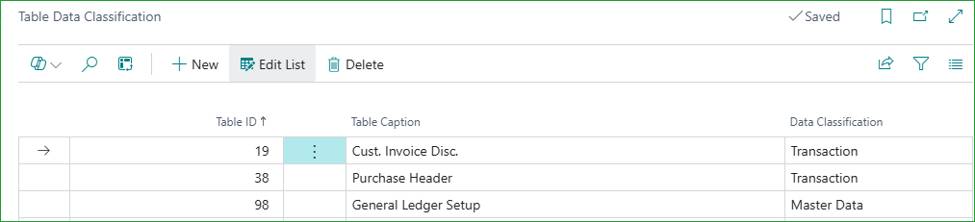
Note: All data classification corrections done on the worksheet are automatically logged in the overrides list in real-time to be persisted for future automatic classifications.
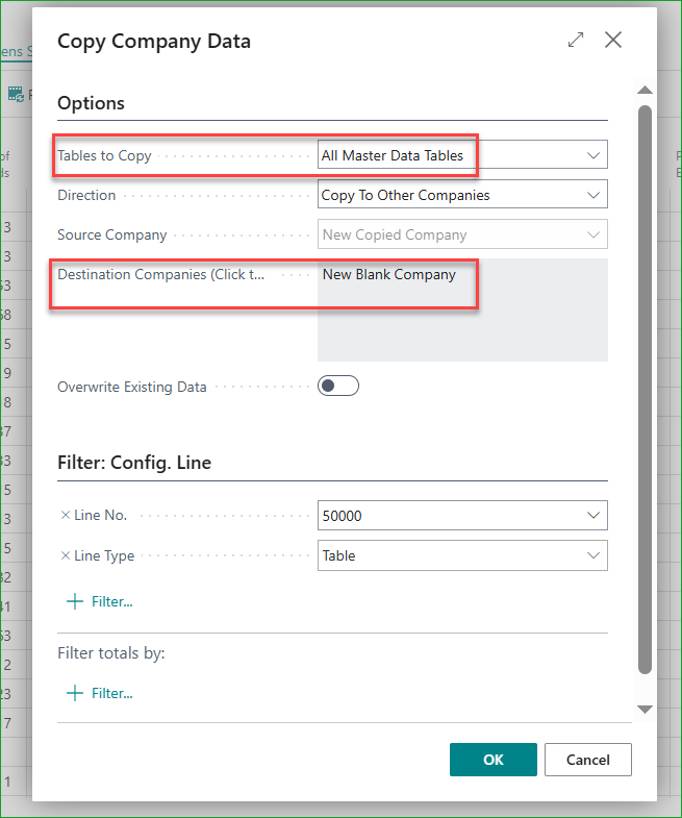
Go to the Copy Company Data action and select the option to copy Master Data tables from current company. Select the new blank company in the Destination Companies field, then run process.
You can choose to override existing data in the destination companies.
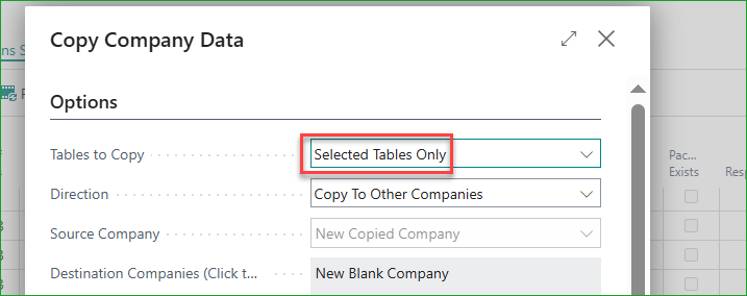
You can also choose to copy only selected tables.
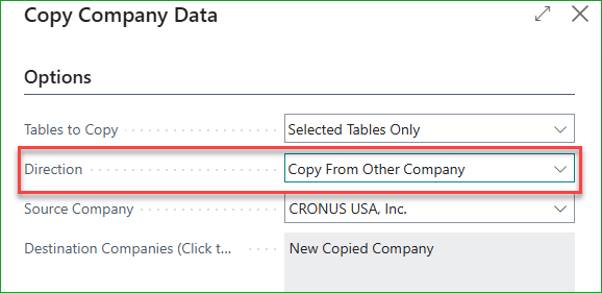
The Direction option allows you to perform this transfer in either the source or destination company – in source company pushing data to the destination, or in destination company pulling data from source.
Once completed, all master data records will be copied from the master to the new company.
The main advantage of this option is that there are fewer Master Data tables, and they often contain less data than Transaction tables. Therefore, classification and copying take less time.
The main disadvantage is that critical minor setup tables may be overlooked, which could cause errors later. However, any missing tables can be copied over as soon as the gap is discovered.
Copy the master company into a new company, then delete unwanted records. Proceed as follows.
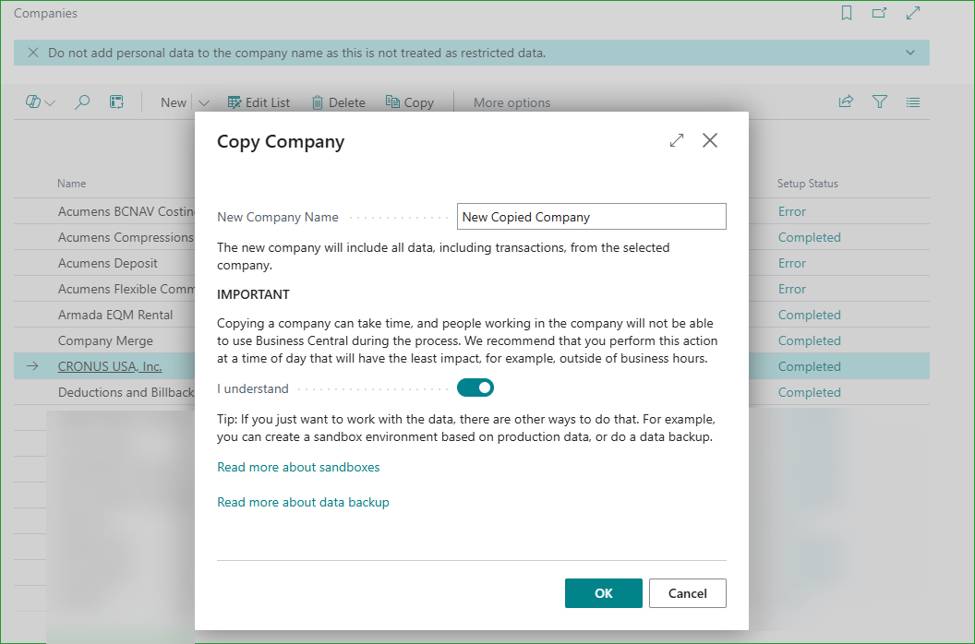
Copy the master company to create the new company with all data and setups.
In the new company, open the Configuration Worksheet and load all tables, preferrably only tables containing data.

Verify the data classification. Ensure tables are correctly classified as either Master Data or Transaction. This process deletes data from the Transaction tables.
Go to Delete Transactions and select Clear All Transaction tables. Run process.

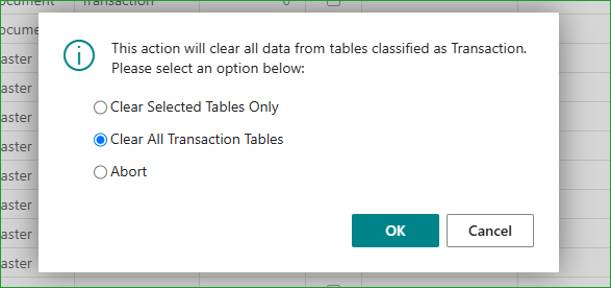
You can also choose to clear selected transaction tables only.
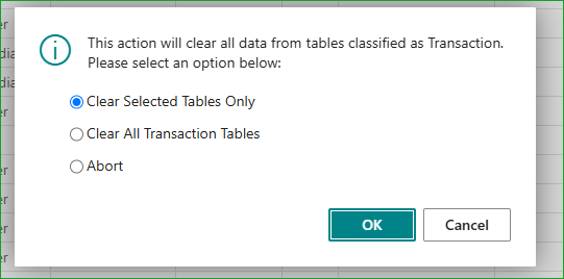
Go to the Reset No. Series action and run it.

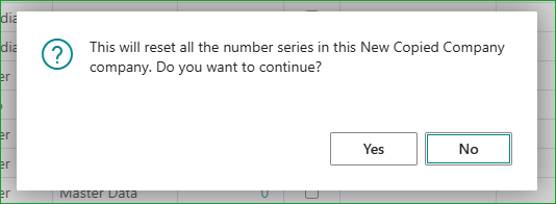
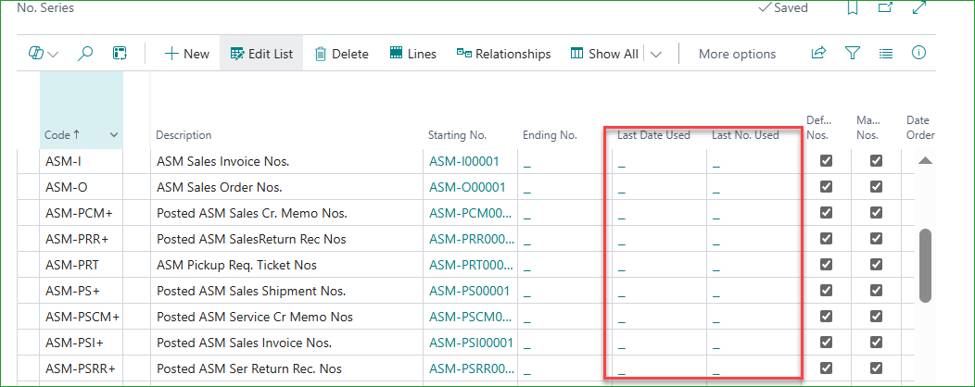
Once completed, all Transaction tables will be cleared and number series will be reset. The company will be left with master data, setups and configurations only.
The main advantage is that complete setups and configurations are retained, minimizing the possibility of minor setups being overlooked.
The disadvantage is that transaction data can run into millions of records. Therefore, both copying the company and deleting the transactions may take some time.