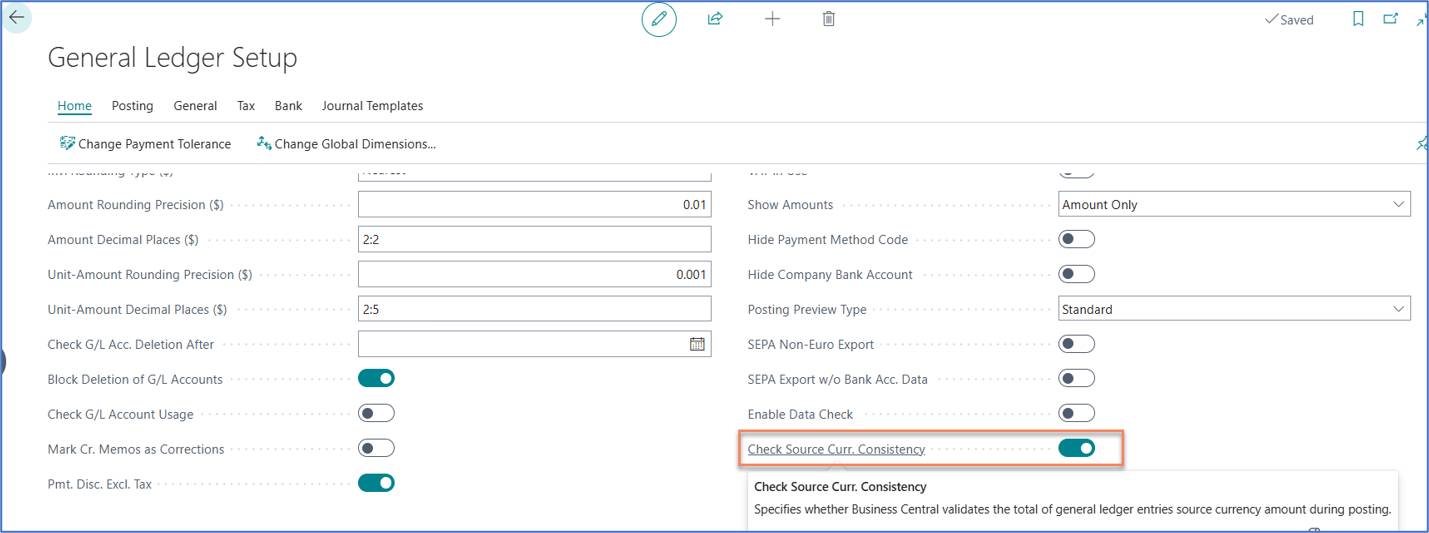
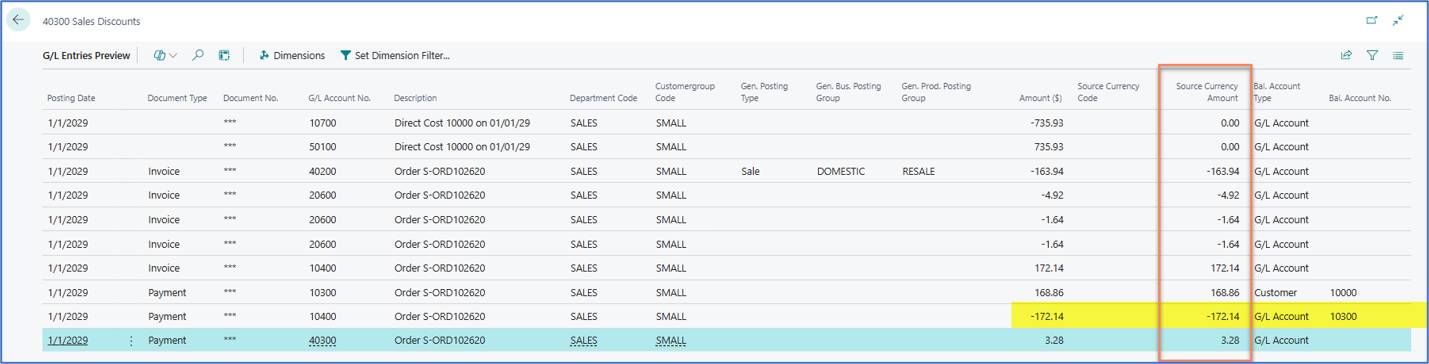
When Check Source Curr. Consistency is enabled in General Ledger Setup, posting a sales order with a payment method and a payment discount produces a cash (payment) G/L entry whose Source Currency Amount does not equal its Amount. The mismatch is already visible in Preview Posting, before anything is posted.
The cause appears to be a Microsoft bug in standard Business Central code, which has also been reported on the Business Central community forum. No standard fix exists yet.
A correction has been made on Acumens Starter-Pack app so that the Source Currency Amount matches the Amount on the cash movement.
In a local-currency transaction (no Currency Code), every G/L entry is expected to carry a Source Currency Amount equal to its Amount. For the payment entry on the cash account, the standard posting routine instead writes a different figure, so the entry no longer reflects the net cash movement that the consistency check expects.
| Item | Value |
| Setup | General Ledger Setup, Check Source Curr. Consistency = On |
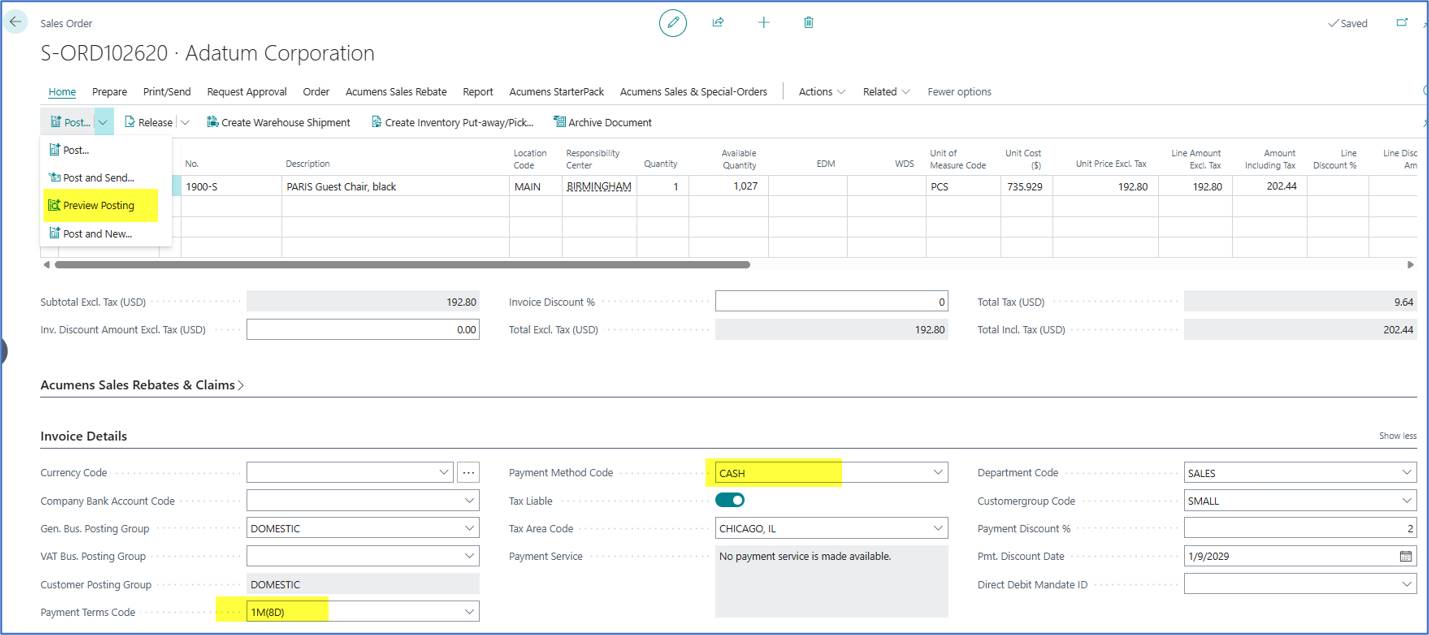
| Document | Sales Order S-ORD102620, customer Adatum Corporation |
| Line | Item 1900-S, PARIS Guest Chair, black, quantity 1, location MAIN |
| Amounts | Excl. tax 192.80, tax 9.64, incl. tax 202.44 (USD) |
| Currency Code | Blank (local currency) |
| Payment Method Code | CASH |
| Payment Terms Code | 1M(8D) |
| Payment Discount % | 2 |
| Posting groups | Gen. Bus. DOMESTIC, Customer Posting Group DOMESTIC, Tax Area CHICAGO, IL |
Preview Posting before the change (payment lines)
| G/L Account | Description | Amount ($) | Source Currency Amount | Result |
| 10300 | Payment, Customer 10000 | 168.86 | 168.86 | Matches |
| 10400 | Payment, balancing account 10300 | -172.14 | -168.86 | Mismatch |
| 40300 Sales Discounts | Payment | 3.28 | 3.28 | Matches |
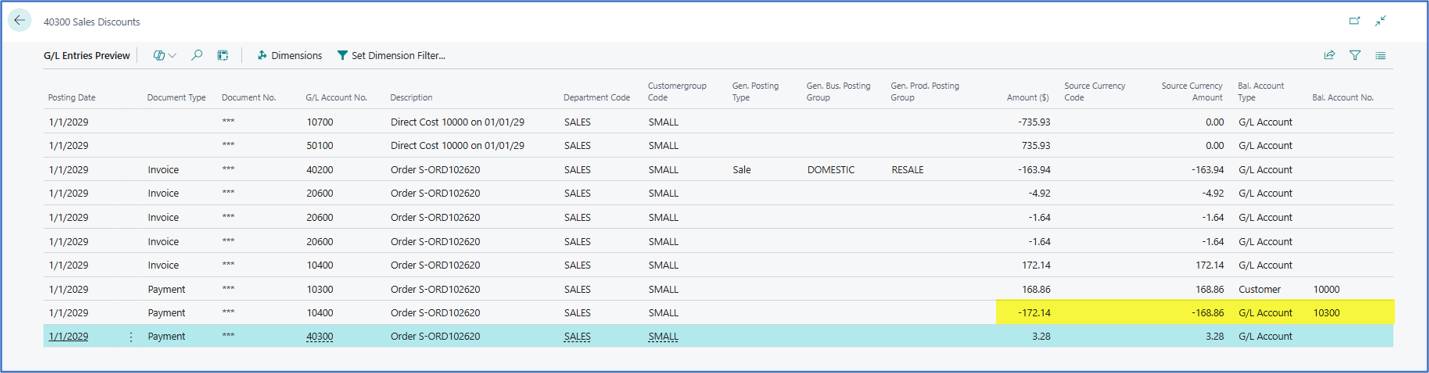
The cash line (10400) carries an Amount of -172.14 but a Source Currency Amount of -168.86. The difference of 3.28 equals the sales discount posted to account 40300.
| Check | Before | After |
| Preview, G/L 10400 payment line | Amount -172.14, Source Currency Amount -168.86 | Amount -172.14, Source Currency Amount -172.14 |
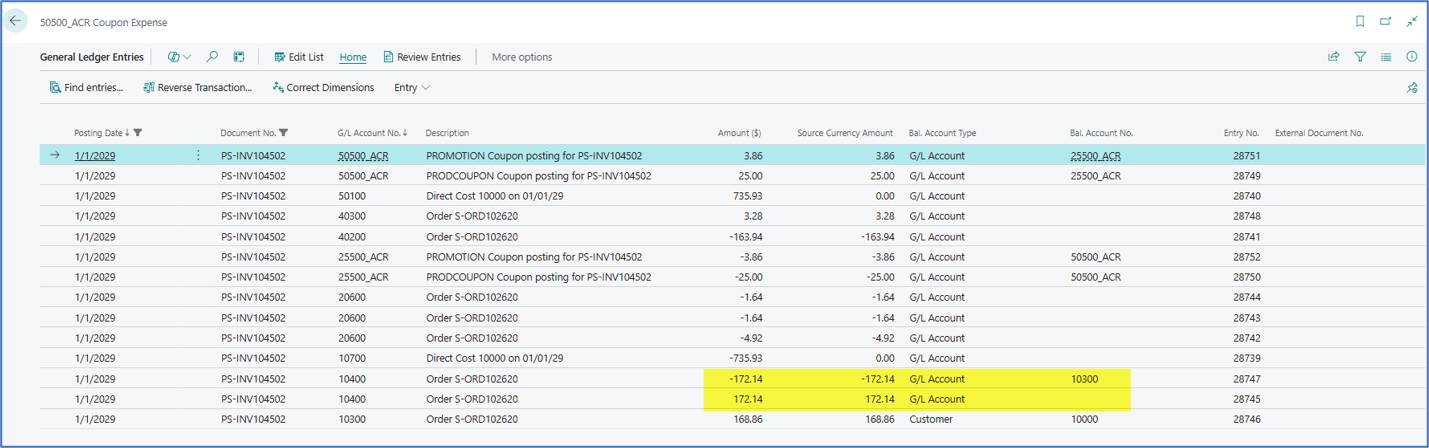
| Posting the sales order | n/a | Posted successfully as PS-INV104502 |
| Posted G/L entries 10400 | n/a | -172.14 / -172.14 (balancing account 10300) and 172.14 / 172.14 |
The other lines, including the customer entry (168.86), the sales discount (3.28), sales (-163.94) and tax (-4.92, -1.64, -1.64), already matched and are unchanged. The inventory lines 10700 and 50100 show a Source Currency Amount of 0.00 both before and after.
General Ledger Entries