Artificial Intelligence is reshaping how organizations process customer sales enquiries. Microsoft Dynamics 365 Business Central Sales Order Agent (SOA) enables sales teams to automate quotation and sales order processing from customer emails while retaining human review before business documents are created or customer communications are sent. This guide documents SBC Dynamics' implementation experience, configuration guidance, testing approach, and findings validated through testing and investigation of common Microsoft Dynamics Community scenarios.
Sales Order Agent is Microsoft's AI-powered assistant for Dynamics 365 Business Central. It monitors a configured mailbox, interprets customer requests, recognizes existing customers, generates Sales Quotes, converts approved quotations into Sales Orders, drafts customer emails, and preserves the email conversation throughout the sales process.
Sales Order Agent reduces repetitive sales administration by accelerating quotation processing, improving response times, maintaining consistent customer communication, and allowing sales teams to focus on customer engagement. Human approval remains part of the workflow, ensuring users retain control over AI-generated business documents.
Before configuring Sales Order Agent, ensure the following prerequisites have been completed:
Figure 1. Searching for Copilot & agent capabilities
Shows how to locate the Microsoft Copilot & AI Capabilities page in Business Central.
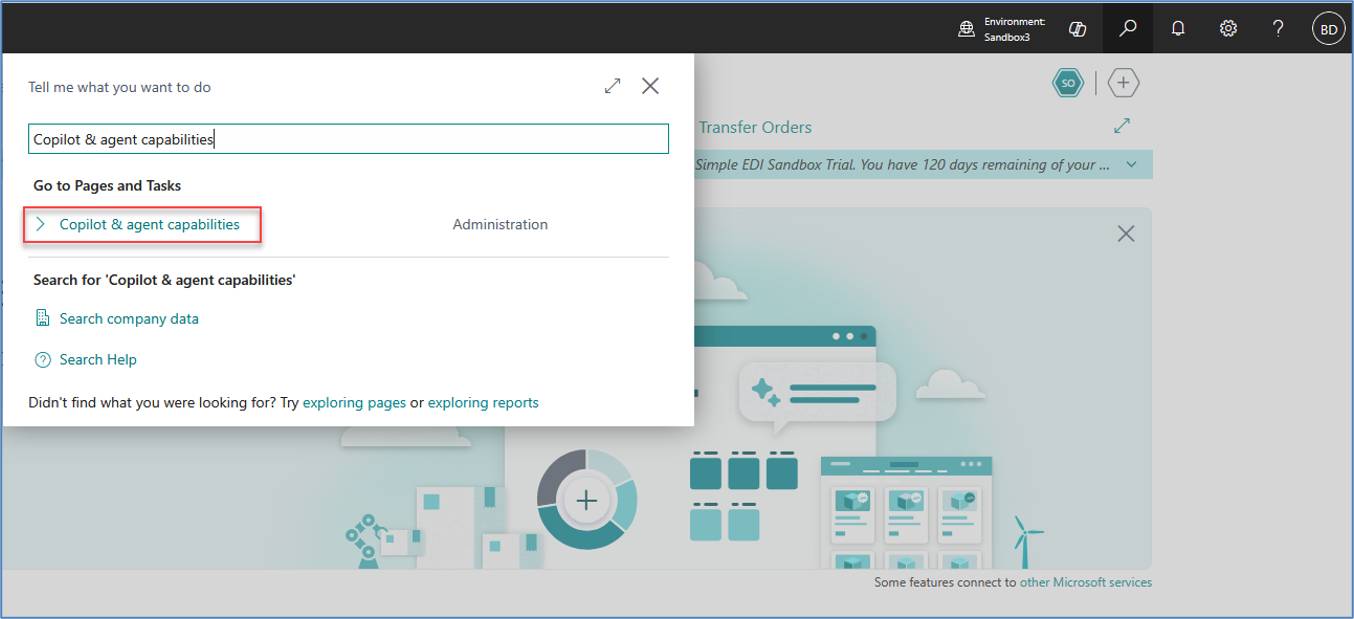
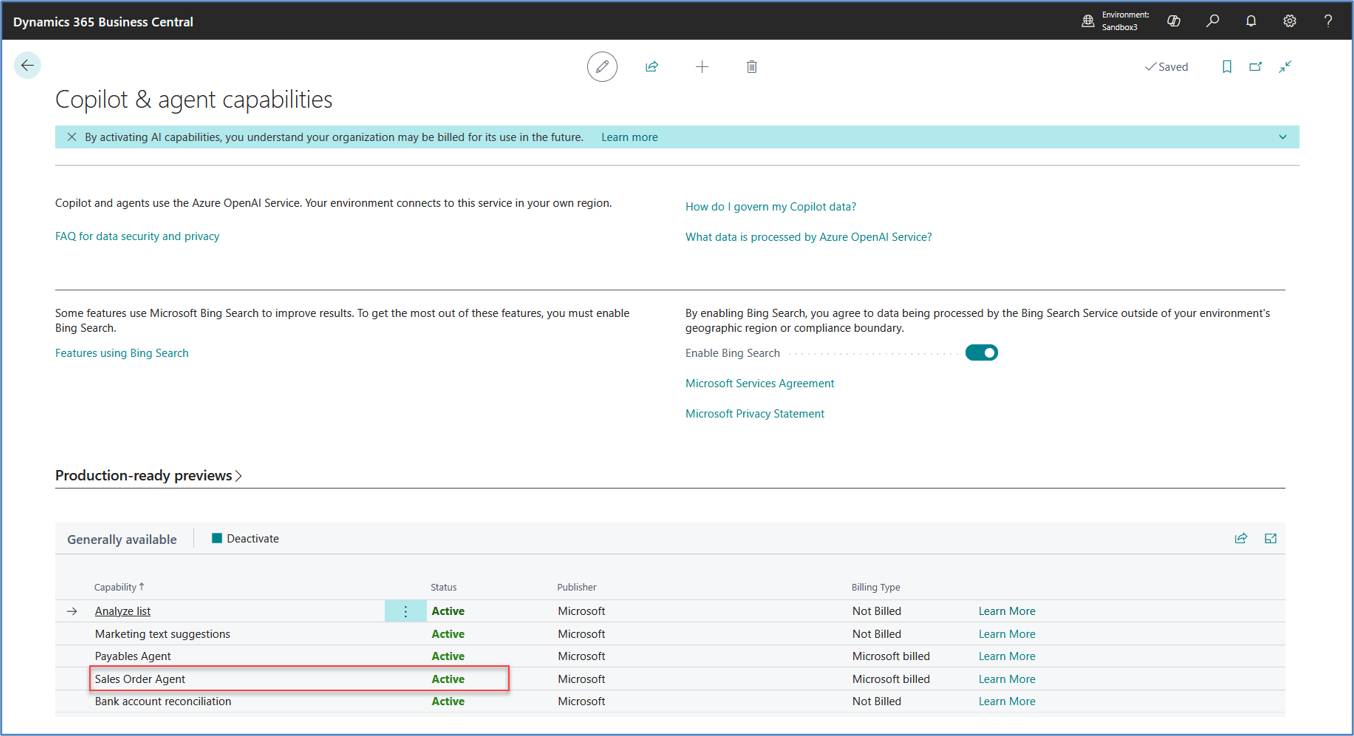
Figure 2. Copilot & agent capabilities
Verify that Sales Order Agent is enabled before proceeding with the configuration.
Once the prerequisites have been completed, configure the Sales Order Agent for your organization.
Figure 3. Sales Order Agent Configuration
Sales Order Agent configured to monitor a mailbox for incoming customer sales enquiries.
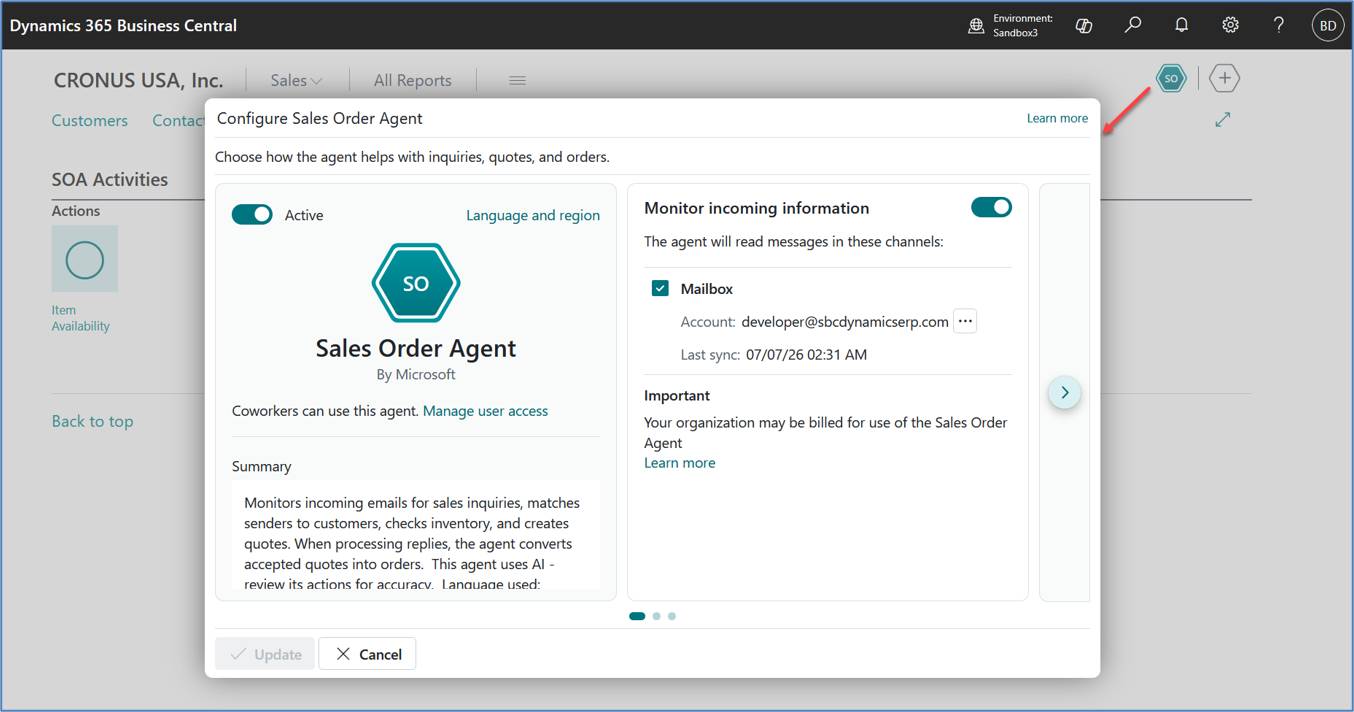
Figure 4. Agent User Settings
Configure the language, region, and time zone used by the Sales Order Agent.
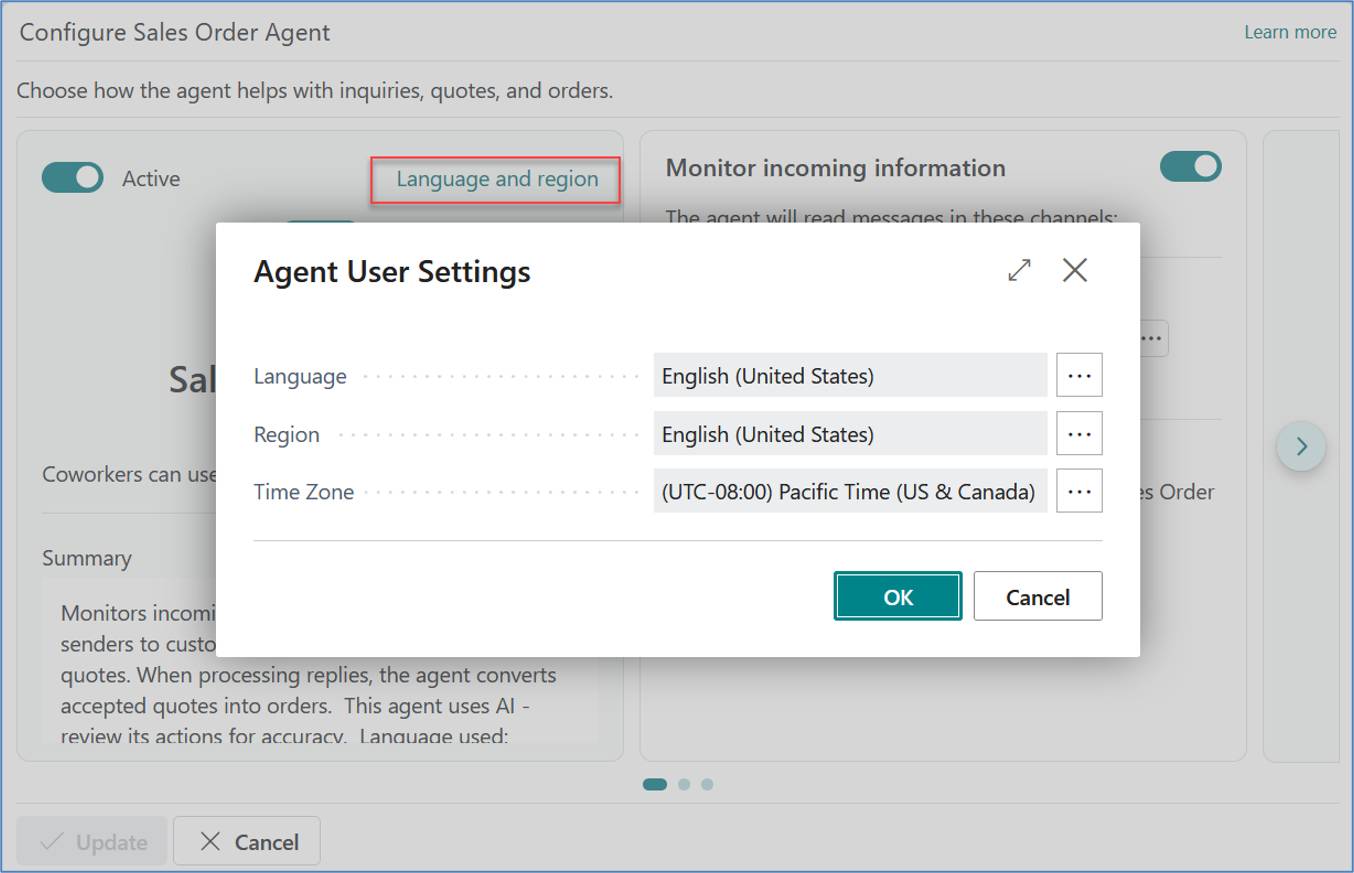
Figure 5. Sales Order Agent Permission Set
Assign the required permission set to users responsible for reviewing and approving Sales Order Agent activities.
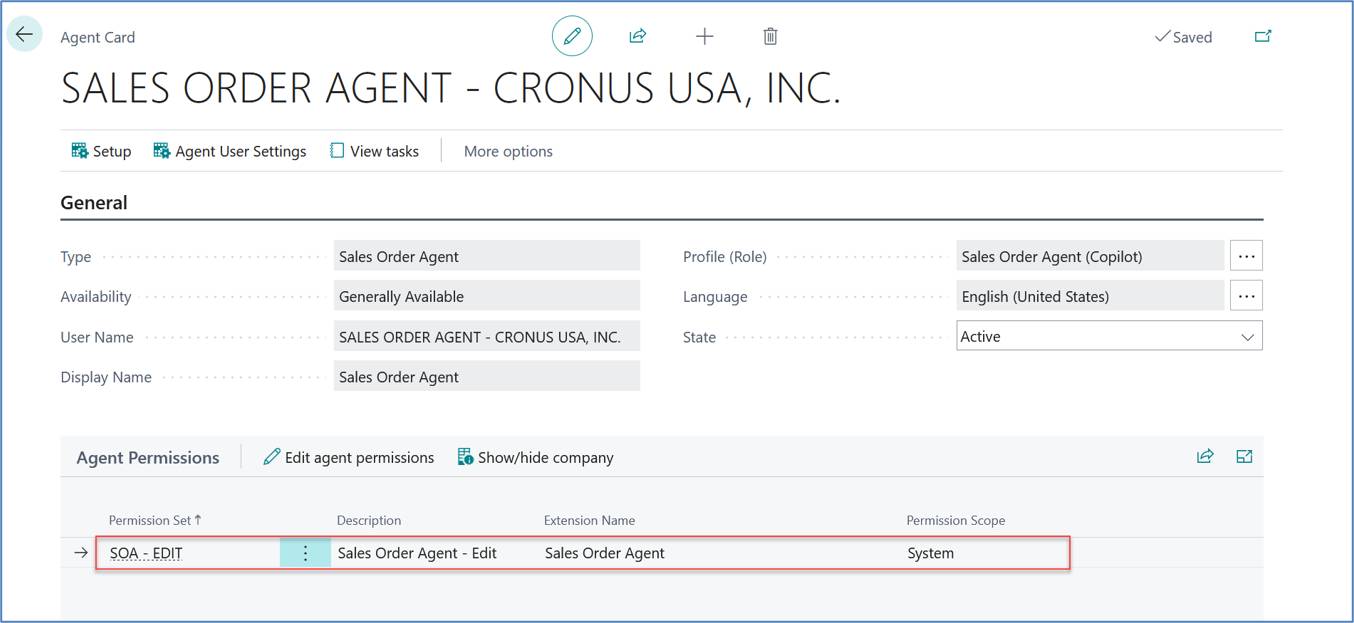
The following scenario demonstrates the complete Sales Order Agent workflow using an existing Business Central customer. The scenario covers customer email processing, AI-generated Sales Quote creation, user approval, PDF quotation generation, customer confirmation, Sales Order creation, and Sales Order confirmation email delivery.
Figure 6. Customer Quotation Request Received
Shows the incoming customer email requesting a quotation from an existing Business Central customer.
Purpose: Demonstrates how Sales Order Agent detects a customer inquiry.
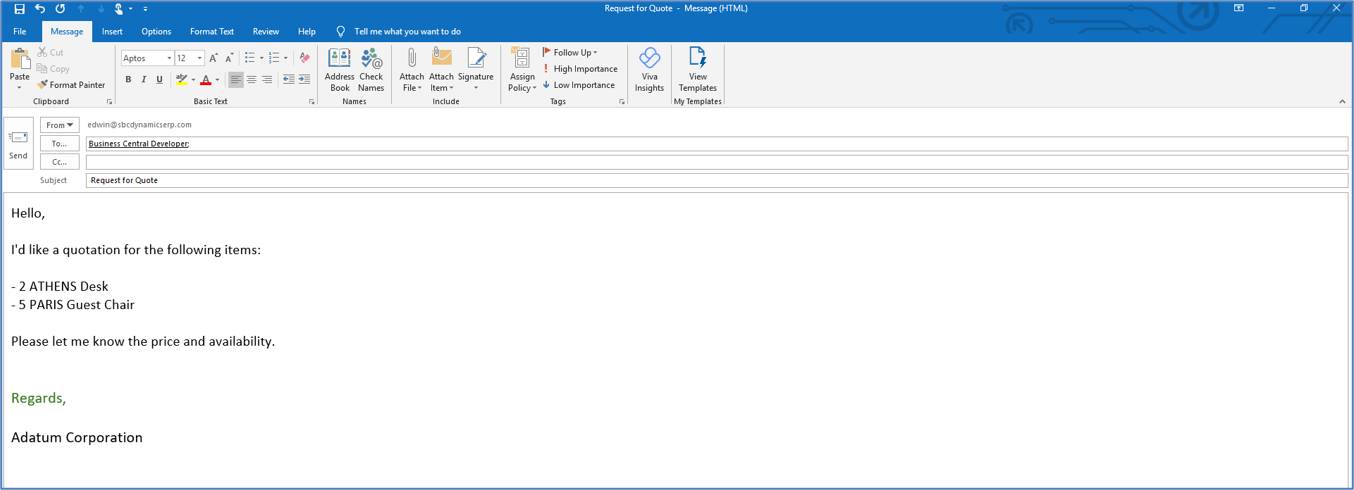
Figure 7. AI-Generated Sales Quote Review
Shows Sales Order Agent presenting the generated Sales Quote for human review before creation.
Purpose: Highlights the approval workflow.
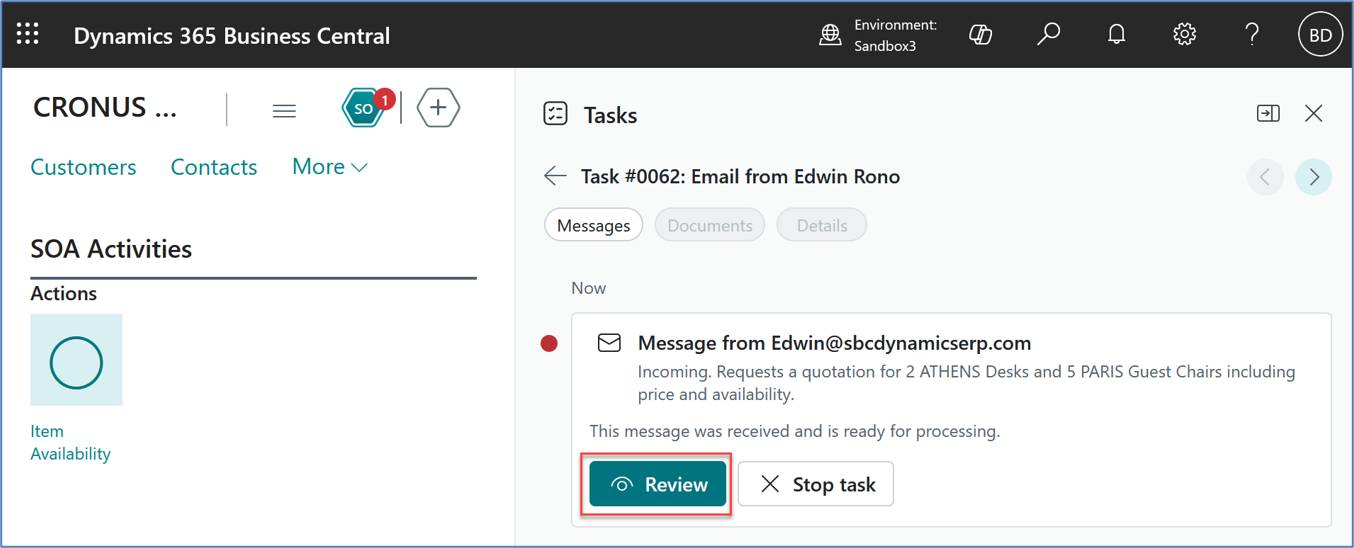
Figure 8. Sales Quote Created
Shows the completed Sales Quote in Business Central after approval.
Purpose: Demonstrates successful quote creation.
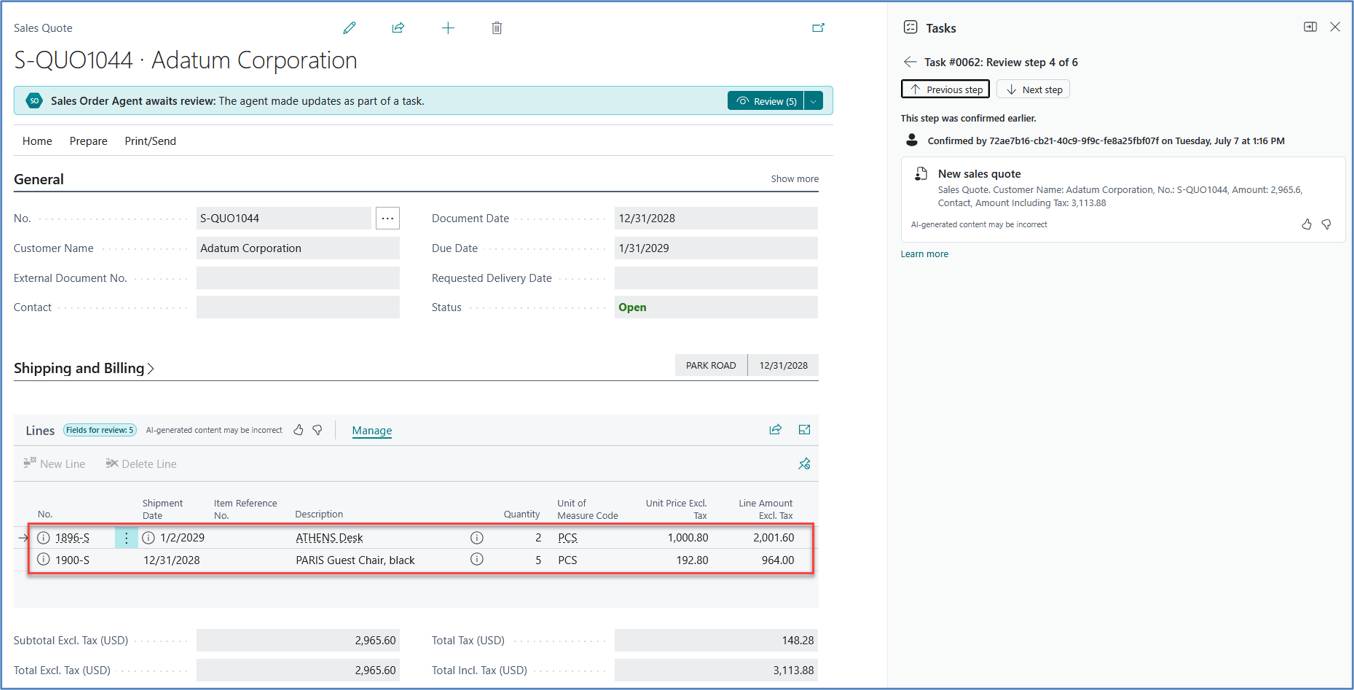
Figure 9. Quotation Email Sent to Customer
Shows the quotation email sent to the customer, including the generated PDF quotation.
Purpose: Demonstrates customer communication generated by Sales Order Agent.
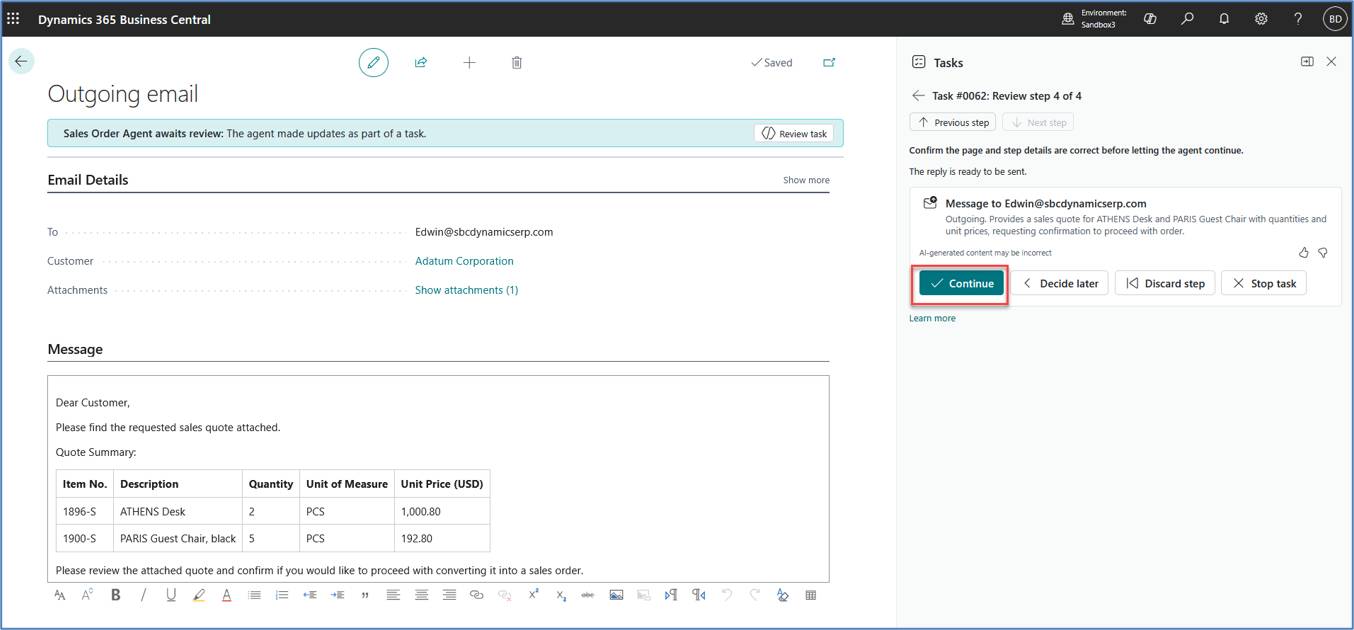
Figure 10. Customer Reply Requesting Sales Order
Shows the customer's reply requesting conversion of the quotation into a Sales Order.
Purpose: Demonstrates conversation continuity.
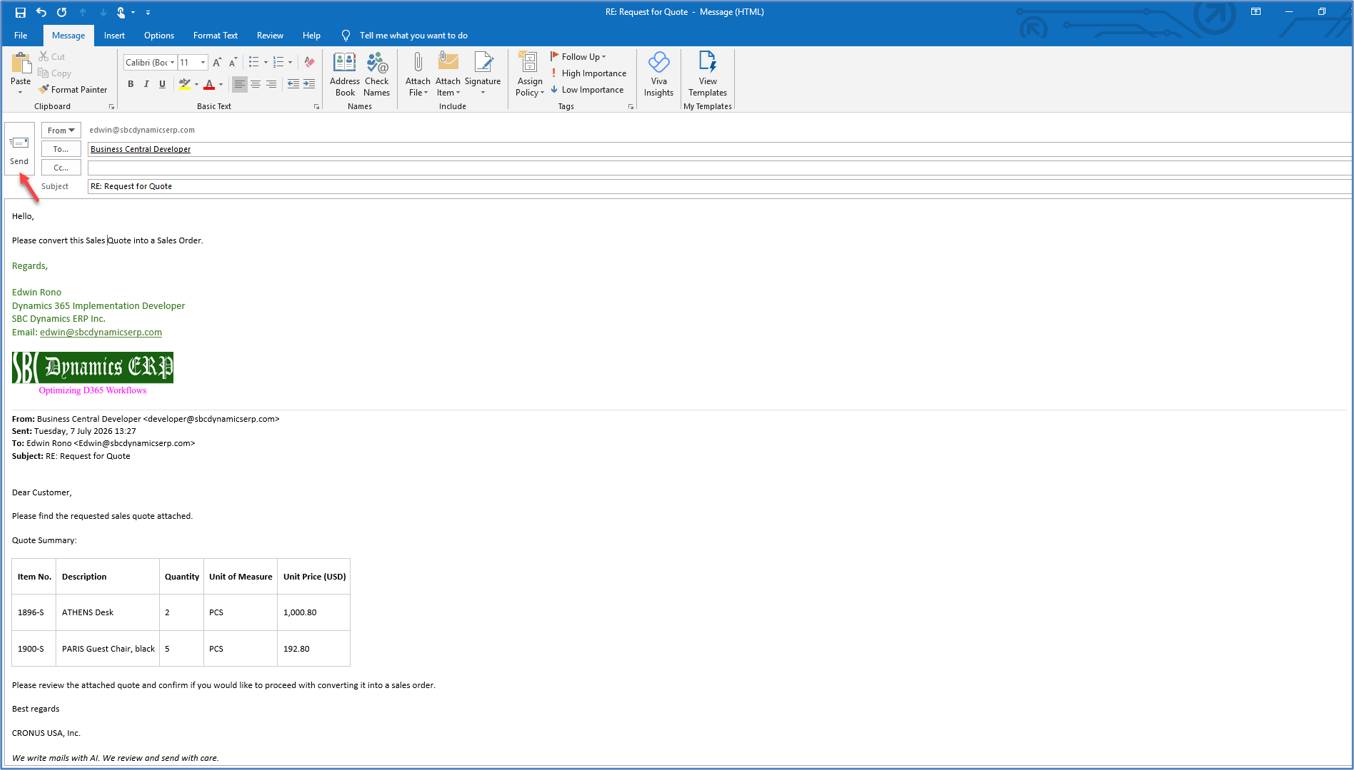
Figure 11. AI-Generated Sales Order Review
Shows Sales Order Agent presenting the Sales Order for user review before creation
Purpose: Demonstrates human oversight before document creation.
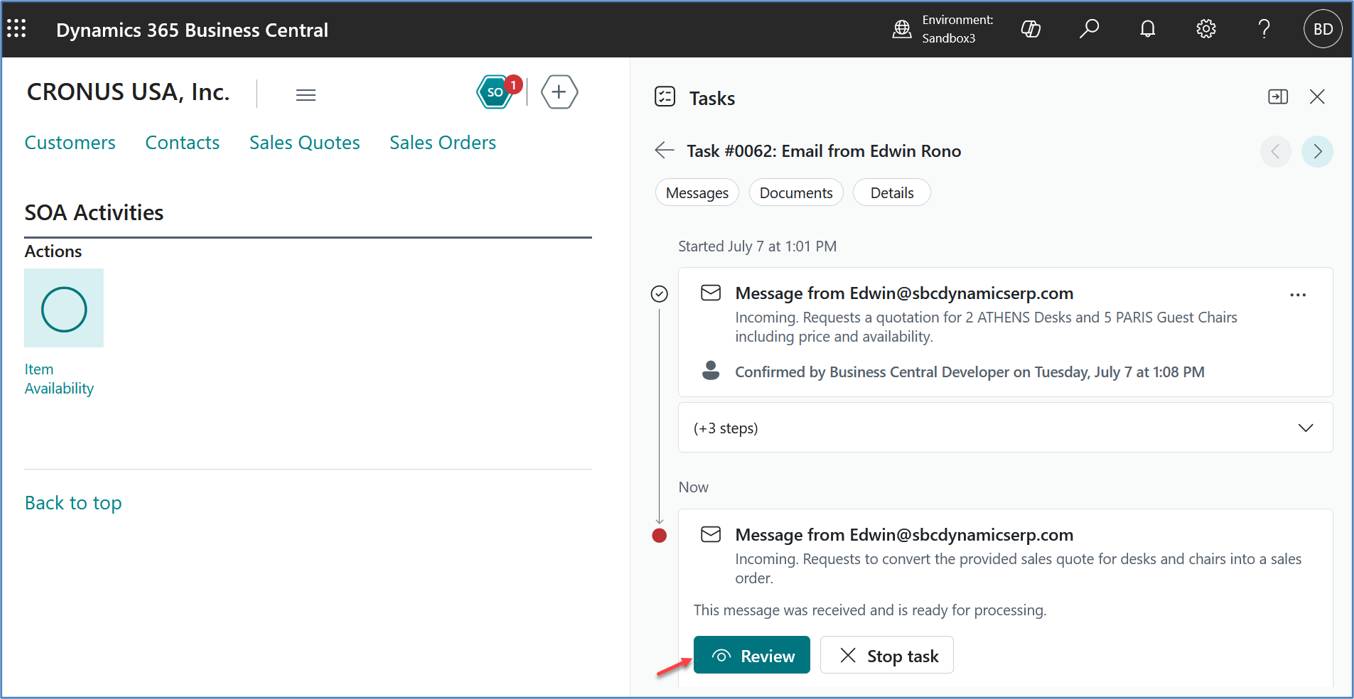
Figure 12. Sales Order Created
Shows the completed Sales Order in Business Central after approval.
Purpose: Confirms successful Sales Order creation.
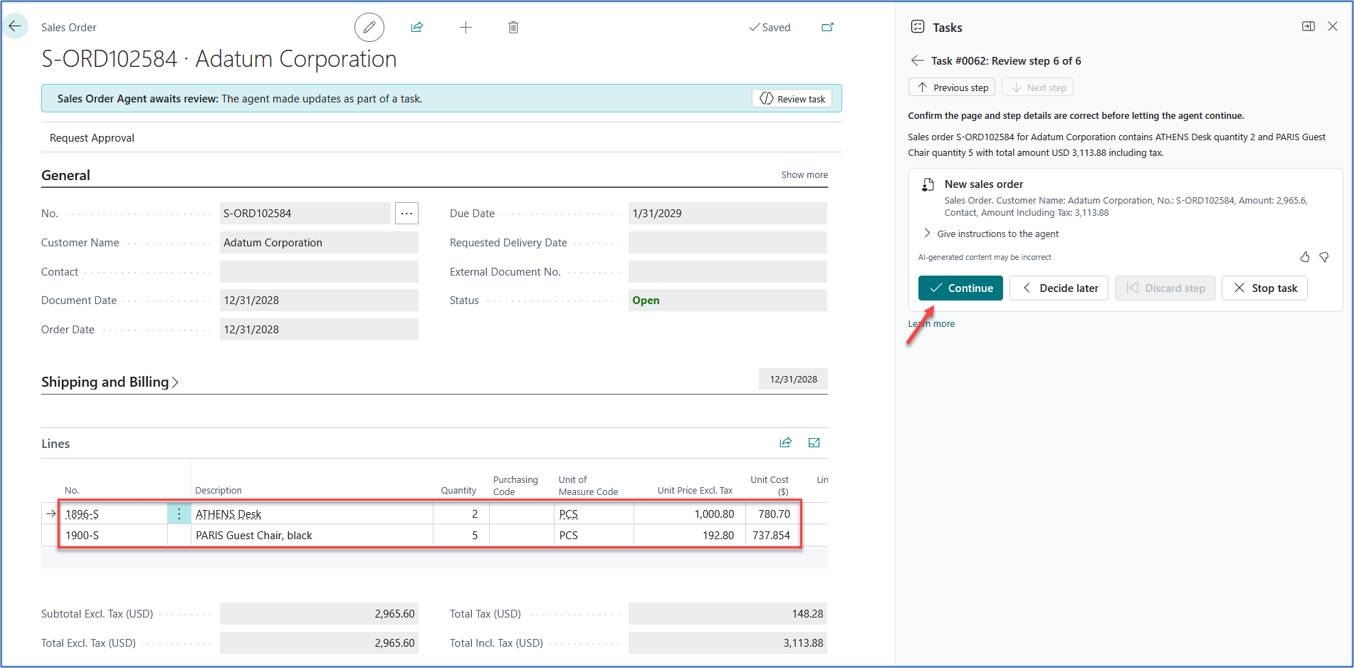
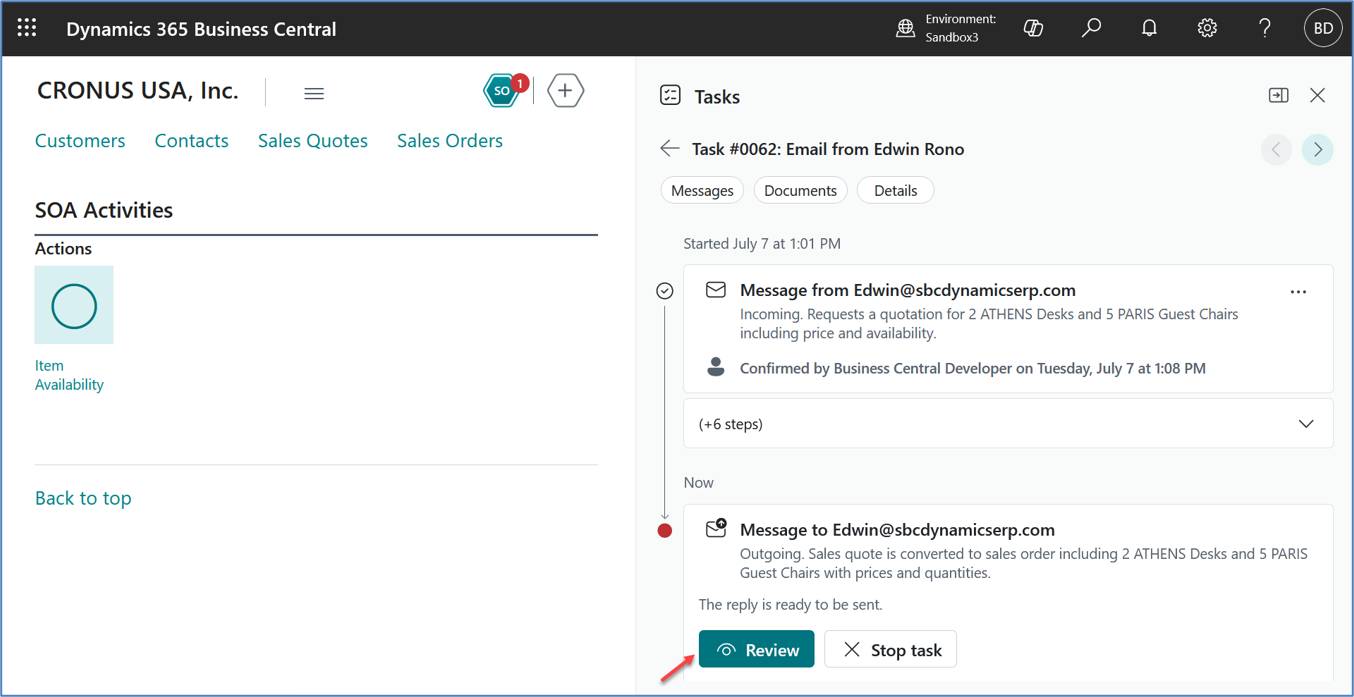
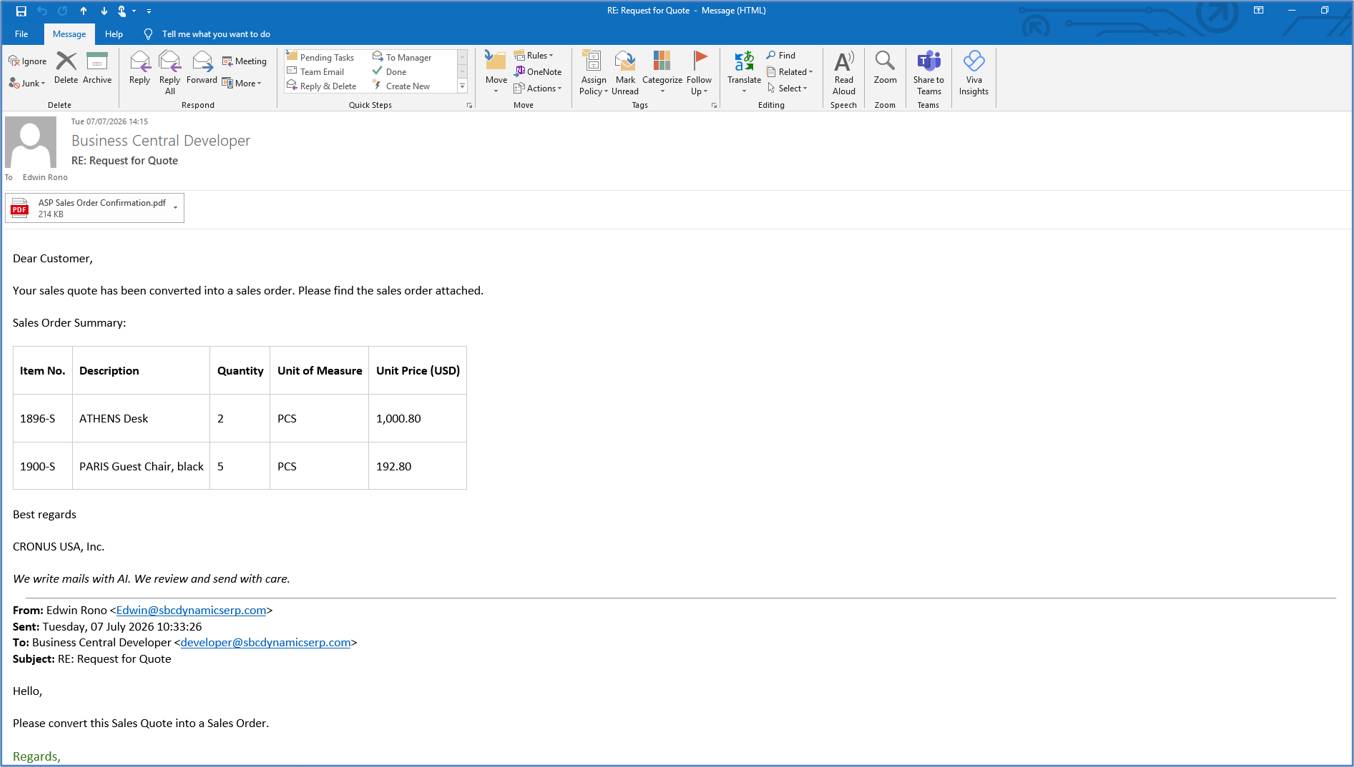
Figure 13. Sales Order Confirmation Email Sent
Shows the confirmation email generated and sent to the customer.
Purpose: Demonstrates the completion of the AI-assisted sales process.
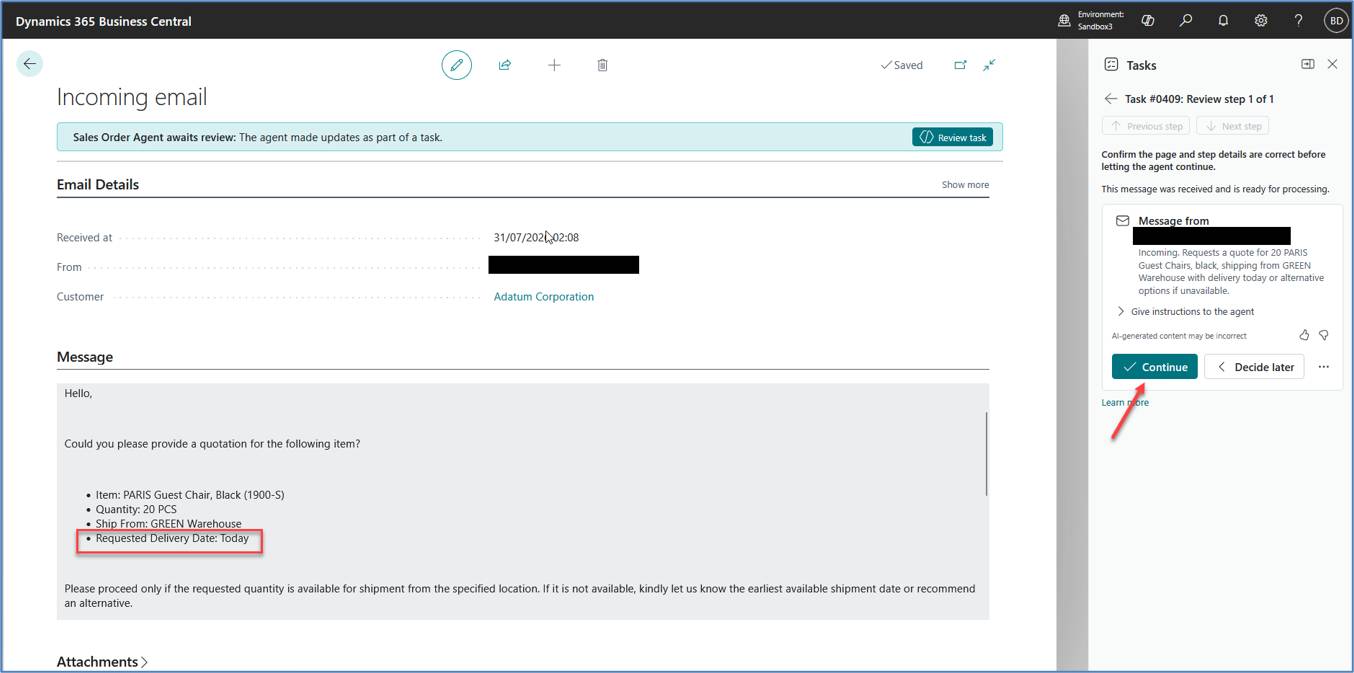
During testing, we observed that Sales Order Agent did not reject a quotation when the requested quantity was unavailable. Instead, it proposed the earliest shipment date calculated by Business Central. This behavior is expected and is driven by Business Central's standard Item Availability and planning engine rather than by the AI model itself.
Figure 14. Customer Availability Request and AI Response
The screenshots below show how Sales Order Agent communicates the earliest shipment date calculated by Business Central when the requested quantity is unavailable.
(a) Customer requests immediate shipment from a specific warehouse.
(b) Sales Order Agent responds with the earliest shipment date calculated by Business Central.
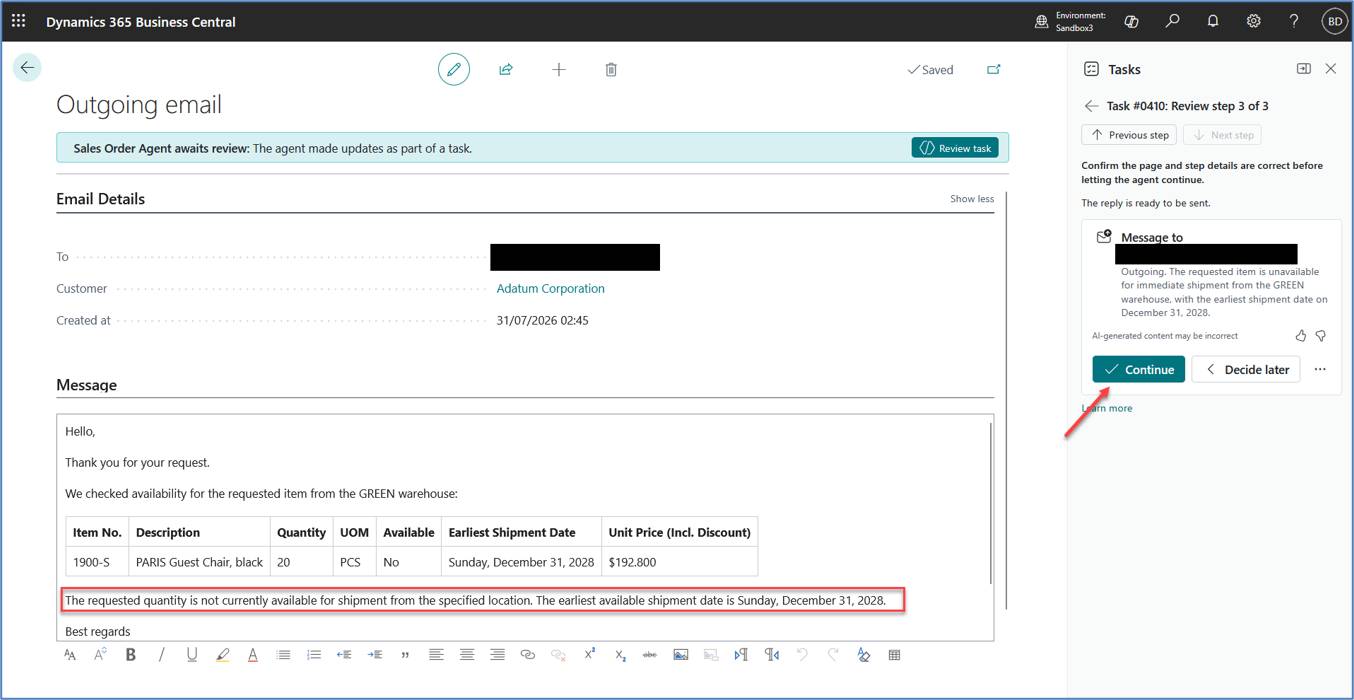
Figure 15. Sales Quote with Calculated Shipment Date
The screenshot below shows the Shipment Date automatically populated on the Sales Quote based on Business Central's Item Availability calculation.
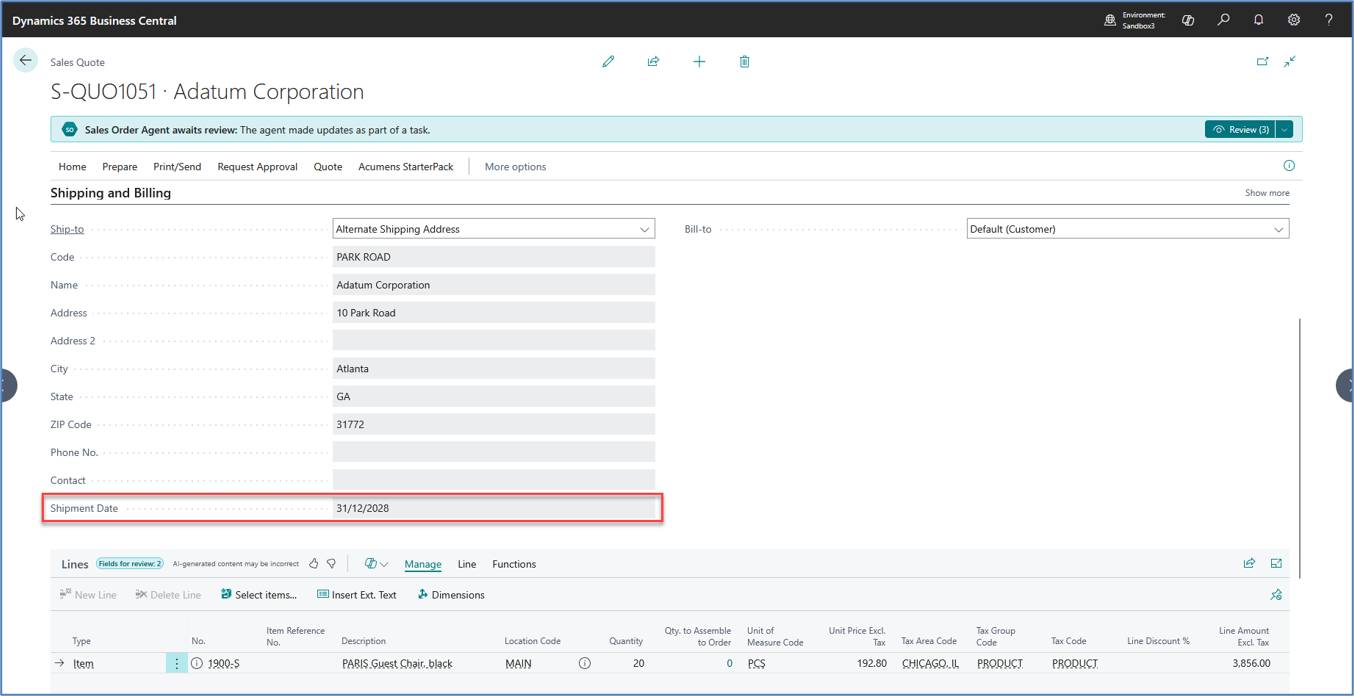
Figure 16. Item Availability by Event
The screenshots below illustrate how Gross Requirement, Scheduled Receipt, and Projected Available Balance are used by Business Central to calculate the earliest available shipment date.
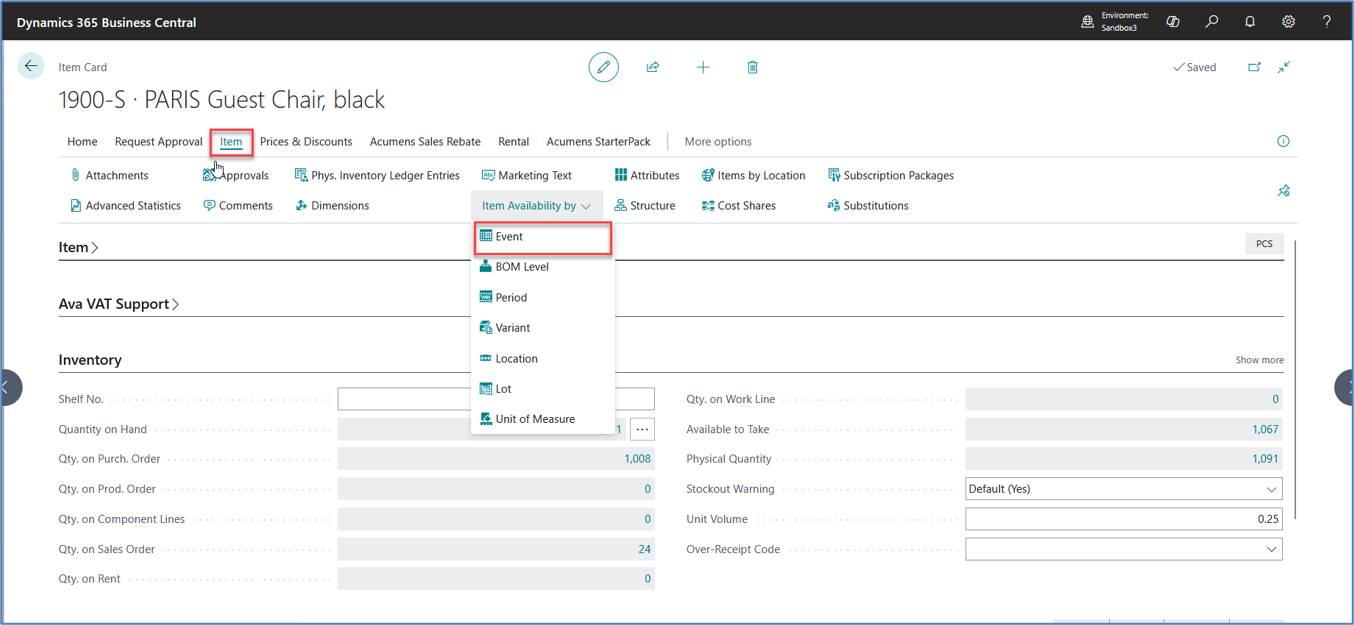
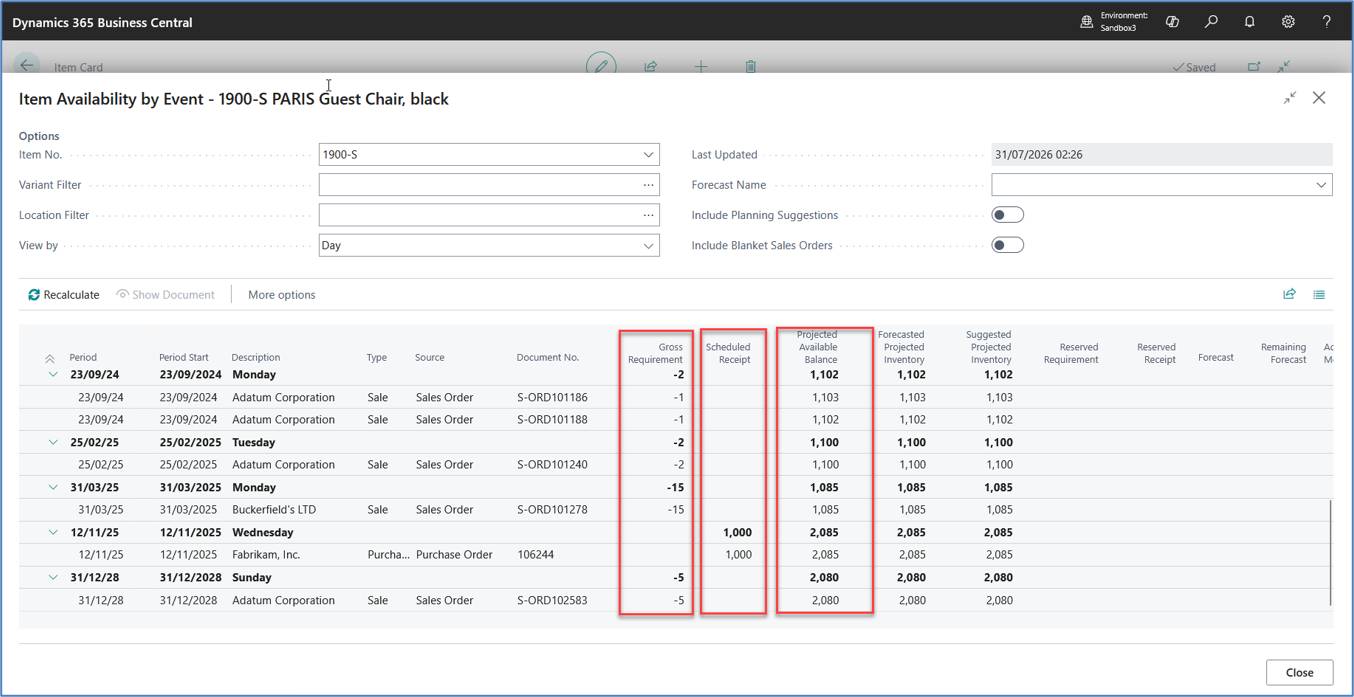
Figure 17. Item Card – Inventory
The screenshot below shows the inventory information used by Business Central during Item Availability calculations.
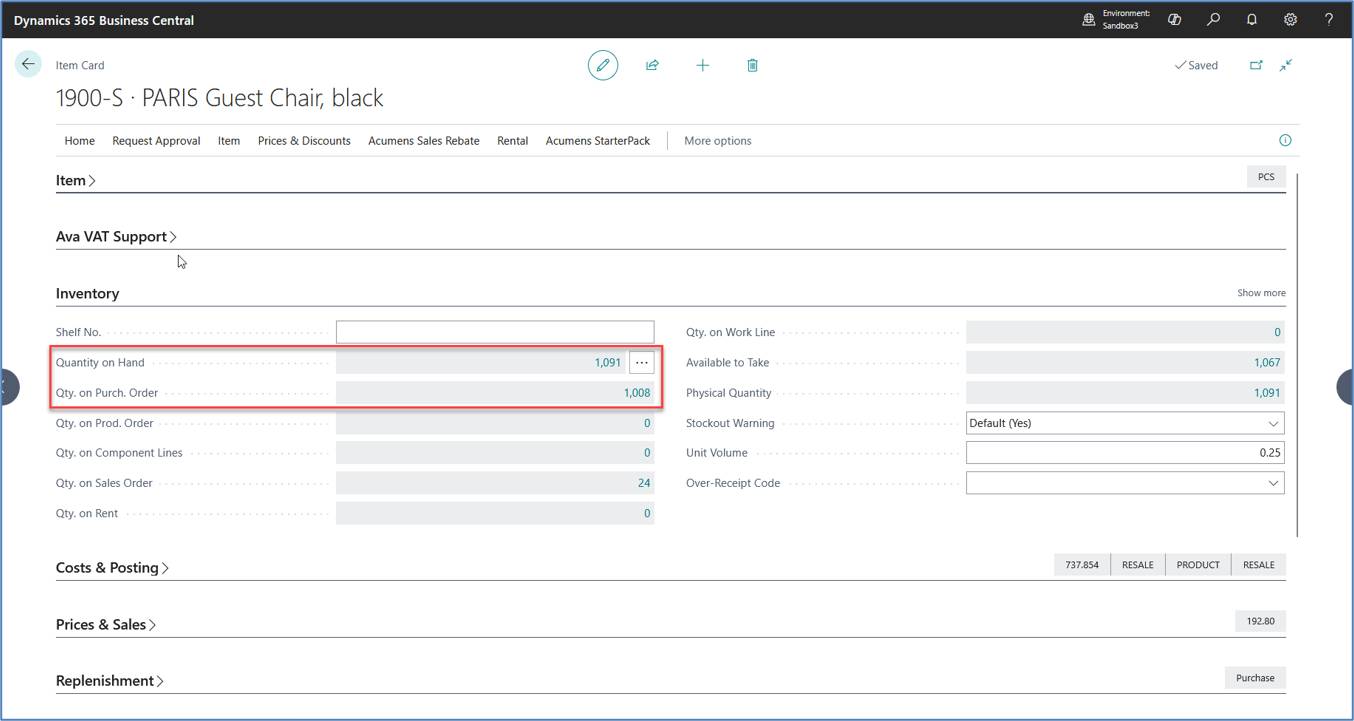
Figure 18. Item Card – Replenishment
The screenshot below shows the replenishment configuration used by Business Central to project future inventory availability.
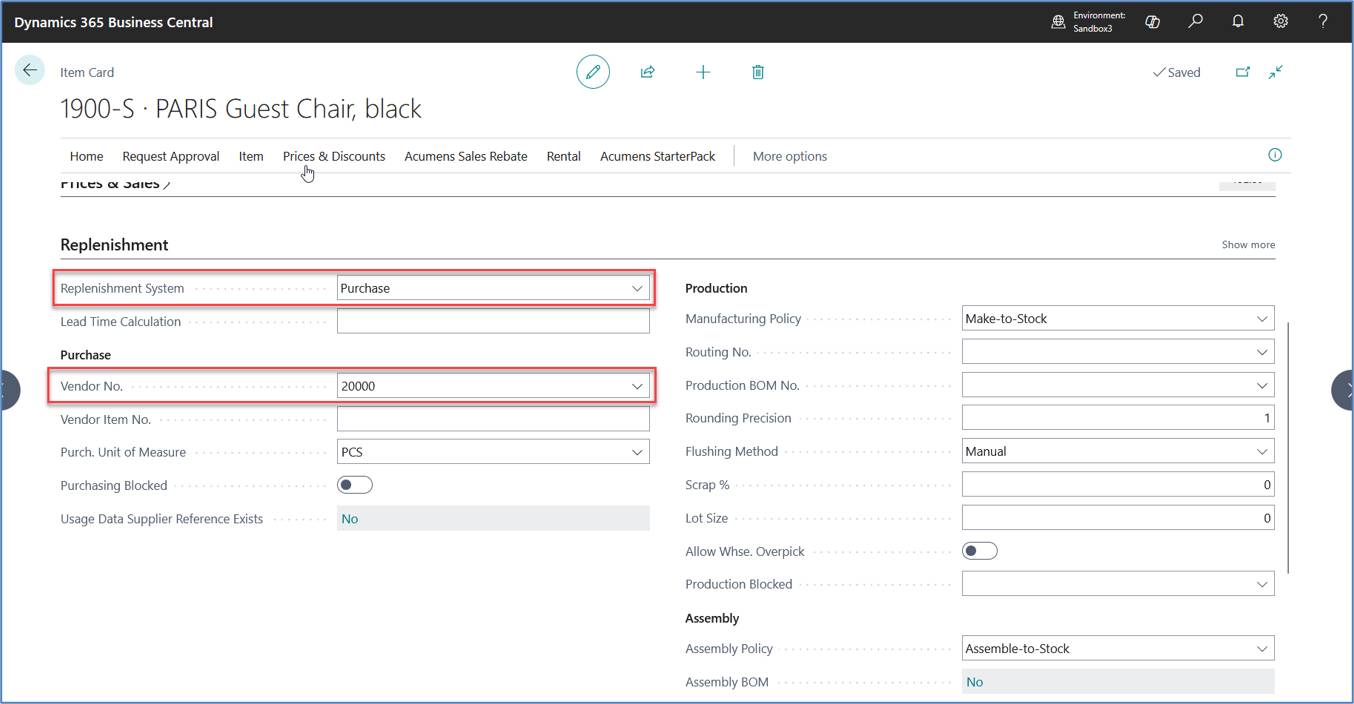
Together, these results confirm that Sales Order Agent does not independently determine shipment dates. Instead, it relies on Business Central's standard Item Availability and planning engine to calculate the earliest shipment date presented to the customer.
During implementation, we investigated a Sales Order Agent scenario where Sales Quote creation failed due to a permission dependency in a custom Business Central extension. Although the standard Sales Order Agent permission set was assigned, additional permissions were required for the participating extension. Our testing confirmed that Sales Order Agent follows the same Business Central business logic and security model as standard users. Reviewing the complete permission error helped identify the dependent extension and resolve the issue successfully.
Figure 19. Sales Order Agent Permission Dependency
The screenshot below shows the permission dependency identified during Sales Order Agent processing before the required permission set was assigned.
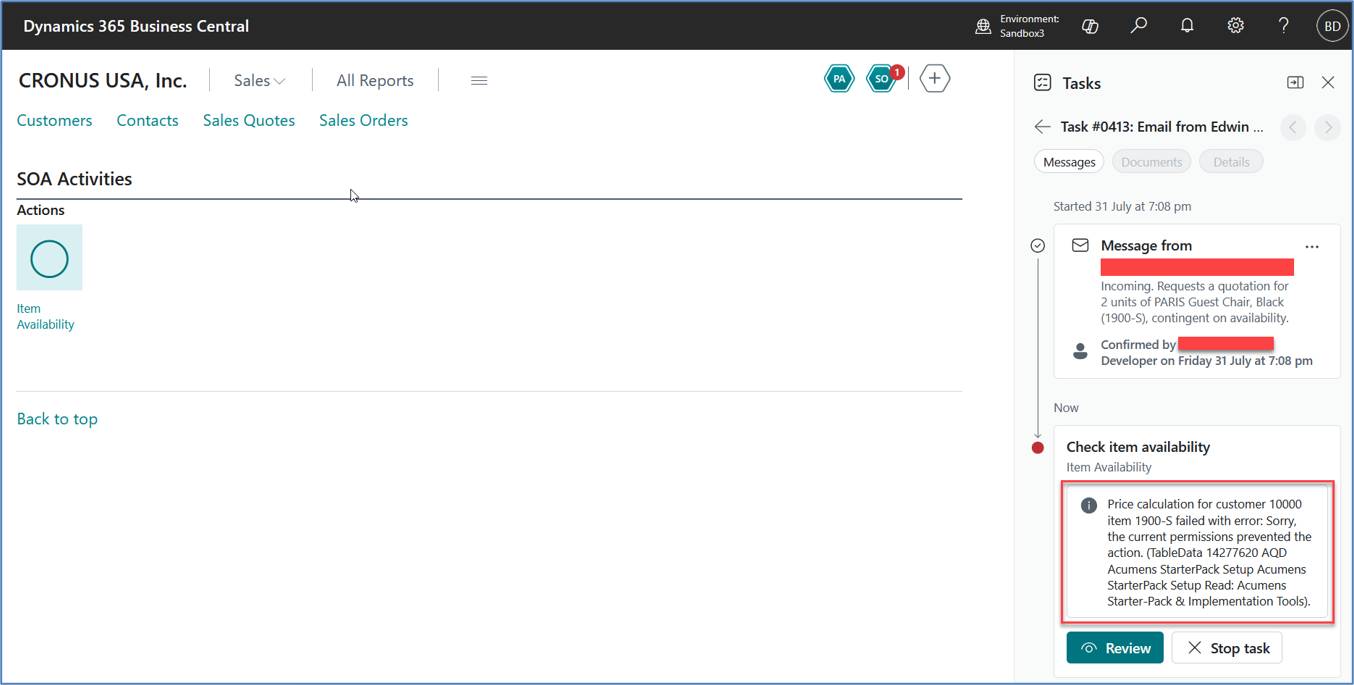
Figure 20. Assigning Required Permission Set to the Agent User
The screenshot below shows the additional permission assigned to the Sales Order Agent User.
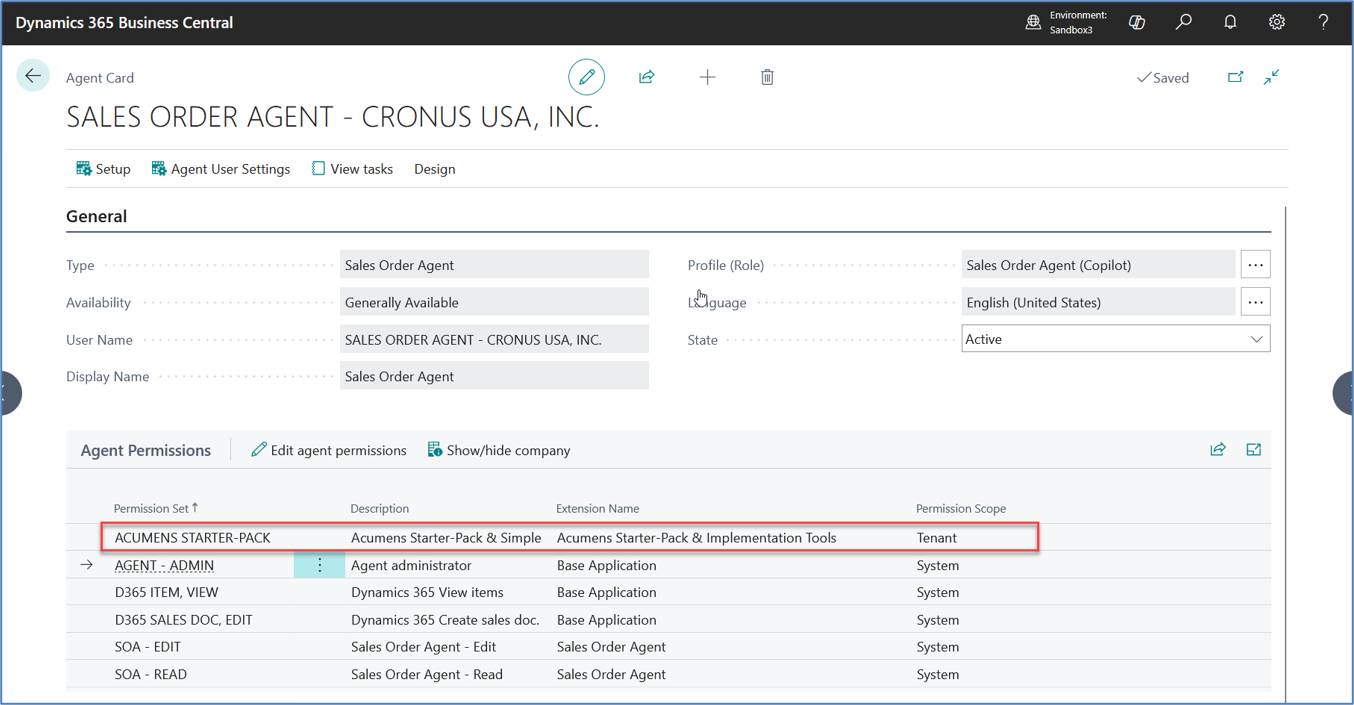
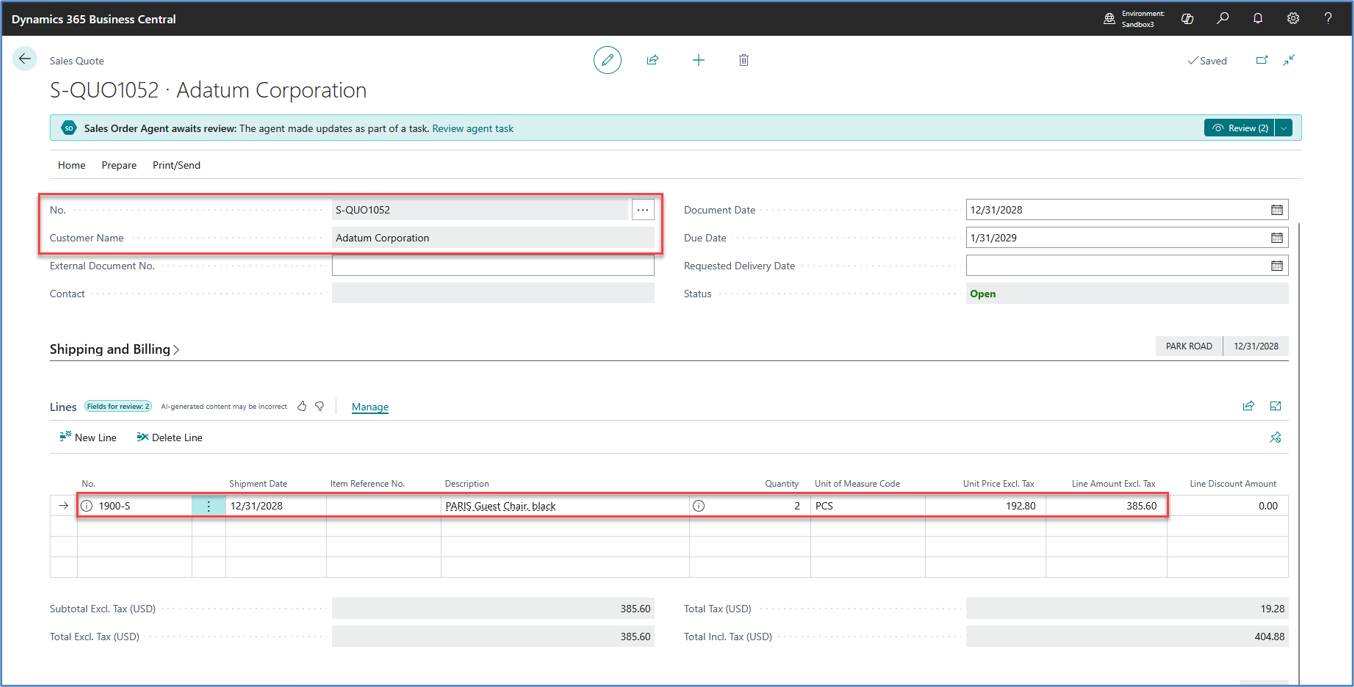
Figure 21. Successful Sales Quote Creation After Permission Update
The screenshot below shows the Sales Quote created after the required permissions were assigned.
Key Finding
Sales Order Agent executes business processes using its own Agent User and follows the standard Business Central security model. While the standard Sales Order Agent permission set is required, custom extensions participating in Sales Quote or Sales Order processing may require additional permission sets assigned to the Agent User. Reviewing the complete permission error allows the missing permission dependency to be identified quickly.
During implementation and testing, we validated how Sales Order Agent is accessed by multiple Business Central users. Although a single Sales Order Agent is configured per company, administrators can grant multiple users access to review agent tasks or configure the agent. Once activated, the Sales Order Agent continues running independently and does not require the administrator to remain signed in or reactivate it each day. This behavior is controlled through Agent User access and permission management.
Figure 22. Adding Users to Sales Order Agent
The screenshot below shows the permission dependency identified during Sales Order Agent processing before the required permission set was assigned.
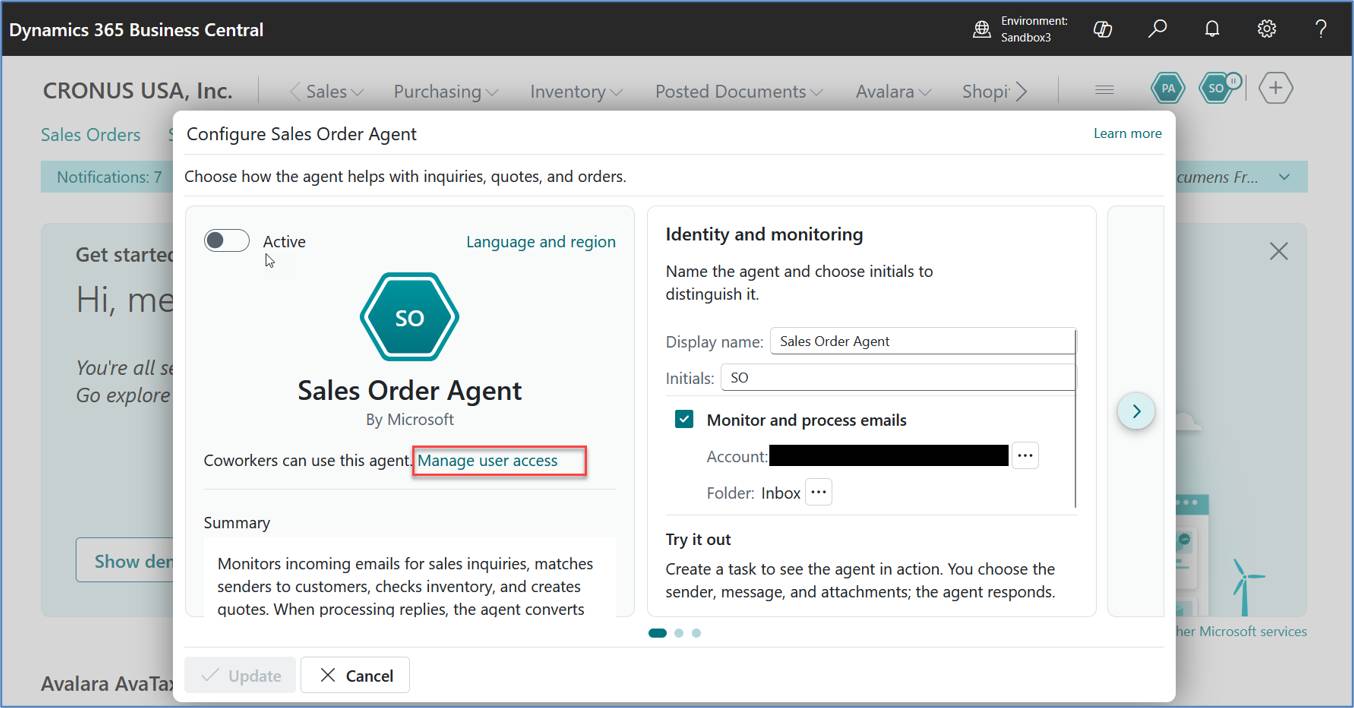
(b) Add users and specify which users can configure Sales Order Agent.
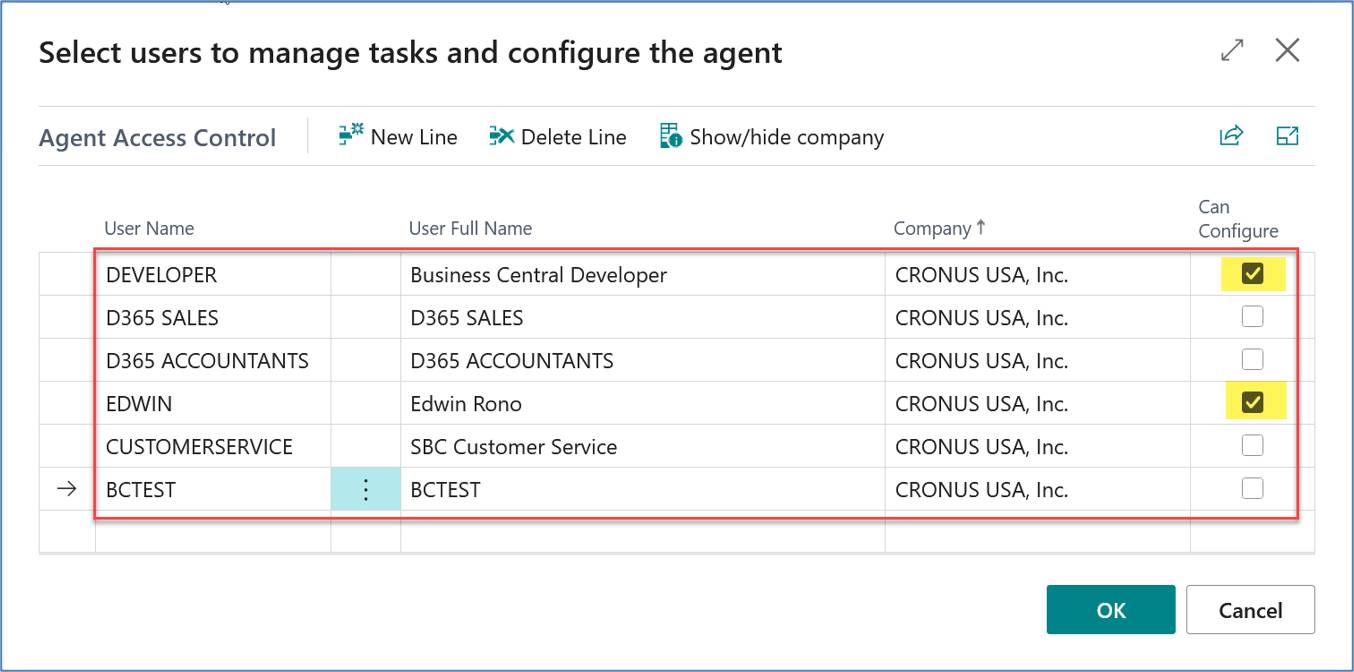
Figure 23. Agent User Permissions
The screenshot below shows the standard permission sets assigned to the Sales Order Agent User.
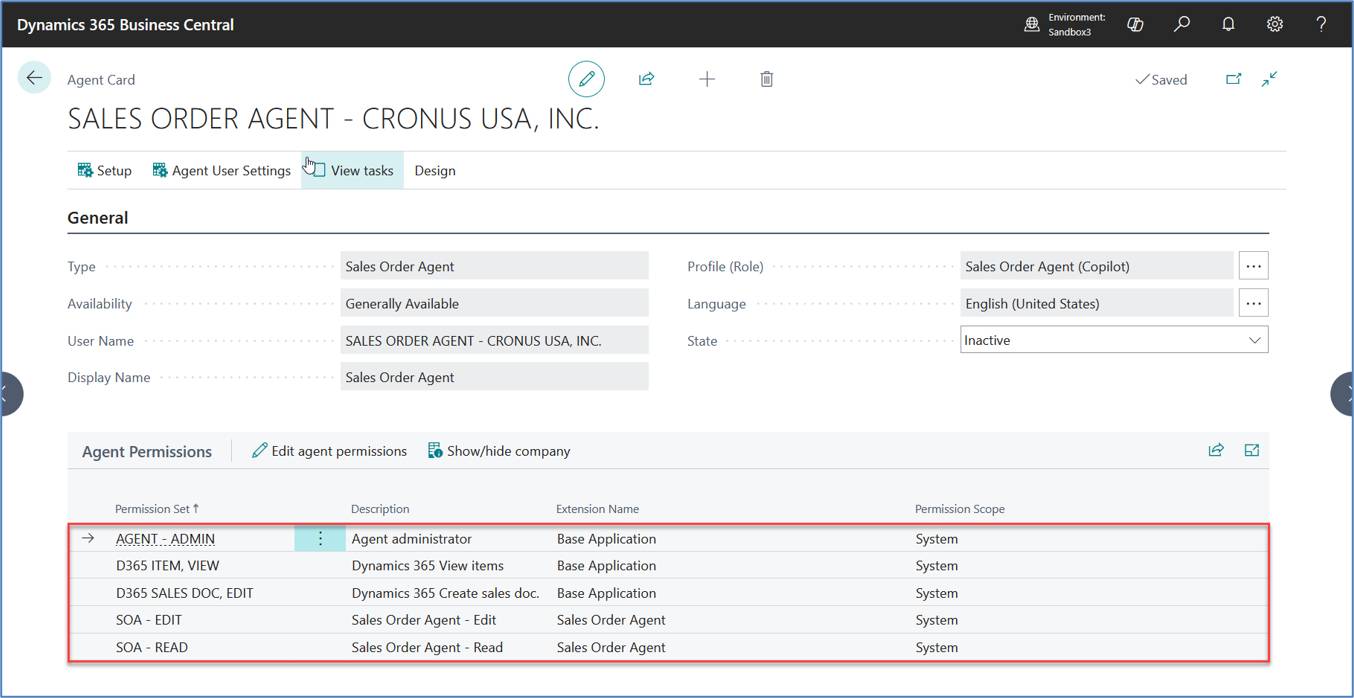
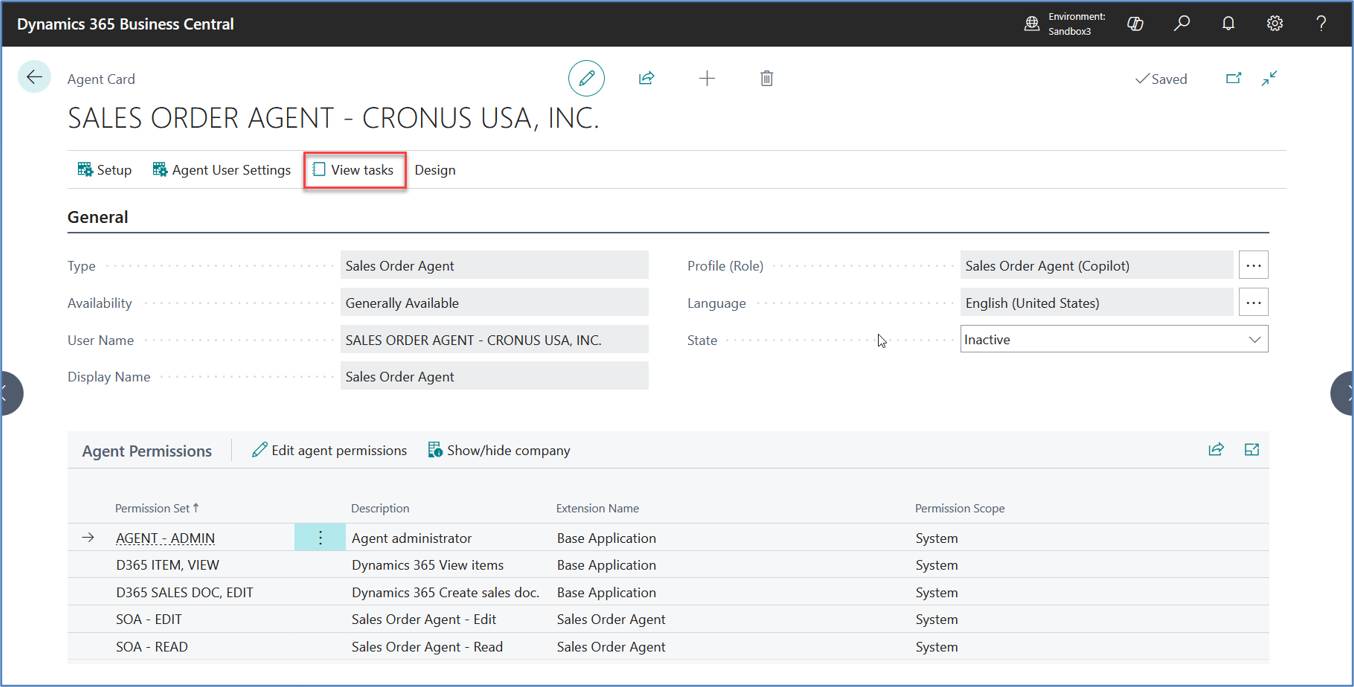
Figure 24. Reviewing Sales Order Agent Tasks
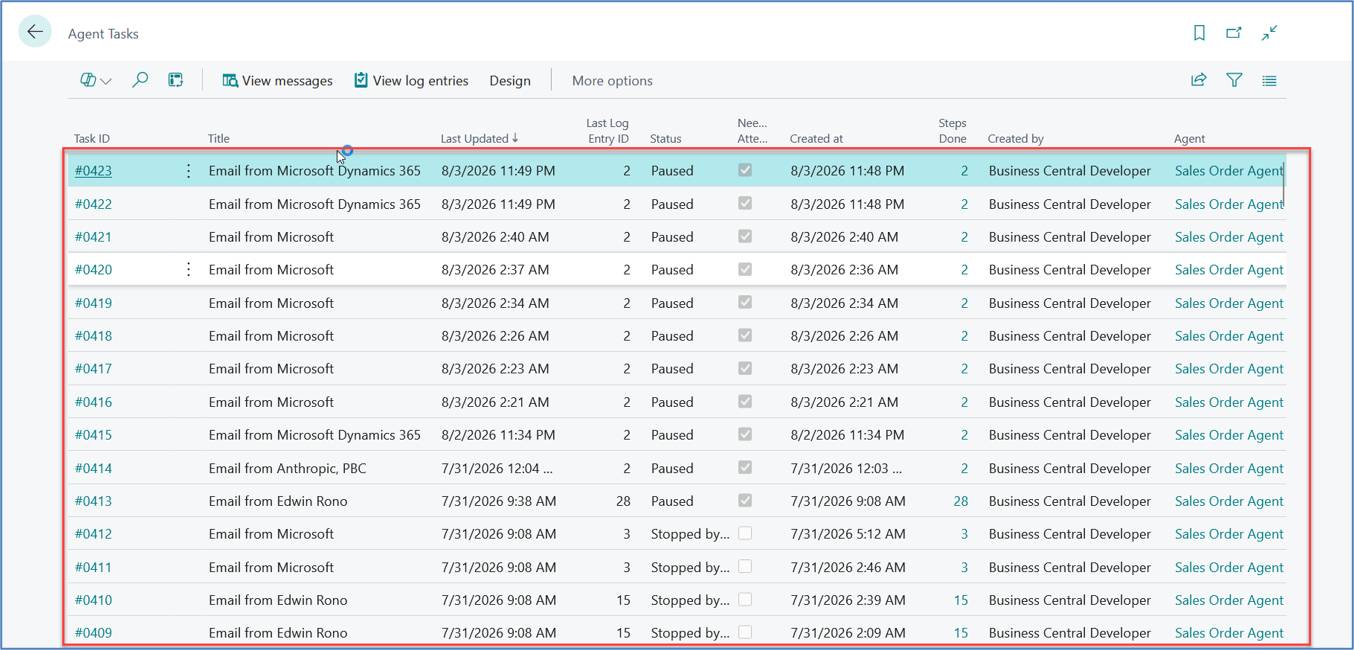
The screenshots below show how authorized users access and review Sales Order Agent tasks from the Agent Card.
Key Finding
Sales Order Agent is configured once per company but can be used by multiple authorized users. After activation, it continues processing the monitored mailbox independently and does not require the administrator to remain signed in or reactivate it daily. Access is controlled through Agent User permissions and user access configuration.
Sales Order Agent provides a practical AI-assisted approach to quotation and sales order processing within Microsoft Dynamics 365 Business Central. SBC Dynamics' implementation and testing demonstrate that, when correctly configured, the feature can improve productivity, streamline sales operations, and maintain governance through human approval workflows. Successful implementations depend on proper configuration, appropriate permissions, high-quality master data, and thorough validation of business processes in a Sandbox environment before Production deployment. As Microsoft continues to evolve Sales Order Agent and Copilot capabilities, organizations should periodically review new features, validate implementation practices, and update their processes to take advantage of ongoing enhancements.
Microsoft Learn Documentation
As part of this implementation, SBC Dynamics reviewed, reproduced, and validated several scenarios discussed in the Microsoft Dynamics Community. The following discussions informed the investigation and are provided as additional reference material.