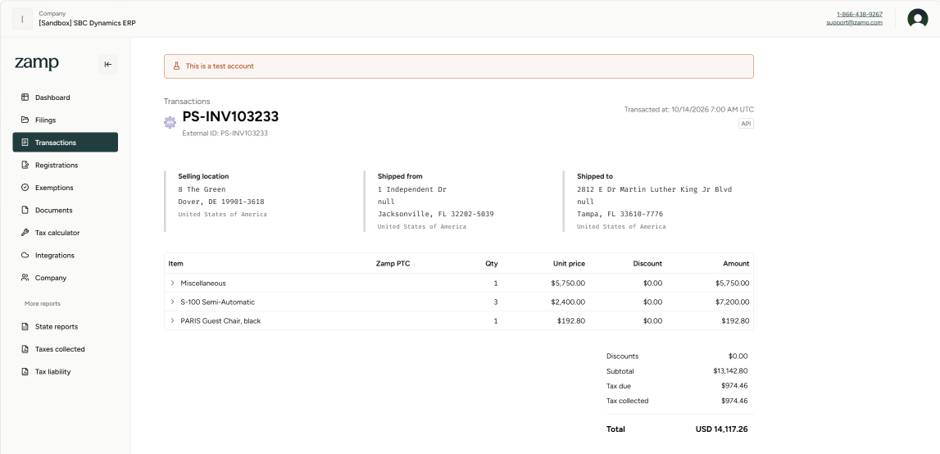
Florida’s Discretionary Sales Surtax is one of those tax rules that looks simple on paper but becomes tricky once you start applying it inside ERP systems like Business Central. Most Florida counties impose a surtax ranging from 0.5% to 2.5%, and sellers must collect it in addition to the state’s 6% sales tax whenever delivery occurs into a surtax imposing county.
But here’s the part many systems get wrong: Florida surtax applies to a single taxable unit — not the total line amount.
If a line contains multiple quantities, each unit must be evaluated separately. Florida does not allow surtax to be calculated on the extended line amount (Quantity × Unit Price). This distinction becomes critical when applying the $5,000 surtax cap.
For tangible personal property, Florida limits the discretionary surtax to the first $5,000 of the price of each single article. Anything above $5,000 is taxed at the state’s 6% rate only.
This means:
Business Central allows you to configure a maximum tax amount, but it uses Line Amount as the comparison value. That means:
This mismatch leads to incorrect surtax calculations for multi quantity lines or high value items.
Acumens e Tax Enterprise introduces logic that correctly interprets Florida’s surtax rules:
Expected Tax:

Standard Microsoft Dynamics 365 Business Central supports maximum tax amount limits, but these limits are applied at the Tax Group level and are calculated based on the Total Line Amount for the Tax Group. While this approach works for many tax scenarios, it does not support jurisdictions such as the Florida Discretionary Sales Surtax, where the maximum taxable amount must be evaluated on a per-item unit price rather than across the total transaction value.
To address this requirement, Acumens Starter-Pack & Implementation Tools extends the standard tax calculation functionality by supporting item-level maximum tax limits. This enables accurate calculation of Florida Discretionary Sales Surtax and similar tax rules, helping organizations remain compliant with complex tax regulations while eliminating the need for manual adjustments.
Tax Area
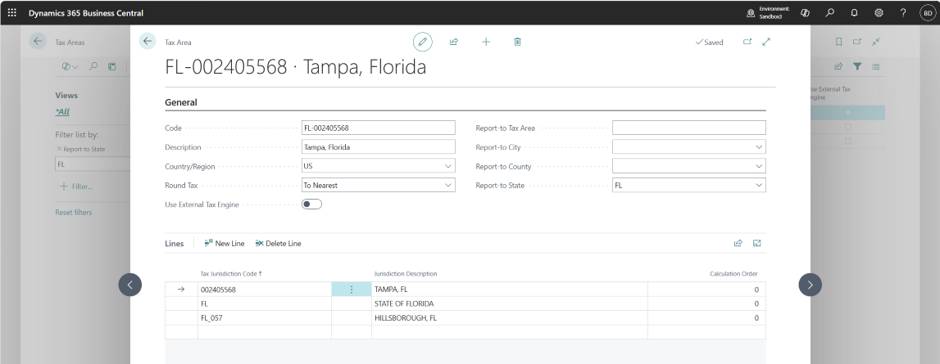
Tax Area

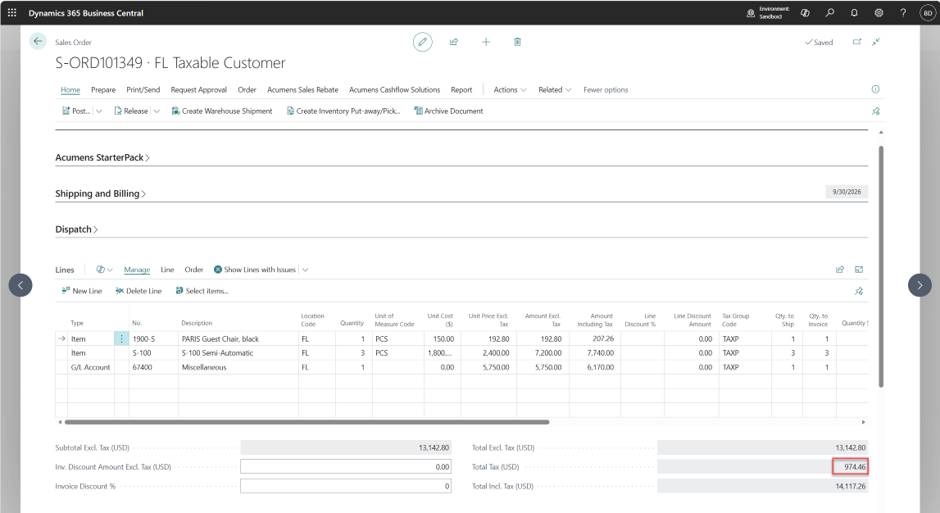
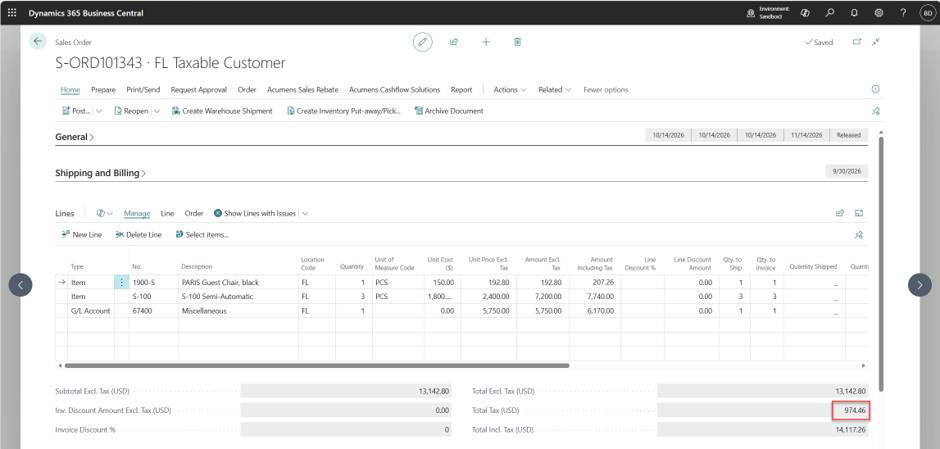
Sales Order
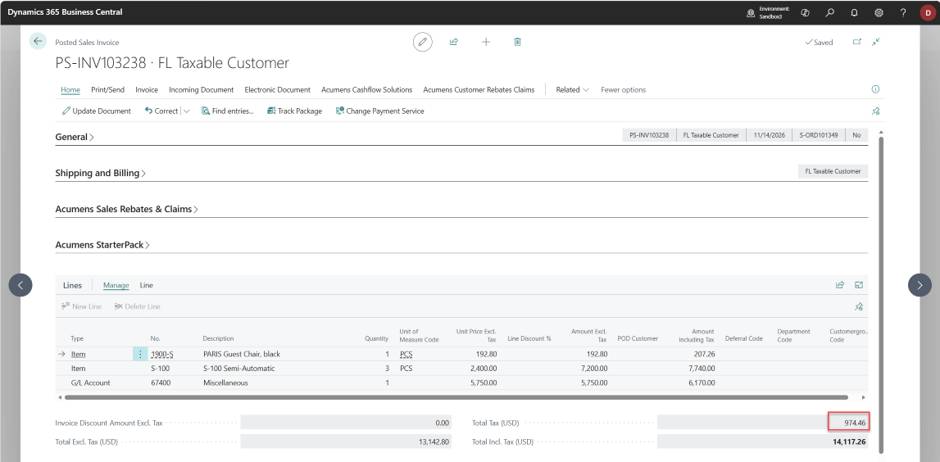
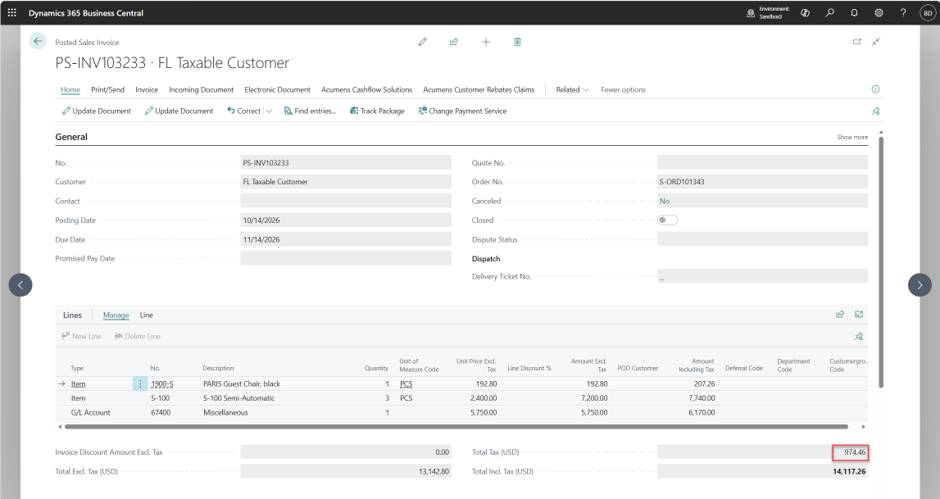
Posted Sales Invoice
Acumens e-Tax Enterprise helps businesses automate the entire sales tax process within Microsoft Dynamics 365 Business Central. Through API integration with leading tax providers, the solution automatically retrieves the latest tax rates and applies them during sales transactions, helping ensure accurate tax calculations without manual maintenance.
Beyond tax calculation, Acumens e-Tax Enterprise also streamlines tax compliance by automatically submitting transaction data to the tax provider for filing purposes. This reduces manual effort, minimizes the risk of filing errors, and helps organizations stay compliant with changing sales tax regulations while significantly improving operational efficiency.
Sales Order
Posted Sales Invoice
Document uploaded to API