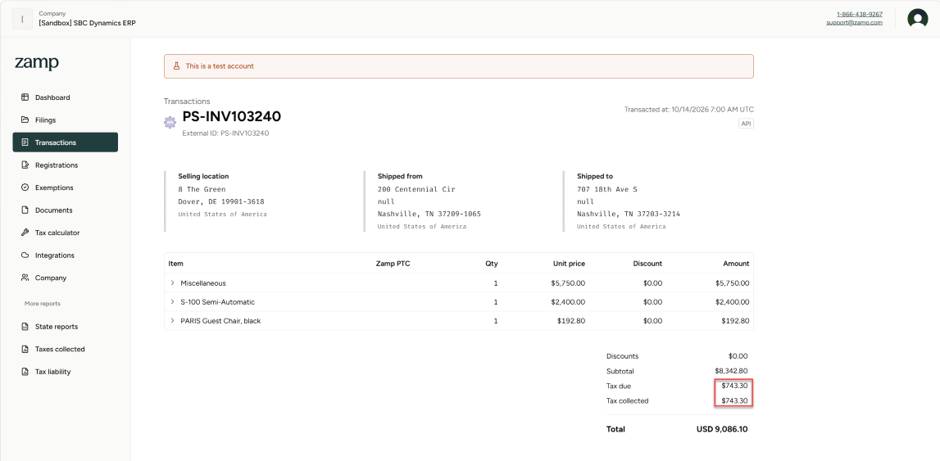
Tennessee takes a different approach with its Single Article Tax, but the principle is similar to Florida Discretionary Sales Surtax:
The tax applies per item, not per invoice or line amount.
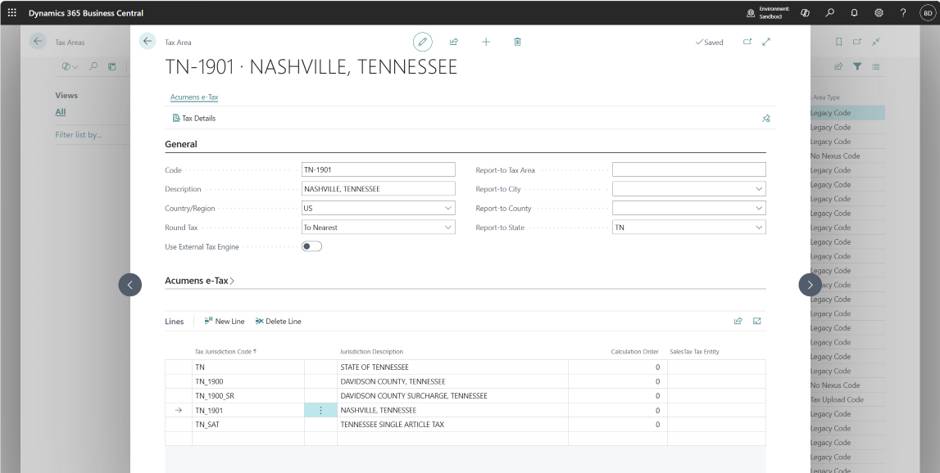
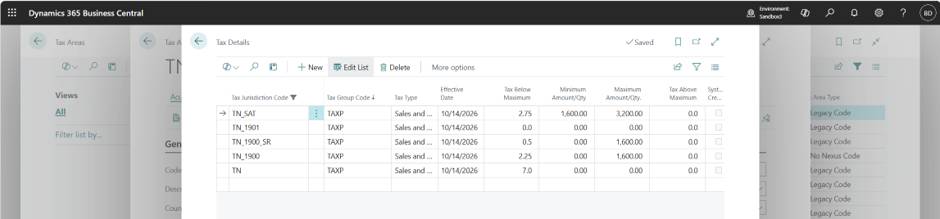
Tennessee’s single article rules kick in when the price of one item exceeds $1,600 but is less than or equal to $3,200. The state applies a layered tax structure:
This means:
Anything above $3,200 is taxed at the state rate only.
Standard Business Central:
This results in incorrect tax calculations for high value items.
Acumens e Tax introduces a Minimum Amount Cap that allows Tennessee's single article rules to be applied correctly:
Expected Tax:

Standard Microsoft Dynamics 365 Business Central supports maximum tax amount limits, but these limits are applied at the Tax Group level and are calculated based on the total transaction amount per Tax Group. It also does not provide support for minimum tax amount limits, which can make it difficult to meet certain state and local tax requirements.
Acumens Starter-Pack & Implementation Tools extends the standard tax calculation capabilities by introducing both minimum and maximum tax amount limits, along with support for item unit price-based tax thresholds. This is particularly useful for taxes such as the Tennessee Single Article Tax, where tax calculations must be based on the price of an individual item rather than the total sales amount. By addressing these limitations, Acumens Starter-Pack & Implementation Tools helps businesses ensure accurate tax calculations, improve compliance, and reduce the need for manual tax adjustments.
Tax Area
Tax Details
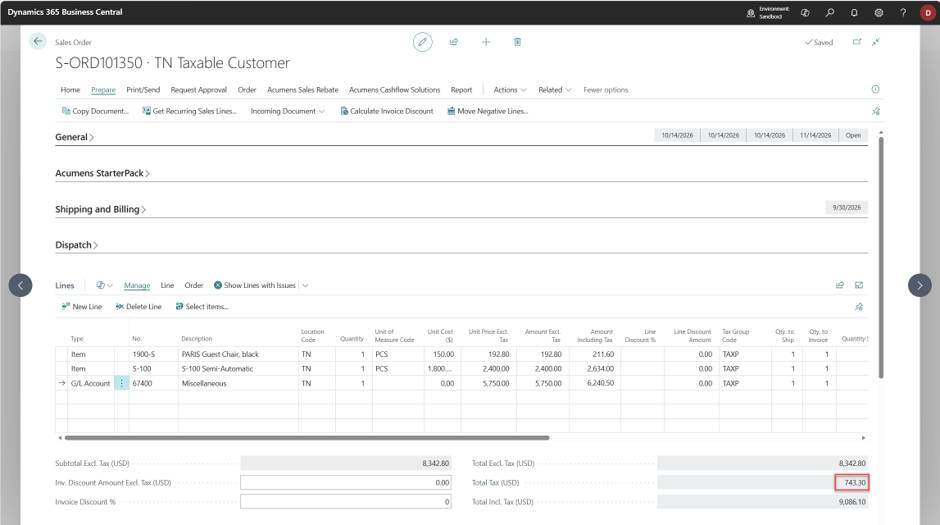
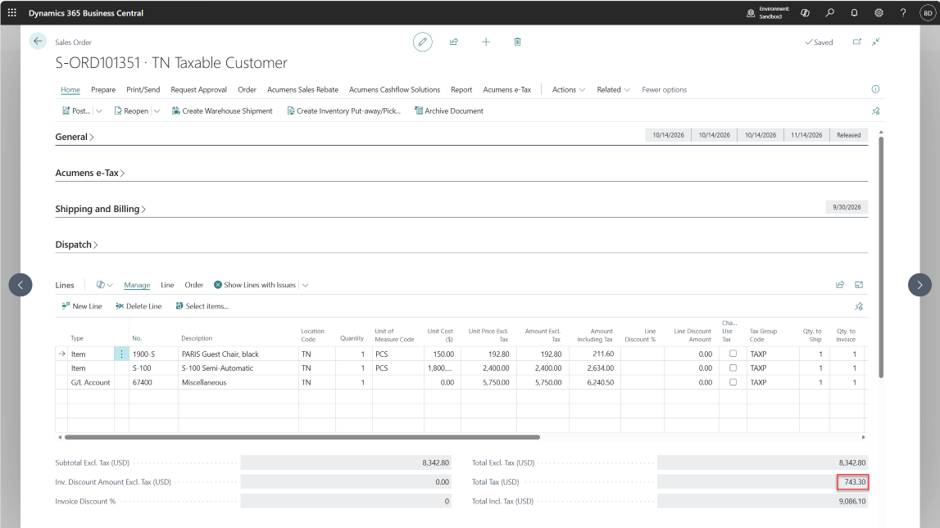
Sales Order
Posted Sales Invoice
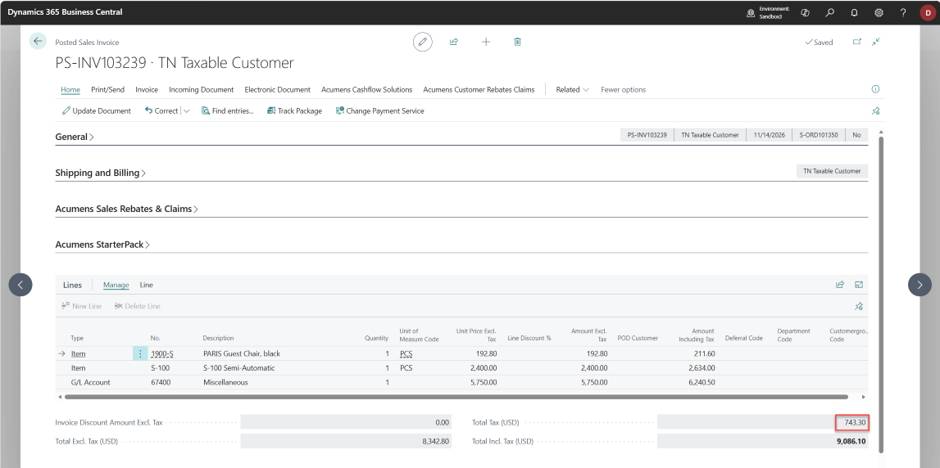
When selling products in Tennessee, sales tax calculations can become more complex due to the Tennessee Single Article Tax, which applies different tax rules based on the price of each individual item. Standard tax calculation methods that rely on the total transaction value may not always produce the correct result for these scenarios.
Acumens e-Tax Enterprise simplifies this process through seamless API integration with leading tax providers. During order entry, the solution automatically retrieves the latest tax rates and applies the appropriate Tennessee Single Article Tax rules at the individual item level, ensuring accurate and compliant tax calculations without manual intervention.
In addition, Acumens e-Tax Enterprise automates tax compliance by securely transmitting transaction data to the tax provider for filing and reporting. This reduces administrative effort, minimizes the risk of calculation or filing errors, and helps businesses stay compliant with Tennessee sales tax requirements while streamlining their tax management processes.
Sales Order
Posted Sales Invoice
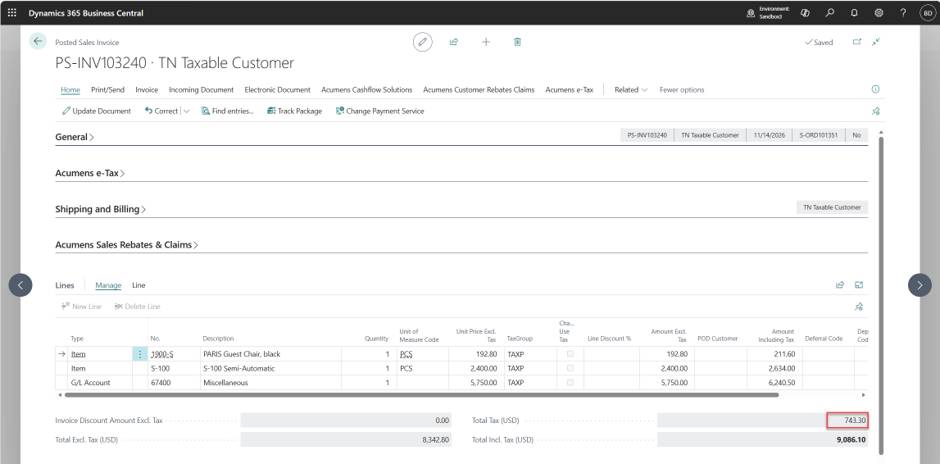
Document uploaded to API