Acumens e-Mailing for EQM Rental is a Microsoft Dynamics 365 Business Central extension that lets rental businesses send customer emails directly from EQM functional areas. This feature allows for efficient and targeted communication with customers, enhancing both operational efficiency and customer engagement.
Contoso Rental Corp rents equipment to its customers and manages its rental operations, from quotes and contracts through shipment, collection and invoicing in Armada EQM 365 Rental on Business Central.
This document describes Contoso Rental Corp's rental document emailing requirements and how Acumens e-Mailing for EQM Rental addresses each of them.
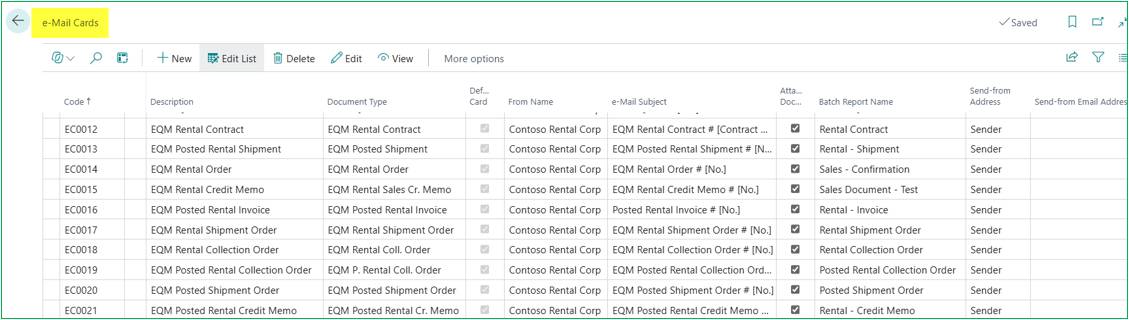
The app provides e-Mail Cards, which are prepopulated when the app is initialized. An e-Mail Card defines the content of the email sent for a document, and users open the e-Mail Cards list by searching for it or from the home page. Contoso Rental Corp can use the predefined cards as delivered or adjust them to its own wording.
Posting a container ASN in Lanham E-Ship creates standard Purchase Receipts in Microsoft Dynamics 365 Business Central. The Freight App processes inventory costs associated with these Purchase Receipts, allowing the relevant freight, duties, tariffs, and other applicable charges to be calculated and allocated. Consequently, the app supports the existing ASN workflow without requiring a direct integration with Lanham E-Ship.
Users should not choose a template every time they send a document. Each EQM rental document type should use the correct email template automatically.
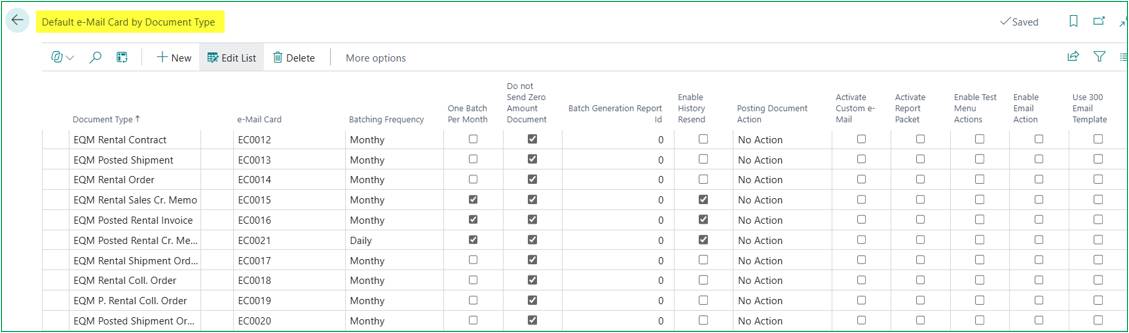
The Default e-Mail Cards by Document page assigns a default e-Mail Card to each document type. Predefined defaults are delivered with the app, and users find the page by searching for it or from the home page. When a user sends a document, the default card for that document type is applied.
Contoso Rental Corp wants to control which report layouts are attached when each rental document is emailed, including the company's EQM rental reports.
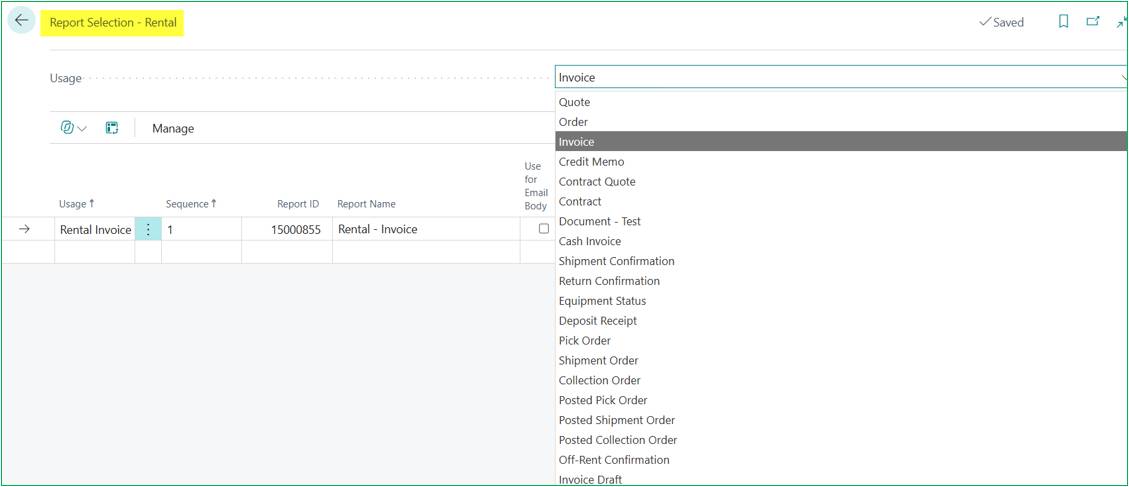
Report selections are maintained on the Report Selection - Rental page. Contoso Rental Corp sets up the EQM rental reports to be used for emailing. The report layout of each document is then used as the attachment when the document is sent.
Sales staff want to email an EQM Rental Quote to a prospect directly from the quote, with a standard message and the quote attached, and to review it before it is sent.
The EQM Rental Quote has a defined report layout and a Send e-Mail action that opens a preview of the email. The user checks the recipient, subject, body and attachment and then sends it from Business Central.
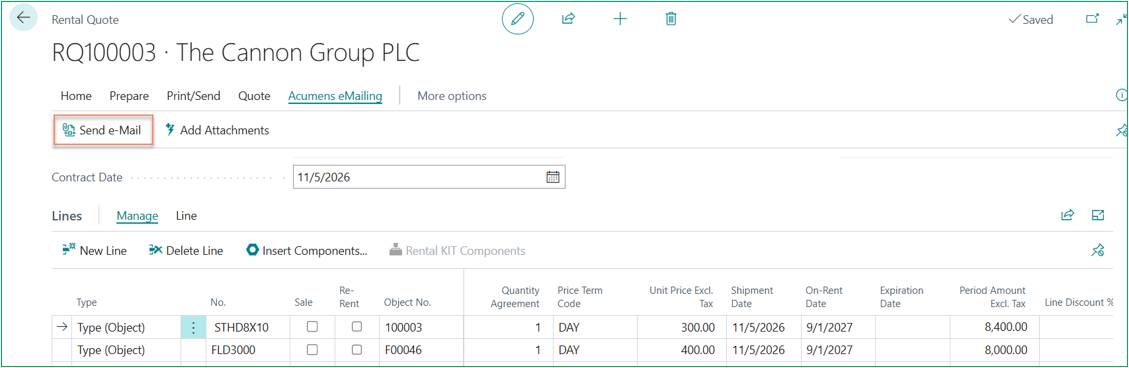
Rental Quote – Send e-Mail Action
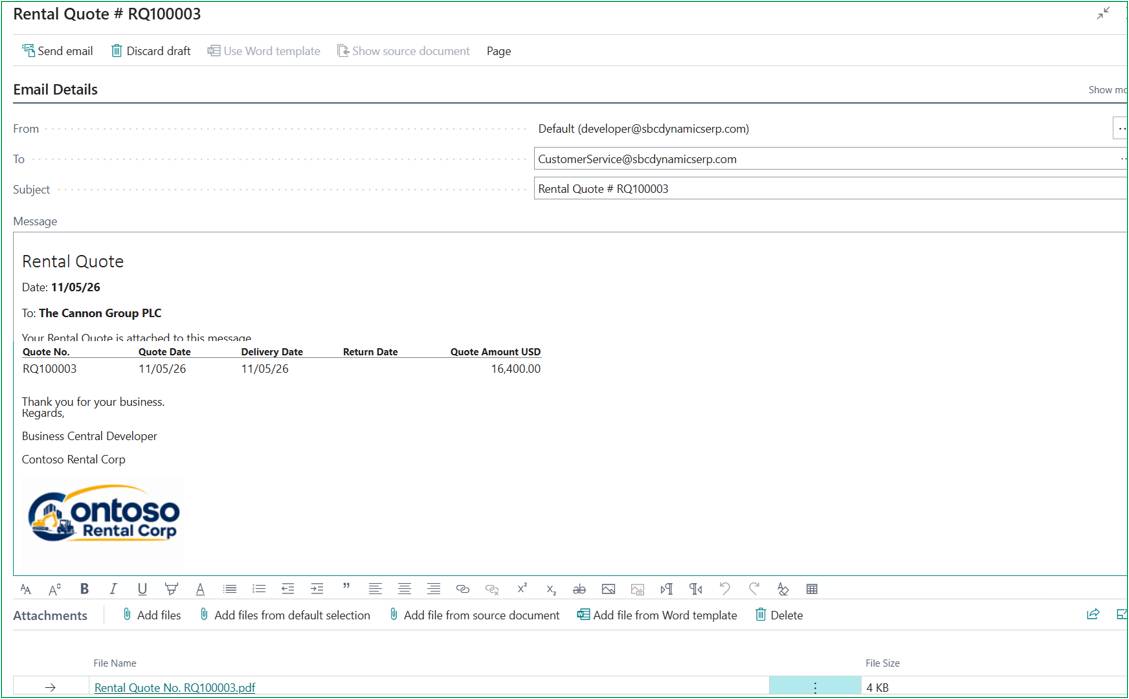 Rental Quote send e-Mail preview.
Contoso Rental Corp needs to send the EQM Rental Contract to the customer for confirmation without leaving Business Central.
The EQM Rental Contract has a report layout for emailing and Send e-Mail Preview shows the email and attachment before sending.
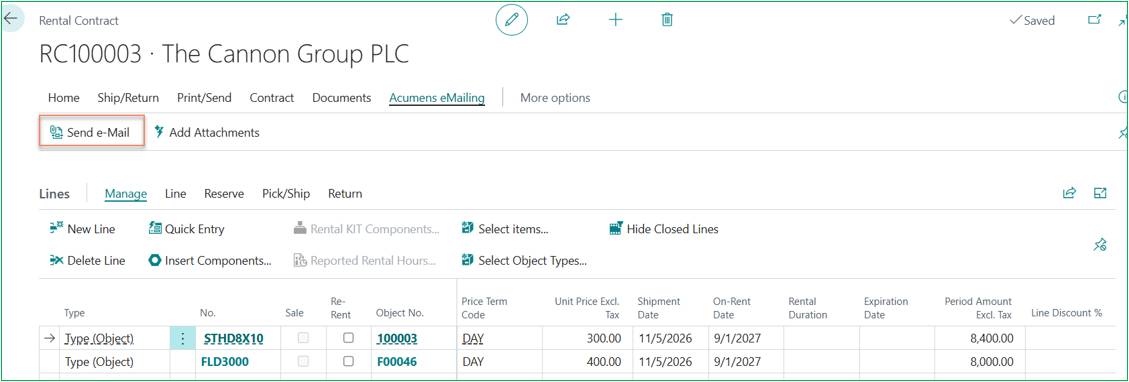 EQM Rental Contract send e-Mail
 EQM Rental Contract send e-Mail preview.
The accounting team wants to email posted rental invoices and credit memos to customers directly from Business Central, with consistent wording and the document attached as a PDF.
The app provides report layouts and a Send e-Mail action for the EQM Posted Rental Invoice, the EQM Rental Credit Memo and the EQM Posted Rental Credit Memo. Emails are sent using the default e-Mail Card for each document type.
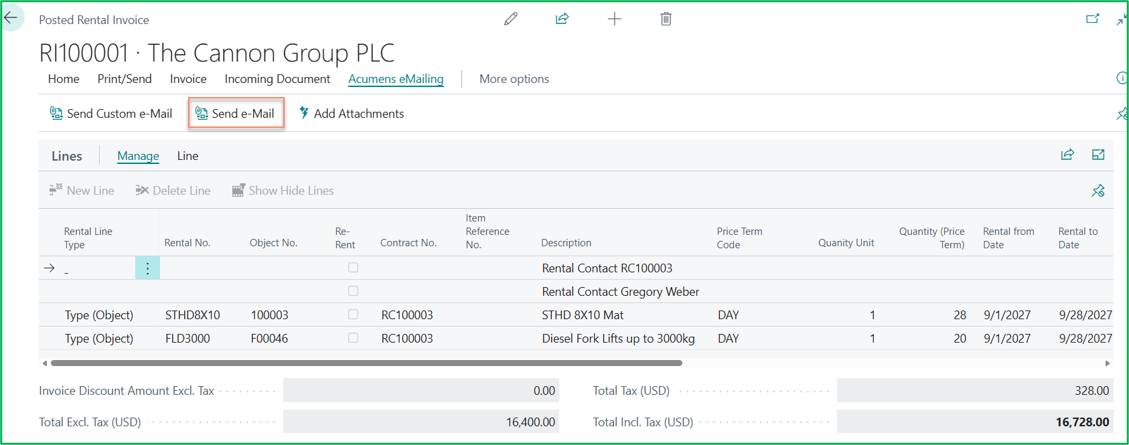 Rental Invoice - Send e-Mail
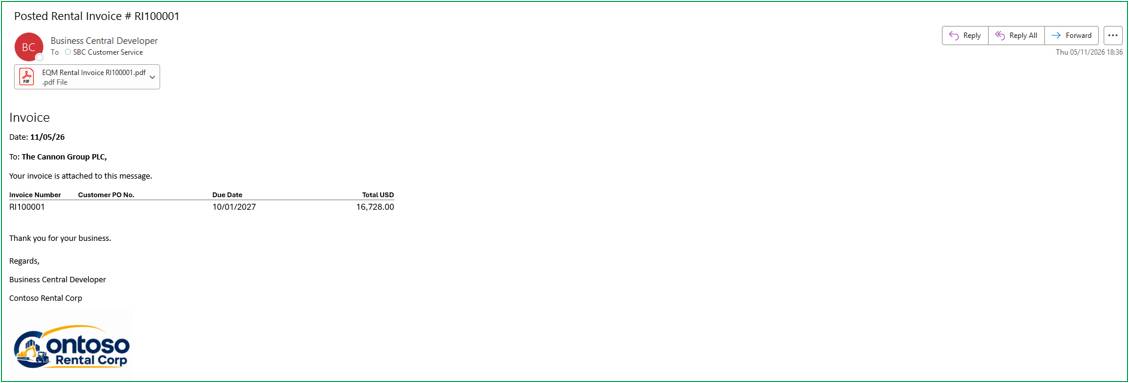 Rental Invoice Email
Customers and delivery contacts need to receive shipment and collection paperwork, both when the order is created and after it is posted.
The app provides report layouts and a Send e-Mail action for these documents:
The EQM Posted Rental Shipment and EQM Rental Order also have report layouts. The same default email card mechanism and sender and signature settings apply.
Customer replies should reach the right person or team. Emails should also carry the correct signature for the sender, their department, location or the company.
The sender's e-mail address can be personal, so that responses arrive in the sender's own mailbox, or it can be set for a department, division, location, business unit or the whole company so that responses go to a shared mailbox. e-Mail signatures can likewise be individual or depend on department, division, location, business unit or company.
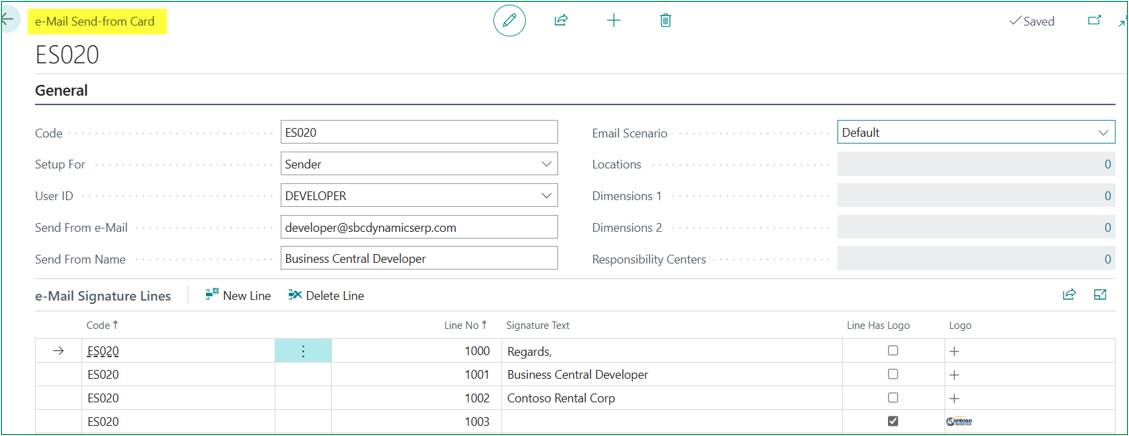 e-Mail Sender Address & Signature
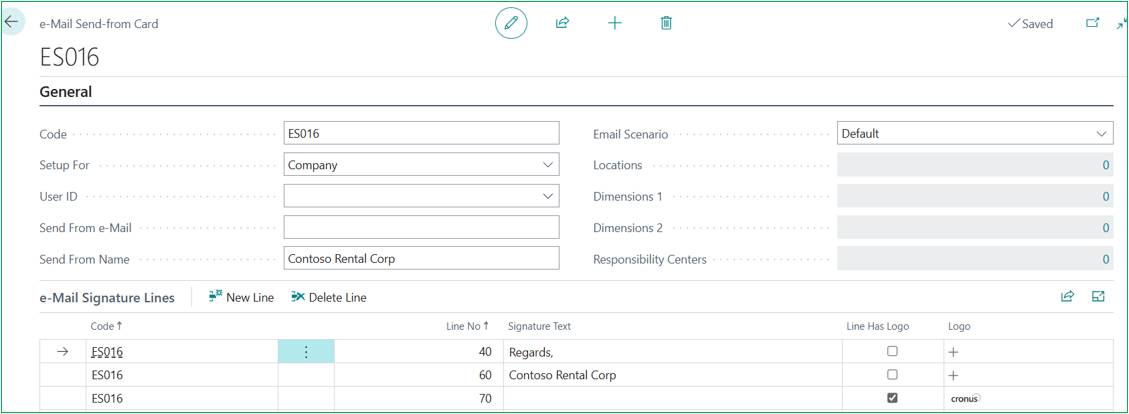 e-Mail Sender Address & Signature for a Company
Rental documents often need supporting files sent with them, such as terms and conditions, insurance certificates or equipment data sheets. Contoso Rental Corp wants users to add these files to the email from the rental contract or from any other document itself, and to control per customer whether the files are sent as individual documents and whether they send the document in a single email.
The Acumens e-Mailing tab on the rental contract for example has an Add Attachments action next to Send e-Mail. Users choose it to add additional files to the email before sending it. How the attachments are sent is set per customer.
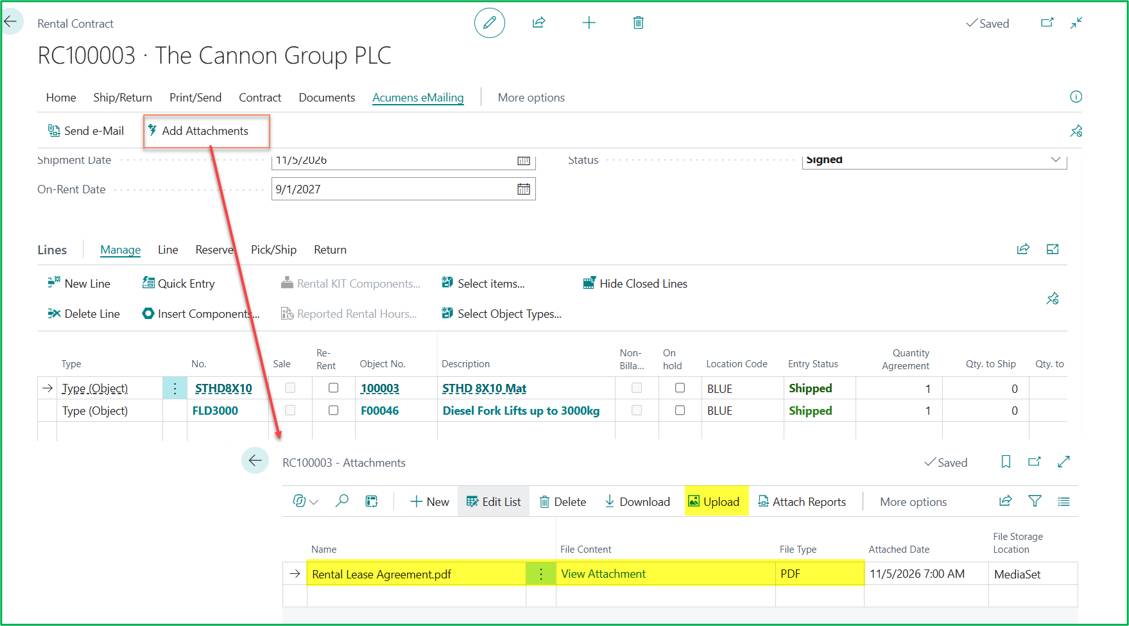
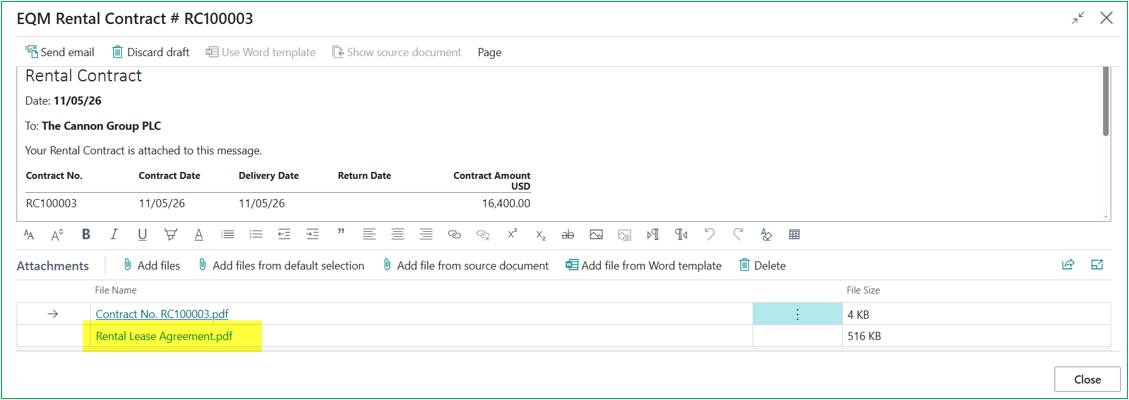 Additional Attachment Added to the Send e-Mail Preview Window
During implementation, user training and testing, Contoso Rental Corp users will send rental documents from Business Central that carry real customer data. The company needs to be sure that no test email reaches a customer by accident, while still seeing the email exactly as the customer would receive it.
Each e-Mail Card has a Test Mode section with a Test Mode switch and a Test e-Mail address. When Test Mode is on, the email is addressed to the test e-mail address instead of the customer's address. Users can still open the real document, such as a rental contract, and review the email as the customer would see it.
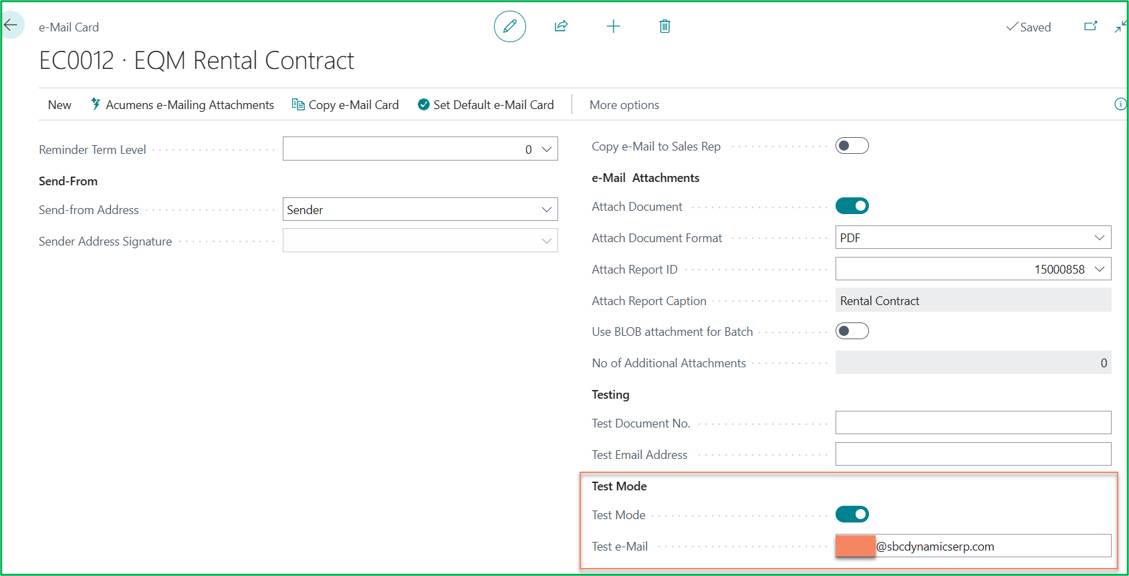
In the example below, the rental contract is for The Cannon Group PLC, and the message is written to that customer. The To field shows the test address, so the email is delivered to the test mailbox and not to the customer.
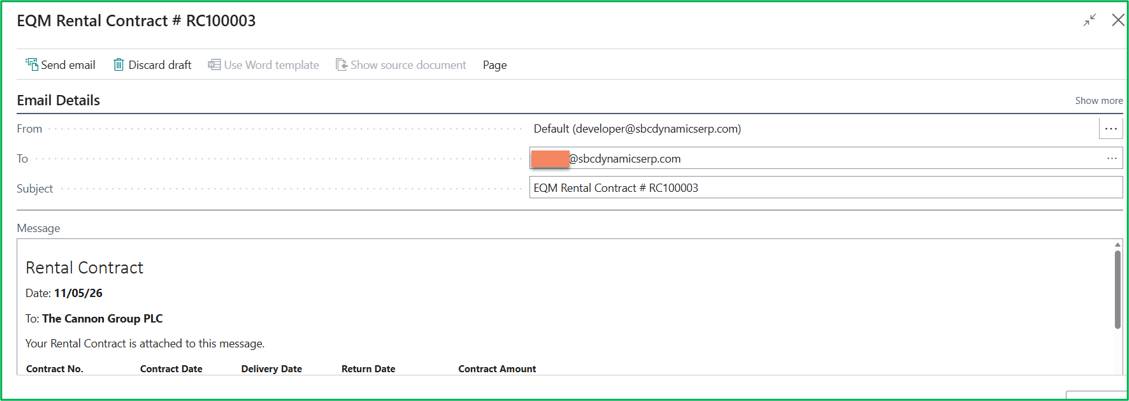 Email draft with the test e-mail address in the To field.
Customers often want rental documents to reach more than one person, for example the contact who signs the contract plus an accounts payable mailbox that should receive the invoices. Contoso Corp wants to maintain these extra recipients once per customer and have them applied automatically when an EQM rental document is emailed, without typing addresses on each email.
The feature is enabled on the e-Mail Card by turning on Use e-Mail Address List. Because the setting is on the e-Mail Card, Contoso Corp can decide for each document type's card whether the customer's additional email addresses are applied when that document is emailed.
On the customer card, the Acumens eMailing tab has an e-Mail Address List action. It opens a list of additional email addresses for the customer, where each line holds a reference for the customer, a name and an email address.
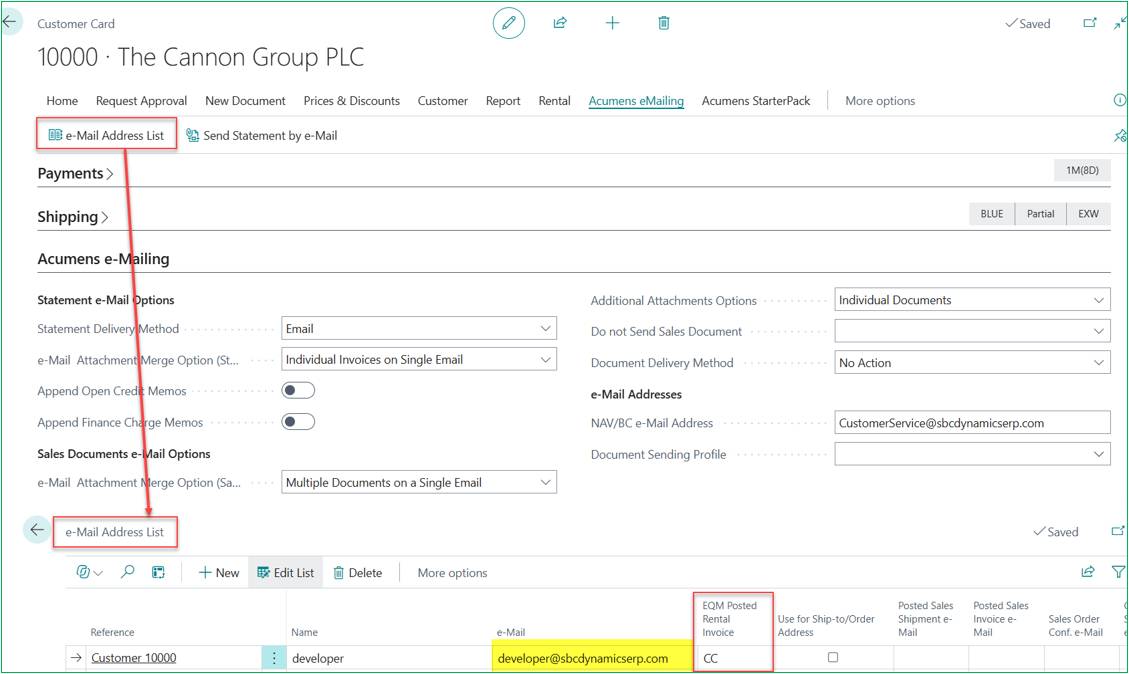
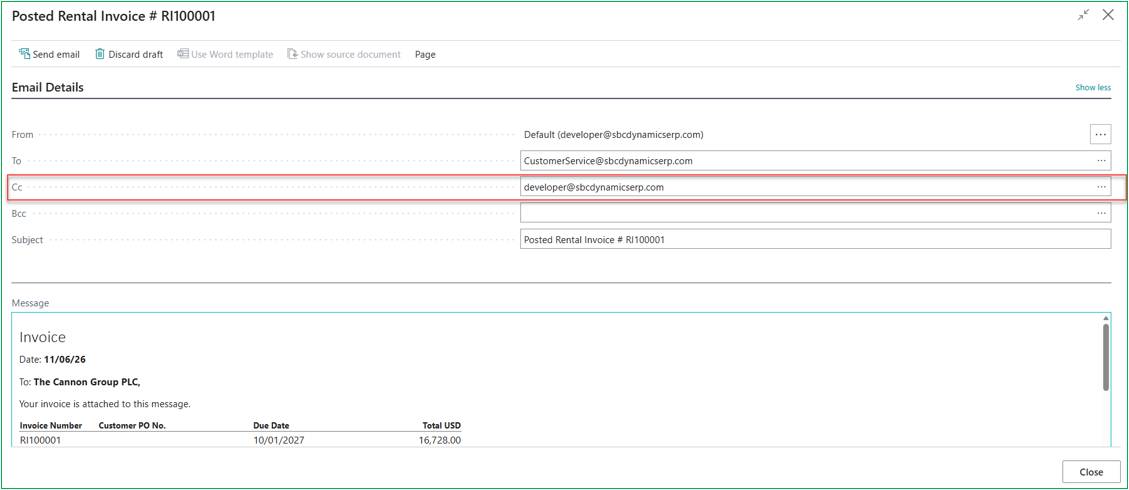
When the posted rental invoice is emailed, the additional address is added automatically. In the email below, the customer's main address is in the To field and the additional address is appended in the Cc field.